1
5.4 Turn on the UPS:
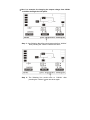
(1) With utility power connecting:
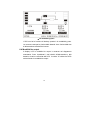
Press “I” button continuously for more than 1 second to turn on
the UPS, the UPS will get into the inverter mode, the LCD
screen will indicate the state of the UPS.
(2) Without utility power connecting:
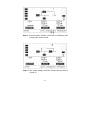
If UPS is cold start without utility power connecting, user need to
push “I”button twice, first pushing “I” button is for UPS to get
power, and second pushing “I” button continuously for more
than 1 second is for UPS to turns on, the UPS will get into the
inverter mode.In fact, the two pushing “I” button is to make
further sure user operation for turning on UPS, the LCD screen
will indicate the state of the UPS.
Note: The default setting for bypass mode is no output after
UPS is connecting utility power and breaker is turned on.
This can be configured by monitoring the LCD panel or
firmware, the out of factory setting for bypass mode is
enable for the UPS.
5.5 Test function:
Test the function of the UPS system by pressing the On-Switch for
more than 1 second, the UPS would detect whether the battery is
connected or the battery is low. And the UPS could also do the test
automatically and periodically, the period time could be set by
user.
5.6 Turn off the UPS:
(1) In Inverter Mode:
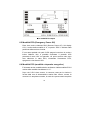
Press “OFF” button continuously for more than 1 second to turn
off the UPS, the UPS will get into no output or bypass mode. At
this time, the UPS might has output if bypass is enabled.
15