1
808-000-000 SDS© rel.3 • Edition 18 December 2009
•
•
•
•
•
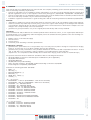
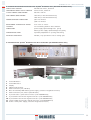
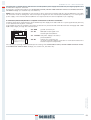
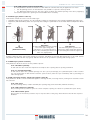
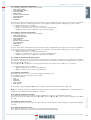
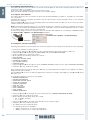
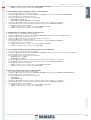
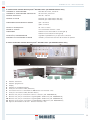
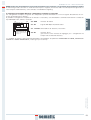
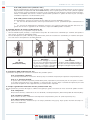
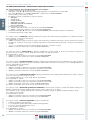
Connect the handset to RJ45 connector;
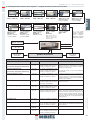
If necessary, using keys and choose the required language and confirm with the “OK” key
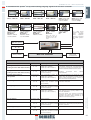
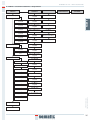
Using keys and run through the MAIN MENU and choose GENERAL OPTIONS
Press OK to confirm the choice
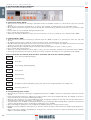
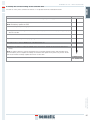
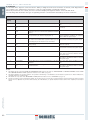
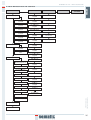
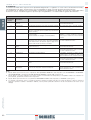
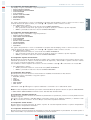
The GENERAL OPTION menu allows the Door Controller to operate by means of the following parameter options:
•
•
•
•
•
•
•
•
•
•
•
•
•
•
•
•
•
•
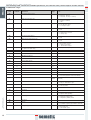
REVERSING SYSTEM
MAIN LIFT CONTROLLER TEST
NO MLC SIGNAL
MLC INPUT ALARM
KN INPUT
CAR DOOR LOCKING DEVICE
GLAZED AND HEAVY PANELED DOORS
AUX OUTPUT RELAY
FIRE FIGHTING OPTIONS
EOD TIMEOUT
PROTECTIVE DEVICE LOGIC
CLOSING ROTATION
MOTOR
CLOSING PARKING MODE
TYPE OF CLOSING PARKING
TYPE OF SKATE
AUX INPUT
IM SIGNAL TYPE
ENGLISH
9 GENERAL OPTIONS
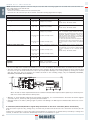
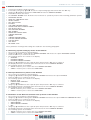
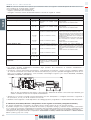
These parameter meanings and settings are detailed in the following paragraphs.
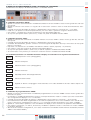
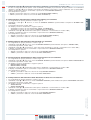
9.1 Reversing System Setting by means of the Handset
• See § 6.1 for the meaning of this parameter
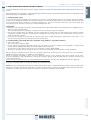
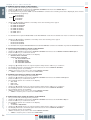
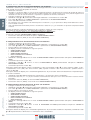
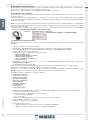
• Using keys and run through the GENERAL OPTIONS and choose the option REVERSING SYSTEM
• Press the “OK” key to confirm the choice
• The following options are viewed on the display:
• INTERNAL
• EXTERNAL-MOVING
• EXTERNAL-MOVING+PARKING
• Using keys and choose the required option and press the “OK” key to confirm it
• The display shows the confirmed option and restores the menu GENERAL OPTIONS
• The following options are available:
• “BACK”: Press key F1 to restore the menu GENERAL OPTIONS
• “MENU”: Press key F3 to restore the MAIN MENU
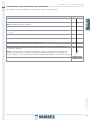
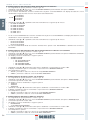
9.3 Activation of the Main Lift Controller Test by means of the Handset
• See § 6.3 for the meaning of this parameter
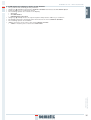
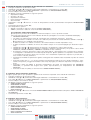
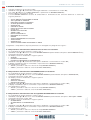
• Using keys and run through the GENERAL OPTIONS and choose the option MAIN LIFT CONTROLLER TEST
• Press the “OK” key to confirm the choice
• The following options are viewed on the display:
• WHEN MOVING
• WHEN MOVING+PARKING
• OFF
• Using keys and choose the required option and press the “OK” key to confirm it
• The display shows the confirmed option and restores the menu GENERAL OPTIONS
• The following options are available:
• “BACK”: Press key F1 to restore the menu GENERAL OPTIONS
• “MENU”: Press key F3 to restore the MAIN MENU
© SEMATIC • All rights reserved.
Changes can be made without notice.
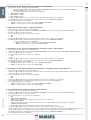
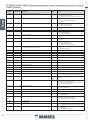
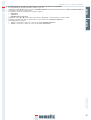
9.2 Kn Input Activation by means of the Handset
• See § 6.4 for the meaning of this parameter
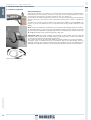
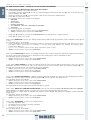
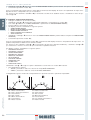
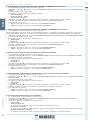
• Using keys and run through the GENERAL OPTIONS and choose the option KN INPUT
• Press the “OK” key to confirm the choice
• The following options are viewed on the display:
• DEFAULT TYPE
• LIMITED DOOR REVERSAL
• SAFETY EDGE
• Using keys and choose the required option and press the “OK” key to confirm it
• The display shows the confirmed option and restores the menu GENERAL OPTIONS
• The following options are available:
• “BACK”: Press key F1 to restore the menu GENERAL OPTIONS
• “MENU”: Press key F3 to restore the MAIN MENU
31