1
ASSEMBLY INSTRUCTIONS(2650KL & 2700KL)
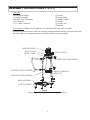
Parts List:
(1) Platform Assembly (plus 2 ramps)
(1) Display Assembly
(4) Rubber Feet Assemblies
(1) AC Adapter
(1) LC Cable Connector
(1) Handle
(4) Ramp Holder
(1) Display Support
(4) Screws
(1) Power Cord
(2) Wheels
Tools required: Phillips head screwdriver (not included).
Remove each piece from the carton and unwrap packing material carefully to prevent scratching
the unit’s parts. It is recommended that assembly is performed by two people.
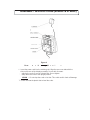
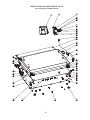
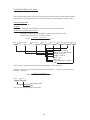
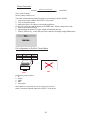
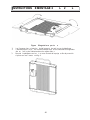
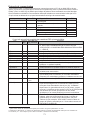
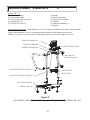
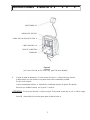
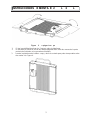
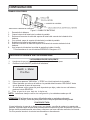
Figure 2
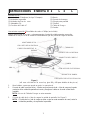
Figure 2
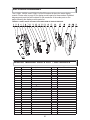
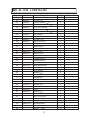
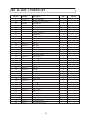
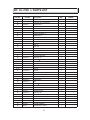
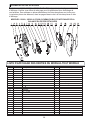
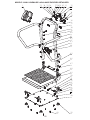
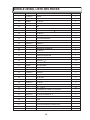
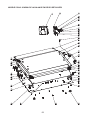
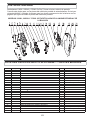
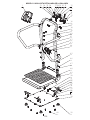
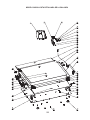
(refer to the Parts List on page 29 & 31 for details on parts)
1.
2.
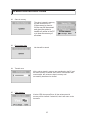
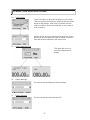
Open the scale to operational position.
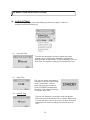
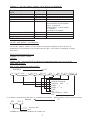
Connect the load cell cable connector to the load cell port on the rear of the display
assembly and insert and secure the cable into the center channel in the display.
NOTE: Do not attach the Power Cord at this point.
3.
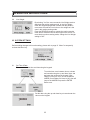
Connect the load cell cable to the display unit see Figure 2.
NOTE: The load cell cable should now be secured in the channel between the display
assembly and the display support.
4