1
BNC Mini-High Res, 75-Ohm Termination Kit
Connector Installation Guide
(60-073-01)
68-197-02
02 02 Rev. C
Printed in the USA
Precautions
Safety Instructions • English
This symbol is intended to alert the user of important operating and maintenance
(servicing) instructions in the literature provided with the equipment.
This symbol is intended to alert the user of the presence of uninsulated dangerous
voltage within the product's enclosure that may present a risk of electric shock.
Warning
Power sources • This equipment should be operated only from the power source indicated on the
product. This equipment is intended to be used with a main power system with a grounded
(neutral) conductor. The third (grounding) pin is a safety feature, do not attempt to bypass or
disable it.
Caution
Power disconnection • To remove power from the equipment safely, remove all power cords from
the rear of the equipment, or the desktop power module (if detachable), or from the power
source receptacle (wall plug).
Read Instructions • Read and understand all safety and operating instructions before using the
equipment.
Power cord protection • Power cords should be routed so that they are not likely to be stepped on or
pinched by items placed upon or against them.
Retain Instructions • The safety instructions should be kept for future reference.
Servicing • Refer all servicing to qualified service personnel. There are no user-serviceable parts
inside. To prevent the risk of shock, do not attempt to service this equipment yourself because
opening or removing covers may expose you to dangerous voltage or other hazards.
Follow Warnings • Follow all warnings and instructions marked on the equipment or in the user
information.
Avoid Attachments • Do not use tools or attachments that are not recommended by the equipment
manufacturer because they may be hazardous.
Slots and openings • If the equipment has slots or holes in the enclosure, these are provided to
prevent overheating of sensitive components inside. These openings must never be blocked by
other objects.
Lithium battery • There is a danger of explosion if battery is incorrectly replaced. Replace it only
with the same or equivalent type recommended by the manufacturer. Dispose of used batteries
according to the manufacturer's instructions.
Consignes de Sécurité • Français
Avertissement
Ce symbole sert à avertir l’utilisateur que la documentation fournie avec le matériel
contient des instructions importantes concernant l’exploitation et la maintenance
(réparation).
Alimentations• Ne faire fonctionner ce matériel qu’avec la source d’alimentation indiquée sur
l’appareil. Ce matériel doit être utilisé avec une alimentation principale comportant un fil de
terre (neutre). Le troisième contact (de mise à la terre) constitue un dispositif de sécurité :
n’essayez pas de la contourner ni de la désactiver.
Ce symbole sert à avertir l’utilisateur de la présence dans le boîtier de l’appareil de
tensions dangereuses non isolées posant des risques d’électrocution.
Déconnexion de l’alimentation• Pour mettre le matériel hors tension sans danger, déconnectez tous
les cordons d’alimentation de l’arrière de l’appareil ou du module d’alimentation de bureau (s’il
est amovible) ou encore de la prise secteur.
Attention
Lire les instructions• Prendre connaissance de toutes les consignes de sécurité et d’exploitation avant
d’utiliser le matériel.
Conserver les instructions• Ranger les consignes de sécurité afin de pouvoir les consulter à l’avenir.
Respecter les avertissements • Observer tous les avertissements et consignes marqués sur le matériel ou
présentés dans la documentation utilisateur.
Eviter les pièces de fixation • Ne pas utiliser de pièces de fixation ni d’outils non recommandés par le
fabricant du matériel car cela risquerait de poser certains dangers.
Protection du cordon d’alimentation • Acheminer les cordons d’alimentation de manière à ce que
personne ne risque de marcher dessus et à ce qu’ils ne soient pas écrasés ou pincés par des
objets.
Réparation-maintenance • Faire exécuter toutes les interventions de réparation-maintenance par un
technicien qualifié. Aucun des éléments internes ne peut être réparé par l’utilisateur. Afin
d’éviter tout danger d’électrocution, l’utilisateur ne doit pas essayer de procéder lui-même à ces
opérations car l’ouverture ou le retrait des couvercles risquent de l’exposer à de hautes tensions
et autres dangers.
Fentes et orifices • Si le boîtier de l’appareil comporte des fentes ou des orifices, ceux-ci servent à
empêcher les composants internes sensibles de surchauffer. Ces ouvertures ne doivent jamais
être bloquées par des objets.
Lithium Batterie • Il a danger d'explosion s'll y a remplacment incorrect de la batterie. Remplacer
uniquement avec une batterie du meme type ou d'un ype equivalent recommande par le
constructeur. Mettre au reut les batteries usagees conformement aux instructions du fabricant.
Sicherheitsanleitungen • Deutsch
Vorsicht
Dieses Symbol soll dem Benutzer in der im Lieferumfang enthaltenen
Dokumentation besonders wichtige Hinweise zur Bedienung und Wartung
(Instandhaltung) geben.
Stromquellen • Dieses Gerät sollte nur über die auf dem Produkt angegebene Stromquelle betrieben
werden. Dieses Gerät wurde für eine Verwendung mit einer Hauptstromleitung mit einem
geerdeten (neutralen) Leiter konzipiert. Der dritte Kontakt ist für einen Erdanschluß, und stellt
eine Sicherheitsfunktion dar. Diese sollte nicht umgangen oder außer Betrieb gesetzt werden.
Dieses Symbol soll den Benutzer darauf aufmerksam machen, daß im Inneren des
Gehäuses dieses Produktes gefährliche Spannungen, die nicht isoliert sind und
die einen elektrischen Schock verursachen können, herrschen.
Stromunterbrechung • Um das Gerät auf sichere Weise vom Netz zu trennen, sollten Sie alle
Netzkabel aus der Rückseite des Gerätes, aus der externen Stomversorgung (falls dies möglich
ist) oder aus der Wandsteckdose ziehen.
Achtung
Lesen der Anleitungen • Bevor Sie das Gerät zum ersten Mal verwenden, sollten Sie alle Sicherheitsund Bedienungsanleitungen genau durchlesen und verstehen.
Aufbewahren der Anleitungen • Die Hinweise zur elektrischen Sicherheit des Produktes sollten Sie
aufbewahren, damit Sie im Bedarfsfall darauf zurückgreifen können.
Befolgen der Warnhinweise • Befolgen Sie alle Warnhinweise und Anleitungen auf dem Gerät oder in
der Benutzerdokumentation.
Keine Zusatzgeräte • Verwenden Sie keine Werkzeuge oder Zusatzgeräte, die nicht ausdrücklich vom
Hersteller empfohlen wurden, da diese eine Gefahrenquelle darstellen können.
Instrucciones de seguridad • Español
Schutz des Netzkabels • Netzkabel sollten stets so verlegt werden, daß sie nicht im Weg liegen und
niemand darauf treten kann oder Objekte darauf- oder unmittelbar dagegengestellt werden
können.
Wartung • Alle Wartungsmaßnahmen sollten nur von qualifiziertem Servicepersonal durchgeführt
werden. Die internen Komponenten des Gerätes sind wartungsfrei. Zur Vermeidung eines
elektrischen Schocks versuchen Sie in keinem Fall, dieses Gerät selbst öffnen, da beim Entfernen
der Abdeckungen die Gefahr eines elektrischen Schlags und/oder andere Gefahren bestehen.
Schlitze und Öffnungen • Wenn das Gerät Schlitze oder Löcher im Gehäuse aufweist, dienen diese
zur Vermeidung einer Überhitzung der empfindlichen Teile im Inneren. Diese Öffnungen
dürfen niemals von anderen Objekten blockiert werden.
Litium-Batterie • Explosionsgefahr, falls die Batterie nicht richtig ersetzt wird. Ersetzen Sie
verbrauchte Batterien nur durch den gleichen oder einen vergleichbaren Batterietyp, der auch
vom Hersteller empfohlen wird. Entsorgen Sie verbrauchte Batterien bitte gemäß den
Herstelleranweisungen.
Advertencia
Este símbolo se utiliza para advertir al usuario sobre instrucciones importantes de
operación y mantenimiento (o cambio de partes) que se desean destacar en el
contenido de la documentación suministrada con los equipos.
Alimentación eléctrica • Este equipo debe conectarse únicamente a la fuente/tipo de alimentación
eléctrica indicada en el mismo. La alimentación eléctrica de este equipo debe provenir de un
sistema de distribución general con conductor neutro a tierra. La tercera pata (puesta a tierra) es
una medida de seguridad, no puentearia ni eliminaria.
Este símbolo se utiliza para advertir al usuario sobre la presencia de elementos con
voltaje peligroso sin protección aislante, que puedan encontrarse dentro de la caja
o alojamiento del producto, y que puedan representar riesgo de electrocución.
Desconexión de alimentación eléctrica • Para desconectar con seguridad la acometida de
alimentación eléctrica al equipo, desenchufar todos los cables de alimentación en el panel trasero
del equipo, o desenchufar el módulo de alimentación (si fuera independiente), o desenchufar el
cable del receptáculo de la pared.
Precaucion
Leer las instrucciones • Leer y analizar todas las instrucciones de operación y seguridad, antes de usar
el equipo.
Conservar las instrucciones • Conservar las instrucciones de seguridad para futura consulta.
Obedecer las advertencias • Todas las advertencias e instrucciones marcadas en el equipo o en la
documentación del usuario, deben ser obedecidas.
Evitar el uso de accesorios • No usar herramientas o accesorios que no sean especificamente
recomendados por el fabricante, ya que podrian implicar riesgos.
Protección del cables de alimentación • Los cables de alimentación eléctrica se deben instalar en
lugares donde no sean pisados ni apretados por objetos que se puedan apoyar sobre ellos.
Reparaciones/mantenimiento • Solicitar siempre los servicios técnicos de personal calificado. En el
interior no hay partes a las que el usuario deba acceder. Para evitar riesgo de electrocución, no
intentar personalmente la reparación/mantenimiento de este equipo, ya que al abrir o extraer las
tapas puede quedar expuesto a voltajes peligrosos u otros riesgos.
Ranuras y aberturas • Si el equipo posee ranuras o orificios en su caja/alojamiento, es para evitar el
sobrecalientamiento de componentes internos sensibles. Estas aberturas nunca se deben obstruir
con otros objetos.
Batería de litio • Existe riesgo de explosión si esta batería se coloca en la posición incorrecta.
Cambiar esta batería únicamente con el mismo tipo (o su equivalente) recomendado por el
fabricante. Desachar las baterías usadas siguiendo las instrucciones del fabricante.
BNC Termination Kit Instructions
______ This document is a compilation of Extron’s instructions, together with
copies of AMP® Instruction booklets that are provided with each of the
AMP tools included in this kit.
1 • Extron Mini-High-Res Cable-to-BNC Instructions
Parts included in Kit • Pre-cut Heat shrink insulation:
Red 3/8” diameter
Green 3/8” diameter
Blue 3/8” diameter
Yellow 3/8” diameter
Black 3/8” diameter
3 • AMP® Coaxial Cable Stripper Instructions (4100-0632)
5 • AMP® 75-Ohm BNC Plug Instructions (408-9088)
Parts included in Kit • BNC connectors for cable ends:
Male plug bodies
Center contacts
Tube for insulation
Step-down Ferrule
7 • AMP® Pro-Crimper II Hand Tool & Die Assembly Instructions (408-4218)
8 • AMP® Pro-Crimper II Hand Tool Application & Maintenance (408-9930)
10 • AMP® Series BNC Solder Receptacle Jacks (IS 2858)
BNC Connector Installation
Introduction
Use these instructions to install BNC connectors on Extron’s 75 ohm Super HighResolution coax cable. The kit includes the following required tools:
• AMP® Coaxial Cable Stripper
• AMP® Pro-Crimper (with dies to crimp both center contacts and the ferrules)
• Wire Cutters/Strippers
Before using each of the AMP tools, go to the appropriate section of this
document for instructions.
Cable-Stripping Procedure
.496"
Use the AMP Coaxial Cable Stripper and the copy of the
(11.9 mm)
instruction sheet provided on pages 3 and 4 to make the
.375"
(9.5 mm)
three-step strip. One blade cuts the outer jacket, the
.094"
2.4 mm)
next one cuts the jacket and wire braid and the third
onductor
blade cuts the jacket, the wire braid and the insulation
(dielectric). It may be necessary to try some sample cuts
.250"
(6.4 mm)
and adjust the tool to get the proper depth for each cut.
Use the illustration to the right to identify the cable parts
and dimensions of each cut.
Outer Insu
Shielding
Stripped Cable
(do not scale from illustration)
Installation Procedure
When the cable has been stripped and you are ready to install the BNC
connector, use the illustration on the facing page and these steps as a guide for
installing the connector. Additional instructions can be found on pages 5 and 6.
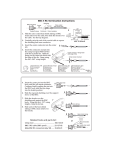
1. Identify the parts required. Cut 1.5 inches of the chosen colored heat shrink
insulator and slip it over the cable far enough to be out of the way of other
components.
2. Slide the small end of the ferrule over the cable, pushing it back from the end.
(The large end will go toward the BNC connector.) Slide the plastic tube over
the insulating dielectric, but under the wire braid. When finished, the wire braid
will make contact with BNC body, but NOT with the center conductor. (The
braid may appear to be bare wire strands.)
3. Push the center contact over the center conductor. When the center
conductor slides all the way into the hole, it should no longer be exposed.
4. Use the AMP® Pro-Crimper tool to crimp the center contact onto the
conductor. Check that the connection is secure. (Detailed instructions for
using this tool are included on pages 5 and 6.)
5. Push the plug body over the center contact and over the dielectric insulator –
with the plastic sleeve inside the wire braid.
6. Push the ferrule against the plug body. It should cover the exposed wire braid
and part of the outside insulation.
7. Crimp the ferrule in place. Trim any exposed wire braid if necessary.
8. Slide the Color-Coded Heat Shrink sleeve toward the connector, covering the
Ferrule. Use a heat source to shrink the sleeve tightly in place.
Repeat this procedure for each BNC cable connector.
When fully inserted, the center contact should extend into
the plug body, as shown at the bottom of the next page.
The illustration to the right shows the parts of the coaxial
cable, with the ferrule and tube added.
1
Extron • 75 Ohm BNC Termination Kit • User’s Guide
BNC Connector Installation
1
BNC Plug
Body
Shielding
Center
Pin
Plastic
Tube
Conductor
Support
Sleeve
2
Color-coded
Heat Shrink Tube
Ferrule
Outer
Insulation
Plastic
Tube
3 Center
Pin
4 Center Contact - flange flush
with edge of die
Crimp Center Contact
5 BNC Plug
Body
6 Slide Ferrule over Shielding
and support sleeve
7
Ferrule - small dia. flush
with edge of die
Crimp Ferrule
8
Heat Shrink Tubing
or
Apply the recommended
glue to attach the strain relief
Install Strain Relief
Extron • 75 Ohm BNC Termination Kit • User’s Guide
2
BNC Connector Installation
Mini coax
3
Extron • 75 Ohm BNC Termination Kit • User’s Guide
BNC Connector Installation
If setup is
required, use
RG174 side of
the red gauge
block.
Mini Hi-Res
Extron • 75 Ohm BNC Termination Kit • User’s Guide
4
BNC Connector Installation
5
Extron • 75 Ohm BNC Termination Kit • User’s Guide
BNC Connector Installation
Extron • 75 Ohm BNC Termination Kit • User’s Guide
6
BNC Connector Installation
7
Extron • 75 Ohm BNC Termination Kit • User’s Guide
BNC Connector Installation
Warning:
The die retaining pins
must be in place or the
connector may skew
and jam.
Extron • 75 Ohm BNC Termination Kit • User’s Guide
8
BNC Connector Installation
9
Extron • 75 Ohm BNC Termination Kit • User’s Guide
BNC Connector Installation
Extron • 75 Ohm BNC Termination Kit • User’s Guide
10
BNC Connector Installation
11
Extron • 75 Ohm BNC Termination Kit • User’s Guide
Extron’s Warranty
Extron Electronics warrants this product against defects in materials and workmanship for a period
of three years from the date of purchase. In the event of malfunction during the warranty period
attributable directly to faulty workmanship and/or materials, Extron Electronics will, at its option,
repair or replace said products or components, to whatever extent it shall deem necessary to restore
said product to proper operating condition, provided that it is returned within the warranty period,
with proof of purchase and description of malfunction to:
USA, Canada, South America,
and Central America:
Europe, Africa, and the Middle East:
Extron Electronics
1230 South Lewis Street
Anaheim, CA 92805, USA
Extron Electronics, Europe
Beeldschermweg 6C
3821 AH Amersfoort
The Netherlands
Asia:
Japan:
Extron Electronics, Asia
135 Joo Seng Road, #04-01
PM Industrial Bldg.
Singapore 368363
Extron Electronics, Japan
Daisan DMJ Bldg. 6F,
3-9-1 Kudan Minami
Chiyoda-ku, Tokyo 102-0074
Japan
This Limited Warranty does not apply if the fault has been caused by misuse, improper handling
care, electrical or mechanical abuse, abnormal operating conditions or non-Extron authorized
modification to the product.
If it has been determined that the product is defective, please call Extron and ask for an Applications
Engineer at (714) 491-1500 (USA), 31.33.453.4040 (Europe), 65.6383.4400 (Asia), or 81.3.3511.7655 (Japan)
to receive an RA# (Return Authorization number). This will begin the repair process as quickly as
possible.
Units must be returned insured, with shipping charges prepaid. If not insured, you assume the risk
of loss or damage during shipment. Returned units must include the serial number and a
description of the problem, as well as the name of the person to contact in case there are any
questions.
Extron Electronics makes no further warranties either expressed or implied with respect to the
product and its quality, performance, merchantability, or fitness for any particular use. In no event
will Extron Electronics be liable for direct, indirect, or consequential damages resulting from any
defect in this product even if Extron Electronics has been advised of such damage.
Please note that laws vary from state to state and country to country, and that some provisions of
this warranty may not apply to you.
www.extron.com
Extron Electronics, USA
Extron Electronics, Europe
Extron Electronics, Asia
Extron Electronics, Japan
1230 South Lewis Street
Anaheim, CA 92805
USA
714.491.1500
Fax 714.491.1517
Beeldschermweg 6C
3821 AH Amersfoort
The Netherlands
+31.33.453.4040
Fax +31.33.453.4050
135 Joo Seng Road, #04-01
PM Industrial Building
Singapore 368363
+65.6383.4400
Fax +65.6383.4664
Daisan DMJ Building 6F
3-9-1 Kudan Minami
Chiyoda-ku, Tokyo 102-0074 Japan
+81.3.3511.7655
Fax +81.3.3511.7656
© 2002 Extron Electronics. All rights reserved.