1
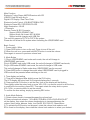
Main Function:
Electronic Tuning Stereo AM/FM Receiver with ID3
USB/SD Card Slot with Aux In
Digital LCD Display / Real Time Clock
Electronic Audio Control: VOL/BAS/TRE/BAL/FAD
Electronic Preset EQ: POP/ROCK/CLASS
Night Illumination – BLUE
4 Channels·
Remote Control & ISO Connector
·
Support USB & SD/MMC Card
·
Support Audio file format: MP3 & WMA
·
Support mobile charging with USB Slot
This unit only supports FAT16 or FAT32 file system.
Please do not format its file system when formatting the USB,SD/MMC card.
Basic Control:
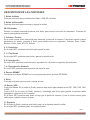
1. Power switch / Mute
1) Press PWR button to turn on the unit. Press to turn off the unit.
2) When the unit is on, press and hold MUTE button to mute the volume.
Press again to recover to previous volume level.
2. Mode Button
1) Plug in USB/SD/MMC card under radio mode, the unit will change to
USB/SD/MMC card mode;
Plug in SD/MMC card under USB mode, the unit will change to SD/MMC card mode;
Plug in USB under SD/MMC card mode, the unit will change to USB mode.
This unit will change to Radio mode when USB/SD/MMC card is removed.
2) Press MOD button to change the model when USB/SD/MMC card is plugged in.
USB mode will be preseted when switching on the unit.
2. Time display and setting
1) Time will be displayed after slightly press the CLK button.
The LCD display will return back to its original display after 5 seconds.
2) Press and hold CLK button to set the time, time on the display will be blinking.
Then slightly rotate the rotary knob or press VOL-/VOL+ on remote control to set the hour,
to confirm the hour setting, press SEL. Then again rotate the rotary knob or press
VOL-/VOL+ on remote control to set the minute.
To confirm the time setting, simply by pressing SEL button.
3. Audio Mode Selector
1) Rotate volume knob to increase/decrease the volume level.
2) Press volume knob selector, “VOL>BAS>TRE>BAL>FAD>LOUD>EQ>DX>ST”
on the display, then rotate the volume knob selector to increase/decrease the
volume, bass, treble, balance, fader, loud On/Off, EQ, DX/LOC, Stereo/Mono.
3) To activate the EQ function on the panel, rotate the volume knob selector until
EQ is found on the display; then rotate the volume knob selector to select your desired