1
BOOK NO. 32V
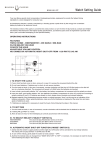
6. Monitor Features (“Monitor” Button A)
Each gentle press on the “Monitor” button will play the full melodies or five strikes of two notes for Bim-Bam according to the melody selection
switch E.
7.“SET” Button C And “RESET” Button D
These two buttons are for alternate time setting method as described below. They should ONLY be utilized with the alternate time setting
method.
8. Hanging The Clock (If applicable)
Carefully hang the clock on a sturdy nail or screw. Make sure the clock is flat against the wall and hangs vertically to ensure that the pendulum
works properly.
9. To Start Pendulum (If applicable)
If your clock has a rotating / revolving pendulum, a slight push may be necessary to start the oscillation.
Alternate Time Setting Method (Using “Set” and “Reset” Buttons)
Each push on the “SET” button C will advance chime by one hour. DO NOT press unless necessary. If you choose, your clock may be set in
the following way:
1. If your clock has a back, remove it.
2. Set “SOUND” (switch F) to “24 Hr ON” position (This is so you can hear the chimes. You may change model after set-up)
3. Use “SELECT (Switch E) to choose melody
4. Insert two pieces “C” batteries being sure to observe correct polarity
5. Set the current time, using the hand setting knob located on the rear of movement
6. Press “RESET” (button D) once; this will return your clock to it’s pre-programmed start time of 5:00 AM
7. Press “SET” (button C) the appropriate number of times to reach the time shown on the dial. For example, you will need to press “SET” 17
times to set the time to 10:00 PM
8. Hang the pendulum (If applicable)
9. If you clock has a rotating / revolving pendulum, a slight push may be necessary to start to oscillation.
General Notes
1. Use a clean, dry, soft cloth to wipe away fingerprints. Do not use any solvents or abrasive cleaner / polish.
2. Do not tape anything to clock surfaces as the adhesive can degrade the finish.
3. Replace the battery if the timekeeping becomes erratic or melody becomes “Fuzzy” as this may be an indication of battery exhaustion.