1
DAF3010_MANUAL_FINAL_121109.qxp:awb
12/11/09
6:04 PM
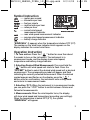
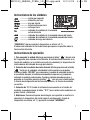
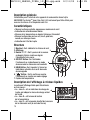
Symbol Instruction
-------------------
meters per second
kilometers per hour
feet per minute
nautical miles per hour
miles per hour
current wind speed
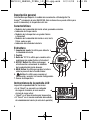
Wind Force Indicators
measurement indicator
---- max wind speed measurement indicator
---- average wind speed measurement indicator
---- battery charge indicator
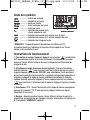
“WINDCHILL”: It appears when the temperature is below 32ºF (0°C)
The number on the wind force indicator which appears on the
display indicates the current wind force.
Operation Instruction
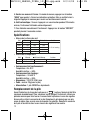
1. To Turn unit on: Press the “
” button for more than about
3 seconds to turn on the instrument. The instrument is in
measurement mode, and the display shows wind speed,
temperature and battery charge indicator.
2. Selecting Desired Wind Measurement: Press and hold the
“
” button until wind speed unit starts to flash. Press the
“OFF/SET” button to select the desired wind speed unit or desired
measurement. The corresponding symbol will appear and flash
indicating the currently selected measurement. When the desired
symbol appears and flashes on the display, press the “
”
button once for confirmation, the instrument exits setting mode
and returns to measurement mode.
3. Selecting °C/°F: When the instrument is in measurement mode,
you can press the “°C/°F” button to switch between Celsius and
Fahrenheit measurements.
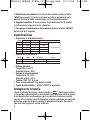
4. Measurements: When the wind impeller turns, the display
will show wind speed and temperature (according your settings).
When the temperature is below 32ºF (0°C), the symbol
“WINDCHILL” will appear.
3
P