1
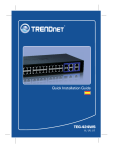
TEG-448WS
48-port 10/100/1000Mbps Copper Gigabit Smart Switch (Rack Mount)
Quick Installation Guide
Guide d'installation rapide
Commutateur intelligent Ethernet Gigabit cuivre
10/100/1000Mbps à 48 ports (montable sur rack)
48-facher 10/100/1000 MBit/s Kupfer-Gigabit-Smart-Switch (Einbau)
Kurzanleitung zur Installation
Guía de instalación rápida del
Conmutador Smart Gigabit de cobre (Rack Mount) de 48 puertos a 10/100/1000Mbps
Version 05.04.2005
TRENDnet
TRENDware, USA
What's Next in Networking
Copyright ©2005. All Rights Reserved. TRENDware International, Inc.
Table of Contents
Español .....................................................................................................
1. Preparación para la instalación .........................................................
2. Detalles del producto .........................................................................
3. Instalación del Hardware ...................................................................
4. Verificar la instalación ........................................................................
5. Configuración del TEG-448WS .........................................................
1
1
2
3
4
5
Troubleshooting ........................................................................................ 10
Español QIG
1. Preparación para la instalación
Verificación de los contenidos del paquete
Verifique que su caja contiene todo lo que incluimos en ella:
TEG-448WS
48-port 10/100/1000Mbps Copper Gigabit Smart Switch (Rack Mount)
Quick Installation Guide
Guide d'installation rapide
Commutateur intelligent Ethernet Gigabit cuivre
10/100/1000Mbps à 48 ports (montable sur rack)
48-facher 10/100/1000 MBit/s Kupfer-Gigabit-Smart-Switch (Einbau)
Kurzanleitung zur Installation
Guía de instalación rápida del
Conmutador Smart Gigabit de cobre (Rack Mount) de 48 puertos a 10/100/1000Mbps
Version 05.04.2005
TRENDnet
TRENDware, USA
What's Next in Networking
Copyright ©2005. All Rights Reserved. TRENDware International, Inc.
TEG-448WS
Guía de instalación rápida
Driver CD-ROM
Cable de alimentación AC
Almohadillas de goma
2 abrazaderas para
cable con tornillos
Requisitos mínimos del sistema
Antes de instalar el TEG-448WS, deberá tener lo siguiente:
1. Estaciones de trabajo con tarjetas de red
2. Protocolo TCP/IP instalado en todas las estaciones de trabajo
3. Una navegador Web como Internet Explorer o Netscape Navigator
4. Un cable de red RJ-45 para conectar su estación de trabajo al TEG-448WS
5. (Opcional) 4 Mini-módulos GBIC (P. ej. TEG-MGBSX)
1
Español
2. Detalles del producto
El TEG-448WS tiene 48 puertos a 10/100/1000 Mbps compatible con autonegociación y auto-MDIX. Además, dispone de LEDs que indican la potencia,
Actvidad del sistema, la velocidad de red y la actividad de la red.
Actvidad del sistema
poder
la velocidad de red y la actividad de la red
2
Español
3. Instalación del Hardware
Por favor tenga en cuenta que el sitio en el que instale el TEG-448WS podría
afectar su rendimiento en gran medida. Consulte la Guía del Usuario en el CDROM suministrado para una instalación óptima.
1. Conecte el cable de alimentación AC a la parte posterior del TEG-448WS.
1
2. Si utiliza un cable de red RJ-45 (Cable CAT 5), conecte su estación de
trabajo al TEG-448WS.
¡En hora buena!
Su instalación ha finalizado.
Nota: Si desea verificar que el TEG-448WS ha sido instalado
correctamente, vaya a la sección Verify Installation (Verificar la
instalación).
3
Español
4. Verificar la instalación
Compruebe que se manifiesta el siguiente LED:
1. Asegúrese que el LED de potencia está encendido.
2. Verifique que el LED del sistema está parpadeando.
3. Compruebe que la estación de trabajo conectada tiene el LED de Link/Act
(enlace/actividad) y el LED de red encendidos.
3
1
2
4
Español
5. Configuración del TEG-448WS
Nota: Para usuarios de MAC, se debe cambiar la dirección IP del PC
a 192.168.0.X (en el que X es un número disponible del 1-253), luego
introducir http:\\192.168.0.1 en el navegador Web para acceder a la
Herramienta Web del TEG-448WS.
Para usuarios de Windows
1. Introduzca el CD-ROM del TEG-448WS en la unidad de CD-ROM de su PC.
2. Haga doble clic en My Computer (Mi PC) en su escritorio, luego haga doble
clic en CD-ROM, después haga doble clic en Web-Management Utility
(Herramienta de administración Web), y finalmente haga doble clic en Setup
(Configurar).
3. Haga clic en Next (Siguiente).
5
Español
4. Haga clic en Next (Siguiente).
5. Haga clic en Next (Siguiente).
6
Español
6. Haga clic en Next (Siguiente).
7. Pulse Run web_management_utility (Ejecutar herramienta de
administración Web). Haga clic en OK.
7
Español
8. Haga clic en Discovery (Descubrir), luego presione el TEG-448WS, y
después pulse Configuration Setting (Opciones de configuración).
9. En la ventana de Configuration (configuración), escriba la Dirección IP y
Gateway (Puerta de enlace) que aplique al segmento de red, luego escriba
admin como su contraseña. Haga clic en Set (Establecer).
10. Haga clic en OK.
8
Español
11. Haga doble clic en TEG-448WS en la Discovery List (Lista de
descubrimiento), luego seleccione el TEG-448WS en la Monitor List (Lista
del monitor) y finalmente haga clic en Web Access (Acceso Web).
12. Escriba admin para configurar el TEG-448WS. Para más información
sobre VLAN, Trunking, y otras características, por favor consulte la Guía
del usuario suministrada en el CD-ROM.
9
Español
Troubleshooting
Q1. How come I cannot see any light from any of my LED's?
A1. Your TEG-448WS Web Smart Switch is not getting any power. Make sure
that your surge protector or your outlet is getting power and make sure that the AC
Power cord is properly connected to your TEG-448WS.
Q2. I typed “admin” in the password field, but I still cannot configure my TEG448WS IP address.
A2. Make sure that CAPSLOCK is turned off before you type in admin in the
password field. Password is case sensitive.
Q3. My current network card operates at 100Mbps. How can I upgrade my
workstation to 1000Mbps?
A3. TRENDware provides Gigabit solutions to help you upgrade your workstation.
For PCs, we recommend using the TEG-PCITXR or the TEG-PCITXM2. For
notebooks, we recommend using the TEG-PCBUSR.
Q4. In section 5. Configuring the TEG-448WS (step 11), I get polling error 10065.
What do I do?
A4. Go back to step 9 in section 5. Configuring the TEG-448WS, and change the
IP settings to match your PC's network segment.
If you have any questions regarding the TEG-448WS Web Smart Gigabit Switch please
contact Trendware Technical Support Department.
Certifications
This equipment has been tested and found to comply with FCC and CE Rules. Operation is
subject to the following two conditions:
(1) This device may not cause harmful interference.
(2) This device must accept any interference received.
Including interference that may cause undesired operation.
NOTE: THE MANUFACTURER IS NOT RESPONSIBLE FOR ANY RADIO OR TV
INTERFERENCE CAUSED BY UNAUTHORIZED MODIFICATIONS TO THIS
EQUIPMENT. SUCH MODIFICATIONS COULD VOID THE USER’S AUTHORITY TO
OPERATE THE EQUIPMENT.
10
TRENDnet
TRENDware, USA
What's Next in Networking
@
Product Warranty Registration
Please take a moment to register your product online.
Go to TRENDware’s website at http://www.TRENDNET.com
TRENDnet Technical Support
US/Canada Support Center
Contact
Telephone: 1(310) 626-6252
Fax:
1(310) 626-6267
Email: [email protected]
Tech Support Hours
7:30am - 6:00pm Pacific Standard Time
Monday - Friday
European Support Center
Contact
Telephone
Deutsch : +49 (0) 6331 / 268-460
Français : +49 (0) 6331 / 268-461
Español : +49 (0) 6331 / 268-462
English : +49 (0) 6331 / 268-463
Italiano : +49 (0) 6331 / 268-464
Dutch : +49 (0) 6331 / 268-465
Fax: +49 (0) 6331 / 268-466
Tech Support Hours
8:00am - 6:00pm Middle European Time
Monday - Friday
TRENDware International, Inc.
3135 Kashiwa Street. Torrance, CA 90505
http://www.TRENDNET.com
Copyright ©2005. All Rights Reserved. TRENDware International, Inc.