1
 FContenido
Introducción al controlador Rain Dial . . . . . . . . . . . . . . . . . . . . . . . . . . 2-3
Cómo empezar . . . . . . . . . . . . . . . . . . . . . . . . . . . . . . . . . . . . . . . . . . . . . . . 4
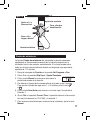
Instalación de la pila y programación “desde casa”. . . . . . . . . . . . . . . 4-5
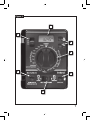
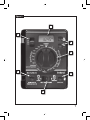
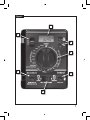
Descripción general: Interfaz del módulo de control . . . . . . . . . . . . . . 6-7
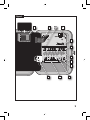
Descripción general: Componentes internos del controlador . . . . . . . 8-9
Procedimientos de instalación . . . . . . . . . . . . . . . . . . . . . . . . . . . . . . 10-15
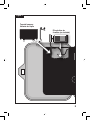
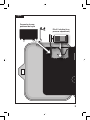
Instalación del armario del Controlador . . . . . . . . . . . . . . . . . . . . . . . . . 10
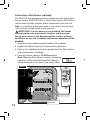
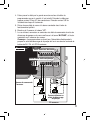
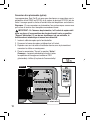
Conexión del cableado de control de las válvulas. . . . . . . . . . . . . . 10-11
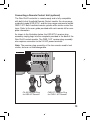
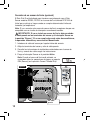
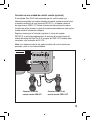
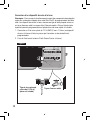
Conexión de un sensor de lluvia (opcional) . . . . . . . . . . . . . . . . . . . . . . 12
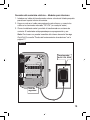
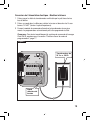
Conexión de una unidad de control remoto (opcional). . . . . . . . . . . . . . 13
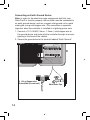
Conexión a una toma de tierra. . . . . . . . . . . . . . . . . . . . . . . . . . . . . . . . 14
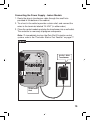
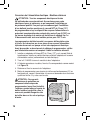
Conexión del suministro eléctrico. . . . . . . . . . . . . . . . . . . . . . . . . . . 15-17
Modelos para interiores . . . . . . . . . . . . . . . . . . . . . . . . . . . . . . . . . . 15
Modelos para exteriores. . . . . . . . . . . . . . . . . . . . . . . . . . . . . . . 16-17
Prueba de estaciones. . . . . . . . . . . . . . . . . . . . . . . . . . . . . . . . . . . . . . . 17
Cómo obtener los mejores resultados de su
programador Rain Dial. . . . . . . . . . . . . . . . . . . . . . . . . . . . . . . . . . . . . 18-19
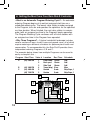
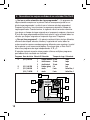
Ejemplo de un plan de riego. . . . . . . . . . . . . . . . . . . . . . . . . . . . . . . . . . 18
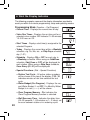
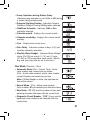
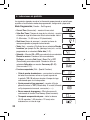
Indicaciones en pantalla. . . . . . . . . . . . . . . . . . . . . . . . . . . . . . . . . . . . 20-21
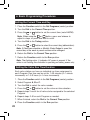
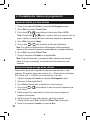
Procedimientos básicos de programación. . . . . . . . . . . . . . . . . . . . . 22-25
ii
Ajuste de la fecha y la hora actuales . . . . . . . . . . . . . . . . . . . . . . . . . . . 22
Ajuste del tiempo de riego de las válvulas. . . . . . . . . . . . . . . . . . . . . . . 22
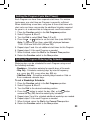
Ajuste de las horas de arranque de los programas . . . . . . . . . . . . . . . . 23
Ajuste del calendario de días de riego. . . . . . . . . . . . . . . . . . . . 23-25
Para programar un calendario del tipo Días de la semana:. . . . . . . 23
Para programar un calendario del tipo Saltar Días:. . . . . . . . . . . . . 24
Para programar un calendario del tipo Días pares/impares. . . . 24-25
Exclusión de días. . . . . . . . . . . . . . . . . . . . . . . . . . . . . . . . . . . . . . . 25