1
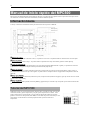
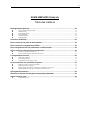
1 QUICKSTART MANUAL (ENGLISH) TABLE OF CONTENTS Basic Information..................................................................................................................................2 Cursor, Cursor buttons ................................................................................................................................................................ 2 Field, DATA wheel..................................................................................................................................................................... 2 [SEQUENCE] button.................................................................................................................................................................. 2 [TRACK] button ......................................................................................................................................................................... 2 [PARAMS] button ...................................................................................................................................................................... 2 MODE button.............................................................................................................................................................................. 2 Tutorial of the MPC500 .........................................................................................................................2 Playing Back a Demo Song..................................................................................................................3 Playing a Preset Program.....................................................................................................................3 Recording a Performance with the Pads ............................................................................................4 Playing Back Several Sequences in a Series.....................................................................................4 Selecting the sequences in real time ........................................................................................................................................... 4 Playing back the sequences in the selected order ....................................................................................................................... 5 Recording a Sound ...............................................................................................................................5 Preparing the recording............................................................................................................................................................... 5 Starting the recording.................................................................................................................................................................. 6 Assigning the recorded sound to the pad.................................................................................................................................... 6 Loop Playback of the Phrase Sample .................................................................................................7 Adjusting the start/end points of the sample .............................................................................................................................. 7 Recording to a sequence ............................................................................................................................................................. 7 Setting the same number of the bars for the sample and the sequence ...................................................................................... 8 Saving the Data .....................................................................................................................................9 Turning Off the Autoload Function .....................................................................................................9 Other Useful Functions ........................................................................................................................9 Q-Link slider ............................................................................................................................................................................... 9