1
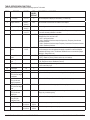
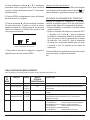
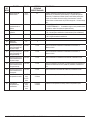
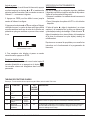
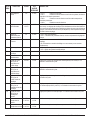
4. To save your configuration selection and go to the next
Menu Number, press PROG.
Saving and Exiting the Service Menu
The Service Menu exits and returns to Normal Mode after 60
seconds of inactivity or by pressing the
button. Changed
values are saved to permanent memory.
CHECK THERMOSTAT OPERATION
After wiring and configuration is complete, turn on power
at the main fuse or circuit breaker box. Check thermostat
operation:
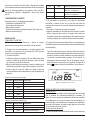
• Set fan to ON. The blower should begin to operate.
• Set the System Switch to AUTO, or available selection.
Using the ▲ button, adjust temperature above the room
temperature to cycle heating stage(s) on. Using the ▼
button, adjust temperature below the room temperature to
cycle cooling stage(s) on.
Refer to Owner’s Manual for instructions on how to operate
and program the thermostat.
© COPYRIGHT 2009 PECO, INC. ALL RIGHTS RESERVED.
P/N 69535 3220-2151 REV 0 PAGE 3