1
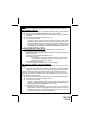
þ Parking Lights flash two times.
If the parking lights flashed three times, then the alarm was triggered in
your absence. Before turning the key on, examine the LED to identify
which zone was triggered.
þ Siren will not sound.
If the siren sounds 4 chirps, then the alarm was triggered in your absence.
Before turning the key on, examine the LED and refer to the INTRUSION
WARNING SIGNALS section of this manual to identify which zone was
triggered.
o Doors Unlock - Optional
Note: Must be selected on during installation.
INTRUSION WARNING SIGNALS
This system will inform you if an intrusion attempt has occurred while you were away from the
vehicle. If an intrusion attempt has occurred, the siren will chirp 4 times and the parking lights will
flash 3 times when disarming the system. Enter the vehicle, and observe the red dash mounted
LED to identify which zone was triggered.
If the LED is flashing two times...pause...two times...pause...etc., then an intrusion attempt was
made to a hood or trunk pin switch that was added to the system, or to a light activated entry
point if the alarm was installed using the voltage sensing feature.
If the LED is flashing three times...pause...three times...pause...etc., then an intrusion attempt
was made through one of the vehicle’s doors.
If the LED is flashing four times...pause...four times...pause...etc., then the shock sensor was
activated in your absence.
If the LED is flashing five times...pause...five times...pause...etc., then an attempt to start the
vehicle by the ignition switch had occurred in your absence.
These intrusion warning indicators are stored in the system’s memory, and will only be erased
when the ignition key is turned on.
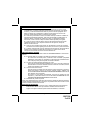
VALET SWITCH
The valet switch allows you to temporarily bypass all alarm functions, eliminating the need to
hand your transmitter to parking attendants or garage mechanics. When the system is in valet
mode, all alarm functions are bypassed, however the remote panic feature and remote door
locks will remain operational. To use the valet mode, the system must first be disarmed either by
using your keychain transmitter, or by operating the manual override sequence.
1. From the disarmed condition, turn the ignition key to the on position.
2. Press and hold the valet push-button switch until the dash mounted LED, (Light
Emitting Diode) turns on. The LED will remain on as long as the system is in valet
mode.
3. To return to normal operation, turn the ignition switch on, then.
press and hold the push button switch until the LED turns off.
NOTE : Always remember to return the system to the NON VALET mode, after servicing, to
ensure that the vehicle remains protected at all times.
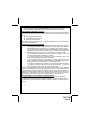
MANUALLY OVERRIDING YOUR SYSTEM:
USING THE VALET SWITCH MANUAL OVERRIDE
Your Security System can be disarmed without the use of the keychain transmitter. This is
necessary, since you will need the ability to operate your vehicle if the transmitter is lost or its
battery fails.
Page 11
128-7126
11 of 16