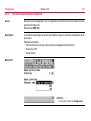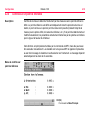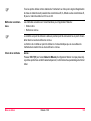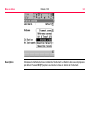
1
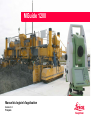
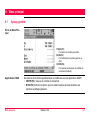
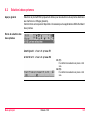
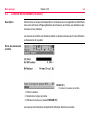
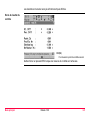
MGuide 1200
English / Deutsch / Français / Español
MGuide 1200
Application Program Manual
Version 1.0
English
Introduction
MGuide 1200
I
Introduction
Purchase
Congratulations on your purchase of MGuide 1200. MGuide 1200 is the on-board Machine
Guidance application for TPS1200 products.
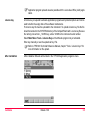
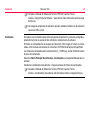
)
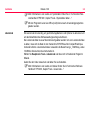
To use the product in a permitted manner, please refer to the detailed safety directions in the
TPS1200 User Manual.
Symbols
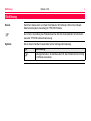
The symbols used in this manual have the following meanings:
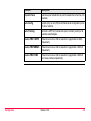
Type
)
Description
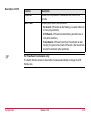
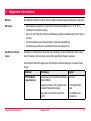
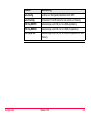
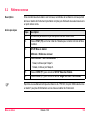
Important paragraphs which must be adhered to in practice as they enable
the product to be used in a technically correct and efficient manner.
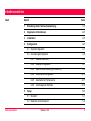
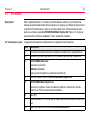
Table of Contents
In this manual
Chapter
1
How to Use this Manual
1-1
2
General Information
2-1
3
Installation
3-1
4
Configuration
4-1
4.1 System Configuration
4-1
4.2 Application Configuration
4-5
5
Table of Contents
Page
4.2.1
MGuide Start Screen
4-5
4.2.2
MGuide Configuration
4-7
4.2.3
Machine Measurement (LMGS-S only)
4-9
4.2.4
Instrument Configuration
4-15
4.2.5
Automatic Prism Search
4-17
4.2.6
Tiepoint Check
4-19
Setup
5-1
5.1 Overview
5-1
5.2 Known Backsight Point
5-3
MGuide 1200
II
Table of Contents
MGuide 1200
6
III
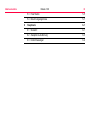
5.3 Resection
5-4
5.4 Calculation Results
5-6
Main Menu
6-1
6.1 Overview
6-1
6.2 Two Prism Solution
6-3
6.3 As-Built Control
6-4
1 How to Use this Manual
)
It is recommended to set up the product while reading through this manual.
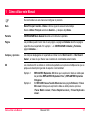
Path
Main Menu: Manage...\Data stands for this working sequence:
From the Main Menu select Manage... and then select Data.
Screen
CONFIGURE General Menu describes the name of the screen.
Page
Screens can have more than one page. Units page describes a specific page of a screen.
For example: ’...in CONFIGURE Units & Formats, Units page...’.
Fields and options
Fields displayed on the screen are described as <Coord System:> or <Coord System:
Swiss>, if ’Swiss’ is the selected coordinate system.
XX
The characters XX are used as placeholders for screen names or multiple options that are
all covered by a general description of appearance or functionality.
Example 1:
Example 2:
How to Use this Manual
STAKEOUT XX Stakeout indicates that the explanation provided is valid for
the screens STAKEOUT Polar Stakeout and STAKEOUT Orthogonal
Stakeout.
In REFLINE Choose Task & Reference Line, Reference page, <Task: XX
Line> indicates that the explanation provided is valid for the options <Task:
Measure to Line>, <Task: Stake to Line> and <Task: Gridstake Line>.
MGuide 1200
1-1
How to Use this Manual
Keys
MGuide 1200
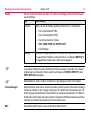
1-2
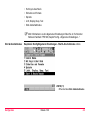
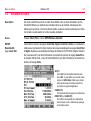
Two different types of keys can be found on the instrument. These are fixed keys and
softkeys.
Type
Description
Fixed keys
Keys which can be pressed on the keyboard, for example:
• Function keys F1-F6.
• Function keys F7-F12.
• Alphanumeric keys.
• ESC, USER, PROG,CE, ENTER, SHIFT.
• Arrow keys.
Softkeys
)
)
Displayed on the screen, can be selected by using the assigned fixed key.
For example CONT (F1). The assigned fixed key is shown in brackets.
Throughout the manual, stepwise instructions are used. Keys to be pressed within these
instructions are indicated as for example ENTER, CONT (F1) or SHIFT INDIV (F5).
Keys, fields and options on the screens which are considered as self-explanatory are not
explained.
Prerequisites
This manual assumes the user is already familiar with typical instrument handling procedures, and is capable of using the instrument’s screen and keyboard to access setup menus,
change instrument parameters etc. Please refer to your instrument’s User Manual before
attempting to configure or use your instrument for Machine Guidance or survey tasks.
MPC
The term MPC is used in this manual as abbreviation for Machine PC.
2 General Information
MGuide
The MGuide application is used in conjunction with Machine Automation applications.
Main features
•
•
•
•
•
Additional information
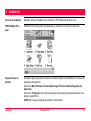
Additional information can be found in manuals of products used with MGuide 1200. References to specific chapters are indicated where needed.
Automatic output of dynamic position measurement data (Hz, V, D, E, N, H)
Improved kinematic performance
No lock onto fixpoints with a fixpoint detection (including power search window update)
Tiepoint measurement to check instrument setup
Support for specific Leica Machine Automation systems
Below please find some general information described in other manuals:
Manual
Information
TPS1200 UserManual Description of user interface icons
Chapter
3.2 Icons
How to insert/remove and how to format 4.5 CompactFlash Card
the CompactFlash card
TCPS27 UserManual
General Information
Instrument setup step-by-step
4.1 Instrument Setup
Standard setup
2. Operation
General principals
2. Operation
MGuide 1200
2-1
Installation
MGuide 1200
3-1
3 Installation
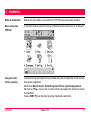
Installation begin
MGuide must be installed on your TPS1200 instrument before first use.
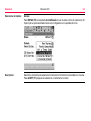
TPS1200 Main Menu
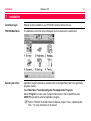
The Main Menu is the first screen displayed when the instrument is switched on.
Upload system files
Application program uploads are possible from the CompactFlash card to the application
programs memory.
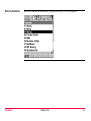
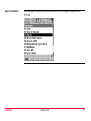
Select Main Menu: Tools\Upload System Files\Application Programs
Select <Program:> to open a list of program files stored on the CompactFlash card.
CONT (F1) uploads the selected application program.
)
Refer to TPS1200 Technical Reference Manual, chapter "Tools...\Upload System
Files..." for more information on file upload.
)
Licence key
A licence key is required to activate application programs and protected options and can be
used to define the expiry date of the software maintenance.
The licence key file must be uploaded to the instrument. To upload a licence key file the file
should be located on the \SYSTEM directory of the CompactFlash card. Licence key files use
the naming convention L_123456.key, where 123456 is the instrument serial number.
Select Main Menu: Tools...\Licence Keys or the MGuide program not yet activated.
Enter key manually or use the upload via Key File.
)
After installation
Installation
Application program uploads are also possible with the Leica Geo Office (LGO) application.
Refer to TPS1200 Technical Reference Manual, chapter "Tools...\Licence Keys" for
more information on file upload.
After installation MGuide will be listed in the TPS1200 application programs menu.
MGuide 1200
3-2
Configuration
MGuide 1200
4-1
4 Configuration
4.1
System Configuration
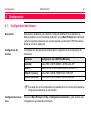
Description
After installing and entering the application’s Release Code (if Machine Guidance was not
factory-installed), go to the instrument’s Main Menu and perform the following steps one
time only to prepare your TPS1200 instrument for Machine Control tasks.
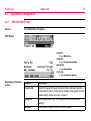
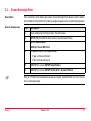
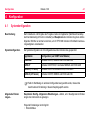
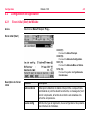
System Configurations
The system configurations are stored in the instrument configuration set.
Application
Configuration (in CONF Page MGuide)
GradeStar
FNC Key CONTR, MMEAS and B1/B2 all OFF
LMGS-P
FNC Key CONTR ON, FNC Key MMEAS and B1/B2 OFF
LMGS-S (1 prism)
FNC Key CONTR and MMEAS ON, B1/B2 OFF
LMGS-S (2 prism)
FNC Key CONTR, MMEAS and B1/B2 all ON
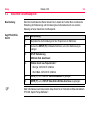
)
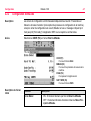
General settings
If another configuration set is chosen in the Start screen, the settings described in this
chapter have to be checked.
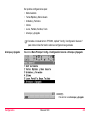
Select Main Menu: Config...\General Settings... to get access to the instrument’s general
settings.
Settings are possible for:
• Wizard Mode
•
•
•
•
•
Hot Keys & User Menu
Units & Formats
Language
Lights, Display, Beeps, Text
Start Up & Power Down
)
Start Up & Power Down
Refer to TPS1200 Technical Reference Manual, chapter "Config...\General
Settings..." for more information on general settings.
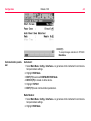
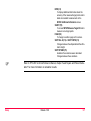
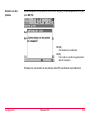
Select Main Menu: Config...\General Settings...\Start Up & Power Down.
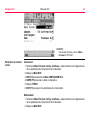
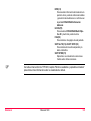
CONT (F1)
To open Start Up & Power Down menu.
Configuration
MGuide 1200
4-2
Configuration
MGuide 1200
4-3
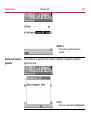
CONT (F1)
To accept changes and return to TPS1200
Main Menu.
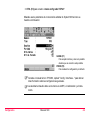
Communication parameter
Instrument:
1. Select Main Menu: Config...\Interfaces... to get access to the instrument’s communication parameters settings.
2. Highlight RCS Mode.
3. EDIT (F3) to access CONFIGURE RCS Mode.
4. DEVCE (F5) to create or edit a device.
5. Highlight TCPS27.
6. EDIT (F3) to set communication parameters.
Radio Modem:
1. Select Main Menu: Config...\Interfaces... to get access to the instrument’s communication parameters settings.
2. Highlight RCS Mode.
3. CTRL (F4) to access TCPS27 radio config mode.
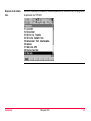
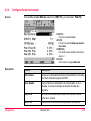
MGuide is using the standard System1200 communication parameters as shown below.
STORE (F1)
To accept changes and return to the screen
from where this screen was accessed.
DEFLT (F5)
To restore default settings
)
)
Configuration
Refer to TPS1200 Technical Reference Manual, chapter "Config...\Interfaces..." for
more information on general settings.
Baud rate needs to be the same on the MPC, radio modem and instrument.
MGuide 1200
4-4
Configuration
4.2
4.2.1
MGuide 1200
4-5
Application Configuration
MGuide Start Screen
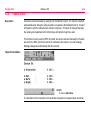
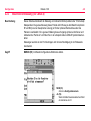
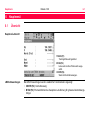
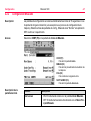
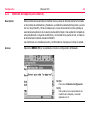
Access
Select Main Menu: Programs....
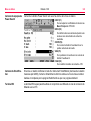
Start Screen
CONT (F1)
To open Main Menu.
CONF (F2)
To open Configuration Menu.
SETUP (F3)
To open Setup Menu.
CSYS (F6)
To open Coordinate System.
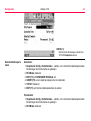
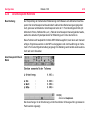
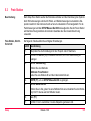
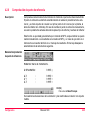
Description of the start
screen
Function
Description
Fixpoint Job
Used for Setup and Fixpoint detection. When instrument detects a
Fixpoint during search, it will output a message "wrong point" and will
update search window and carry on search.
Config Set
Defines Application Type, its configuration and individual User
settings.
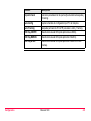
Reflector
Defines Add. Constant for B# -and Tracking data.
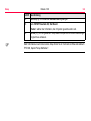
Configuration
Function
Description
Add. Constant
Automatically set by choosing reflector
MGuide 1200
4-6
Configuration
4.2.2
MGuide 1200
4-7
MGuide Configuration
Description
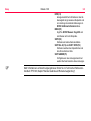
The configuration screens are closed automatically after 15 seconds if no interaction was
made (exception is the Machine Configuration process). While in config screens, the MGuide
is sending "Not ready" to the MPC application if a request comes in.
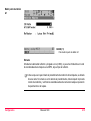
Access
Select CONF (F2) in the MGuide Start screen.
CONT (F1)
To open Start screen.
MMEAS (F2)
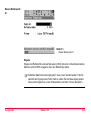
To open machine measurement procedure.
PAGE (F6)
To switch to next Tab.
SHIFT ABOUT (F6)
To open About screen.
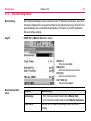
Description of the start
screen
Function
Description
Start screen
•
•
Fixpoint check
Tolerance for fixpoint detection during search and tracking.
ON: instrument starts up with MGuide Start screen.
OFF: instrument starts up directly with the MGuide Main
Menu.
Configuration
Function
Description
Auto-Config
Accepts configuration comand by Machine PC.
Auto-Tracking
Permanent FoV ATR Search for Auto LockIn and Tracking.
FNC Key CONTR
Shows key when ON (only LMGS applications).
FNC Key MMEAS
Shows key when ON (only LMGS-S application).
FNC Key B1/B2
Shows key when ON (only LMGS-S application with two prisms).
MGuide 1200
4-8
Configuration
4.2.3
MGuide 1200
4-9
Machine Measurement (LMGS-S only)
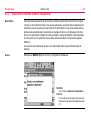
Description
This procedure automates the measurement of the marked-out pan (mold) or trimmerhead
dimensioning points. Accurate measurement of these points and their relationship to the
machine prisms B1 and B2 (with a two prism solution) is essential for accurate concrete
placement or subgrade trimming. A full explanation of this procedure, including defining and
marking-out the points A1-A4, can be found in the relevant LMGS-S system documentation.
Measurements are sent to the port and replied with a confirmation in the status line.
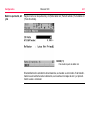
Access
Select MMEAS (F2) in the MGuide Configuration start screen.
NO (F4)
To return to Configuration Menu.
YES (F6)
To continue machine measurement procedure and start recording with A1.
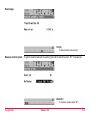
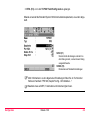
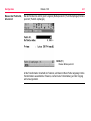
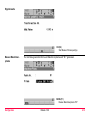
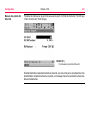
Measure pan point A1
MEAS (F1)
To measure pan point A1.
Input:
Enter reflector height or set to zero (0.000) if already entered in the Machine Coordinates grid
on the MPC, then choose the reflector type.
)
Configuration
Once you start the Machine Measurement procedure, it must be completed. If you
make a mistake during the procedure, you are advised to repeat the measurement
process and verify results before starting any paving or trimming operation.
MGuide 1200
4-10
Configuration
Measure points A2, A3
and A4
MGuide 1200
4-11
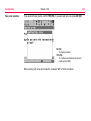
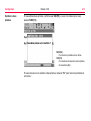
Continue the same with point A2 and point A3 (Pan Point A2 ¦ Point # received ¦ Pan Point
A3 ¦ Point # received).
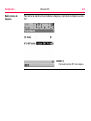
MEAS (F1)
To measure pan point A4.
If the transformation is in tolerance, the mean error of it is shown. If transformation is out of
tolerance an error message is shown and procedure starts again.
Result page
OK (F4)
To start measure prism point(s).
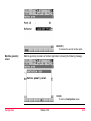
Measure machine prism
To get the relation between the working tool and the machine prism, "B1" is measured.
MEAS (F1)
To measure machine prism "B1".
Configuration
MGuide 1200
4-12
Configuration
Two prism solution
MGuide 1200
4-13
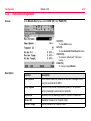
If you work with two prisms, confirm YES (F6), if you work with only one press NO (F4).
NO (F4)
To finish procedure.
YES (F6)
To continue and measure the second
machine prism (B2).
When working with a two prism solution, measure "B2" to finish procedure:
MEAS (F1)
To measure the second machine prism.
Machine geometry
saved
Machine geometry procedure is finished. Application is showing the following message:
OK (F4)
To return to Configuration screen.
Configuration
MGuide 1200
4-14
Configuration
4.2.4
MGuide 1200
4-15
Instrument Configuration
Access
In the MGuide Start screen select CONF (F2), then PAGE (F6).
CONT (F1)
To open Start screen.
APS (F2)
To open Automatic Prism Search screen.
CHECK (F4)
To measure defined point "Instrument
turning ..." .
PAGE (F6)
To change to page MGuide.
Description
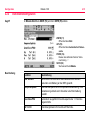
Function
Description
Max Distance
When defined maximum distance is reached, message is sent
every ten seconds to the MPC.
Comp Update
Maximum time without compensator update, if not updated
warning message is sent every ten seconds.
Tiepoint ID
Automatic filled by Backsight point or 1st point of Resection.
Hz Acc Ori
Orientation tolerance for Tiepoint check.
Pos Acc Targe
Position tolerance for Tiepoint check.
)
Configuration
Function
Description
Ht Acc Target
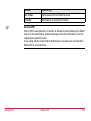
Height tolerance for Tiepoint check.
Tiepoint ID:
If the ID is changed manually the actual system settings for reflector type and reflector height
are taken. These settings can be changed by changing in Survey program.
This is only important if you use different reflector types or have used different reflector
heights.
MGuide 1200
4-16
Configuration
4.2.5
MGuide 1200
4-17
Automatic Prism Search
Access
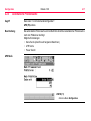
Refer to "4.2.4 Instrument Configuration" to access instrument configuration.
Select APS (F2).
Description
Automatic Prism Search is used to define the type of automatic prism search after prediction.
Possible settings:
• No Search (useful for very slow moving machines)
• ATR Search
• Power Search
APS Menu
CONT (F1)
To to return to Configuration screen.
Description of APS
)
Configuration
Function
Description
Predict for
Choose time for prediction. Possible are one, three or five
seconds.
Search with
Choose type of search after prediction:
• No Search: ATR search at start tracking, no search after loss
of lock (only prediction).
• ATR Search: ATR search at start tracking and after loss of
lock (after prediction).
• PowerSearch: ATR search and then PowerSearch at start
tracking if no prism is found with ATR search. After loss of lock
directly PowerSearch (after prediction).
For PowerSearch instruments only:
The Search Window screen is shown after the setup automatically to change the ATR
Window size.
MGuide 1200
4-18
Configuration
4.2.6
MGuide 1200
4-19
Tiepoint Check
Description
Checks the instrument setup by measuring to the defined Tiepoint. The Tiepoint is defined
automatically when doing the setup procedure, measured is the Backsight point or 1st point
of Resection (with the defined prism, reflector height etc.). If Tiepoint is changed manually,
the actual system parameters for reflector type and reflector height are used.
This function is mainly used by MPC command, but can be executed manually too. Results
are sent to the MPC, and if executed at the instrument also shown in a result message.
Message disappears automatically after ten seconds.
Tiepoint Check Menu
OK (F4)
To return to Main Menu.
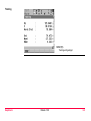
The deviations of the orientation and coordinates compared to measured point are shown.
5 Setup
5.1
Overview
General information
)
Description
)
Setup
Opens System Setup without the Station Setup Begin screen. Fixpoint job is set in
MGuide Start screen. Prism is chosen by pressing F9 (with standard Hot Key definition).
Instrument must be setup stable and levelled.
The instrument should be protected from direct sunlight in order to avoid thermal
warming.
The Setup application program can be used to set up and orientate the instrument. Various
methods are available:
• Set Azimuth (set up by azimuth)
• Known BS Point (set up by a known backsight point)
• Ori & Ht Transfr (set up by orientation and height transfer)
• Resection (set up by resection)
• Resection Helmert (set up by resection Helmert)
• Local Resection (set up by local resection)
Each setup method has specific requirements for input data and each setup method requires
a different number of target points.
All points being used as instrument stations or target points in the application program Setup
must include either E, N, Height coordinates or E, N coordinates for either a 2D or 3D setup
calculation.
MGuide 1200
5-1
Setup
Recommended
methods
)
MGuide 1200
5-2
For the MGuide application following methods are recommended:
• Resection
• Known Backsight Point
Tiepoint Check uses first point of Resection or orientation point of Known Backsight Point.
Tiepoint Check function only works automatically if you are using either Resection or Known
Backsight Point method.
Choose method
Access:
Press SETUP (F3) in MGuide Start screen (Setup begin is not shown). Fixpoint job is set
automatically to the setting of the start screen.
Description
Choose method for the instrument setup. Suggested method is Resection. Press SET (F1)
after a successful instrument setup.
5.2
Known Backsight Point
Description
Access step-by-step
If the coordinates of the station are known, Known Backsight Point allows to set the station
and orientation of the instrument by taking a single measurement to a known backsight point.
Step
Description
1.
Check settings for the Fixpoint job in the start screen.
2.
SETUP (F3) from MGuide start screen to access Station Setup.
3.
SETUP Station Setup
<Method: Known BS Point>
4.
)
Setup
Is <Station Coord: Frm Fixpoint Job>?
•
If yes, continue with step 5.
•
If no, continue with step 6.
5.
CONT (F1) to access SETUP Select Station.
6.
CONT (F1) to access SETUP Set Stn & Ori - Known BS Point.
Refer to TPS1200 Technical Reference Manual, chapter "Setup Methods" for more information on instrument setup.
MGuide 1200
5-3
Setup
5.3
MGuide 1200
5-4
Resection
Description
For the setup Resection the station coordinates and the orientation of the system are determined by measuring angles or angles and distances to known target points. The instrument
is set up on an unknown point. For the point measurements the SETUP Measure Target XX
screen is accessed. With Resection least squares or robust calculations are used.
Resection step-by-step
The following table explains the most common settings.
Step
Description
1.
Check settings for the Fixpoint job in the start screen.
2.
SETUP (F3) from MGuide start screen to access Station Setup.
3.
SETUP Station Setup
Choose a method:
<Method: Resection>
Type in a station ID and the instrument height.
4.
CONT (F1) to access SETUP Measure Target XX.
5.
SETUP Measure Target XX
Choose a target, type in a reflector height and choose reflector type with F9. Aim
correctly at the reflector.
6.
ALL (F1).
7.
Repeat steps 5. to 6. until all target points are measured.
8.
CALC (F5) to access SETUP Results XX.
9.
SETUP Results XX, Stn Coords page
Step
Description
<Set:> select the information to be set to the system.
10.
)
Setup
SET (F1) to store the selected setup data and exit the application program.
Refer to TPS1200 Technical Reference Manual, chapter "Setup Methods" for more information on instrument setup.
MGuide 1200
5-5
Setup
5.4
MGuide 1200
5-6
Calculation Results
Description
This screen is displayed after Resection or Oorientation and Height Transfer calculation. For
the calculations the least square or the robust method can be used. After the station is set,
all following measurements will be related to this new station and orientation.
Access
Press CALC (F5) in the SETUP Measure Target XX screen.
SETUP
Results XX,
Stn Coords page
The screen described consists of the Stn Coords, Sigma, Stn Code and Plot page. The
explanations for the softkeys given below are valid for the Stn Coord and Sigma page. Refer
to TPS1200 Technical Reference Manual, chapter "Creating a New Point" for information on
the keys on the Stn Code page, to chapter "Plot Mode - MapView Screen Area" for information on the keys on the Plot page.
SET (F1)
To set data selected in <Set:>, to set new
geometric ppm if <Use Scale: Yes> and to
store all setup data and exit the application
program.
COORD (F2)
To view other coordinate types.
ROBST (F3) or LSQRS (F3)
To display the results for the robust or the least
squares calculation method.
INFO (F4)
To display additional information about the
accuracy of the measured target points and to
delete inconsistent measurements in the
SETUP Additional Information screen.
SURVY (F5)
To access SETUP Measure Target XX and to
measure more target points.
PAGE (F6)
To change to another page on this screen.
SHIFT ELL H (F2) or SHIFT ORTH (F2)
Changes between the ellipsoidal and the orthometric height.
SHIFT OTHER (F5)
Available if two solutions were calculated.
Changes between these solutions.
)
Setup
Refer to TPS1200 Technical Reference Manual, chapter "Least Square and Robust Calculation" for more information on calculation results.
MGuide 1200
5-7
Setup
MGuide 1200
5-8
Power Search Instruments
After the Setup the Power Search Window screen is opened.
SmartStation instruments
When the setup is done with a SmartStation (station data measured by GNSS), the SmartAntenna has to be removed after the setup and exchanged with the RadioHandle or standard
handle.
RX terminal
The RX terminal can't be used with MGuide when MGuide is connected to a PC.
CONT (F1)
To accept changes and return to TPS1200
Main Menu.
NEW (F2)
To define your working area and pointing to the
two corners of the desired search window.
CENTR (F4)
To centre the PowerSearch window to the
current position of the telescope.
SHOW (F5)
To position the telescope to corners of PowerSearch window.
PAGE (F6)
To change the ATR search window.
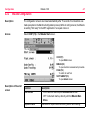
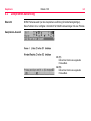
6 Main Menu
6.1
Overview
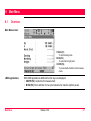
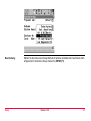
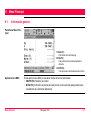
Main Menu screen
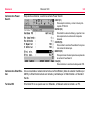
TRACK (F1)
To start tracking mode.
B1/B2 (F2)
To select left or right prism.
CONTR (F4)
To proceed with As-Built control measurements.
LMGS applications
Main Menu
With LMGS applications additional function keys are displayed:
• CONTR (F4): As-Built control measurement
• B1/B2 (F2): Prism definition for two prism solutions for mainline slipform pavers
MGuide 1200
6-1
Main Menu
MGuide 1200
6-2
Tracking mode
STOP (F1)
To stop tracking.
6.2
Two Prism Solution
Overview
B1/B2 Prism selection (only used for two prism solutions for slipform machines).
This function is only available / necessary for LMGS-S applications working with two prisms.
Two prism selection
screen
B1 (F1)
To define the prism location of the aimed
prism/mast.
B2 (F3)
To define the prism location of the aimed
prism/mast.
Main Menu
MGuide 1200
6-3
Main Menu
6.3
MGuide 1200
6-4
As-Built Control
Description
This function is only available with LMGS applications for Slipform and Road Paver,
Trimmer, Curb&Gutter and Profiler.
Control measurement are used during or after machine tasks for check / quality reasons.
Control measurement
screen
MEAS (F1)
To start control measurement.
1. Enter height.
2. Select the prism type.
3. Take measurement with MEAS (F1).
Measurements are sent to the LMGS application, where the deviations are calculated.
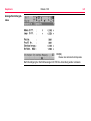
The results are sent back to the instrument and displayed.
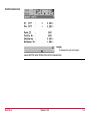
Control result screen
OK (F4)
To measure the next control point.
Leave with ESC when finished the control measurments.
Main Menu
MGuide 1200
6-5
Leica Geosystems AG, Heerbrugg,
Switzerland, has been certified as
being equipped with a quality
system which meets the
International Standards of Quality
Management and Quality Systems
(ISO standard 9001) and
Environmental Management
Systems (ISO standard 14001).
746046-1.0.0en
Printed in Switzerland - Copyright Leica
Geosystems AG, Heerbrugg, Switzerland 2005
Original text
Total Quality Management Our commitment to total customer
satisfaction.
Ask your local Leica Geosystems
dealer for more information about our
TQM program.
Leica Geosystems AG
CH-9435 Heerbrugg
(Switzerland)
Phone +41 71 727 31 31
Fax +41 71 727 46 73
www.leica-geosystems.com
MGuide 1200
Handbuch Anwendungsprogramm
Version 1.0
Deutsch
Einführung
MGuide 1200
Einführung
Erwerb
Herzlichen Glückwunsch zum Kauf Ihres MGuide 1200. MGuide 1200 ist die OnboardMaschinenleitsystem-Anwendung für TPS1200 Produkte.
)
Zur sicheren Anwendung des Produkts beachten Sie bitte die detaillierten Sicherheitshinweise der TPS1200 Gebrauchsanweisung.
Symbole
Das in diesem Handbuch verwendete Symbol hat folgende Bedeutung:
Typ
)
Beschreibung
Nutzungsinformation, die dem Benutzer hilft, das Produkt technisch richtig
und effizient einzusetzen.
I
Inhaltsverzeichnis
Inhalt
Kapitel
1
Benutzung dieser Gebrauchsanweisung
1-1
2
Allgemeine Informationen
2-1
3
Installation
3-1
4
Konfiguration
4-1
4.1 Systemkonfiguration
4-1
4.2 Anwendungskonfiguration
4-5
5
Inhaltsverzeichnis
Seite
4.2.1
MGuide Startmenü
4-5
4.2.2
MGuide Konfiguration
4-7
4.2.3
Maschineneinmessung (nur LMGS-S)
4-9
4.2.4
Instrumentenkonfiguration
4-15
4.2.5
Automatische Prismensuche
4-17
4.2.6
Anschlusspunkt Kontrolle
4-19
Setup
5-1
5.1 Übersicht
5-1
5.2 Bekannter Anschlusspunkt
5-4
MGuide 1200
II
Inhaltsverzeichnis
MGuide 1200
6
III
5.3 Freie Station
5-5
5.4 Berechnungsergebnisse
5-7
Hauptmenü
6-1
6.1 Übersicht
6-1
6.2 Zweiprismen-Ausführung
6-3
6.3 Kontrollmessungen
6-4
1 Benutzung dieser Gebrauchsanweisung
)
Es wird empfohlen, das Produkt einzurichten, während Sie diese Gebrauchsanweisung
lesen.
Pfad
Hauptmenü: Manage...\Daten bedeutet folgende Arbeitssequenz:
Vom Hauptmenü zunächst Manage... und anschliessend Daten wählen.
Dialog
KONFIG Allgemeine Einstellungen beschreibt den Namen des Dialogs.
Seite
Dialoge können aus mehr als einer Seite bestehen. Die Seite Einheiten beschreibt eine
spezifische Seite eines Dialogs. Zum Beispiel: ’...in KONFIG Einheiten und Formate, Seite
Einheiten...’.
Felder und Optionen
Im Dialog angezeigte Felder werden als <Koord System:> oder <Koord System: Swiss>,
falls ’Swiss’ das gewählte Koordinatensystem ist, beschrieben.
XX
Die Zeichen XX werden als Platzhalter für Dialognamen oder für Mehrfachoptionen
verwendet, deren Darstellung oder Funktionalität allgemein beschrieben werden kann.
Beispiel 1:
Beispiel 2:
Benutzung dieser Gebrauchsanweisung
ABSTECKUNG XX Absteckung bedeutet, dass die entsprechende Erläuterung für die Dialoge ABSTECKUNG Polare Absteckung und ABSTEKKUNG Orthogonale Absteckung gültig ist.
In SCHNURGER Bezugslinie definieren, Seite BezugLinie, bedeutet
<Aufgabe: XX Linie>, dass die entsprechende Erläuterung für die Optionen
<Aufgabe: Messung zu Linie>, <Aufgabe: Absteck zu Linie> und
<Aufgabe: Gitt.absteck Lin> gültig ist.
MGuide 1200
1-1
Benutzung dieser Gebrauchsanweisung
Tasten
MGuide 1200
1-2
Auf dem Instrument stehen zwei Arten von Tasten zur Verfügung. Dies sind die Fixtasten
und die Softkeys.
Typ
Beschreibung
Fixtasten
Tasten, die auf der Tastatur gedrückt werden können, zum Beispiel:
• Die Funktionstasten F1-F6.
• Die Funktionstasten F7-F12.
• Die alphanumerischen Tasten.
• ESC, USER, PROG,CE, ENTER, SHIFT.
• Die Pfeiltasten.
Softkeys
)
)
Die auf dem Display dargestellten Softkeys können gewählt werden, indem
die zugeordneten Fixtasten verwendet werden. Zum Beispiel WEITR (F1).
Die zugeordnete Fixtaste wird in Klammern angegeben.
Im gesamten Handbuch werden Schritt-für-Schritt-Anweisungen verwendet. Die in diesen
Anweisungen zu drückenden Tasten werden zum Beispiel als ENTER, WEITR (F1) oder
SHIFT INDIV (F5) angegeben.
Selbsterklärende Tasten, Felder und Optionen in den Dialogen werden nicht erläutert.
Voraussetzungen
Dieses Handbuch setzt voraus, dass der Anwender mit dem typische Instrumenten-Handling
vertraut ist und dass er den Umgang mit Anzeige und Tastatur des Instrumentes kennt, z.B.
für den Zugang zu Einstellmenüs, für das Ändern von Instrumentenparametern, etc. Bitte vor
Konfiguration oder Einsatz des Instrumentes für Aufgaben der Maschinensteuerung oder der
Vermessung die Bedienungsanleitung des Instrumentes lesen.
MPC
Die Abkürzung MPC steht in dieser Anleitung für Maschinen-PC.
2 Allgemeine Informationen
MGuide
Das MGuide-Programm wird bei diversen Maschinensteuerungsanwendungen eingesetzt.
Merkmale
•
•
•
•
•
Zusätzliche Informationen
Automatische Ausgabe von dynamischen Positionsmessdaten (Hz, V, D, E, N, H)
Verbesserte Kinematik-Leistung
Kein Lock auf Fixpunkte mit Fixpunkt-Erfassung (inklusive Aktualisierung Power SearchFenster)
Anschluss-Messung zur Überprüfung der Instrumentenaufstellung
Unterstützung spezifischer Leica Maschinensteuerungssystemen
Zusätzlichen Informationen finden Sie den Anleitungen zu den mit MGuide 1200 verwendeten Produkten. Wo notwendig, wird auf die spezifischen Kapitel verwiesen.
Untenstehend finden Sie allgemeine Informationen zu Beschreibungen in anderen Anleitungen:
Allgemeine Informationen
Handbuch
Information
Kapitel
TPS1200 Bedienungsanleitung
Beschreibung von Symbolen der Bedie- 3.2 Icons
nerschnittstelle
Einlegen/entfernen und fomatieren der
CompactFlash-Speicherkarte
4.5 CompactFlash
Karte
Setup des Instrumentes, Schritt-fürSchritt
4.1 Aufstellen des
Instruments
MGuide 1200
2-1
Allgemeine Informationen
MGuide 1200
Handbuch
Information
TCPS27 Bedienungs- Standard Setup
anleitung
Allgemeine Grundsätze
2-2
Kapitel
2. Bedienung
2. Bedienung
3 Installation
Start der Installation
Vor der Erstinbetriebnahme muss MGuide auf Ihrem TPS1200 Instrument installiert werden.
TPS1200 Hauptmenü
Das Hauptmenü ist der Startdialog, der nach dem Einschalten des Instrumentes angezeigt
wird.
Systemdateien laden
Es ist möglich, Applikationsprogramme von der CompactFlash Karte in den Speicher für
Applikationsprogramme zu laden.
Wählen Sie Hauptmenü: Tools\Systemdaten laden\Anwendungsprogramme
Wählen Sie <Programm:> um eine Liste von Programmdateien auf der CompactFlashSpeicherkarte zu öffnen.
CONT (F1) ladet das gewählte Applikationsprogramm.
Installation
MGuide 1200
3-1
Installation
MGuide 1200
)
)
Lizenzcode
3-2
Mehr Informationen zum Laden von Systemdaten finden Sie im Technischen Referenzhandbuch TPS1200 , Kapitel "Tools...\Systemdaten laden...".
Mit dem Programm Leica Geo Office (LGO) können auch Anwendungsprogramme
geladen werden.
Ein Lizenzcode ist notwendig, um geschützte Applikationen und Optionen zu aktivieren und
um das Ablaufdatum des Softwarewartungsvertrag zu definieren.
Die Lizenzcode-Datei muss auf das Instrument geladen werden. Um eine Lizenzcode-Datei
zu laden, muss sich die Datei in dem Verzeichnis \SYSTEM auf der CompactFlash-Speicherkarte befinden. Lizenzcode-Dateien verwenden die Bezeichnung L_123456.key, wobei
123456 die Serienummer des Instruments ist.
Wählen Sie Hauptmenü: Tools...\Lizenzcode oder das noch nicht aktivierte Programm
MGuide.
Geben Sie den Code manuell ein oder laden Sie via Codedatei.
)
Mehr Informationen zum Laden von Dateien finden Sie im Technischen ReferenzHandbuch TPS1200 , Kapitel "Tools...\Lizenzcode...".
Nach der Installation
Installation
Nach der Installation wird MGuide im Programmmenü des TPS1200 aufgelistet.
MGuide 1200
3-3
Konfiguration
MGuide 1200
4-1
4 Konfiguration
4.1
Systemkonfiguration
Beschreibung
Nach Installieren und Eingabe des Freigabe-Codes der Applikation (falls Maschinenleitsystem herstellerseitig nicht schon installiert) auf Hauptmenü des Instruments gehen und die
folgenden Schritte nur einmal vornehmen, um Ihr TPS1200 Instrument für Maschinensteuerungsaufgaben vorzubereiten.
Systemkonfiguration
Die Systemkonfiguration ist im Konfigurationsset des Instrumentes gespeichert.
Applikation
Konfiguration (auf CONF Seite MGuide)
GradeStar
Fkt.taste CONTR, MMEAS und B1/B2 alle AUS
LMGS-P
Fkt.taste CONTR EIN, Funkt.taste MMEAS und B1/B2 AUS
LMGS-S (1 Prisma)
Fkt.taste CONTR und MMEAS EIN, B1/B2 AUS
LMGS-S (2 Prismen)
Fkt.taste CONTR, MMEAS und B1/B2 alle EIN
)
Allgemeine Einstellungen...
Falls im Startdialog ein anderes Konfigurationsset gewählt wurde, müssen die
beschriebenen Einstellung in diesem Kapitel geprüft werden.
Hauptmenü: Konfig...\Allgemeine Einstellungen... wählen, um in die allgemeinen Einstellungen des Instruments zu gelangen.
Folgende Einstellungen sind möglich:
• Wizard Modus
•
•
•
•
•
Hot Keys & User Menü
Einheiten und Formate
Sprache
Licht, Display, Beep, Text
Start & Abschaltmodus
)
Start & Abschaltmodus
Mehr Informationen zu den allgemeinen Einstellungen finden Sie im Technischen
Referenz-Handbuch TPS1200, Kapitel "Konfig...\Allgemeine Einstellungen...".
Hauptmenü: Konfig\Allgemeine Einstellungen...\Start & Abschaltmodus wählen.
WEITR (F1)
Öffnet das Menü Start & Abschaltmodus.
Konfiguration
MGuide 1200
4-2
Konfiguration
MGuide 1200
4-3
WEITR (F1)
Übernimmt die Änderungen und kehrt ins
TPS1200 Hauptmenü zurück.
Kommunikationsparameter
Instrument:
1. Hauptmenü: Konfig...\Schnittstellen... wählen, um in die KommunikationsparameterEinstellungen des Instrumentes zu gelangen.
2. RCS Mode markieren.
3. EDIT (F3) ruft CONFIGURE RCS Mode auf.
4. GERÄT (F5), um ein Gerät anzulegen oder zu bearbeiten.
5. TCPS27 markieren.
6. EDIT (F3), um Kommunikationsparameter zu setzen.
Funkmodem:
1. Hauptmenü: Konfig...\Schnittstellen... wählen, um in die KommunikationsparameterEinstellungen des Instrumentes zu gelangen.
2. RCS Mode markieren.
3. KTRL (F4), um in den TCPS27 Funkt Konfig mode zu gelangen.
MGuide verwendet die Standard System1200-Kommunikationsparameter, wie unten dargestellt.
SPEIC (F1)
Übernimmt die Änderungen und kehrt zu
dem Dialog zurück, von dem dieser Dialog
ausgewählt wurde.
STDRD (F5)
Rücksetzen auf Standard-Einstellungen
)
)
Konfiguration
Mehr Informationen zu den allgemeinen Einstellungen finden Sie im Technischen
Referenz-Handbuch TPS1200, Kapitel "Konfig...\Schnittstellen...".
Baudrate muss auf MPC, Funkmodem und Instrument gleich sein.
MGuide 1200
4-4
Konfiguration
4.2
4.2.1
MGuide 1200
4-5
Anwendungskonfiguration
MGuide Startmenü
Zugriff
Hauptmenü: Prog wählen.
Startmenü
WEITR (F1)
Öffnet Hauptmenü.
KONF (F2)
Öffnet Konfigurationsmenü.
SETUP (F3)
Öffnet Setup Menü.
KSYS (F6)
Öffnet Koordinatensystem.
Beschreibung Startmenü
Funktion
Beschreibung
Fixpunkt Job
Für Stationierung und Fixpunkt-Erfassung. Wenn das Instrument bei
der Suche einen Fixpunkt gefunden hat, wird die Meldung "falscher
Punkt" angezeigt, das Suchfenster wird aktualisiert und die Suche
fortgesetzt.
Konfig Satz
Definiert den Anwendungstyp, seine Konfiguration und individuelle
Anwender-Einstellungen.
Konfiguration
Funktion
Beschreibung
Prisma
Definiert Add. Konstante für B# -und Tracking-Daten.
Add. Konstante
Durch Wahl des Prismas automatisch gesetzt.
MGuide 1200
4-6
Konfiguration
4.2.2
MGuide 1200
4-7
MGuide Konfiguration
Beschreibung
Die Konfigurationsdialoge werden automatisch nach 15 Sekunden geschlossen, wenn keine
Interaktion stattgefunden hat (Ausnahme: Maschinenkonfigurationsprozess). Sind die Konfigurationsdialoge aktiv, sendet MGuide die Meldung "Not ready" an die MPC-Applikation,
falls eine Abfrage einlangt.
Zugriff
KONF (F2) im MGuide Start-Menü wählen.
WEITR (F1)
Öffnet das Menü Start.
MMEAS (F2)
Öffnet den Maschinenmess-Ablauf.
SEITE (F6)
Weiter zur nächsten Ansicht.
SHIFT INFO (F6)
Öffnet das Menü About.
Beschreibung Startmenü
Funktion
Beschreibung
Startanzeige
•
•
Fixpt Check
Toleranz für die Fixpunkt-Erfassung während Suche und
Tracking.
EIN: Instrument startet mit dem Menü MGuide Start.
AUS: Instrument startet direkt mit dem MGuide Hauptmenü.
Konfiguration
Funktion
Beschreibung
Auto-Config
Annahme von Konfigurationsbefehlen durch MPC.
Auto-Tracking
Permanente FoV ATR Suche für Auto LockIn und Tracking.
FNC Key KONTR
Tastenanzeige wenn EIN (nur bei LMGS-Applikation).
FNC Key MMEAS
Tastenanzeige wenn EIN (nur bei LMGS-S-Applikation).
FNC Key B1/B2
Tastenanzeige wenn EIN (nur bei LMGS-S-Applikation mit zwei
Prismen).
MGuide 1200
4-8
Konfiguration
4.2.3
MGuide 1200
4-9
Maschineneinmessung (nur LMGS-S)
Beschreibung
Dieser Ablauf automatisiert die Messung von markierten Bohlenpunkten oder TrimmerkopfMasspunkten. Die genaue Messung dieser Punkte und ihr Bezug zu den Maschinenprismen
B1 und B2 (bei einer Zweiprismen-Lösung) ist für den präzisen Betoneinbau oder das
Planieren unerlässlich. Eine genaue Erklärung dieses Vorgangs (inklusive Definieren und
Abstecken der Punkte A1-A4 finden Sie in der entsprechenden LMGS-S Systemdokumentation.
Messungen werden an den Port übertragen und mit einer Bestätigung in der Statuszeile
beantwortet.
Zugriff
MMEAS (F2) im MGuide Konfigurations-Startmenü wählen.
NEIN (F4)
Zurück zu Konfigurationsmenü.
JA (F6)
Weiter mit Maschinenmessablauf und Start
der Aufnahme mit A1.
Messen Bohlenpunkt
A1
MESS (F1)
Messen Bohlenpunkt A1.
Eingabe:
Eingeben der Reflektorhöhe oder auf Null setzen (0.000), falls schon im Koordinatennetz der
Maschine auf dem MPC eingegeben; dann den Reflektortyp wählen.
)
Konfiguration
Sobald der Maschinenmessvorgang läuft, muss er auch beendet werden. Falls Sie
während des Vorgangs einen Fehler machen, sollten Sie den Messvorgang wiederholen und die Ergebnisse vor den Einbauarbeiten oder dem Trimmen überprüfen.
MGuide 1200
4-10
Konfiguration
Messen der Punkte A2,
A3 und A4
MGuide 1200
4-11
Bei den Punkten A2 und A3 gleich vorgehen (Bohlenpunkt A2 ¦ Punkt # empfangen¦ Bohlenpunkt A3 ¦ Punkt # empfangen).
MESS (F1)
Messen Bohlenpunkt A4.
Ist die Transformation innerhalb der Toleranz, wird deren mittlerer Fehler angezeigt. Ist die
Transformation ausserhalb der Toleranz, erscheint eine Fehlermeldung und der Vorgang
wird erneut gestartet.
Ergebnisseite
OK (F4)
Start Messen Prismenpunkt(e).
Messen Maschinenprisma
Für den Bezug zwischen Bohle und Maschinenprisma wird "B1" gemessen.
MESS (F1)
Messen Maschinenprisma "B1".
Konfiguration
MGuide 1200
4-12
Konfiguration
Zweiprismen-Ausführung
MGuide 1200
4-13
Wenn Sie mit zwei Prismen arbeiten, bestätigen Sie mit JA (F6); bei nur einem Prisma,
drücken Sie NEIN (F4).
NEIN (F4)
Vorgang beenden.
JA (F6)
Weiter und Messen des zweiten Maschinenprismas (B2).
Beim Einsatz von zwei Prismen, zur Beendigung des Vorgangs, "B2" messen:
MESS (F1)
Messen des zweiten Maschinenprismas.
Speichern der Maschinengeometrie
Ablauf Maschinengeometrie beendet. Folgende Meldung erscheint:
OK (F4)
Zurück zu Menü Konfiguration.
Konfiguration
MGuide 1200
4-14
Konfiguration
4.2.4
MGuide 1200
4-15
Instrumentenkonfiguration
Zugriff
Im MGuide Start Menü KONF (F2) und dann SEITE (F6) wählen.
WEITR (F1)
Öffnet das Menü Start.
APS (F2)
Öffnet das Menü Automatische Prismensuche.
PRÜFE (F4)
Messen des definierten Punktes "Instrument turning ..." .
SEITE (F6)
Wechseln auf Seite MGuide.
Beschreibung
Funktion
Beschreibung
Max. Distanz
Bei Erreichen der definierter Maximaldistanz wird alle zehn
Sekunden eine Meldung an den MPC gesandt.
KompensUpdate
Maximale Zeitspanne ohne Kompensator-Aktualisierung; ohne
Aktualisierung wird alle zehn Sekunden eine Warnmeldung
gesandt.
AnschlussPtNr
Automatisch ausgefüllt mit Anschlusspunkt oder 1. Punkt des
Bogenschnitts.
Hz Tol Ori
Orientierungstoleranz für AnschlussPt Kontrolle.
)
Konfiguration
Funktion
Beschreibung
Pos Tol Ziel
Positionstoleranz für AnschlussPt Kontrolle.
H Tol Ziel
Höhentoleranz für AnschlussPt Kontrolle.
AnschlussPtNr:
Falls die PtNr manuell geändert wird, werden die aktuellen Systemeinstellungen für Reflektortyp und -höhe übernommen. Diese Einstellungen können durch Wechseln ins Vermessungsprogramm geändert werden.
Ist nur wichtig, falls Sie unterschiedliche Reflektortypen verwenden oder unterschiedliche
Reflektorhöhen verwendet haben.
MGuide 1200
4-16
Konfiguration
4.2.5
MGuide 1200
4-17
Automatische Prismensuche
Zugriff
Dazu siehe "4.2.4 Instrumentenkonfiguration".
APS (F2) wählen.
Beschreibung
Die automatische Prismensuche wird zur Definition der Art der automatischen Prismensuche
nach dem Prädizieren benötigt.
Mögliche Einstellungen:
• Keine Suche (ideal für sehr langsame Maschinen)
• ATR Suche
• Power Search
APS Menü
WEITR (F1)
Zurück zu Menü Konfiguration.
Beschreibung des APS
)
Konfiguration
Funktion
Beschreibung
Prädizieren
Zeitspanne für das Prädizieren wählen. Möglich sind eine, drei
oder fünf Sekunden.
Suche mit
Suchtyp nach Prädiktion wählen:
• Keine Suche: ATR Suche bei Start Tracking, keine Suche
nach Lock-Verlust (nur Prädizieren).
• ATR Suche: ATR Suche bei Start Tracking und nach LockVerlust (nach Prädiktion).
• PowerSearch: ATR Suche und dann PowerSearch bei Start
Tracking falls kein Prisma mit ATR Suche gefunden wurde.
Nach Lock-Verlust direkt PowerSearch (nach Prädiktion).
Nur bei PowerSearch-Instrumenten:
Um die Grösse des ATR-Fensters zu verändern, wird das Suchfenster automatisch nach
dem Setup angezeigt.
MGuide 1200
4-18
Konfiguration
4.2.6
MGuide 1200
4-19
Anschlusspunkt Kontrolle
Beschreibung
Zur Überprüfung der Instrumenten Stationierung durch Messen zum definierten Anschlusspunkt. Der Anschlusspunkt wird automatisch während des Stationierungsvorgangs definiert; gemessen wird dabei der Anschlusspunkt oder der 1. Punkt des Bogenschnitts (mit
definiertem Prisma, Reflektorhöhe, etc.). Falls der Anschlusspunkt manuell geändert wurde,
werden die aktuellen Systemparameter für Reflektortyp und -höhe übernommen.
Diese Funktion wird hauptsächlich mittels MPC Befehl ausgeführt, kann aber auch manuell
erfolgen. Ergebnisse werden an den MPC weitergegeben und nach Ausführung am Instrument in Form einer Ergebnismeldung angezeigt. Die Meldung verschwindet wieder automatisch nach zehn Sekunden.
Anschlusspunkt Check
Menü
OK (F4)
Zurück ins Hauptmenü.
Die Abweichungen in der Orientierung und der Koordinaten in Bezug auf den gemessenen
Punkt werden angezeigt.
5 Setup
5.1
Übersicht
Allgemeine Informationen
)
Beschreibung
Setup
Öffnet System Setup ohne Stationierung Start Menü. Der Fixpunkt Job wird im MGuide
Start Menü gesetzt. Das Prisma wird durch Drücken von F9 (mit Std. Hot Key-Definition)
ausgewählt.
Das Instrument muss stabil und horizontiert aufgestellt sein.
Schützen Sie das Instrument vor direkter Sonneneinstrahlung um eine allgemeine
Erwärmung zu vermeiden.
Das Setup Anwendungsprogramm kann zum Aufstellen und zur Orientierung des Instrumentes verwendet werden. Dabei sind verschiedene Methoden verfügbar:
• Setze Azimut (Setup durch Azimut)
• Bek. Anschluss (Setup durch bekannten Anschlusspunkt)
• Ori & Hö Übertr. (Setup durch Orientierung und Höhenübertragung)
• Freie Station (Setup durch Freie Station)
• FS nach Helmert (Setup durch Freie Station nach Helmert)
• Lok. Bogenschnitt (Setup durch lokalen Bogenschnitt)
Jede Setup-Methode setzt spezifischen Anforderungen an Eingabedaten und erfordert eine
unterschiedliche Anzahl von Zielpunkten.
MGuide 1200
5-1
Setup
)
Empfohlene Methoden
)
Methode wählen
MGuide 1200
5-2
Alle Punkte, die im Anwendungsprogramm Setup für die Instrumentenstationierung oder als
Zielpunkte verwendet werden, müssen entweder Ost-, Nord- und Höhenkoordinaten oder
Ost- und Nordkoordinaten für eine 2D oder 3D-Setupberechnung enthalten.
Für die Applikation MGuide werden folgende Methoden empfohlen:
• Freie Station
• Bekannter Anschlusspunkt
Der Anschlusspunkt Check verwendet den ersten Punkt der Freien Station oder den Orientierungspunkt des bekannten Anschlusses.
Die Funktion Anschlusspunkt Check funktioniert nur automatisch, wenn entweder die Freie
Station oder die Methode des bekannten Anschlusspunktes angewendet wird.
Zugriff:
Drücken Sie SETUP (F3) im MGuide Start Menü (Setup Start wird nicht angezeigt). Der
Fixpunkt Job wird automatisch in den Einstellungen des Startmenüs gesetzt.
Beschreibung
Setup
Wählen Sie die Instrumenen-Setup-Methode. Empfohlen wird dabei die Freie Station. Nach
erfolgreichem Instrumenten-Setup, drücken Sie SETZE (F1).
MGuide 1200
5-3
Setup
5.2
MGuide 1200
5-4
Bekannter Anschlusspunkt
Beschreibung
Zugriff Schritt-fürSchritt
Wenn die Koordinaten der Station bekannt sind, erlaubt die Funktion Bek. Anschluss die
Einstellung der Stationierung und Orientierung des Instrumentes durch eine einzelne
Messung auf einen bekannten Anschlusspunkt.
Schritt Beschreibung
1.
Überprüfen Sie die Einstellungen für den Fixpunkt Job im Startmenü.
2.
Drücken Sie SETUP (F3) im MGuide Startmenü, um in die Stationierung zu
gelangen.
3.
SETUP Stationierung
<Methode: Bek. Anschluss>
4.
)
<Station Koord: aus Fixpunkt Job>?
•
Wenn ja, mit Schritt 5. fortfahren
•
Wenn Nein, mit Schritt 6. fortfahren
5.
WEITR (F1), um in SETUP Station auswählen zu gelangen.
6.
WEITR (F1), um in SETUP Setze Stat & Ori Bek.Anschluss zu gelangen.
Mehr Informationen zum Instrumenten-Setup finden Sie im Technischen Referenzhandbuch
TPS1200, Kapitel "Setup Methoden".
5.3
Freie Station
Beschreibung
Beim Setup Freie Station werden die Stationskoordinaten und die Orientierung des Systems
durch Winkelmessungen oder durch Winkel- und Distanzmessungen zu bekannten Zielpunkten bestimmt. Das Instrument wird auf einem unbekannten Punkt aufgestellt. Für die
Punktmessungen wird das SETUP Messen Ziel XX Menü aufgerufen. Bei der Freien Station
wird die Berechnungsmethode der kleinsten Quadrate oder die robuste Berechnung
verwendet.
Freie Station, Schrittfür-Schritt
Die folgende Tabelle erklärt die wichtigsten Einstellungen.
Schritt Beschreibung
1.
Überprüfen Sie die Einstellungen für den Fixpoint Job im Startmenü.
2.
Drücken Sie SETUP (F3) im MGuide Startmenü, um in die Stationierung zu
gelangen.
3.
SETUP Stationierung
Wählen Sie eine Methode:
<Methode: Freie Station>
Geben Sie eine Stations Nr und die Instrumentenhöhe ein.
4.
WEITR (F1), um zu SETUP Messe Ziel XX zu gelangen.
5.
SETUP Messe Ziel XX
Wählen Sie ein Ziel, geben Sie eine Reflektorhöhe ein und wählen Sie den Reflektortyt mit F9. Genau auf den Reflektor zielen.
Setup
6.
ALL (F1).
7.
Schritte 5. bis 6. wiederholen, bis alle Zielpunkte gemessen sind.
MGuide 1200
5-5
Setup
MGuide 1200
5-6
Schritt Beschreibung
8.
RECHN (F5), um zu SETUP Resultate XX zu gelangen.
9.
Seite SETUP Resultate XX, Stat Koord
<Setze:> wählen der Information, die im System gesetzt werden soll.
10.
)
SETZE (F1), um die gewählten Setup-Daten zu speichern und das Anwendungsprogramm zu verlassen.
Mehr Informationen zum Instrumenten-Setup finden Sie im Technischen Referenzhandbuch
TPS1200, Kapitel "Setup Methoden".
5.4
Berechnungsergebnisse
Beschreibung
Dieses Menü wird nach der Berechnung der Freien Station oder Orientierung und Höhenübertragung angezeigt. Für die Berechnung kann die Methode der kleinsten Quadrate oder
die robuste Berechnung angewendet werden.Nach der Stationierung beziehen sich alle
nachfolgenden Messungen auf diese neue Stationierung und Orientierung.
Zugriff
Drücken Sie RECHN (F5) im SETUP Messen Ziel XX Menü.
SETUP
Ergebnisse XX,
StatKoord Seite
Das Menü besteht aus den Seiten StatKoord, Ergebnis, StatCode und Plot. Die Erklärungen zu den Softkeys (siehe nachfolgend) gelten für die Seiten StatKoord und Ergebnis.
Mehr Informationen zu den Tasten auf Seite StatCode finden Sie im Technischen Referenzhandbuch TPS1200, Kapitel "Erstellen einen Neuen Punktes" und unter Kapitel "Plot Mode
- MapView Screen Area" Informationen zu den Tasten auf Seite Plot.
SETZE (F1)
Setzen der unter <Set:> eingetragenen Daten;
setzen von neuen geometr. ppm, falls <Use
Scale: Yes> und speichern aller Setup-Daten
und verlassen des Anwendungsprogramms.
KOORD (F2)
Zeigt andere Koordinatentypen.
ROBST (F3) oder LSQRS (F3)
Ergebnisanzeige für die robuste Berechnung
oder die Berechnung nach der Methode der
kleinsten Quadrate.
Setup
MGuide 1200
5-7
Setup
MGuide 1200
5-8
INFO (F4)
Anzeige zusätzlicher Informationen über die
Genauigkeit der gemessenen Zielpunkte und
zur Löschung inkonsistenter Messungen im
SETUP Additional Information Menü.
MESS (F5)
Zugriff zu SETUP Measure Target XX und
zum Messen auf mehr Zielpunkte.
SEITE (F6)
Wechseln auf andere Seite des Menüs.
SHIFT ELL H (F2) oder SHIFT ORTH (F2)
Wechseln zwischen der ellipsoidischen und
der orthometrischen Höhe.
SHIFT ANDER (F5)
Verfügbar wenn zwei Lösungen berechnet
wurden.Wechselt zwischen diesen Lösungen.
)
Mehr Informationen zu Berechnungsergebnissen finden Sie im Technischen Referenenzhandbuch TPS1200, Kapitel "Kleinste Quadrate und Robuste Ausgleichung".
Power Search Instrumente
Nach dem Setup wird das Power Search-Fenster geöffnet.
SmartStation Instrumente
Nach dem Setup einer SmartStation (Stationsdaten mittels GNSS gemessen), muss die
SmartAntenna entfernt und mit der RadioHandle oder der Standard-Handle ausgetauscht
werden.
RX Terminal
Das RX Terminal kann mit MGuide nicht verwendet werden, falls MGuide an einen PC angeschlossen ist.
Setup
WEITR (F1)
Übernimmt die Änderungen und kehrt ins
TPS1200 Hauptmenü. zurück.
NEU (F2)
Definiert den Arbeitsbereich und zeigt auf die
beiden Ecken des gewünschten Suchfensters.
ZENTR (F4)
Zentriert das PowerSearch-Fenster auf die
aktuelle Position des Teleskops.
ANZ (F5)
Positioniert das Teleskop auf die Ecken des
Power-Search-Fensters.
SEITE (F6)
Wechselt auf das ATR Suchfenster.
MGuide 1200
5-9
Hauptmenü
MGuide 1200
6-1
6 Hauptmenü
6.1
Übersicht
Hauptmenü-Ansicht
TRACK (F1)
Tracking Mode wird gestartet.
B1/B2 (F2)
Linkes oder rechtes Prisma wird ausgewählt.
CONTR (F4)
Weiter mit Kontrollmessungen.
LMGS Anwendungen
Bei LMGS Anwendungen werden zusätzliche Funktionstasten angezeigt:
• CONTR (F4): Kontrollmessung
• B1/B2 (F2): Prismendefinition bei Zweiprismen-Ausführung für grössere Gleitschalungsfertiger
Tracking
STOP (F1)
Tracking wird gestoppt.
Hauptmenü
MGuide 1200
6-2
Hauptmenü
6.2
MGuide 1200
6-3
Zweiprismen-Ausführung
Übersicht
B1/B2 Prismenauswahl (nur bei Zweiprismen-Ausführung für Gleitschalungsfertiger).
Diese Funktion ist nur verfügbar / erforderlich für LMGS-S-Anwendungen mit zwei Prismas.
Zweiprismen-Auswahl
B1 (F1)
Definiert die Position des angezielten
Prismas/Mast.
B2 (F3)
Definiert die Position des angezielten
Prismas/Mast.
6.3
Kontrollmessungen
Beschreibung
Diese Funktion ist nur bei LMGS-Anwendungen für Gleitschalungsfertiger, für Strassenfertiger, Trimmer, Curb&Gutter und Fräsen verfügbar.
Kontrollmessungen werden während oder nach Maschineneinsätzen zur Kontrolle und zur
Qualtitätssicherung durchgeführt.
Kontrollmess-Anzeige
MESS (F1)
Start der Kontrollmessung.
1. Höhe eingeben.
2. Prismentyp wählen.
3. Mit MESS (F1) Messung durchführen.
Messungen werden an die LMGS-Applikation übertragen, wo die Abweichungen berechnet
werden.
Die Ergebnisse werden zurück zum Instrument gesandt und angezeigt.
Hauptmenü
MGuide 1200
6-4
Hauptmenü
MGuide 1200
6-5
Anzeige Kontrollergebnisse
OK (F4)
Messen des nächsten Kontrollpunktes.
Nach Beendigung der Kontrollmessungen mit ESC die Anwendung wieder verlassen.
Hauptmenü
MGuide 1200
6-6
Gemäss SQS-Zertifikat verfügt Leica Geosystems AG Heerbrugg, über
ein Qualitäts-System, das den internationalen Standards für QualitätsManagement und Qualitäts-Systeme (ISO 9001) und Umweltmanagementsysteme (ISO 14001)
entspricht.
746046-1.0.0de
Gedruckt in der Schweiz - Copyright Leica Geosystems AG, Heerbrugg, Schweiz 2005
Übersetzung der Urfassung (746046-1.0.0en)
Total Quality Management unser Engagement für totale Kundenzufriedenheit
Mehr Informationen über unser TQM
Programm erhalten Sie bei Ihrem lokalen Leica Geosystems Vertreter.
Leica Geosystems AG
CH-9435 Heerbrugg
(Switzerland)
Phone +41 71 727 31 31
Fax +41 71 727 46 73
www.leica-geosystems.com
MGuide 1200
Manuel du logiciel d'application
Version 1.0
Français
Introduction
MGuide 1200
I
Introduction
Acquisition
Nous vous adressons nos compliments pour l'acquisition de MGuide 1200, l'application de
guidage de machine intégrée aux produits TPS1200.
)
Veuillez vous reporter aux consignes de sécurité détaillées du manuel de l'utilisateur du
TPS1200 pour un emploi conforme du produit.
Symboles
Les symboles utilisés dans ce manuel ont les significations suivantes :
Type
)
Description
Paragraphes importants auxquels il convient de se conformer en pratique
car ils permettent au produit d'être utilisé de manière efficace et techniquement correcte.
Table des matières
Dans ce manuel
Chapitre
1
Utilisation du manuel
1-1
2
Informations générales
2-1
3
Installation
3-1
4
Configuration
4-1
4.1 Configuration du système
4-1
4.2 Configuration de l'application
4-5
5
Table des matières
Page
4.2.1
Ecran initial (Start) de MGuide
4-5
4.2.2
Configuration de MGuide
4-7
4.2.3
Mesure de la machine (LMGS-S uniquement)
4-9
4.2.4
Configuration de l'instrument
4-15
4.2.5
Recherche automatique de prisme
4-17
4.2.6
Contrôle sur un point de reference
4-19
Mise en station
5-1
5.1 Aperçu général
5-1
5.2 Référence connue
5-4
MGuide 1200
II
Table des matières
MGuide 1200
6
III
5.3 Station Libre
5-5
5.4 Résultats du calcul
5-7
Menu principal
6-1
6.1 Aperçu général
6-1
6.2 Solution à deux prismes
6-3
6.3 Contrôle de récolement (As-Built)
6-4
1 Utilisation du manuel
)
Il est recommandé d'installer le produit tout en lisant le manuel.
Chemin
Menu Principal : Gestion...\Données représente la séquence d'opérations suivantes :
dans le Menu Principal, sélectionnez Gestion... puis ensuite Données.
Ecran
CONFIGURER Menu Géneral décrit le nom de l'écran.
Page
Les écrans peuvent comporter plusieurs pages. La page des Unités décrit une page spécifique d'un écran. Exemple : ’...dans CONFIGURER Unités et Formats, page des Unités...’.
Champs et options
Les champs présentés sur l'écran sont décrits comme <Système Coord :> ou <Système
Coord : Swiss>, si ’Swiss’ est le système de coordonnées sélectionné.
XX
Les caractères XX représentent l'espace réservé à des noms d'écrans ou à plusieurs options
couvertes par une même description générale de présentation ou de fonctions.
Exemple 1 :
Exemple 2 :
Touches
IMPLANTATN Implantation XX indique que l'explication fournie s'applique
aux deux écrans IMPLANTATN Implantation Polaire et IMPLANTATN
Implantation Orthogonale.
Dans LIGNEREF Définition Référence, page Référence, <Mode :
XX/Lgn> indique que l'explication fournie s'applique à <Mode : Rabattement/Lgn>, à <Mode : Implantation/Lgn> et à <Mode : Imp.Quadril/Lgn>.
Il existe deux types de touches différents : les touches fixes et les touches de fonctions.
Type
Description
Touches fixes Il s'agit de touches pouvant être pressées, celles du clavier par exemple :
Utilisation du manuel
MGuide 1200
1-1
Utilisation du manuel
MGuide 1200
Type
1-2
Description
• Touches de fonctions F1 à F6.
• Touches de fonctions F7 à F12.
• Touches alphanumériques.
• ESC, USER, PROG,CE, ENTER, SHIFT.
• Flèches.
Touches de
fonctions
)
)
Elles sont présentées sur l'écran et peuvent être sélectionnées au moyen
des touches fixes qui leur sont affectées. Exemple : CONT (F1). La touche
fixe affectée est indiquée entre parenthèses.
Des instructions pas à pas détaillées sont utilisées tout au long de ce manuel. Les touches
devant être pressées dans le cadre de ces instructions sont indiquées, par exemple ENTER,
CONT (F1) ou SHIFT INDIV (F5).
Les touches, les champs et les options figurant sur un écran et ne requérant aucune explication particulière ne sont pas détaillés plus avant.
Présupposés
Il est supposé, dans le présent manuel, que l'utilisateur est déjà familier des procédures
instrumentales courantes et qu'il est en mesure d'utiliser l'écran et le clavier de l'instrument
pour accéder aux menus de configuration, pour modifier les paramètres de l'instrument, etc.
Veuillez vous reporter au Manuel de l'utilisateur de votre instrument avant de chercher à
configurer ou à utiliser votre instrument pour des travaux de guidage de machine ou de lever.
MPC
Dans ce manuel, l'abréviation MPC (Machine PC) désigne le PC embarqué sur la machine.
2 Informations générales
MGuide
L'application MGuide est utilisée en conjonction avec des applications d'automatisation de
machines.
Caractéristiques principales
•
•
•
•
•
Informations supplémentaires
Sortie automatique de données de mesure dynamique de la position (Hz, V, D, E, N, H)
Performances cinématiques améliorées
Aucun contact (lock) établi avec des points fixes grâce à la détection de ceux-ci (actualisation de la fenêtre power search incluse)
Mesures vers des points de rattachement pour contrôler la mise en station de l'instrument
Acceptation de systèmes d'automatisation de machines spécifiques de Leica
Des informations supplémentaires peuvent être trouvées dans les manuels des produits
utilisés en conjonction avec MGuide 1200. Les références à des chapitres spécifiques sont
indiquées si nécessaire.
Veuillez trouver ci-dessous quelques informations générales décrites dans d'autres
manuels :
Manuel
Information
Chapitre
Manuel de l'utilisateur Description des icônes de l'interface utili- 3.2 Icônes
du TPS1200
sateur
Comment insérer/retirer la carte
CompactFlash et comment la formater
4.5 Carte CompactFlash
Mise en station de l'instrument pas à pas 4.1 Mise en station de
l'instrument
Informations générales
MGuide 1200
2-1
Informations générales
MGuide 1200
Manuel
Information
Manuel de l'utilisateur Mise en station standard
du TCPS27
Principes généraux
2-2
Chapitre
2. Utilisation
2. Utilisation
3 Installation
Début de l'installation
MGuide doit être installé sur votre instrument TPS1200 avant sa première utilisation.
Menu principal du
TPS1200
Le menu principal est le premier menu qui s'affiche à la mise sous tension de l'instrument.
Chargement des
fichiers systèmes
Le transfert de logiciels d'application est possible de la carte CompactFlash vers la mémoire
des logiciels d'application.
Sélectionnez Menu Principal : Outils\Chargement fichiers systèmes\Applications
Sélectionnez <Prog...:> pour ouvrir une liste de fichiers de programmes stockés sur la carte
CompactFlash.
Pressez CONT (F1) pour transférer le logiciel d'application sélectionné.
Installation
MGuide 1200
3-1
Installation
MGuide 1200
)
)
Code de licence
3-2
Reportez-vous au Manuel technique de référence du TPS1200, chapitre
"Outils...\Chargement fichiers système..." pour plus d'informations sur le transfert de
fichiers.
Les transferts de logiciels d'application sont également possibles via Leica Geo Office
(LGO).
Un code de licence est requis pour activer les logiciels d'application et les options protégées
et peut servir à définir la date d'expiration de la maintenance du logiciel.
Le fichier de code de licence doit être transféré sur l'instrument. Pour qu'un tel fichier puisse
être transféré, il doit se trouver dans le répertoire \SYSTEM de la carte CompactFlash. Les
fichiers de codes de licence utilisent la convention de désignation L_123456.code, où
123456 est le numéro de série de l'instrument.
Sélectionnez Menu Principal : Outils...\Options Sécurité ou le logiciel MGuide non encore
activé.
Entrez le code manuellement ou recourez au transfert via le fichier du code.
)
Reportez-vous au Manuel technique de référence du TPS1200, chapitre
"Outils...\Options Sécurité" pour plus d'informations sur le transfert de fichiers.
Après l'installation
Installation
Une fois installé, MGuide sera répertorié dans le menu des logiciels d'application du
TPS1200.
MGuide 1200
3-3
Configuration
MGuide 1200
4-1
4 Configuration
4.1
Configuration du système
Description
Après l'installation et l'entrée du code d'activation de l'application (si MGuide n'a pas été
préinstallé à l'usine), allez dans le Menu Principal de l'instrument et procédez aux étapes
suivantes, à une seule reprise uniquement, pour préparer votre instrument TPS1200 au
contrôle de machines.
Configurations du
système
Les configurations du système sont stockées dans le jeu de configuration de l'instrument.
Application
Configuration (sur la page CONF MGuide)
GradeStar
Touches FNC CONTR, MMEAS et B1/B2 toutes OFF
LMGS-P
Touche FNC CONTR ON, touches FNC MMEAS et B1/B2 OFF
LMGS-S (1 prisme)
Touches FNC CONTR et MMEAS ON, B1/B2 OFF
LMGS-S (2 prismes)
Touches FNC CONTR, MMEAS et B1/B2 toutes ON
)
Paramètres généraux
Si un autre jeu de configuration est choisi sur l'écran initial (Start), les paramètres
décrits dans le présent chapitre sont à contrôler.
Sélectionnez Menu Principal : Config...\Paramètres Généraux pour accéder aux paramètres généraux de l'instrument.
Le paramétrage est possible pour les options suivantes :
• Mode Assistant
•
•
•
•
•
Raccourcis et USER
Unités et Formats
Langue
Eclairage, Affich, Bip, Texte
Allumage/Extinction
)
Allumage/Extinction
Reportez-vous au Manuel technique de référence du TPS1200, chapitre
"Config...\Paramètres Généraux..." pour plus d'informations sur les paramètres généraux.
Sélectionnez Menu Principal : Config...\Paramètres Généraux...\Allumage/Extinction.
CONT (F1)
Pour ouvrir le menu Démarrage/Extinction.
Configuration
MGuide 1200
4-2
Configuration
MGuide 1200
4-3
CONT (F1)
Pour accepter les modifications et retourner
au Menu Principal du TPS1200.
Paramètres de communication
Instrument :
1. Sélectionnez Menu Principal : Config...\Interfaces... pour accéder aux paramètres de
communication de l'instrument.
2. Mettez Mode RCS en surbrillance.
3. Pressez MODIF (F3) pour accéder à CONFIGURER Mode RCS.
4. Pressez PERPH (F5) pour créer ou modifier un périphérique.
5. Mettez TCPS27 en surbrillance.
6. Pressez MODIF (F3) pour définir les paramètres de communication.
Modem radio :
1. Sélectionnez Menu Principal : Config...\Interfaces... pour accéder aux paramètres de
communication de l'instrument.
2. Mettez Mode RCS en surbrillance.
3. Pressez CTRL (F4) pour accéder à Mode config radio TCPS27.
MGuide utilise les paramètres de communication standard du System1200 tel qu'indiqué cidessous.
STOCK (F1)
Pour accepter les modifications et retourner
à l'écran depuis lequel l'accès à cet écran
s'est effectué.
DEFT (F5)
Pour restaurer les paramètres par défaut.
)
)
Configuration
Reportez-vous au Manuel technique de référence du TPS1200, chapitre
"Config...\Interfaces..." pour plus d'informations sur les paramètres généraux.
La vitesse de transmission doit être identique sur le MPC, le modem radio et l'instrument.
MGuide 1200
4-4
Configuration
4.2
4.2.1
MGuide 1200
4-5
Configuration de l'application
Ecran initial (Start) de MGuide
Accès
Sélectionnez Menu Principal : Prog....
Ecran initial (Start)
CONT (F1)
Pour ouvrir le Menu Principal.
CONF (F2)
Pour ouvrir le Menu de Configuration.
STAT (F3)
Pour ouvrir le Menu de Mise en Station.
SYSC (F6)
Pour ouvrir la gestion des Systèmes de
Coordonnées.
Description de l'écran
initial
Fonction
Description
Job coordonné
Utilisé pour la détection de station et de point fixe. Lorsque l'instrument détecte un point fixe durant la recherche, un message de "point
erroné" est présenté, la fenêtre de recherche est actualisée et la
recherche est poursuivie.
Jeu de config
Définition du type de l'application, de sa configuration et des paramètres individuels de l'utilisateur.
Configuration
Fonction
Description
Réflecteur
Définition de la constante d'addition pour les prismes B# et les
données de poursuite (Tracking).
Constante Add
Définie automatiquement par le choix du réflecteur.
MGuide 1200
4-6
Configuration
4.2.2
MGuide 1200
4-7
Configuration de MGuide
Description
Les écrans de configuration sont fermés automatiquement au bout de 15 secondes en
l'absence de toute interaction (à l'exception du processus de configuration de la machine).
Lorsqu'un écran de configuration est ouvert, MGuide renvoie un message indiquant qu'il
n'est pas prêt ("Not ready") à l'application MPC si une requête lui est transmise.
Accès
Sélectionnez CONF (F2) sur l'écran Start de MGuide.
CONT (F1)
Pour ouvrir l'écran Start.
MMEAS (F2)
Pour ouvrir la procédure de mesure de la
machine.
PAGE (F6)
Pour passer à l'onglet suivant.
SHIFT INFO (F6)
Pour ouvrir l'écran INFO.
Description de l'écran
initial
Fonction
Description
Ecran Début
•
•
ON : l'instrument démarre par l'écran Début de MGuide.
OFF : l'instrument démarre directement dans le Menu Principal de MGuide.
Configuration
Fonction
Description
Fixpoint check
Tolérance pour la détection de point fixe durant la recherche et la
poursuite.
Auto-Config
Accepte (On) ou non (Off) la commande de la configuration par le
PC de la machine.
Auto-Tracking
Recherche ATR FoV permanente pour le contact (LockIn) et la
poursuite automatiques.
Touche FNC CONTR
Présente la touche si ON est sélectionné (applications LMGS
uniquement).
Touche FNC MMEAS
Présente la touche si ON est sélectionné (application LMGS-S
uniquement).
Touche FNC B1/B2
Présente la touche si ON est sélectionné (application LMGS-S
avec deux prismes uniquement).
MGuide 1200
4-8
Configuration
4.2.3
MGuide 1200
4-9
Mesure de la machine (LMGS-S uniquement)
Description
Cette procédure automatise la mesure des points de positionnement de la forme requise
(moule) ou de la tête de la fraise. Une mesure précise de ces points et des relations qu'ils
entretiennent avec les prismes de la machine B1 et B2 (dans le cas d'une solution à deux
prismes) est essentielle pour la précision de coulage du béton ou de fraisage du fond de
forme. Une explication complète de cette procédure, incluant la définition et la matérialisation des points A1-A4, peut être trouvée dans la documentation concernée du système
LMGS-S.
Les mesures sont transmises au port, une confirmation dans la ligne d'état servant de
réponse.
Accès
Sélectionnez MMEAS (F2) sur l'écran de configuration de MGuide.
NON (F4)
Pour revenir au Menu de Configuration.
OUI (F6)
Pour continuer la procédure de mesure de
la machine et démarrer l'enregistrement par
A1.
Mesure du point de
forme A1
MESUR (F1)
Pour mesurer le point de forme A1.
Entrée :
Entrez la hauteur du réflecteur ou établissez-la à zéro (0.000) si elle a déjà été entrée dans
le système de coordonnées de la machine sur le MPC, puis choisissez le type de réflecteur.
)
Configuration
La procédure de mesure de la machine doit être menée à son terme une fois qu'elle
a été lancée. Si vous commettez une erreur durant la procédure, il vous est conseillé
de répéter le processus de mesure et de vérifier les résultats avant d'effectuer une finition de chaussée ou un fraisage.
MGuide 1200
4-10
Configuration
Mesure des points A2,
A3 et A4
MGuide 1200
4-11
Procédez de même avec le point A2 puis avec le point A3 (Point de forme A2 ¦ Point # reçu
¦ Point de forme A3 ¦ Point # reçu).
MESUR (F1)
Pour mesurer le point de forme A4.
Si la transformation respecte la tolérance prescrite, son erreur moyenne est présentée. Si la
transformation excède la tolérance prescrite, un message d'erreur est présenté et la procédure est redémarrée.
Page du résultat
OK (F4)
Pour lancer la mesure du ou des points
portant un prisme.
Mesure du prisme de la
machine
"B1" est mesuré pour obtenir la relation liant l'outil en action au prisme de la machine.
MESUR (F1)
Pour mesurer le prisme de la machine "B1".
Configuration
MGuide 1200
4-12
Configuration
Solution à deux
prismes
MGuide 1200
4-13
Si vous utilisez deux prismes, confirmez par OUI (F6), si vous n'en utilisez qu'un seul,
pressez NON (F4).
NON (F4)
Pour mener la procédure à son terme.
OUI (F6)
Pour continuer et mesurer le second prisme
de la machine (B2).
Si vous recourez à une solution à deux prismes, mesurez "B2" pour mener la procédure à
son terme :
MESUR (F1)
Pour mesurer le second prisme de la
machine.
Géométrie de la
machine enregistrée
La procédure de la géométrie de la machine est achevée. L'application présente le message
suivant :
OK (F4)
Pour revenir à l'écran de Configuration.
Configuration
MGuide 1200
4-14
Configuration
4.2.4
MGuide 1200
4-15
Configuration de l'instrument
Accès
Sur l'écran DEBUT de MGuide, sélectionnez CONF (F2), puis PAGE (F6).
CONT (F1)
Pour ouvrir l'écran Start.
APS (F2)
Pour ouvrir l'écran de la Recherche automatique de prisme.
CTRL (F4)
Pour mesurer le point défini par "Instrument
turning ..." .
PAGE (F6)
Pour passer à la page MGuide.
Description
Fonction
Description
Distance Max
Lorsque la distance maximale définie est atteinte, un message
est transmis toutes les dix secondes au MPC.
Comp Mise à j
Délai maximal sans mise à jour du compensateur, un message
d'avertissement est transmis toutes les dix secondes en l'absence
d'actualisation.
Nr Pt Ref
Champ complété automatiquement par le point arrière ou le
premier point du relèvement (resection).
)
Configuration
Fonction
Description
Tol Ori Hz
Tolérance en orientation pour le contrôle sur le point de rattachement.
Tol Plani
Tolérance planimétrique pour le contrôle sur le point de rattachement.
Tol Alti
Tolérance altimétrique pour le contrôle sur le point de rattachement.
Tiepoint ID:
Si l'identifiant est modifié manuellement, les paramètres actuellement mémorisés par le
système sont pris en compte pour le type et la hauteur du réflecteur. Ces paramètres
peuvent être modifiés dans le logiciel de lever.
Cela ne présente toutefois de l'importance que si vous utilisez des réflecteurs de types différents ou si vous avez utilisé des hauteurs de réflecteurs différentes.
MGuide 1200
4-16
Configuration
4.2.5
MGuide 1200
4-17
Recherche automatique de prisme
Accès
Reportez-vous au paragraphe "4.2.4 Configuration de l'instrument" pour accéder à la configuration de l'instrument.
Sélectionnez APS (F2).
Description
La recherche automatique de prisme sert à définir le type de recherche automatique après
la prévision.
Paramètres possibles :
• Pas de recherche (utile pour des machines se déplaçant très lentement)
• Recherche ATR
• Power Search
Menu APS
CONT (F1)
Pour revenir à l'écran de Configuration.
Description de l'APS
)
Configuration
Fonction
Description
Prévision
Sélectionnez la durée de prévision. Une, trois ou cinq secondes
sont possibles.
Chercher avec
Choisissez le type de recherche après la prévision :
• Pas de recherche : recherche ATR au début de la poursuite,
aucune recherche après une perte de contact (prévision
seule).
• ATR : recherche ATR au début de la poursuite et après une
perte de contact (après prévision).
• PS : recherche ATR puis PowerSearch au début de la poursuite si aucun prisme n'est détecté par la recherche ATR.
PowerSearch directement après une perte de contact (après
prévision).
Réservé aux instruments dotés de PowerSearch :
L'écran de la fenêtre de recherche est automatiquement présenté après la mise en station
pour modifier la taille de la fenêtre ATR.
MGuide 1200
4-18
Configuration
4.2.6
MGuide 1200
4-19
Contrôle sur un point de reference
Description
Contrôle de la mise en station de l'instrument par des mesures vers le point de référence
défini. Le point de référence est défini automatiquement durant la procédure de mise en
station, le point arrière ou le premier point du relèvement (resection) faisant l'objet de la
mesure (avec le prisme défini, la hauteur du réflecteur, etc.). Si le point de rattachement est
modifié manuellement, les paramètres actuellement mémorisés par le système sont utilisés
pour le type et la hauteur du réflecteur.
Cette fonction est principalement utilisée par la commande via MPC, mais elle peut aussi
être exécutée manuellement. Les résultats sont envoyés au MPC et également présentés
au sein d'un message de résultat en cas d'exécution sur l'instrument. Le message disparaît
automatiquement au bout de dix secondes.
Menu du contrôle sur
point de référence
OK (F4)
Pour revenir au Menu Principal.
Les écarts par rapport au point mesuré (en orientation et sur les coordonnées) sont
présentés.
Configuration
MGuide 1200
4-20
Mise en station
MGuide 1200
5-1
5 Mise en station
5.1
Aperçu général
Informations générales
)
Description
L'écran de Mise en station est ouvert sans passer par l'écran de Configuration Station. Le
job des points fixes est défini sur l'écran Debut de MGuide. Le prisme est sélectionné en
pressant F9 (en cas de définition standard des raccourcis).
L'instrument doit être calé, dans une position stable.
L'instrument doit être protégé de l'exposition solaire directe afin d'éviter un échauffement.
Le logiciel d'application de Mise en Station peut servir à la mise en station et à l'orientation
de l'instrument. Différentes méthodes sont à votre disposition :
• Gisement connu (mise en station par un gisement)
• Référence connue (mise en station par un point arrière (référence) connu)
• Ori & Transf Alt (mise en station par une orientation et un transfert d'altitude)
• Station Libre (mise en station par un relèvement (resection))
• Resection Helmert (mise en station par un relèvement de Helmert)
• Résection locale (mise en station par un relèvement local)
Des exigences spécifiques sont attachées à chacune de ces méthodes en matière de
données à entrer et de nombre de cibles requises.
)
Méthodes recommandées
)
Choix de la méthode
Mise en station
Tous les points utilisés comme stations de l'instrument ou cibles par le logiciel d'application
de mise en station doivent posséder des coordonnées E, N, Altitude ou des coordonnées E,
N pour un calcul de station en 3D ou en 2D.
Les méthodes suivantes sont recommandées pour l'application MGuide :
• Station Libre
• Référence connue
Le contrôle sur point de référence utilise le premier point du relèvement ou le point d'orientation dans le cas de la référence connue.
La fonction de contrôle sur point de référence n'est automatique que si vous utilisez la
méthode de la station libre ou de la référence connue.
Accès :
Pressez STAT (F3) sur l'écran Début de MGuide (Configuration Station n'est pas présenté).
Le job des points fixes est défini automatiquement, conformément au paramétrage de l'écran
initial.
MGuide 1200
5-2
Mise en station
Description
MGuide 1200
5-3
Choisissez la méthode de mise en station de l'instrument. La Station Libre vous est proposée
par défaut. Pressez OK (F1) après le succès de la mise en station de l'instrument.
5.2
Référence connue
Description
Accès pas à pas
Si les coordonnées de la station sont connues, la méthode de la référence connue permet
la mise en station de l'instrument (orientation comprise) en effectuant une seule mesure vers
un point arrière connu.
Etape
Description
1.
Contrôlez les paramètres du job des points fixes sur l'écran initial.
2.
Pressez STAT (F3) sur l'écran initial de MGuide pour accéder à l'écran de Mise
en station.
3.
SETUP Mise en station
<Méthode : Référence connue>
4.
)
Mise en station
<Coord Station : Job Coordonnées> ?
•
Si oui, continuez par l'étape 5.
•
Si non, continuez par l'étape 6.
5.
Pressez CONT (F1) pour accéder à SETUP Sélection Station.
6.
Pressez CONT (F1) pour accéder à SETUP Réglé Stn & Ori - Réf connue.
Reportez-vous au Manuel technique de référence du TPS1200, chapitre "Méthodes de mise
en station" pour plus d'informations sur les mises en station de l'instrument.
MGuide 1200
5-4
Mise en station
5.3
MGuide 1200
5-5
Station Libre
Description
Dans le cas d'une station libre, les coordonnées de la station et l'orientation du système sont
déterminées par la mesure d'angles ou d'angles et de distances vers des cibles connues.
L'instrument est mis en station sur un point inconnu. L'écran SETUP Mesure Cible XX est
accédé pour les mesures de points. La méthode de la station libre recourt à des calculs
robustes ou par les moindres carrés.
Station libre pas à pas
Le tableau suivant détaille les paramètres les plus courants.
Etape
Description
1.
Contrôlez les paramètres du job des points fixes sur l'écran initial.
2.
Pressez STAT (F3) sur l'écran initial de MGuide pour accéder à l'écran de Mise
en station.
3.
SETUP Mise en station
Choisissez une méthode :
<Méthode : Station Libre>
Saisissez un identifiant de station ainsi que la hauteur de l'instrument.
4.
Pressez CONT (F1) pour accéder à SETUP Mesure Cible XX.
5.
SETUP Mesure Cible XX
Choisissez une cible, saisissez une hauteur de réflecteur et sélectionnez le type
du réflecteur via F9. Pointez sur le réflecteur avec la lunette.
6.
Pressez ALL (F1).
7.
Répétez les étapes 5. et 6. jusqu'à ce que toutes les cibles aient été mesurées.
8.
Pressez CALC (F5) pour accéder à SETUP Résultats XX.
Etape
9.
Description
SETUP Résultats XX, page Coord Stat
<Set :> sélectionnez les informations devant être prises en compte par le système.
10.
)
Mise en station
Pressez OK (F1) pour stocker les données de mise en station sélectionnées et
quitter le logiciel d'application.
Reportez-vous au Manuel technique de référence du TPS1200, chapitre "Méthodes de mise
en station" pour plus d'informations sur les mises en station de l'instrument.
MGuide 1200
5-6
Mise en station
5.4
MGuide 1200
5-7
Résultats du calcul
Description
Cet écran est affiché au terme du calcul d'une Station Libre ou d'une Orientation et d'un
Transfert d'Altitude. La méthode des moindres carrés ou la méthode robuste peut être
utilisée pour les calculs. Une fois la station établie, toutes les mesures ultérieures se référeront à cette nouvelle station et à cette nouvelle orientation.
Accès
Pressez CALC (F5) sur l'écran SETUP Mesure Cible XX.
SETUP
Résultats XX,
page Coord Stat
L'écran décrit comporte les pages Coord Stat, Sigma, Code Stn et Carte. Les explications
relatives aux touches de fonctions fournies dans la suite s'appliquent aux pages Coord Stat
et Sigma. Reportez-vous au Manuel technique de référence du TPS1200, chapitre "Création
d'un nouveau point" pour des informations concernant les touches de la page Code Stn et
au chapitre "Mode Carte - Zone de l'écran MapView" pour des informations concernant les
touches de la page Carte.
OK (F1)
Pour établir les informations sélectionnées
sous <Set :>, pour définir une nouvelle valeur
de ppm si <Util.Echelle : Oui>, pour stocker
toutes les données de la mise en station et
pour quitter le logiciel d'application.
COORD (F2)
Pour présenter d'autres types de coordonnées.
ROBST (F3) ou LSQRS (F3)
Pour afficher les résultats de la méthode de
calcul robuste ou de la méthode de calcul par
les moindres carrés.
INFO (F4)
Pour afficher des informations supplémentaires relatives à la précision des cibles mesurées et pour supprimer des mesures incohérentes sur l'écran SETUP Information supplémentaire .
LEVER (F5)
Pour accéder à SETUP Mesure Cible XX et
pour mesurer d'autres cibles.
PAGE (F6)
Passage à une autre page de cet écran.
SHIFT H ELL (F2) ou SHIFT ORTH (F2)
Permet de passer de la hauteur au-dessus de
l'ellipsoïde à l'altitude orthométrique.
SHIFT AUTRE (F5)
Disponible si deux solutions ont été calculées.
Permet de passer de l'une à l'autre.
)
Mise en station
Reportez-vous au Manuel technique de référence du TPS1200, chapitre "Calcul robuste et
par les moindres carrés" pour plus d'informations sur les résultats des calculs.
MGuide 1200
5-8
Mise en station
MGuide 1200
5-9
Instruments équipés de
Power Search
L'écran de la fenêtre Power Search est ouvert au terme de la mise en station.
Instruments SmartStation
Si la mise en station s'effectue à l'aide d'un instrument SmartStation (données de la station
mesurées par GNSS), l'antenne SmartAntenna doit être retirée une fois la mise en station
réalisée et remplacée par la poignée RadioHandle ou par une poignée standard.
Terminal RX
Le terminal RX ne peut pas être utilisé en conjonction avec MGuide en cas de connexion de
MGuide avec un PC.
CONT (F1)
Pour accepter les modifications et retourner au
Menu Principal du TPS1200.
NOUV (F2)
Pour définir votre zone de travail et pointer vers
les deux coins de la fenêtre de recherche
souhaitée.
CENTR (F4)
Pour centrer la fenêtre PowerSearch sur la
position actuelle de la lunette.
VISU (F5)
Pour positionner la lunette sur les coins de la
fenêtre PowerSearch.
PAGE (F6)
Pour modifier la fenêtre de recherche ATR.
6 Menu principal
6.1
Aperçu général
Ecran du Menu Principal
TRACK (F1)
Pour lancer le mode de poursuite.
B1/B2 (F2)
Pour sélectionner le prisme gauche ou
droit.
CONTR (F4)
Pour passer aux mesures de contrôle de
récolement (As-Built).
Applications LMGS
Menu principal
Des touches de fonctions supplémentaires sont affichées avec les applications LMGS :
• CONTR (F4): mesures de contrôle de récolement
• B1/B2 (F2): définition de prisme pour les solutions à deux prismes destinées aux
machines à coffrages glissants
MGuide 1200
6-1
Menu principal
MGuide 1200
6-2
Mode de poursuite
(Tracking)
STOP (F1)
Pour arrêter la poursuite.
6.2
Solution à deux prismes
Aperçu général
Sélection du prisme B1/B2 (uniquement utilisée pour les solutions à deux prismes destinées
aux machines à coffrages glissants).
Cette fonction est uniquement disponible / nécessaire pour les applications LMGS-S utilisant
deux prismes.
Ecran de sélection des
deux prismes
B1 (F1)
Pour définir la localisation du prisme / mât
visé.
B2 (F3)
Pour définir la localisation du prisme / mât
visé.
Menu principal
MGuide 1200
6-3
Menu principal
6.3
MGuide 1200
6-4
Contrôle de récolement (As-Built)
Description
Cette fonction est uniquement disponible en combinaison avec les applications LMGS destinées aux machines à coffrages glissants et aux finisseurs, aux fraises, aux bordures et aux
caniveaux et aux profileurs.
Les mesures de contrôle sont utilisées pendant ou après les travaux aux fins de vérification
ou d'assurance de la qualité.
Ecran des mesures de
contrôle
MESUR (F1)
Pour lancer la mesure de contrôle.
1. Entrez la hauteur.
2. Sélectionnez le type de prisme.
3. Effectuez la mesure en pressant MESUR (F1).
Les mesures sont transmises à l'application LMGS qui détermine les écarts.
Les résultats sont ensuite renvoyés à l'instrument puis affichés.
Ecran de résultat du
contrôle
OK (F4)
Pour mesurer le point de contrôle suivant.
Quittez l'écran en pressant ESC lorsque les mesures de contrôle sont achevées.
Menu principal
MGuide 1200
6-5
Leica Geosystems AG, Heerbrugg,
Suisse, a été certifié comme étant
doté d’un système de qualité
satisfaisant aux exigences des
Normes Internationales relatives à
la Gestion de la Qualité et aux
Systèmes de Qualité (norme ISO
9001) et aux Systèmes de Gestion
de l’Environnement (norme ISO
14001).
746046-1.0.0fr
Imprimé en Suisse - Copyright Leica Geosystems
AG, Heerbrugg, Suisse 2005
Traduction de la version originale (746046-1.0.0en)
Total Quality Management Notre engagement pour la
satisfaction totale des clients.
Vous pouvez obtenir de plus amples
informations concernant notre
programme TQM auprès du
représentant Leica Geosystems le plus
proche.
Leica Geosystems AG
CH-9435 Heerbrugg
(Suisse)
Tél. +41 71 727 31 31
Fax +41 71 727 46 73
www.leica-geosystems.com
MGuiado 1200
Manual del Programa de Aplicación
Versión 1.0
Español
Introducción
MGuiado 1200
I
Introducción
Adquisición
Le felicitamos por la compra de su MGuiado 1200. MGuiado 1200 es la aplicación de a bordo
de guiado de maquinaria para productos TPS1200.
)
Para un uso seguro del producto, aténgase a las instrucciones de seguridad detalladas en
el Manual de usuario TPS1200, por favor.
Símbolos
El símbolo empleado en este manual tiene el siguiente significado:
Tipo
)
Descripción
Información importante que le ayuda al usuario a emplear el instrumento
de forma eficiente y técnicamente correcta.
Tabla de contenido
En este manual
Capítulo
1
Cómo utilizar este Manual
1-1
2
Información General
2-1
3
Instalación
3-1
4
Configuración
4-1
4.1 Configuración del sistema
4-1
4.2 Configuración Aplicación
4-5
5
Tabla de contenido
Página
4.2.1
Pantalla de Inicio MGuiado
4-5
4.2.2
Configuración MGuiado
4-7
4.2.3
Medición de máquina (sólo LMGS-S)
4-9
4.2.4
Configuración del Instrumento
4-16
4.2.5
Búsqueda Automática de Prisma
4-18
4.2.6
Comprobación de punto de referencia
4-20
Estacionar
5-1
5.1 Vista general
5-1
5.2 Punto Conocido
5-4
MGuiado 1200
II
Tabla de contenido
MGuiado 1200
6
III
5.3 Int. Inversa
5-5
5.4 Resultados de cálculo
5-7
Menú Principal
6-1
6.1 Información general
6-1
6.2 Solución con dos prismas
6-3
6.3 Mediciones de control
6-4
1 Cómo utilizar este Manual
)
Se recomienda leer este manual al configurar el producto.
Ruta
Menú Principal: Gestión...\Datos indica la siguiente secuencia de trabajo:
Desde el Menú Principal seleccione Gestión... y después elija Datos.
Pantalla
CONFIGURAR Menú General describe el nombre de la pantalla.
Página
Las pantallas pueden tener más de una página. La página Unidades describe la página
específica de una pantalla. Por ejemplo: ’...en CONFIGURAR Unidades y Formatos,
página Unidades ...’.
Campos y opciones
Los campos desplegados en la pantalla se indican como <Sist Coord:> o <Sist Coord:
Swiss>, en caso de que ’Swiss’ sea el sistema de coordenadas seleccionado.
XX
Los caracteres XX se utilizan en nombres de pantalla o en opciones múltiples a las que se
aplique una descripción general de aspecto o funcionalidad.
Ejemplo 1:
Ejemplo 2:
Cómo utilizar este Manual
REPLANTEO Replanteo XX indica que la explicación dada es válida para
las pantallas REPLANTEO Replanteo Polar y REPLANTEO Replanteo
Ortogonal.
En REFLINE Choose Task & Reference Line, página Referenc, <Tarea:
XX Linea> indica que la explicación dada es válida para las opciones
<Tarea: Medir a Linea>, <Tarea: Replant a Linea> y <Tarea: RepCuad a
Linea>.
MGuiado 1200
1-1
Cómo utilizar este Manual
Teclas
MGuiado 1200
1-2
En el instrumento hay dos tipos distintos de teclas. Son las teclas fijas y las teclas de
pantalla.
Tipo
Descripción
Teclas fijas
Teclas que se pueden pulsar en el teclado, por ejemplo:
• Teclas de función F1-F6.
• Teclas de función F7-F12.
• Teclas alfanuméricas.
• ESC, USER, PROG,CE, ENTER, SHIFT.
• Teclas de flecha.
Teclas de
pantalla
)
)
Se visualizan en la pantalla y se pueden seleccionar utilizando la tecla fija
asignada. Por ejemplo, CONT (F1). La tecla fija asignada se muestra entre
paréntesis.
A lo largo de este manual se utilizan instrucciones paso a paso. Las teclas a pulsar en estas
instrucciones se indican, por ejemplo, ENTER, CONT (F1) o SHIFT INDIV (F5).
Teclas, campos y opciones de las pantallas que se consideran autoexplicativos no se detallan.
Requisitos
Este manual parte de que el usuario está familiarizado con los procedimientos típicos de
manejo de instrumentos y que es capaz de usar la pantalla y el teclado del instrumento para
acceder a los menús de configuración, cambiar los parámetros del instrumento etc. Por
favor, consulte el manual de usuario de su instrumento antes de intentar configurar o usar
su instrumento para el guiado de maquinaria o tareas de levantamiento.
MPC
El término MPC se usa en este manual como abreviatura de PC de máquina.
2 Información General
MGuiado
El programa MGuiado se usa en diversas aplicaciones de seguimiento de maquinaria.
Características
•
•
•
•
•
Información Adicional
Salida automática de datos de medición dinámica de posición (Hz, V, D, E, N, H)
Rendimiento cinemático mejorado
Sin fijación a puntos fijos con detección de puntos fijos (incluyendo la actualización de la
ventana power search)
Medición de tiepoints para comprobar la configuración del instrumento
Soporte de sistemas específicos de seguimiento de maquinaria de Leica
Información adicional se encuentra en los manuales de los productos que se usen con
MGuiado 1200. Las referencias a los capítulos concretos se indican, siempre que sea necesario.
A continuación figura alguna información general descrita en otros manuales:
Información General
Manual
Información
Capítulo
Manual de usuario
TPS1200
Descripción de iconos del interface de
usuario
3.2 Iconos
Insertar/retirar y formatear la tarjeta
CompactFlash
4.5 Tarjeta CompactFlash
Estacionar el instrumento, paso a paso
4.1 Puesta en estación
del instrumento
MGuiado 1200
2-1
Información General
MGuiado 1200
2-2
Manual
Información
Capítulo
Manual de usuario
TCPS27
Configuración estándar
2. Operación
Principios generales
2. Operación
3 Instalación
Inicio de la instalación
MGuiado debe ser instalado en su instrumento TPS1200 antes del primer uso.
TPS1200 Menú Principal
El Menú Principal es la primera pantalla que se visualiza al conectar el instrumento.
Cargar ficheros de
sistema
Es posible cargar programas de aplicación desde la tarjeta CompactFlash a la memoria de
programas de aplicación.
Seleccione Menú Principal: Herramientas\Cargar Ficheros Sistema\Programas de
Aplicación
Seleccione <Programa:> para abrir una lista de ficheros de programa almacenados en la
tarjeta CompactFlash .
CONT (F1) carga el programa de aplicación seleccionado.
Instalación
MGuiado 1200
3-1
Instalación
MGuiado 1200
)
)
Contraseña
3-2
Consulte el Manual de Referencia Técnica TPS1200, capítulo "Herramientas...\Cargar Ficheros Sistema..." para obtener más información sobre la carga
de ficheros.
Las cargas de programas de aplicación pueden realizarse también con la aplicación
Leica Geo Office (LGO).
Se requiere una contraseña para activar programas de aplicación y opciones protegidas y
para definir la fecha de expiración del contrato de mantenimiento de software.
El fichero de contraseñas ha de cargarse al instrumento. Para cargar un fichero de contraseñas, el fichero debe encontrarse en el directorio \SYSTEM de la tarjeta CompactFlash.
Los ficheros de contraseñas usan la denominación L_123456.key, siendo 123456 el número
de serie del instrumento.
Seleccione Menú Principal: Herramientas...\Contraseñas o el programa MGuiado aún no
activado.
Introduzca la contraseña manualmente o cárguela a través del fichero de contraseñas.
)
Consulte el Manual de Referencia Técnica TPS1200, capítulo "Herramientas...\Contraseñas" para obtener más información sobre la carga de ficheros.
Después de la instalación
Instalación
Una vez completada la instalación, MGuiado aparecerá en la lista del menú de programas
de aplicación de TPS1200.
MGuiado 1200
3-3
Configuración
MGuiado 1200
4-1
4 Configuración
4.1
Configuración del sistema
Descripción
Después de la instalación y de introducir el código de habilitación de la aplicación (si
Machine Guidance no viene instalado de fábrica), vaya al Menú Principal del instrumento
y siga los siguientes pasos sólo una vez para preparar su instrumento TPS1200 para las
tareas de control de maquinaria.
Configuración del
sistema
La configuración del sistema está almacenada en el siguiente set de configuración del
instrumento.
Aplicación
Configuración (en CONF PAG MGuiado)
GradeStar
Teclas FNC CONTR, MMEAS y B1/B2 todas OFF
LMGS-P
Tecla FNC CONTR ON, teclas MMEAS y B1/B2 OFF
LMGS-S (1 prisma)
Teclas FNC CONTR y MMEAS ON, B1/B2 OFF
LMGS-S (2 prismas)
Teclas FNC CONTR, MMEAS y B1/B2 todas ON
)
Configuraciones Generales
Si se elige otro set de configuración en la pantalla de Inicio, han de comprobarse las
configuraciones descritas en este capítulo.
Seleccione Menú Principal: Config...\Configuraciones Generales... para acceder a las
configuraciones generales del instrumento.
Son posibles configuraciones para:
• Modo Asistente
• Teclas Rápidas y Menú Usuario
• Unidades y Formatos
• Idioma
• Luces, Pantalla, Sonidos, Texto
• Arranque y Apagado
)
Arranque y Apagado
Consulte el manual técnico TPS1200, capítulo "Config...\Configuración General..."
para obtener más información sobre las configuraciones generales.
Seleccione Menú Principal: Config...\Configuración General...\Arranque y Apagado.
CONT (F1)
Para abrir el menú Arranque y Apagado.
Configuración
MGuiado 1200
4-2
Configuración
MGuiado 1200
4-3
CONT (F1)
Para aceptar cambios y volver al Menú
Principal de TPS1200.
Parámetros de comunicación
Instrumento:
1. Seleccione Menú Principal: Config...\Interfaces... para acceder a las configuraciones
de los parámetros de comunicación del instrumento.
2. Marque el Modo RCS.
3. EDIT (F3) para acceder al Modo CONFIGURAR RCS.
4. DISPO (F5) para crear o editar un dispositivo.
5. Marque TCPS27.
6. EDIT (F3) para poner los parámetros de comunicación.
Radiomodem:
1. Seleccione Menú Principal: Config...\Interfaces... para acceder a las configuraciones
de los parámetros de comunicación del instrumento.
2. Marque el Modo RCS.
3. CTRL (F4) para acceder al modo config radio TCPS27.
MGuiado usa los parámetros de comunicación estándar de System1200 tal como se
muestra a continuación.
GRABA (F1)
Para aceptar cambios y volver a la pantalla
desde la que se accedió a esta pantalla.
PREDE (F5)
Para restaurar la configuración por defecto
)
)
Configuración
Consulte el manual técnico TPS1200, capítulo "Config...\Interfaces..." para obtener
más información sobre las configuraciones generales.
La velocidad en baudios debe ser la misma en el MPC, el radiomodem y el instrumento.
MGuiado 1200
4-4
Configuración
4.2
4.2.1
MGuiado 1200
4-5
Configuración Aplicación
Pantalla de Inicio MGuiado
Acceso
Seleccione Menú Principal: Programas....
Pantalla Inicio
CONT (F1)
Para abrir el Menú Principal.
CONF (F2)
Para abrir el Menú de Configuración.
ESTAC (F3)
Para abrir el Menú Estacionar.
SCOOR (F6)
Para abrir el Sistema de Coordenadas.
Descripción de la
pantalla de inicio
Función
Descripción
Fixpoint Job
Se usa para estacionar y para la detección de puntos fijos. Cuando el
instrumento detecta un punto fijo durante la búsqueda, emite un
mensaje "punto erróneo" y actualiza la ventana de búsqueda continuando con la búsqueda.
Configuración
Define el tipo de aplicación, su configuración y los ajustes individuales
del usuario.
Configuración
Función
Descripción
Reflector
Define constante ad. para datos B# y datos de tracking.
Constante ad.
Se pone automáticamente al seleccionar el reflector
MGuiado 1200
4-6
Configuración
4.2.2
MGuiado 1200
4-7
Configuración MGuiado
Descripción
Las pantallas de configuración se cierran automáticamente al cabo de 15 segundos si no se
ha producido ninguna interacción (una excepción es el proceso de configuración de la
máquina). Estando activas las pantallas de config., MGuiado envía "No listo" a la aplicación
MPC si entra un requerimiento.
Acceso
Seleccione CONF (F2) en la pantalla de Inicio de MGuiado.
CONT (F1)
Para abrir la pantalla Inicio.
MMEAS (F2)
Para abrir el procedimiento de medición de
la máquina.
PAG (F6)
Para cambiar a la siguiente vista.
SHIFT ACERC (F6)
Para abrir la pantalla Acerca de.
Descripción de la
pantalla de inicio
Función
Descripción
Start screen
•
•
ON: El instrumento arranca con la pantalla Inicio MGuiado.
OFF: El instrumento arranca directamente con el Menú Principal MGuiado.
Configuración
Función
Descripción
Fixpoint check
Tolerancia para detección de puntos fijos durante la búsqueda y
el tracking.
Auto-Config
Acepta comandos de configuración por PC de máquina.
Auto-Tracking
Búsqueda permanente FoV ATR para Auto LockIn y Tracking.
FNC Key CONTR
Muestra tecla al estar ON (sólo aplicaciones LMGS).
FNC Key MMEAS
Muestra tecla al estar ON (sólo aplicación LMGS-S).
FNC Key B1/B2
Muestra tecla al estar ON (sólo aplicación LMGS-S con dos
prismas).
MGuiado 1200
4-8
Configuración
4.2.3
MGuiado 1200
4-9
Medición de máquina (sólo LMGS-S)
Descripción
Este procedimiento automatiza la medición de los puntos de dimensionamiento marcados
en los moldes de extendedoras y fresadoras. La medición exacta de dichos puntos y su relación con los primas B1 y B2 de la máquina (en el caso de la solución con dos primas) es
esencial para la aplicacion de nivelacion precisa del hormigón. Una explicación completa de
este procedimiento, incluyendo la definición y el marcado de los puntos A1-A4, se halla en
la documentación relativa al sistema LMGS-S.
Las mediciones son enviadas al puerto y confirmadas con mensaje en la linea de estado.
Acceso
Seleccione MMEAS (F2) en la pantalla de inicio de la configuración de MGuiado.
NO (F4)
Para volver al Menú de Configuración.
SI (F6)
Para continuar con el procedimiento de
medición de la máquina y comenzar
grabando con A1.
Medir punto de tablón
A1
MEDIR (F1)
Para medir el punto de tablón A1.
Entrada:
Introduzca la altura del reflector o póngala a cero (0.000), si ya se ha introducido en la red
de coordenadas de la máquina en el MPC, elija el tipo de reflector.
)
Configuración
Una vez que se haya iniciado el procedimiento de medición de la máquina, se deberá
llevar a cabo. Si comete un error durante el procedimiento, deberá repetir el procedimiento de medición y verificar los resultados antes de comenzar cualquier operación
de pavimentar o de repaso.
MGuiado 1200
4-10
Configuración
Medir los puntos A2, A3
y A4
MGuiado 1200
4-11
Haga lo mismo con los puntos A2 y A3 (Punto tablón A2 ¦ Punto # recibido ¦ Punto tablón A3
¦ Punto # recibido).
MEDIR (F1)
Para medir el punto de tablón A4.
Si la transformación está dentro de la tolerancia, se muestra su error medio. Si la transformación se encuentra fuera de la tolerancia, se muestra un mensaje de error y el procedimiento vuelve a comenzar.
Página de resultados
OK (F4)
Para comenzar a medir punto(s) de prisma.
Configuración
MGuiado 1200
4-12
Configuración
Medir prismas de
máquina
MGuiado 1200
4-13
Para obtener la relación entre el molde de la máquina y el prisma de la máquina, se mide
"B1".
MEDIR (F1)
Para medir el prisma "B1" de la máquina.
Solución con dos
prismas
Si está trabajando con dos prismas, confirme con SI (F6), y si está trabajando sólo con uno,
pulse NO (F4).
NO (F4)
Para finalizar el procedimiento.
SI (F6)
Para continuar y medir el segundo prisma
(B2) de la máquina.
Si trabaja con una solución de dos prismas, mida "B2" para finalizar el procedimiento:
Configuración
MGuiado 1200
4-14
Configuración
MGuiado 1200
4-15
MEDIR (F1)
Para medir el segundo prisma de la
máquina.
Geometría de máquina
guardada
El procedimiento de geometría de la máquina ha finalizado. La aplicación muestra el
siguiente mensaje:
OK (F4)
Para volver a la pantalla de Configuración.
4.2.4
Configuración del Instrumento
Acceso
En la pantalla de Inicio MGuiado seleccione CONF (F2), y a continuación, PAG (F6).
CONT (F1)
Para abrir la pantalla Inicio.
APS (F2)
Para abrir la pantalla Búsqueda Automática Prisma.
COMPR (F4)
Para medir el punto definido "Instrumento
girando ..." .
PAG (F6)
Para cambiar a la página MGuiado.
Descripción
Configuración
Función
Descripción
Max Distance
Cuando se ha alcanzado la distancia máxima definida, el mensaje
es enviado cada diez segundos al MPC.
Comp Update
Tiempo máximo sin actualización de compensador, si no se
actualiza, se envía un mensaje de advertencia cada diez
segundos.
Tiepoint ID
Rellenado automáticamente por punto de conexión o primer
punto de int. inversa.
Hz Acc Ori
Tolerancia de orientación para comprobación de tiepoints.
MGuiado 1200
4-16
Configuración
)
MGuiado 1200
Función
Descripción
Pos Acc Targe
Tolerancia de posición para comprobación de tiepoints.
Ht Acc Target
Tolerancia de altura para comprobación de tiepoints.
4-17
Tiepoint ID:
Si el ID se cambia manualmente, se adoptan las configuraciones actuales del sistema para
el tipo y la altura del reflector. Estas configuraciones de pueden cambiar modificándolas en
el programa de Levantamiento.
Esto tiene importancia únicamente si usa diferentes tipos de reflector o si ha usado diferentes alturas de reflector.
4.2.5
Búsqueda Automática de Prisma
Acceso
Consulte "4.2.4 Configuración del Instrumento" para acceder a la configuración del instrumento.
Seleccione APS (F2).
Descripción
Se usa la Búsqueda Automática de Prisma para definir el tipo de búsqueda automática de
prisma después de la predicción.
Posibles configuraciones:
• No buscar (útil para máquinas de movimiento muy lento)
• Buscar ATR
• Power Search
Menú APS
CONT (F1)
Para volver a la pantalla de Configuración.
Configuración
MGuiado 1200
4-18
Configuración
Descripción de APS
)
MGuiado 1200
4-19
Función
Descripción
Predecir para
Elija el tiempo para la predicción. Son posibles uno, tres o cinco
segundos.
Buscar con
Elija el tipo de búsqueda después de la predicción:
• No Buscar: Buscar ATR al comenzar tracking, no buscar
después de pérdida de señal (sólo predicción).
• Buscar ATR: Buscar ATR al comenzar tracking y después de
pérdida de señal (después de predicción).
• PowerSearch: Buscar ATR y después PowerSearch al
comenzar tracking si no se encontró prisma con buscar ATR.
Después de pérdida de señal directamente PowerSearch
(después de predicción).
Sólo para instrumentos PowerSearch:
La pantalla Ventana Búsqueda se visualiza automáticamente después de estacionar, para
cambiar el tamaño de la Ventana ATR.
4.2.6
Comprobación de punto de referencia
Descripción
Comprueba el estacionamiento del instrumento midiendo el puntos de referencia definido.
El punto de referencia es definido automáticamente al realizar el procedimiento de estacionar, y se mide el punto de conexión o el primer punto de int. inversa (con el prisma, la
altura de reflector etc. definidos). En caso de cambiar el punto de referencia manualmente,
se usan los parámetros actuales del sistema para el tipo de reflector y la altura del reflector.
Esta función es ejecutada generalmente por comando de MPC, aunque también se puede
realizar manualmente. Los resultados son enviados al MPC, y en caso de ejecución en el
instrumento se muestran también en un mensaje de resultados. El mensaje desaparece
automáticamente al cabo de diez segundos.
Menú de Comprobación
de punto de referencia
OK (F4)
Para volver al Menú Principal.
Se muestran las desviaciones de la orientación y las coordinadas en relación con el punto
medido.
Configuración
MGuiado 1200
4-20
Estacionar
MGuiado 1200
5-1
5 Estacionar
5.1
Vista general
Información General
)
Descripción
Abre Estacionar sistema sin la pantalla Inicio Estacionar. El Fixpoint job (bases) se pone
en la pantalla Inicio MGuiado. El prisma se selecciona pulsando F9 (con definición de tecla
rápida estándar).
El instrumento debe colocarse de forma estable y nivelada.
El instrumento deberá protegerse de la luz solar directa para evitar el calentamiento.
El programa de aplicación Configurar se puede usar para estacionar y orientar el instrumento. Están disponibles diversos métodos:
• Azimut conf. (estacionar por azimut)
• Punto Conocido ( estacionar por un punto de conexión conocido)
• Ori y Trans.Cota ( estacionar por orientación y transferencia de cota)
• I.Inversa Clásica ( estacionar por int. inversa clásica)
• I.Inversa Helmert ( estacionar por int.inversa Helmert)
• I.Inversa Local ( estacionar por int.inversa local)
Cada método de estacionar tiene unos requisitos específicos para la entrada de datos y
requiere un número diferente de puntos de mira.
)
Métodos recomendados
)
Estacionar
Todos los puntos empleados como estaciones de instrumento o puntos de mira en el
programa de aplicación Estacionar deben incluir o bien coordenadas E, N, Altura, o bien,
coordenadas E, N para un cálculo de estacionamiento 2D o 3D.
Para la aplicación MGuiado se recomiendan los siguientes métodos:
• IntI. inversa
• Punto conocido
La comprobación de tiepoint usa el primer punto de int .inversa o el punto de orientación del
punto conocido.
La comprobación de tiepoint solamente funciona automática si se usa el método de int.
inversa o el método de punto conocido.
MGuiado 1200
5-2
Estacionar
MGuiado 1200
5-3
Seleccionar el método
Acceso:
Pulse ESTAC (F3) en la pantalla Inicio MGuiado (no se muestra el inicio de estacionar). El
fixpoint job se ajusta automáticamente a la configuración en la pantalla de Inicio.
Descripción
Seleccione el método para estacionar el instrumento. El método recomendado es I.Inversa.
Pulse ACEPT (F1) después de estacionar el instrumento con éxito.
5.2
Punto Conocido
Descripción
Acceso paso a paso
Si las coordenadas de la estación se conocen, Punto Conocido permite estacionar y orientar
el instrumento tomando una sola medición a un punto conocido.
Paso
Descripción
1.
Compruebe las configuraciones para el fixpoint job en la pantalla Inicio.
2.
Pulse ESTAC (F3) desde pantalla Inicio MGuiado para acceder a Estacionar.
3.
ESTACIONAR Estacionar
<Método: Punto conocido>
4.
)
Estacionar
Es <Coord.Est.: Listado de bases>?
•
En caso de sí, continúe con el paso 5.
•
En caso de no, continúe con el paso 6.
5.
CONT (F1) para acceder a ESTACIONAR Seleccionar Estación.
6.
CONT (F1) para acceder a ESTACIONAR Conf Est & Ori - Pto BS Conocido.
Consulte el manual técnico TPS1200, capítulo "< de Estacionar" para obtener más información sobre el estacionamiento del instrumento.
MGuiado 1200
5-4
Estacionar
5.3
MGuiado 1200
5-5
Int. Inversa
Descripción
Para el estacionamiento Int. Inversa, las coordenadas de estación y la orientación del
sistema son determinadas midiendo los ángulos o los ángulos y las distancias hacia puntos
conocidos. El instrumento se coloca en un punto desconocido. Para las mediciones de
puntos se accede a la pantalla ESTACIONAR Medir Objetivo XX. Para la int. inversa se
usa el metodo de "minimos cuadrados" o el de "operadores robustos".
Int. inversa paso a paso
La siguiente tabla explica los parámetros de configuración más frecuentes.
Paso
Descripción
1.
Comprobar configuraciones para el trabajo de puntos fijos en la pantalla Inicio.
2.
ESTAC (F3) desde la pantalla de Inicio MGuiado para acceder a Estacionar.
3.
ESTACIONAR Estacionar
Seleccione un método:
<Método: I.Inversa>
Teclee una ID de estación y la altura del instrumento.
4.
CONT (F1) para acceder a ESTACIONAR Medir Objetivo XX.
5.
ESTACIONAR Medir Objetivo XX
Seleccione un objetivo, teclee una altura de reflector y seleccione el tipo de
reflector con F9. Vise correctamente al reflector.
6.
ALL (F1).
7.
Repita los pasos 5. a 6. hasta que se hayan medido todos los puntos de orientacion.
8.
CALC (F5) para acceder a ESTACIONAR Resultados XX.
Paso
9.
Descripción
Página ESTACIONAR Resultados XX, Coord.Est.
<Poner:> Seleccione la información que ha de aplicarse en el sistema.
10.
)
Estacionar
ACEPT (F1) para almacenar los datos de estacionamiento seleccionados y salir
del programa de aplicación.
Consulte el manual técnico TPS1200, capítulo "Métodos para Estacionar" para obtener más
información sobre el estacionamiento del instrumento.
MGuiado 1200
5-6
Estacionar
5.4
MGuiado 1200
5-7
Resultados de cálculo
Descripción
Esta pantalla se visualiza después del cálculo de I.Inversa o de Orientación y Transferencia
de altura. Para los cálculos se puede usar el metodo de "minimos cuadrados" o el de "operadores robustos". Después de estacionar, cualquier medición siguiente se realizará en relación con esta nueva estación y orientación.
Acceso
Pulse CALC (F5) en la pantalla ESTACIONAR Medir Objetivo XX.
ESTACIONAR
Resultados XX,
Página Coord.Est.
La pantalla descrita se compone de las páginas Coord.Est., Sigma, Código Est. y Dibujar.
Las explicaciones de las teclas de pantalla, que figuran a continuación, son válidas para las
páginas Coord.Est. y Sigma. Consulte el manual técnico TPS1200, capítulo "Crear un
Nuevo Punto" para obtener información sobre las teclas de pantalla en la página Dibujar.
ACEPT (F1)
Para poner los datos seleccionados en
<Poner:>, para poner nuevos ppm geométricos en caso de <Usar Escala: Sí> y almacenar todos los datos configurados y salir del
programa de aplicación.
COORD (F2)
Para visualizar otros tipos de coordenadas.
ROBST (F3) ó LSQRS (F3)
Para visualizar los resultados para el método
de cálculo robusto o menores cuadrados.
INFO (F4)
Para visualizar información adicional sobre la
precisión de los puntos de referencia medidos
y para borrar las mediciones no conformes en
la pantalla ESTACIONAR Información
Adicional .
LEVAN (F5)
Para acceder a ESTACIONAR Medir Objetivo XX y medir más puntos de mira.
PAG (F6)
Para cambiar a otra página de esta pantalla.
SHIFT ALT E (F2) ó SHIFT ORTO (F2)
Para cambiar entre la altura elipsoidal y la
altura ortométrica.
SHIFT OTRO (F5)
Disponible si se calcularon dos soluciones.
Cambia entre dichas soluciones.
)
Estacionar
Consulte el manual técnico TPS1200, capítulo "Minimos cuadrados y operadores robustos"
para obtener más información sobre los resultados de cálculo.
MGuiado 1200
5-8
Estacionar
MGuiado 1200
5-9
Instrumentos Power
Search
Después de estacionar, se abre la ventana Power Search.
Instrumentos SmartStation
Una vez realizado el estacionamiento de una SmartStation (datos de estación medidos por
GNSS), la SmartAntenna debe ser retirada y cambiada por el RadioHandle o el Standard
Handle.
Terminal RX
El terminal RX no se puede usar con MGuiado, si MGuiado está conectado a un PC.
CONT (F1)
Para aceptar cambios y volver al menú principal de TPS1200.
NUEVO (F2)
Para definir su área de trabajo y apuntar a las
dos esquinas de la ventana de búsqueda
deseada.
CENTR (F4)
Para centrar la ventana PowerSearch a la posición actual del telescopio.
MOSTR (F5)
Para posicionar el telescopio a las esquinas de
la ventana PowerSearch.
PAG (F6)
Para cambiar a la ventana de búsqueda ATR.
6 Menú Principal
6.1
Información general
Pantalla de Menú Principal
TRACK (F1)
Para iniciar el modo tracking.
B1/B2 (F2)
Para seleccionar el prisma izquierdo o
derecho.
CONTR (F4)
Para proceder a las mediciones de control.
Aplicaciones LMGS
Menú Principal
En las aplicaciones LMGS se visualizan teclas de función adicionales:
• CONTR (F4): Medición de control
• B1/B2 (F2): Definición de prisma para soluciones con dos prismas para grandes pavimentadoras de encofrados deslizantes
MGuiado 1200
6-1
Menú Principal
MGuiado 1200
6-2
Modo Tracking
PARAR (F1)
Para parar el tracking.
6.2
Solución con dos prismas
Información general
Selección de prisma B1/B2 (se usa sólo en caso de soluciones con dos prismas para pavimentadoras de encofrados deslizantes).
Esta función está disponible / es necesaria únicamente para aplicaciones LMGS-S que
trabajen con dos prismas.
Pantalla de selección
de dos prismas
B1 (F1)
Para definir la posición del prisma/mástil
visado.
B1 (F3)
Para definir la posición del prisma/mástil
visado.
Menú Principal
MGuiado 1200
6-3
Menú Principal
6.3
MGuiado 1200
6-4
Mediciones de control
Descripción
Esta función está disponible únicamente con las aplicaciones LMGS para pavimentadoras
de encofrados deslizantes y de carreteras, trimmers, Curb&Gutter y perfiladoras.
Las mediciones de control se realizan durante o después de usar la máquina para el control
y para asegurar la calidad.
Pantalla de Medición de
Control
MEDIR (F1)
Para iniciar la medición de control.
1. Introduzca la altura.
2. Seleccione el tipo de prisma.
3. Realice la medición con MEDIR (F1).
Las mediciones son enviadas a la aplicación LMGS, donde se calculan las desviaciones.
Los resultados se devuelven al instrumento y se visualizan.
Pantalla de Resultado
de Control
OK (F4)
Para medir el próximo punto de control.
Salir con ESC una vez finalizadas las mediciones de control.
Menú Principal
MGuiado 1200
6-5
Según Certificado SQS, Norma
ISO9001, Leica Geosystems AG,
Heerbrugg, Switzerland, dispone de
un sistema de calidad conforme al
estándar internacional para gestión
de la calidad y sistemas de calidad,
así como de sistemas de gestión del
medio ambiente (ISO 14001).
746046-1.0.0es
Impreso en Suiza - Copyright Leica Geosystems
AG, Heerbrugg, Suiza 2005
Traducción de la versión original (746046-1.0.0en)
Total Quality Management nuestro compromiso para la
satisfacción total de nuestros
clientes.
Recibirá más informaciones sobre
nuestro programa TQM a través de
nuestra agencia Leica Geosystems
local.
Leica Geosystems AG
CH-9435 Heerbrugg
(Switzerland)
Phone +41 71 727 31 31
Fax +41 71 727 46 73
www.leica-geosystems.com
Leica Geosystems AG, Heerbrugg,
Switzerland, has been certified as
being equipped with a quality
system which meets the
International Standards of Quality
Management and Quality Systems
(ISO standard 9001) and
Environmental Management
Systems (ISO standard 14001).
746046-1.0.0
Printed in Switzerland - Copyright Leica
Geosystems AG, Heerbrugg, Switzerland 2005
Total Quality Management Our commitment to total customer
satisfaction.
Ask your local Leica Geosystems
dealer for more information about our
TQM program.
Leica Geosystems AG
CH-9435 Heerbrugg
(Switzerland)
Phone +41 71 727 31 31
Fax +41 71 727 46 73
www.leica-geosystems.com