1
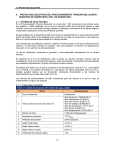
1) Display name: inserire in questo campo un nome alfanumerico
che consenta di identificare più facilmente la pulsantiera all’interno
della propria rete, soprattutto nel caso in cui siano presenti più
pulsantiere in corrispondenza degli ingressi (es. Ingresso
principale, Ingresso garage, Cancello...).
2) Nel caso di assegnazione manuale dell’indirizzo IP lasciare la
casella “Setup via DHCP” non selezionata.
3) Utilizzare il campo “IP address” per specificare l’indirizzo IP da
assegnare alla pulsantiera, tenendo conto di quanto riportato
all’inizio di questo capitolo. Nei campi “Default Gateway”,
“Network mask”, “DNS primario e secondario” introdurre gli
stessi valori utilizzati nella propria rete. In caso di dubbio contattare
il proprio amministratore di rete.
4) Selezionare il pulsante “Save and restart” per salvare la
configurazione ed attendere il riavvio della pulsantiera.
Attenzione: se non si seleziona il pulsante "Save and restart" le
modifiche andranno perdute. Selezionando il pulsante “Default
values” i parametri descritti sopra saranno riportati ai valori di
fabbrica.
1) Display name: input on this field an alphanumeric name which
allow to easily identify the door station within the network. This
feature is mostly useful in the case of more than just one door
station are connected on the same LAN network (i.e. Main
entrance, Garage entrance, Gate...).
2) In case of manual IP address assignment, leave the box “Setup
via DHCP” unchecked.
3) Use the “IP address” field to set the new door stations’ IP
address, keeping in consideration what described at the beginning
of this chapter. Fill in the other fields “Default Gateway”, “Network
mask”, “Primary DNS” and “Secondary DNS”, with the same
values used on the devices of the network. In case of doubt please
contact the network administrator.
4) Click on the “Save and restart” button to store the changes and
wait until the door station will reset. If “Save and restart” button will
not be pressed, the changes will be discarded.
The “Default values” button allows to restore all the above
parameters to the factory default values.
2.6.2.2 Assegnazione automatica (DHCP) dell'indirizzo IP
2.6.2.2 Automatic IP assignment (DHCP)
1) Display name: inserire in questo campo un nome alfanumerico
che consenta di identificare più facilmente la pulsantiera all’interno
della propria rete, soprattutto nel caso in cui siano presenti più
pulsantiere in corrispondenza degli ingressi (es. Ingresso
principale, Ingresso garage...).
2) Nel caso si utilizzi l’assegnazione automatica dell’indirizzo IP
mettere il segno di spunta in corrispondenza della casella “Setup
via DHCP”.
3) Utilizzare il campo “DHCP client ID” per specificare un nome
alfanumerico per l’assegnazione dell'indirizzo IP.
4) I parametri di rete assegnati automaticamente via DHCP
saranno visualizzati nei rispettivi campi.
5) Selezionare il pulsante “Save and restart” per salvare la
configurazione e riavviare.
Attenzione: se non si seleziona il pulsante "Save and restart" le
modifiche andranno perdute. Selezionando il pulsante “Default
values” i parametri descritti sopra saranno riportati ai valori di
fabbrica.
1) Display name: input on this field an alphanumeric name which
allow to easily identify the door station within the network. It feature
is mostly useful in the case of more than just one door station are
connected to the same network (i.e. Main entrance, Garage
entrance...).
2) In case of automatic IP address assignment, check the box
“Setup via DHCP”.
3) Use the field “DHCP client ID” to set a specific alphanumeric
name to assign the IP address.
4) The network parameters will be shown on the respective fields
which will be in grey background (cannot be changed manually).
5) Click on the “Save and restart” button to store the changes and
to reset the door station. Otherwise the changes will be discarded.
“Default values” button allows to restore all the above parameters
to the factory default values.
2.6.3 Parametri base
La finestra “Basic Parameters” consente di configurare alcuni
parametri che hanno influenza sul funzionamento generale della
pulsantiera.
2.6.3. Basic parameters
The “Basic Parameters” window allows to set some general
configuration parameters.
Dato che questi parametri modificano in modo sostanziale il
funzionamento della pulsantiera, per evitare funzionamenti
indesiderati, prestare attenzione alla loro corretta configurazione.
Since the above parameters have a deep influence on the door
station's working modes, it is strongly recommended to pay
attention to their right configuration to avoid undesired operation.
Mi2491 10