1
IMPOSTAZIONI DI SISTEMA • SYSTEM SETUP
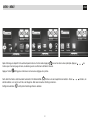
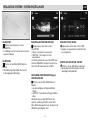
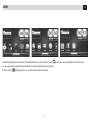
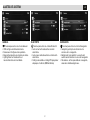
VIDEO
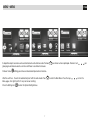
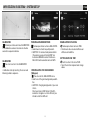
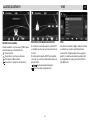
Premere per entrare nel menu Video.
•Video input seleziona sistema ingresso video:
AUTO/PAL/NTSC/SECAM
•Rear camera Imposta la visione normale o a specchio della retrocamera.
•Parking Attiva/disattiva la visione video in movimento.
•Aspect ratio Seleziona formato video: 4:3-16:9.
VIDEO
Press to enter the Video-menu.
•Video input Selecting Video-Input-System:
AUTO/PAL/NTSC/SECAM
•Rear camera Selecting Rear-camera-view: Normal / Mirrow.
•Parking Activating/deactivating Video-reproduction while in movement.
•Aspect ratio Selecting Video-Formats: 4:3-16:9.
IT/GB
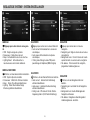
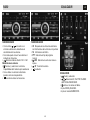
SOUND
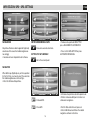
Premere per entrare nel menu Sound.
•Subwoofer filter Taglio di frequenza PASSA BASSO per uscita subwoofer 80/120/160 Hz.
•Subwoofer output Attiva/disattiva uscita.
•DRC Attiva/disattiva DRC.
SOUND
Press to enter the Sound-menu.
•Subwoofer filter Select LOW-PASS Frequency-Cut for Subwoofer-Output:
80/120/160 Hz.
•Subwoofer output Activating/deactivating Exit.
•DRC Activating/deactivating DRC.
11
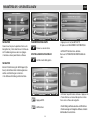
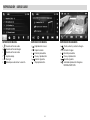
SECURITY
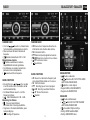
Premere per entrare nel menu Security.
•Rating level Imposta livello di sicurezza per la visione dei filmati.
•Set password Imposta password per livello di sicurezza.
•Load factory Ripristina impostazioni fabbrica.
SECURITY
Press to enter the Security-menu.
•Rating level Setting the kinds’ film-security-level.
•Set password Setting Password to operate security-levels.
•Load factory re-establish Factory-settings.