1
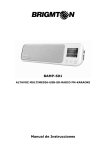
BAMP-701
ALTAVOZ BLUETOOTH NFC LED LIGHTSMICRO SD-MICRÓFONO
Manual de Instrucciones
MEDIDAS DE SEGURIDAD
- Mantenga los altavoces alejados de agua y otros líquidos.
- Mantenga los altavoces alejados de cualquier fuente de calor.
- Ajuste el volumen a un nivel adecuado a fin de evitar daños a sus oídos, o la
propia unidad.
- Si no utiliza este altavoz durante un tiempo prolongado, por favor cargue la
batería una vez cada tres meses, a fin de evitar que la batería de litio pierda
capacidad.
CONTROLES
INICIO RÁPIDO
1.
: Pulse brevemente los botones
para aumentar / reducir el volumen
de forma gradual. Mantenga pulsado el botón
para disminuir / aumentar el
volumen de forma continua.
2. M: Pulse brevemente el botón M para cambiar el modo de tarjeta SD Bluetooth /
Micro SD / AUX.
3.
: En el modo de reproducción de música, pulse brevemente
botones para cambiar a la canción anterior / siguiente. Mantenga pulsado
para pasar a la carpeta anterior o siguiente.
4.
los
: Pulse brevemente para cambiar los temas de LED
5.
: Mantenga pulsado el botón durante 2 segundos para encender el altavoz, la
luz indicadora se encenderá en azul. Mantenga pulsado de nuevo con el altavoz
encendido, para apagar la unidad. Pulse brevemente el botón para:
pausa/play/mute/contestar una llamada/terminar una llamada.
6.
+
: Si pulsa simultáneamente el botón de iluminación y los botones de
volumen podrá seleccionar el nivel de iluminación: Sin Iluminación, nivel 1, nivel 2
y nivel 3.
FUNCIONAMIENTO
1. Bluetooth
- Emparejamiento Bluetooth: Pulse el botón M para entrar en el modo Bluetooth,
active la función Bluetooth de su dispositivo. Comience a buscar los dispositivos
Bluetooth.
- NFC (Se requiere que el móvil tiene la función NFC y el altavoz esté en modo
Bluetooth): Encienda la función NFC del teléfono y acérquelo al altavoz por la zona
NFC. El teléfono reconocerá el altavoz por proximidad y se vinculará a él. Complete
el proceso de vinculación siguiendo las instrucciones de su teléfono.
- Música Bluetooth: Active el reproductor de música del teléfono u otro dispositivo y
el altavoz reproducirá la música seleccionada.
- Manos Libres: Puede usar el teléfono normalmente, cuando se encuentre
emparejado al altavoz. Si recibe una llamada pulse el botón
. Si pulsa de nuevo
finalizará la llamada. Presione dos veces el botón
y el altavoz volverá a marcar
el último número de teléfono.
2. Iluminación LED
Presione brevemente
temas diferentes LED:
para cambiar los temas de iluminación LED, hay cinco
Los modos Club y Equalize sólo están disponibles durante la reproducción de
música.
3. Sensor de la gravedad
En los modos Club e Equalize podrá usar el sensor de gravedad:
4. Micro SD
Inserte una tarjeta Micro SD en el altavoz y se reproducirá automáticamente. Los
formatos soportados son WAV, MP3, WMA, APE, FLAC.
5. Aux In
Utilice el cable 3,5 mm para conectar el altavoz a una fuente de audio (PC,
MP3/MP4, teléfono móvil). Pulse brevemente el botón M para entrar en el modo
"AUX IN".
Nota: Si la batería está baja afectará a la calidad de sonido.
6. Modo PC USB
Utilice el cable USB para conectar el altavoz a un PC, pulse brevemente el botón M
para entrar en el modo USB y la unidad funcionará como un altavoz del PC. La
primera vez que use esta función el PC identificará automáticamente el altavoz e
instalará el controlador.
NOTA: En este modo no podrá usar la función Pause.
7. Modo lector de tarjetas
Encienda el altavoz, utilice el cable USB para conectar el altavoz al PC y presione el
botón para apagar el altavoz. El altavoz entrará en el modo de lector de tarjetas y
podrá leer la tarjeta desde el PC y grabar archivos en ella directamente.
Nota: No podrá apagar el altavoz en el modo de lector de tarjetas.
8. Carga de batería
Use el cable USB para conectar el altavoz a una entrada USB para cargar la batería.
Puede usar un adaptador 5V/1000mA para cargar la batería. Durante la carga, el
indicador LED se iluminará de color naranja, cuando haya terminado la carga, el
indicador LED se apagará.
SOLUCIÓN DE PROBLEMAS
1. ¿Qué debo hacer si el altavoz no puede vincularse con el dispositivo Bluetooth?
Por favor, compruebe la especificación/el manual del dispositivo Bluetooth (teléfono
móvil o PC) y ver si el dispositivo puede soportar la transmisión de audio estéreo
A2DP. Si es así, por favor active el modo estéreo A2DP.
2. ¿Qué debo hacer si la tarjeta Micro SD no funciona?
(1) Asegúrese de que la tarjeta Micro SD se encuentra en buenas condiciones.
Compruebe también que los archivos de audio son del formato correcto
MP3/WMA/WAV/APE/FLAC.
(2) Compruebe la compatibilidad de la tarjeta Micro SD. Le recomendamos
formatear la tarjeta Micro SD en formato de archivo FAT32.
3. ¿Qué debo hacer si la función de PC USB no funciona?
(1) Conecte el altavoz al ordenador mediante el cable USB y entrar en el modo USB
del PC. Y a continuación, reproducir algún archivo del PC.
(2) Puede que la tarjeta de sonido del altavoz no sea con el PC. Por favor, intente
hacer clic en el administrador de dispositivos y revise el controlador de los
dispositivos. Desinstálelo e instálelo de nuevo.
Las especificaciones pueden variar sin previo aviso
I.R.P., S.L.
SANTA CLARA DE CUBA NAVE 5
SEVILLA
SPAIN
DECLARACIÓN DE CONFORMIDAD
I.R.P., S.L. declara bajo su responsabilidad que el aparato indicado cumple los
requisitos de las siguientes directivas:
DIRECTIVAS EMC
ETSI EN 300 328 V1.7.1 (2006-10)
ETSI EN 301 489-1 V1.9.2 (2011-09)
ETSI EN 301 489-17 V2.2.1 (2012-09)
EN 62479: 2010
EN60950-1: 2006+A11:2009+A1:2010+A12:2011
Descripción del aparato:
Modelo BRIGMTON BAMP-701
Altavoz Inalámbrico
Importador: I.R.P., S.L.
Dirección: Avda. Santa Clara de Cuba 5, 41007, Sevilla.
BAMP-701
BLUETOOTH SPEAKER NFC LED LIGHTSMICRO SD-MICROPHONE
Instruction Manual
IMPORTANT SAFETY INSTRUCTIONS
- Keep speaker away from water and other liquids.
- Keep speaker away from any source of heat.
- Adjust the volume to a suitable level so as to avoid damaging your hearing, or the
unit itself.
- If does not use this speaker for long time, please charge at lease once within
three month, in order to prevent the lithium battery from causing and damaging
because of excessive consumption.
SLOT AND KEYS
QUICK START
1.
: Short press the
gradually. Long press the
continuously.
buttons to decrease / increase the volume
buttons to decrease / increase the volume
2. M: Short press the M button to switch the mode of Bluetooth/ Micro SD
Card/AUX In
3.
: Under music playing mode, short press the
buttons to switch to
the previous / next song. Long press the
buttons for previous/next folder.
4.
: Short press to switch the LED themes
5.
: Long press the
button and hold for 2 seconds to power on the speaker,
the Working Indicator Light will be blue. Long press the
button to power off the
speaker.
Short press the
button to pause/play/mute/answer the phone/end up the phone
6.
+
: Pressing the light button and the volume buttons simultaneously, you
can choose the level of illumination: No Lighting, level 1, level 2 and level 3.
INSTRUCTIONS
1. Bluetooth
- Bluetooth Paired: Press the M button to enter the Bluetooth mode, now please
turn on the Bluetooth function of your mobile/other devices. And start to search for
Bluetooth devices. (The speaker will voice “Device paired” when connecting).
- NFC (It requires the mobile has the NFC function and the speaker need under
Bluetooth mode): Turn on the mobile’s NFC function and make the mobile touch the
speaker’s NFC area. The mobile will remind you to pair with the Bluetooth device.
Choose yes to complete the pairing.
- Bluetooth Music: Please turn on the mobile or other devices’ music player, and
speaker will play the selected music.
- Mobile Hands-free: Under pairing, using phone to call, it can enter the Hands-free
status. When a mobile call comes in, short press the
button to pick up the
phone, re-press the
button to end up the call. Press the
button twice and
speaker will re-dial the last telephone number.
2. LED Themes
Short press the
to switch the LED themes, there are five different LED themes:
Please note: The Club and Equalize themes only display when music playing
3. Gravity sensor: At Club and Equalize themes, the speaker can support gravity
sensor.
4. Micro SD Card Music Playing
Inserting the Micro SD Card into the speaker to enter the memory card mode, the
speaker will play the Micro SD card music directly. (Speaker will voice “memory
card mode”). The speaker support music format at WAV, MP3, WMA, APE, FLAC.
Use the 3.5mm audio cable included to connect the speaker to an audio source (PC,
MP3/MP4, mobile phone). Short press the M button to enter “AUX IN” mode (the
speaker will voice “Aux in” mode). The speaker will play the music from the audio
source.
Please note: Low battery will affect the music sound quality, please charge the
speaker by adaptor (5V 1A) soon.
5. PC USB Mode
Please use the USB cable included to connect the speaker to the computer, a short
press of the M button to enter the PC USB Mode, which will operate as a computer
speaker. The first time using this function, computer will automatically identify the
speaker and install the driver.
Please note: At this mode, it just have MUTE function no Pause.
6. Card Reader Mode
Power on the speaker, Please use the USB cable included to connect the speaker to
the computer, and press the
button to power off the speaker. The speaker will
enter the card reader mode, Then the Micro SD card can be read and written on the
computer directly.
Please note:Speaker can not be power off under card reader mode.
7. Charging
The speaker with the built-in lithium battery, use the USB cable included to connect
the speaker to the computer or a branded good quality 5V/1000mA adaptor to
charge the battery. When charging, the LED indicator is orange, when finished
charging, the LED indicator will turn off.
Please note: If low capacity, the indicator light will flash quickly, please charge
immediately.
TROUBLESHOOTING
1. What should I do if the speaker can not pair with the Bluetooth device and play
music accordingly?
Please check the specification/ the manual of the Bluetooth device (your mobile or
computer), and see if the device can support the A2DP stereo audio transmission. If
yes, please turn on the A2DP stereo mode.
2. What should I do if the Micro SD card can not work?
(1) Ensure that the Micro SD card is in good condition. Also check that the audio
files are the correct formats - MP3/WMA/WAV/APE/FLAC.
(2) Beside the above case, the problem maybe the compatibility of the Micro SD
card.
We recommend you formatting the Micro SD Card to FAT32 file formats.
3. What should I do if the PC USB function could not work?
(1) Connect the speaker to the computer via the USB cable included, and enter the
PC USB mode. And then play the video/ audio from the computer.
(2) If it could not work, it may be the problem that the sound card of the speaker is
incompatible with the computer. Please try to click the device manager--- click the
Voice video and games controller---right click the USB Audio device---click the
uninstall. Then please switch the speaker to PC USB mode again. The computer will
automatically update the USB sound card drive to achieve the compatibility
Features can be change without notice.
I.R.P., S.L.
SANTA CLARA DE CUBA NAVE 5
SEVILLA
SPAIN
DECLARATION OF CONFORMITY
I.R.P., SL declare under our responsibility that the equipment meets the
requirements indicated in the following directives:
EMC DIRECTIVES
ETSI EN 300 328 V1.7.1 (2006-10)
ETSI EN 301 489-1 V1.9.2 (2011-09)
ETSI EN 301 489-17 V2.2.1 (2012-09)
EN 62479: 2010
EN60950-1: 2006+A11:2009+A1:2010+A12:2011
Description of apparatus:
BRIGMTON Model BAMP-701
Wireless Speaker
Importer: I.R.P., SL
Address: Avenida Santa Clara de Cuba 5, 41007, Sevilla.