1
$
Chapter
Operating Instructions
$
$ 8
$
2
8 #
#5
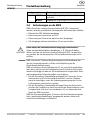
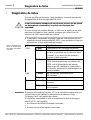
Before you operate, for the first time, a system protected by an
WARNING AS-interface Safety at Work system in connection with a safety component connected, make sure that the system is first checked and
approved by qualified personnel.
(
$ 5
The entire protective device must be tested for correct operation after
each change.
*
$
-
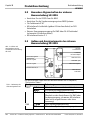
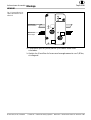
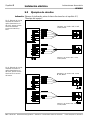
So that the safe busnode UE 4215 can be identified in the AS-interface network, it must be assigned a unique address. The address
space is 1 to 31; as supplied the address is set to 0.
The address can be set in the following ways:
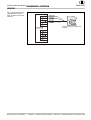
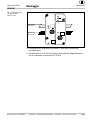
Addressing using cable addressing device SICK ASI-PM2
(6 022 426; the addressing device SICK ASI-PM1 is not suitable for
setting the address of the safe busnode UE 4215). The address of
the safe busnode UE 4215 can be set in conjunction with the FKE
base using addressing socket FKE-A or FKE-A-E (cf. chapter 9.2
“Accessories”) via the addressing cable ASI-PM2-DSL1 (6 022 464)
in the mounted and wired state.
Addressing using infrared addressing device ASI-PM2 (6 022 426)
and the IR addressing cable ASI-PM2-DSL2 (6 022 465). Prior to
setting the address, stop all communication in the safe busnode
UE 4215.
Automatic setting of the address by the AS-interface master on the
replacement of the device.
$
Using the LEDs check whether the device is ready for use. If the
green LED (voltage supply) is on and the red LED (FAULT display) is
off, the device is ready for operation.
$
Completely verify the safety functions of the entire system.
Fully document the configuration of the entire system, the
individual devices and the result of the safety check.
118
© SICK AG • Industrial Safety Systems • Germany • All rights reserved
8 010 654/O571/19-08-04