1
13.1 File sharing under Windows XP
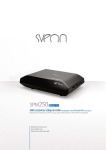
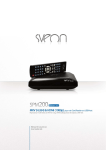
SPM3000 User Guide
Step 1. Right click over the folder you want to share and
select the option “Share and security”.
Index
1. Welcome
2. Features
3. System Requirements
4. Content
5. Hardware
6. Remote Control
7. PC Connection
8. TV Connection
8.1 AV Connection
8.2 YPbPr Connection
8.3 HDMI Connection
9. First Time Usage
9.1 Hard disk formatting
9.2 Starter screen
10. Main Menu
10.1 Hard Disk
10.2 USB
10.3 NET
10.4 Playlist
10.5 Settings
Step 2. Select “Share this folder through the network” and click on
“Apply”.
11. Basic functions
11.1 Music Playback
11.2 Pictures Playback
11.3 Videos Playback
11.4 Files
11.5 Change output resolution
12. Network function
12.1 Wired LAN Connection
12.2Wireless LAN Connection
13. Share files
13.1 Windows XP
13.2 Windows Vista
14. File access through a network
14.1 My Shortcuts
14.2 My Neighbors
15. Firmware upgrading
16. FAQs
13.2 Share files under Windows VISTA
Important. Before following the steps to configure the network under Windows Vista, please note you have to operate as
System Administrator.
There are different ways to share files under Windows Vista:
13.2.1 File sharing under Windows Vista. Mode 1.
Follow these steps to share files through a network in a very easy way.
1. Click on “Start” / “Setup” / “Control panel” / “User Accounts”.
English
36