1
Identification of Controls
PVR (Personal video recorder)
1.USB PVR has the following features:
-Support one-channel TS recoding
-Support program playback
The storage media supported :
-USB disk (depending on the read-write speed, 100mA)
-In order to delete recorded files on a USB stick then please
connect the
USB stick to your computer and then delete the recorded files.
The TV program is recorded to file at .PVR format, which can be
played
back on this unit and PC using a suitable player, but can not be
played
The file system format support :
-FAT
-FAT 32
2.Before recording
Must plus USB disk .
3.Real-time recording
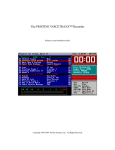
In the normal play mode, Press Menu
Settings Funtion PVR
to enter the recording status. Once video
recording starts, the upper left crner will display the recording icon.
Press EXIT key to stop recording.
Troubleshooting
Problem
No picture
Potential Reasons
Power isn't connected
What to do
Connect the power
The power switch is not on Switch on the power
Screen shows
No Signal
No sound from
speaker
DVB-T cable not connected Plug in the DVB-T cable
Incorrect setting
Reset setting
No or incorrect connection
with audio cable
Connect the audio cable
correctly
Sound on volume low
turn volume high
Incorrect sound track
Try another sound track
The image stopped The signal is too weak
suddenly or mosaic
Strengthen the signal
4.Recorder file play
-Press Menu Multimedia,Enter USB mode and select video,then
open file of USB and select target document in “PVR”folder.
6