1
A- GENERAL FUNCTIONS AND CONTROLS
IN CUE MODE
While in cue mode and when the touch sensitivity function is active, tapping on the JOG
WHEEL can be used to start playback.
The unit will continue to playback until the JOG WHEEL is released. Once the JOG
WHEEL is released the unit will return to the last IN point.
The following draws depict the function of the Jog Wheel upon the different setups:
NOTE: we start in Play mode
MODE
VYNIL Playback Stops and Start´s back at the
speed set by START
CDJ
We perform a backwads Pitch Bend
MODE
VYNIL Playback Stops at the speed set by
BRAKE
CDJ
Nothing happens
MODE
VYNIL Real time Scratch
A.CUE SCRATCH
Playback returns to last CUE point
A.CUE SCRATCH
Playback returns to last CUE point.
And a Real time Scratch can be
performed from this point
Touch
CDJ
We perform a Pitch Bend
A.CUE SCRATCH
Playback returns to last CUE point, and
Playback Stops and Start´s back at the speed set
by START
Touch and move
back and forward
Touch and move
backward
MODE
VYNIL Normal PLAY/PAUSE
CDJ
CDJ
We perform a Pitch Bend
A.CUE SCRATCH
We perform a Pitch Bend
Pressing PAUSE Playback Stops at the
speed set by BRAKE. Pressing PLAY
Playback Start´s at the speed set by START
A.CUE SCRATCH Normal PLAY/PAUSE
Touch only the rim
7- PITCH SLIDER:
This slider is used to adjust the playback pitch percentage. The slider is a set adjustment and
will remain set until the pitch slider is move or the pitch function has been turned off.
8- JOG WHEEL:
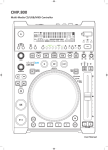
Kuro´s Jog Wheel is engineered so it mimic's a vynil. The top section is touch sensitive and
responds to the body's own electricity - similar to a vinyl record on the turntable. The outer
rubberised ring has been designed for pitch bending - similar to the edge of a turntable's
platter.
a- The jog wheel will act as a frame search control when the track in the pause or cue mode,
press PLAY button to create the IN point.
ENGLISH
MODE
VYNIL We perform a Pitch Bend
b- The wheel also works as a pitch bend during playback. Turning the wheel clockwise will
increase the pitch percentage up to 100%, and turning the wheel counterclockwise will
decrease the pitch percentage down to -100%. The pitch bend will be determined on how
long you turn the jog wheel continuously.
c- The jog wheel can be used with the hold of the TIME and RATIO knob to set effects and
samples parameter adjustment.
9- TAP BUTTON:
This button is used for manual BPM. When in manual BPM mode, tap this button to the beat
of the current track. Hold the TAP button for 1 sec. to activate Auto BPM.
10- PITCH BEND BUTTONS:
The desired pitch of CD decrease or increase when button is pressing and returns to the
original pitch when the button is released.
More info at B- INTERNAL MENU 4-PITCH BEND page 23.
11- SAMPLE BUTTON:
a Press this button, then press the desired BANK button to set the sample loop mode (LED
is on).
b When sample mode is set, then sampler will mix the music together.
c And press the SAMPLE button again to set the sample single mode (LED is flash).
d Press the SAMPLE button again to cancel sample function.
More info at D- STEP BY STEP FOR IMPORTANT OPERATION 4- RECALL CUE
POINTS AND/OR SAVED LOOPs page 27.
12- BANK BUTTONS 1~4:
These buttons are used to store either four cue points or four samples. Each Bank Button can
store either a sample or a cue point. To play your programmed samples, press the Sample
button and then press the Bank Program button.
The stored Cue point will become sample when you change another FOLDER device to
play.
More info at D- STEP BY STEP FOR IMPORTANT OPERATION 4- RECALL CUE
POINTS AND/OR SAVED LOOPs page 27.
13- SAVE BUTTON:
This button can be used in couple of ways:
a. Press this button to activate the memory mode, the save button LED will glow when
active. After the memory mode is activated, press your desired bank button to store your
CUE point or playing loop.
b. To store your loops and cue points that are saved in the BANKS to the system memory
for next time, press the MEMORY button for 1 second.
NOTE: RECALL MEMORY: KURO can store 2000 programmed cue points in 500 track
CD and 4 programmed cue points per track in the USB device. These setting may be recalled
at any time, even when an audio source has been removed and loaded at a later time.
To recall the bank memory with CD/USB device: 1) Turn the TRACK knob to select the
track which with the BANKS and “Load Cues?” will be indicated on the VFD, press MIDI
PLAYER A(Y) to load or press MIDI PLAYER B(N) not to load. Or 2) press the SAVE
button, LED on, and turn the TRACK knob to select the TRACK with BANKS that you
would like to recall.
14- CLEAR BUTTON:
Press CLEAR button, LED on, or hold the CLEAR button to select the BANK buttons you
would like to clear.
15- PLAY/PAUSE BUTTON:
Each press of the button to change from play to pause or from pause to play.
20