1
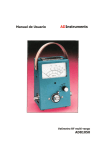
Manual de Usuario
ADInstruments
Analizador de la calidad de la energía
AD6810
EN 61010-2-032
CAT III 600V
Grado de polución 2
Definición de los símbolos
Precaución: Lea los documentos adjuntos
Precaución: Riesgo de descarga eléctrica
Doble aislamiento
Categoría I (CAT I) de sobre-tensión:
Equipos para conectarlos a circuitos en los que las medidas tomadas tienen
limitadas las sobre-tensiones transitorias a un nivel bajo apropiado.
Categoría II (CAT II) de sobre-tensión:
Equipos que consumen energía suministrada de la instalación fija.
Categoría III (CAT III) de sobre-tensión:
Equipos en instalaciones fijas.
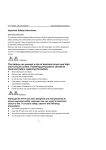
PRECAUCIÓN: Si el comprobador flexible se utiliza de forma
no especificada por el fabricante, la protección que proporciona
la pinza medidora puede disminuir.
PRECAUCIÓN
No utilice este equipo sin haber leído primero las
instrucciones siguientes.
1. No instale la sonda flexible de corriente alrededor de
conductores desnudos que transporten tensiones entre 30 y
600 V a menos que lleve puesta ropa y guantes protectores
adecuados para altas tensiones.
2. Inspeccione y compruebe siempre cualquier daño en la
sonda de corriente antes de utilizarla. No utilice la sonda de
corriente flexible si encuentra cualquier tipo de daño.
3. No utilice la sonda de corriente flexible en circuitos de más
de 600 V en instalaciones de categoría III.
l
La información de esta publicación reemplaza a toda la anterior que
corresponda con el mismo material.
l
Abacanto Digital SA, se reserva el derecho de modificar o cambiar parte
o todas las especificaciones y políticas de precios sin previo aviso.
l
Por la presente no seremos responsables de accidentes y daños
causados al equipo o al usuario causados por operación indebida.
Contenido
I.
Características …………………………………………………………………
…….………. 6
II.
Descripción del
panel ………………………………………………………………..…… 7
III.
Instrucciones de
manejo ………………………………………………………………… 9
III.1
Configuración ………………………………………………………………………
…….. 9
III.2 Medida de tensión y corriente alterna
AC …………………..…………………… 16
III.2.1 Valor RMS, THD-F y armónicos de Tensión alterna
AC ………………… 19
III.2.2 Valor RMS, THD-F y armónicos de Corriente alterna
AC ………….…… 21
III.2.3 Señales de tensión y corriente alterna AC con ángulo de
fase (ȴ) … 23
III.2.4 Señal de tensión alterna con valor de
pico ………………………..………. 23
III.2.5 Señal de corriente alterna con valor de
pico ………………………………. 24
III.3 Medida de la calidad de la potencia alterna de una sola
fase ………….…….. 24
III.3.1 Potencia verdadera (W) y factor de potencia
(PF) ……………………….. 25
III.3.2 Potencia aparente (VA, KVA) y potencia reactiva (VAR,
KVAR) …..…. 25
III.3.3 Demanda máxima (KW y
KVA) ……………………………………………..….. 26
III.3.4 Energía (KWh, PGh, KVARh, y
KVAh.) ………………………………………. ..26
III.3.5 Diagrama de
fase ………………………………..……………………………………26
III.3.6 Valores RMS de tensión y
Corriente ………………………………….………. .27
III.4 Medida de la calidad de la potencia AC
trifásica …………………………………… 27
III.4.1 Potencia AC (W) y Factor de potencia
(PF) …………………………………. 28
III.4.2 Potencia aparente (VA, KVA) y Potencia reactiva (VAR,
KVAR) …..…. 28
III.4.3 Demanda máxima (KW y
KVA) …………………………………..……………… 28
III.4.4 Energía (KWh, PFh, KVARh, y
KVAh) ……………………………………….... 29
III.4.5 Diagrama de
fases …………………………………………………………………… 29
III.4.6 Valores RMS de tensión y
Corriente ………………………………….……….. 29
IV.
Grabación de datos de tensión y
corriente …………………….………………... 30
IV.1 Grabación
programada ……………………………………………………………………..... 30
IV.2 Grabación
inmediata …………………………………………………………………..……… 31
IV.3 Grabación de la tensión (valor RMS) y
armónicos …………………………………..32
IV.4 Grabación de la corriente (valor RMS) y
armónicos ……………………..………… 32
IV.5 Grabación de las señales de tensión y la
corriente …………………….….………. 33
IV.6 Grabación de la señal de
tensión ……………………………………………..…………. 33
IV.7 Grabación de la señal de
corriente ………………………………………….………….. 34
V.
Grabación de los transitorios
detectados ………………………………….……. 35
VI.
Grabación de la potencia
AC …………………………………………………………….38
VI.1 Grabación
programada …………………………………………………………………. 38
VI.2 Grabación
inmediata ………………………………………………………………….…. 40
VII.
Borrado de los datos de la
memoria ……………………………………………….. 41
VIII.
Protocolo del interfaz
RS-232 ………………………………………………………… .42
IX.
Especificaciones (23º ± 5º
C) ………………………………………………….……… 43
X.
Sustitución de la
baterías ……………………………………………………………….. 47
XI.
Mantenimiento y
limpieza ………………………………………………………….…… 49
I. Características
a. Análisis de la calidad energética para sistemas monofásicos y trifásicos.
b. Análisis de los armónicos de tensión y corriente (desde orden 1 hasta el
50).
c. Medida de True RMS de la tensión con 0,5% de precisión básica.
d: Medida de True RMS de la corriente con 1% de precisión básica.
e. Señales gráficas de la tensión y la corriente.
f. Diagrama gráfico de fases.
g. Detección de transitorios y grabación de subida (Swell), bajada (Dip) y
caída (Outage).
h. Función rápida de picos (39µs para 50Hz, 33µs para 60Hz)
i. Potencia activa (W, KW, HP), reactiva (VAR, KVAR) y aparente (VA, KVA).
j. Factor de potencia (PF), ángulo de fase (Ø) y energía (WH, KWH).
k. Medida de la calidad de potencia en tres fases.
l. Razón programable VT de 1 a 3.000
m. Funciones de retención (hold).
n. Función de auto-apagado en 15 minutos.
II. Descripción del panel
1. Sistema de acoplamiento
2. Bucle flexible
Abra el conector de acoplamiento y rodee los conductores.
Re-conecte a continuación el conector de acoplamiento.
3. Tecla +▲ 3Φ
. Incrementa el valor en 1.
. Mueve el eje de referencia hacia arriba.
. Mueve el cursor de línea a la derecha a armónicos previos.
. Página arriba de los siguientes eventos de transitorios.
. Selecciona la medida balanceada de 3 fases.
4. Tecla -▼
. Disminuye el valor en 1.
. Mueve el eje de referencia hacia abajo.
. Mueve el cursor de línea a la izquierda a los siguientes armónicos.
. Página debajo de los siguientes eventos de transitorios.
5. Tecla FUNC y On/Off
Pulse esta tecla para seleccionar una visualización diferente.
Mantenga pulsada esta tecla durante unos dos segundos para
encender/apagar el equipo.
6. LCD
Pantalla de matriz de puntos LCD con retro-iluminación.
7. Tecla HOLD / CANCEL / BACKLIGHT
Pulse esta tecla para retener (HOLD) la visualización de la pantalla, o
encender/apagar la retro-iluminación. Se usa también para borrar
armónicos en la configuración de los armónicos.
8. Tecla REC
Pulse esta tecla para comenzar la grabación (logging) de los datos.
Púlsela de nuevo para detener la grabación. Manteniendo pulsada
esta tecla al tiempo que se enciende el equipo se borran los datos en
la memoria.
Se utiliza también para añadir armónicos en la configuración de los
armónicos.
9. Conmutador deslizante
Selecciona la configuración, medida de corriente, tensión, detección
de transitorios, o potencia.
10. Terminal COM
Este terminal se usa como entrada de referencia común de tensión.
11. Terminal de entrada de tensión V
Este terminal se usa como entrada para la tensión.
12. Tapa de la batería
13. LED
Este LED parpadea cuando el equipo está grabando (logging).
El LED se enciende cuando detecta transitorios.
III. Instrucciones de funcionamiento
III.1 Configuración
Mueva el conmutador deslizante a la posición SETUP. Deberán configurarse
los parámetros antes de comenzar a usar el medidor.
Hora Actual: El equipo incluye un reloj y calendario interno. Deberá
configurarse la hora y fecha correcta.
HORA
MINUTOS
SAMPLE: Ajusta el intervalo de muestreo en segundos para la grabación
de datos.
START TIME: Programa cuando empezar a grabar datos
HORA
MINUTOS
STOP TIME: Programa cuando se para la grabación de datos.
HORA
MINUTOS
VT: Define la relación de la tensión del transformador, normalmente 1.
MD: Define el intervalo de tiempo para la demanda máxima en minutos,
normalmente 15.
HZ: Ajusta la frecuencia de funcionamiento a 50Hz, 60Hz, o automático.
AUTO POWER OFF: Activa (1) o desactiva (0) la función de apagado
automático.
TRANSIENT REFERENCE: Ajusta la tensión nominal y el umbral (%) de la
captura de transitorios
TENSIÓN NOMINAL
TOLERANCIA
HARMONICS CONFIGURATION: Selecciona los armónicos que se
graban
NOTA: El equipo ajustará el tiempo de muestreo en función de la cantidad
de armónicos que se vayan a grabar.
WAVEFORM CONFIGURATION: Ajusta los puntos a grabar en cada ciclo
de la señal. Hay cuatro opciones, 32, 64, 120, y 256.
DATE: Ajusta la fecha del calendario interno.
AÑO
MES
DÍA
III.2 Medida de la tensión ACV y corriente ACA alterna
Tensión:
a. Mueva el conmutador deslizante a la posición VA.
b. Inserte las puntas de prueba en el conector de entrada. Conecte las
puntas de prueba en PARALELO con el circuito a medir.
NOTA: Si el valor de pico de la tensión de entrada es mayor que el valor
máximo de la tensión del rango del equipo, aparecerá en la pantalla el
símbolo OL.
PRECAUCIÓN: Utilice siempre guantes protectores durante el proceso.
Corriente:
a. Mueva el conmutador deslizante a la posición VA.
b. Conecte la sonda flexible alrededor del conductor. Mantenga la
sonda alejada más de 25 mm del conductor.
c. Pulse la tecla FUNC para seleccionar la siguiente visualización.
PRECAUCIÓN: Asegúrese de que todas las punas de prueba están
desconectadas del equipo en el momento de realizar la medida de la
corriente.
III.2 Valor RMS, Distorsión THD-F y armónicos de la tensión
alterna ACV
%THD-F: Distorsión armónica total con respecto a la frecuencia nominal.
%THD-F = (√(V22+ V32 + … +V492+ V502)) / V1) * 100
En donde:
V1: Magnitud a la frecuencia nominal (por ejemplo 50 ó 60
Hz).
V2: Magnitud en el segundo armónico.
…..
V50:
Magnitud en el armónico 50.
NOTA: La frecuencia (Hz) se muestra en la segunda página (Orden de
armónicos del 25 al 50)
III.2.2 Valor RMS, Distorsión THD-F y armónicos de la corriente
alterna ACA
%THD-F: Distorsión armónica total con respecto a la frecuencia nominal.
%THD-F = (√(V22+ V32 + … +V492+ V502)) / V1) * 100
En donde:
V1: Magnitud a la frecuencia nominal (por ejemplo 50 ó 60
Hz).
V2: Magnitud en el segundo armónico.
…..
V50:
Magnitud en el armónico 50.
NOTA: La frecuencia (Hz) se muestra en la segunda página (Orden de
armónicos del 25 al 50
III.2.3 Gráficas de la tensión ACV y la corriente ACA alterna con el
ángulo de fase(φ)
Puede pulsarse la tecla ˏo ˑ para mover el la referencia 0 del eje de la
corriente hacia arriba o hacia abajo. De esta forma las gráficas de la tensión
y de la corriente pueden distinguirse fácilmente tal y como se muestra en la
siguiente figura.
III.2.4 Gráfica de la tensión alterna con valor de pico
III.2.5 Gráfica de la corriente alterna ACA con valor de pico
III.3 Medida de la calidad de la potencia alterna de una sola fase
NOTA: Si el valor de pico de la corriente alterna de entrada o de la tensión
alterna de entrada es mayor que el valor máximo del rango, aparecerá en la
pantalla el símbolo OL.
NOTA: Si la relación VT no es 1, las lecturas que se muestran en la pantalla
son igual a los valores de W, VA y VAR medidos por el equipo multiplicados
por la relación VT (WLCD = W * VT, VALCD = VA * VT, VARLCD = VAR * VT,
WHLCD = WH = WH * VT)
--
+
+
--
+
a. Ponga el conmutador deslizante en la posición W
b. Conecte las puntas de prueba en paralelo con la carga.
c. Rodee un conductor de la carga con la sonda flexible. La corriente
deberá fluir desde el frontal del medidor al lado de la tapa de la
batería.
d. Pulse la tecla FUNC para seleccionar la siguiente visualización.
III.3.1 Potencia verdadera (W) y Factor de potencia (PF)
III.3.2 Potencia aparente (VA, KVA) y potencia reactiva (VAR,
KVAR)
III.3.3 Demanda máxima (KW y KVA)
PRECAUCIÓN: Debe deshabilitar la
automático para efectuar esta medida.
función
III.3.4 Energía (KWh, PFh, KVARh, y KVAh)
de
apagado
PRECAUCIÓN: Debe deshabilitar la
automático para efectuar esta medida.
función
III.3.5 Diagrama de fase
III.3.6 Valores RMS de la tensión y la corriente
de
apagado
III.4 Medida de la calidad de la potencia trifásica AC
L1
L2
+
L3
L1
L3
a. Mueva el conmutador deslizante a la posición W
b. Conecte las puntas de prueba a la fuente de tensión en paralelo con
la carga.
c. Rodee con la sonda flexible uno de los conductores que van a la
carga. La corriente deberá fluir desde el medidor hacia el lado de la
tapa de la batería.
d. Pulse la tecla 3ȴ para realizar una medida trifásica balanceada.
e. Pulse la tecla FUNC para seleccionar las siguientes visualizaciones.
III.4.1 Potencia AC (W) y Factor de potencia (PF)
III.4.2 Potencia aparente (VA, KVA) y potencia reactiva (VAR,
KVAR)
III.4.3 Demanda máxima (KW y KVA)
PRECAUCIÓN: Debe deshabilitar la
automático para efectuar esta medida.
función
de
apagado
III.4.4 Energía (KWh, PFh, KVARh, y KVAh)
PRECAUCIÓN: Debe deshabilitar la
automático para efectuar esta medida.
función
III.4.5 Diagrama de fases
III.4.6 Valores RMS de la tensión y la corriente
de
apagado
IV. Grabación de datos de tensión y
corriente
IV.1 Grabación programada
Pulse la tecla REC una vez
Pulse la tecla REC una vez para comenzar la grabación de datos
programada. El tiempo de inicio (START TIME) y el tiempo final (STOP TIME)
se definen en la configuración (SETUP).
Cuando se pulsa la tecla REC, se mostrará la siguiente pantalla.
Se disponen de 8 segundos para cancelar la grabación si se pulsa durante
unos 2 segundos la tecla HOLD. Si no se pulse la tecla HOLD/CANCEL, el
equipo comenzará la grabación, y el LED al lado de la tecla REC comenzará
a parpadear.
IV.2 Grabación inmediata
Pulse la tecla REC dos veces
El tiempo de inicio (START TIME) cambiará al minuto siguiente.
El tiempo final (STOP TIME) cambiará a la hora actual pero del día siguiente.
IV.3 Grabación de la tensión (Valor RMS) y armónicos
Cuando se vea la siguiente pantalla y se pulse la tecla REC, el valor RMS
verdadero de la tensión y los armónicos seleccionados en la configuración se
grabarán con el tiempo de muestreo especificado.
Vea por favor la configuración de los armónicos (HARMONICS
CONFIGURATION) en el menú de configuración (SETUP) para seleccionar
los armónicos.
NOTA: El valor RMS verdadero y el primer armónico se graban siempre
IV.4 Grabación de la corriente (valor RMS) y armónicos
Cuando aparezca la pantalla siguiente y se pulse la tecla REC, el valor RMS
verdadero de la corriente y de los armónicos seleccionados en el menú de
configuración se grabarán con el tiempo de muestreo especificado.
Vea por favor la configuración de los armónicos (HARMONICS
CONFIGURATION) en el menú de configuración (SETUP) para seleccionar
los armónicos.
NOTA: El valor RMS verdadero y el primer armónico se graban siempre
IV.5 Grabación de las gráficas de tensión y corriente
Cuando se esté en la pantalla anterior y se pulse la tecla REC, se grabarán
simultáneamente las gráficas de tensión y corriente.
NOTA: Puede especificarse cuantos puntos por ciclo se graban en la
configuración de la gráfica (WAVEFORM CONFIGURATION) del menú de
configuración (SETUP)
IV.6 Grabación de la gráfica de tensión
Cuando se visualice la pantalla anterior y se pulse la tecla REC, la gráfica de
tensión se grabará.
NOTA: Puede especificarse cuantos puntos por ciclo se graban en la
configuración de la gráfica (WAVEFORM CONFIGURATION) del menú de
configuración (SETUP)
IV.7 Grabación de la gráfica actual
Cuando se visualice la pantalla anterior y se pulse la tecla REC, la gráfica de
la señal actual se grabará.
NOTA: Puede especificarse cuantos puntos por ciclo se graban en la
configuración de la gráfica (WAVEFORM CONFIGURATION) del menú de
configuración (SETUP)
V.
Grabación
de
los
transitorios
detectados
Cuando el conmutador deslizante se mueve a la posición de transitorios
(Transient), se visualiza la siguiente pantalla.
Se ve que la tensión de referencia es 110 V AC (TRANS REF), y el umbral es
del 5%. Si la tensión excede 115,5 V (SWELL) o es menor de 104,5 V (DIP),
o es menor de 40,0 V
(OUTAGE), se grabará un transitorio.
NOTA: Máximo 32.000 eventos
Pulse la tecla FUNC para comenzar con la detección de transitorios.
Para detener la detección de transitorios y revisar los eventos capturados,
pulse la tecla FUNC de nuevo. Pulse las teclas ȸˑ, +ˏ para revisar los
eventos.
VI. Grabación de la potencia AC
VI.1 Grabación programada
Pulse la tecla REC una vez
Pulse la tecla REC para comenzar la grabación programada. El tiempo de
inicio (START TIME) y el de finalización (STOP TIME) se definen en el
menú de configuración (SETUP).
Cuando se pulse la tecla REC, se mostrará la siguiente pantalla.
El usuario dispone de 8 segundos para cancelar la grabación pulsando la
tecla HOLD durante unos dos segundos. Si no se pulsa la tecla
HOLD/CANCEL, el equipo comenzará a grabar los datos, y el LED al lado
de la tecla REC comenzará a parpadear.
El equipo almacenará 50.000 registros con (Fecha/Hora, VA, W, VAR, PF,
KVAh, KWh, KVARh, PFh, AD(VA), AD(W), MD(VA), MD(W), Fase, HP).
VI.2 Grabación inmediata
Pulse la tecla REC dos veces
El tiempo de inicio (START TIME) se cambiará al minuto siguiente.
El tiempo final (STOP TIME) se cambiará a la misma hora del día
siguiente.
VII. Borrado de datos de la memoria
Para borrar los datos de la memoria garbados, mantenga pulsada la tecla
HOLD y encienda el equipo. Se mostrará la siguiente pantalla. Deberá
pulsarse la tecla HOLD para confirmar el borrado de la memoria. El equipo
se apagará una vez que se haya borrado la memoria.
Si no se pulsa la tecla HOLD en 8 segundos, no se borrará la memoria. Este
temporizador sirve para evitar un borrado accidental de la memoria.
VIII. Protocolo del interfaz RS-232
Baud Rate: 9.600
Data Bits:
8
Stop bit:
1
Paridad:
Ninguna
Formato: ASCII
IX. Especificaciones (23ºC ± 5ºC)
Estas especificaciones se cumplen con los siguientes parámetros: Potencia
AC (50 o 60 Hz, PF de 0,5 a 1, VT = 1, Tensión > 5 V AC, Corriente > 5 A AC,
y señal continua. El conductor está situado en el centro de la sonda flexible.
Sensibilidad ajustada al 2% del rango. Efecto del campo externo < 40 A/m y
200 mm del acoplamiento al 1% del rango. Coeficiente de temperatura el
0,02% de la lectura / ºC).
Rango
Resolución
Precisión de las lecturas
> 20 V y > 30A
< 20V o < 30A
10,0 – 999,9 W
0,1W
±1% del Rango ±0,3W
±2% del Rango
1,000 – 9,999 KW
0,001 KW
±1% del Rango
±2% del Rango
±0,003KW
10,00 – 99,99 KW
0,01 KW
±1% del Rango
±2% del Rango
±0,03KW
100,0 – 999,9 KW
0,1 KW
±1% del Rango
±2% del Rango
±0,3KW
1.000 – 9.999 KW
1 KW
±1% del Rango ±3KW
±2% del Rango
Potencia aparente AC (VA, de 0,000VA a 9.999 KVA, de 3A a 3.000A)
Rango
Resolución
Precisión de las lecturas
> 20 V y > 30A
<20V o < 30A
10,0 – 999,9 VA
0,1VA
±1% del Rango ±0,3VA
±2% del Rango
1,000 – 9,999 KVA 0,001 KVA
±1% del Rango
±2% del Rango
±0,003KVA
10,00 – 99,99 KVA
0,01 KVA
±1% del Rango
±2% del Rango
±0,03KVA
100,0 – 999,9 KVA
0,1 KVA
±1% del Rango
±2% del Rango
±0,3KVA
1.000 – 9.999 KVA
1 KVA
±1% del Rango ±3KVA
±2% del Rango
Potencia reactiva (VAR, de 0,000 a 9.999 VAR, de 3 a 3.000 A, PF
±0,866)
Rango
Resolución
10,0–999.9 VAR
1,000–9,999 KVAR
10,00–99,99 KVAR
100,0–999,9 KVAR
1.000 – 9.999 KVAR
0,1VAR
0,001 KVAR
0,01 KVAR
0,1 KVAR
1 KVAR
Precisión de las lecturas
> 20 V y > 30A
<20V o < 30A
±1% del Rango ±0,3VAR
±2% del Rango
±1% del Rango ±0,003KVAR
±2% del Rango
±1% del Rango ±0,03KVAR
±2% del Rango
±1% del Rango ±0,3KVAR
±2% del Rango
±1% del Rango ±3KVAR
±2% del Rango
Factor de potencia (PF)
Rango
0,000 – 1,000
Resolución
0,001
> 20V y > 30A
± 0,04
Precisión
< 20V o < 30A
±0,1
Corriente AC (50 o 60 Hz, Auto rango, Trae RMS, Factor de cresta < 4, el
conductor situado en el centro del lazo flexible. La posición de la sensibilidad
al 2% del rango. Efecto del campo externo < 40ª/m y 200 mm del
acoplamiento es el 1% del rango. Coeficiente de temperatura 0,02% de la
lectura /ºC)
Rango
3A – 300,0A
300,0 – 3.000A
Resolución
0,1A
0,1A / 1A
Precisión de las lecturas
±1% del Rango ±0,3A
±1% del Rango ±3A
Tensión AC (50 ó 60 Hz, Auto rango, True RMS, VT = 1, Factor de cresta <
4, Impedancia de entrada 10 MΩ, protección contra sobrecargas 800 V AC)
Rango
4,0 V – 600,0 V
Resolución
0,1 V
1
Precisión de las lecturas
±0.5% ± 5dígitos
1
Para VT ≠1, la precisión en porcentaje es la misma (±0,5%). Pero los
dígitos adicionales deberán multiplicarse por la relación VT.
Por ejemplo: ±5 dígitos se convierten en ±5 dígitos * VT
Armónicos de la tensión alterna AC en porcentaje (De orden 1 al 50,
tensión mínima a 50 ó 60 Hz > 80 V AC. Si la tensión es 0 a 50 ó 60 Hz, todo
el porcentaje (%) se pone a 0).
Rango
1 – 20
Resolución
0,1%
Precisión
±2%
21 – 50
0,1%
4% de la lectura ±2,0%
Armónicos de la tensión AC en magnitud (De orden 1 al 50, tensión
mínima a 50 ó 60 Hz > 80 V AC, VT = 1)
Rango
1 – 20
21 – 50
Resolución
0,1%
0,1%
Precisión
±2% ± 0,5V
4% de la lectura ±0,5V
Armónicos de corriente alterna AC en porcentaje (De orden del 1 al
50, corriente mínima a 50 ó 60 Hz > 30A. Si la corriente es 0 a 50 ó 60 Hz,
todos los % mostrados serán 0)
Rango
1 – 20
21 – 50
Resolución
0,1%
0,1%
Precisión
±2%
±6%
Armónicos de corriente alterna AC en magnitud (De orden del 1 al 50,
corriente mínima a 50 ó 60 Hz, 3.000A > True RMS > 300 A)
Rango
1 – 20
21 – 50
Resolución
0,1%
0,1%
Precisión
±2% del Rango ±40A
±4% del Rango ±40A
Ángulo de fase (Φ, V > 20 V, A > 30 A)
Rango
-180° a 180°
0° a 360°
Resolución
0,1°
0,1°
Precisión
± 2°
± 2°
Distorsión armónica total (THD-F, con respecto a 50 ó 60 Hz, valor
mínimo a 50 ó 60 Hz > 80 V y > 20 A, armónicos del 1 al 50. Si la tensión o la
corriente es 0 a 50 ó 60 Hz, todos los porcentajes (%) mostrados serán 0)
Rango
0,0 – 20%
20 – 100%
100 – 999,9 %
Resolución
0,1%
0,1%
0,1%
Precisión
± 2%
± 7%
± 11%
Valor de pico de la tensión AC (Valor RMS > 20 V), o de la corriente
AC (Valor RMS > 30 A)
Rango
50 Hz
60 Hz
Tiempo de muestreo
39 μs
33 μs
Precisión de la lectura
± 5% ± 50 dígitos
± 5% ± 50 dígitos
Frecuencia (Valor RMS > 20 V) o corriente AC (Valor RMS > 30 A)
Rango
46 – 65
Resolución
0,1
Precisión
± 0,3Hz
Rango de VT (Tensión del transformador) Relación 1 a 3.000
Para uso en interior
Longitud de la sonda 6300-24:
Diámetro mínimo de doblado:
Diámetro del conector:
Diámetro del cable:
Longitud del cable desde la sonda a la caja:
Longitud del cable desde la caja a la salida:
Tamaño de la memoria para grabación:
Nº máximo de eventos transitorios:
Dimensiones de la caja:
43 mm (H)
610 mm / 24 in
35 mm
23 mm
14 mm
1.700 mm
1.700 mm
512 Kbytes
32.000
130 mm (L) x 80 mm (A) x
5,1” (L) x 3,1” (A) x
1,7” (H)
Tipo de batería:
alcalinas
Pantalla:
Selección de rango:
Indicación de sobrecarga:
Consumo de energía:
Apagado automático:
encenderse
Refresco de la pantalla LCD:
Nº de muestras por período:
Temperatura en funcionamiento:
Humedad en funcionamiento:
Altitud en funcionamiento:
Temperatura en almacenamiento:
Humedad en almacenamiento:
Peso:
incluidas
Accesorios:
Dos 1,5 V AA (o SUM-3)
128 x 64 matriz de
puntos LCD
con retro-iluminación
Automática
OL
10 mA (aprox.)
15 minutos después de
2 veces por segundo
512 (Tensión o Corriente),
256 (potencia)
De -10 ºC a 85 ºC
Del 15% a 85% HR
Hasta 2.000 m
De -20 ºC a 85 ºC
Del 15% al 85% HR
430 gr con baterías
Puntas de prueba
Manual de usuario
Baterías 1,5V x 2
X. Sustitución de las baterías
Cuando la tensión de las baterías sea baja tal y como se muestra en la
pantalla
A. Apague el equipo y quite todas las puntas de prueba.
B. Desconecte el bucle flexible de cualquier conductor.
C. Quite el tornillo de la tapa de las baterías.
D. Levante y quite la tapa de las baterías.
E. Quite las baterías viejas.
F. Pulse la tecla FUNC durante dos segundos para descargar el
equipo.
G. Inserte dos baterías alcalinas nuevas de 1,5 V.
H. Vuelva a poner la tapa y asegúrela con el tornillo.
XI. Mantenimiento y limpieza
1. Inspeccione siempre la sonda flexible de corriente por si
tiene algún daño. Si se encuentra algún daño, no la utilice.
Devuelva la sonda al servicio de mantenimiento para su
reparación o sustitución.
2. Limpie el conjunto con un paño suave humedecido con
agua y detergente suave. No utilice abrasivos ni disolventes.
3. Quite las baterías si no piensa utilizar el equipo durante un
período largo de tiempo.
Graphic Power Quality Analyzer
AD6810
Users Manual
AD INSTRUMENTS
EN 61010-2-032
CAT III 600V
Pollution Degree 2
Definition of Symbols:
Caution: Refer to Accompanying Documents
Caution: Risk of Electric Shock
Double Insulation
Over-voltage Category I (CAT I):
Equipment for connection to circuits in which measures are
taken to limit the transient over-voltages to an appropriate low
level.
Over-voltage Category II (CAT II):
Energy-consuming equipment to be supplied from the fixed
installation.
Over-voltage Category III (CAT III):
Equipment in fixed installations.
WARNING: If the flexible tester is used in a manner
Not specified by the manufacturer, the protection
P ro vid e d b y t h e cla m p m e te r ma y b e imp a ire d .
WARNING
Don’t use this graphic power quality analyzer before you
read the following instructions.
1. Don’t install the flexible current probe around bare conductors carrying a
voltage from 30V to 600V unless you are wearing protective clothing
and glove suitable for high-voltage work.
2. Always inspect and check any damage of the current probe assembly
before usage. Don’t use the flexible current probe if any damage is
found.
3. Don’t use the flexible current probe on circuit rated higher than 600V in
installation category III.
82
TABLE OF CONTENTS
I. Features
84
II. Panel Description
85
III. Operating Instructions
87
III.1 Setup 87
III.2 Measurement of ACV and ACA 94
III.2.1 RMS value, THD-F and Harmonics of ACV ................................ 97
III.2.2 RMS value, THD-F and Harmonics of ACA ................................ 98
III.2.3 Waveforms of ACV and ACA with Phase Angle ĩȴ) ................. 101
III.2.4 Waveform of ACV with Peak Value ............................................ 101
III.2.5 Waveform of ACA with Peak Value ............................................ 102
III.3 Measurement of Single Phase AC Power Quality 103
III.3.1 True Power (W) and Power Factor (PF)...................................... 104
III.3.2 Apparent Power (VA, KVA) and Reactive Power (VAR, KVAR)104
III.3.3 Maximum Demand (KW and KVA) ........................................... 105
III.3.4. Energy (KWh, PFh, KVARh, and KVAh) .................................. 105
III.3.5 Phasor Diagram ........................................................................... 105
III.3.6 RMS values of Voltage and Current ............................................ 106
III.4 Measurement of Balanced 3 Phase AC Power Quality
106
III.4.1 AC Watt (W) and Power Factor (PF) .......................................... 107
III.4.2 Apparent Power (VA, KVA) and Reactive Power (VAR, KVAR)107
III.4.3 Maximum Demand (KW and KVA) ........................................... 107
III.4.4 Energy (KWh, PFh, KVARh, and KVAh) ................................... 108
III.4.5. Phasor Diagram .......................................................................... 109
III.4.6. RMS values of Voltage and Current ........................................... 109
IV. DATA LOGGING of voltage and Current
110
IV.1 Scheduled Datalogging................................................................... 110
IV.2 Immediate Datalogging .................................................................. 111
IV.3 Datalogging of Voltage (RMS value) and Harmonics .................... 111
IV.4 Datalogging of Current (RMS value) and Harmonics .................... 112
IV.5 Datalogging of Both Voltage and Current Waveforms ................... 113
IV.6 Datalogging of Voltage Waveform ................................................. 113
IV.7 Datalogging of Current Waveform ................................................. 114
V. data logging of transient detection 114
VI. data logging of AC POWER 117
VI.1 Scheduled Datalogging .................................................................. 117
VI.2 Immediate Datalogging.................................................................. 118
VII. CLEAR DATA MEMORY 119
VIII. RS-232 INTERFACE PROTOCOL
119
IX. Specifications (23°C±5°C)
120
X. Battery Replacement 125
XI. Maintenance & Cleaning 126
AD Instruments
_______________________________________________________________________________
I. Features
a.
Power Quality Analysis for Single and Balanced Three Phase System.
b.
Harmonic Analysis of Voltage and Current (1 to 50 order).
th
c. True RMS measurement of V with 0.5% basic accuracy.
d.
True RMS measurement of A with 1% of range basic accuracy
e.
Graphic Waveform of Voltage and Current
f. Graphic Phasor Diagram
g. Transient Detection and Logging of Swell, Dip, and Outage.
h.
Fast peak function (39μs for 50 Hz, 33μs for 60Hz).
i. Active (W, KW, HP), reactive (VAR, KVAR) and apparent (VA, KVA) power
j. Power factor (PF), phase angle (Φ), and energy (WH, KWH).
k.Measurement of balanced 3Φ Power Quality.
l. Programmable VT ratio from 1 to 3000
m. Hold functions.
n. Auto power off function in 15 minutes.
©Copyright Abacanto Digital SA.
Manual de usuario AD6810
84
AD Instruments
_______________________________________________________________________________
II. Panel Description
©Copyright Abacanto Digital SA.
Manual de usuario AD6810
85
AD Instruments
_______________________________________________________________________________
1. Coupling Assembly
2. Flexible Loop
Open the coupling connector and circle around the conductors. Then re-connect the coupling
connector.
3. +ˏ 3Φ Button
. Increment value by 1
. Move the reference axis up
. Move the line cursor right to previous harmonics
. Page up to next transient events
. Select balanced 3Φ power measurement
4. -ˑ Button
. Decrement value by 1
. Move the reference axis down
. Move the line cursor left to next harmonics
. Page down to next transient events
5. FUNC and On/Off Button
Press this button to select different display.
Hold the button for about 2 seconds to turn the unit on or off.
6. LCD
This is a dot matrix LCD with backlight.
7. .HOLD/CANCEL/BACK LIGHT
Press this button to HOLD the display in LCD, or turn the backlight on or off.
It is also used to delete harmonics in the harmonics configuration.
8. REC
Press this button to start data logging. Press again to stop. Holding the button and turning the
power on will clear the data memory.
It is also used to add harmonics in the harmonics configuration.
9. Sliding Switch
Select setup, measurement of current, voltage, transient detection, or power.
10. COM Terminal
This terminal is used as common voltage reference input.
11. V Input Terminal
This terminal is used as input for voltage.
12. Battery Cover
13. LED
LED blinks when the unit is datalogging. LED flashes when it is detecting transients.
©Copyright Abacanto Digital SA.
Manual de usuario AD6810
86
AD Instruments
_______________________________________________________________________________
III. Operating Instructions
III.1 Setup
Move the sliding switch to the SETUP position. Users should setup the parameters of the
meter before use.
CURRENT TIME: There is a calendar clock inside the meter. Users should setup the
correct time.
HOUR
©Copyright Abacanto Digital SA.
Manual de usuario AD6810
87
AD Instruments
_______________________________________________________________________________
MINUTE
SAMPLE: Setup the sampling interval in seconds for data logging.
START TIME: schedule when to start datalogging
HOUR
MINUTE
STOP TIME: schedule when to stop datalogging
HOUR
©Copyright Abacanto Digital SA.
Manual de usuario AD6810
88
AD Instruments
_______________________________________________________________________________
MINUTE
©Copyright Abacanto Digital SA.
Manual de usuario AD6810
89
AD Instruments
_______________________________________________________________________________
VT: set the ratio of voltage transformer, normally 1.
MD: set the time interval form maximum demand in minutes, normally 15.
HZ: set the operating frequency to 50Hz, 60Hz, or Auto.
©Copyright Abacanto Digital SA.
Manual de usuario AD6810
90
AD Instruments
_______________________________________________________________________________
AUTO POWER OFF: enable (1) or disable (0) auto-power-off function.
TRANSIENT REFERENCE: set the nominal voltage and threshold (%) for transient
capture.
NOMINAL VOLTAGE
TOLERANCE
©Copyright Abacanto Digital SA.
Manual de usuario AD6810
91
AD Instruments
_______________________________________________________________________________
HARMONICS CONFIGURATION: select the harmonics to be logged.
NOTE: The unit will adjust the sampling time according to the amount
of harmonics to be logged
WAVEFORM CONFIGURATION: set the points to be logged for each cycle of the
waveform. There are four options, 32, 64, 128, and 256.
NOTE: The unit will adjust the sampling time according to the
processing time required to log waveform.
DATE: set the date of the internal calendar clock.
©Copyright Abacanto Digital SA.
Manual de usuario AD6810
92
AD Instruments
_______________________________________________________________________________
YEAR
MONTH
DAY
©Copyright Abacanto Digital SA.
Manual de usuario AD6810
93
AD Instruments
_______________________________________________________________________________
III.2 Measurement of ACV and ACA
Voltage:
a. Set the sliding switch at VA position.
b. Insert the test leads into the input jack. Connect the test prods of the test leads in
PARALLEL to the circuit to be measured.
NOTE: If the peak value of the input AC current is greater than the
maximum value of the range, then symbol of OL will be displayed.
©Copyright Abacanto Digital SA.
Manual de usuario AD6810
94
AD Instruments
_______________________________________________________________________________
WARNING: Always wear appropriate gloves in operation.
©Copyright Abacanto Digital SA.
Manual de usuario AD6810
95
AD Instruments
_______________________________________________________________________________
Current:
a. Set the sliding switch at VA position.
b. Connect the flexible probe around the conductor. Keep the probe coupling more than 25mm
away from the conductor
c. Press FUNC to select following display.
WARNING: Make sure that all the test leads are disconnected from the
meter's terminals for current measurement.
©Copyright Abacanto Digital SA.
Manual de usuario AD6810
96
AD Instruments
_______________________________________________________________________________
III.2.1 RMS value, THD-F and Harmonics of ACV
%THD-F: Total Harmonic Distortion with respect to Fundamental frequency
2
2
2
2)
%THD-F = (ɰ(V2 + V3 + … +V49 + V50 ) / V1) * 100
Where,
V1: magnitude at the nominal frequency (eg.50 or 60 Hz)
V2: magnitude at the second harmonics
…
V50: magnitude at the 50-th harmonics.
©Copyright Abacanto Digital SA.
Manual de usuario AD6810
97
AD Instruments
_______________________________________________________________________________
NOTE: Frequency (Hz) is displayed in the second page (Harmonics order
th
th
25 to 50 order).
III.2.2 RMS value, THD-F and Harmonics of ACA
%THD-F: Total Harmonic Distortion with respect to Fundamental frequency
2
2
2
2)
%THD-F = (ɰ(V2 + V3 + … +V49 + V50 ) / V1) * 100
Where,
V1: magnitude at the nominal frequency (eg.50 or 60 Hz)
V2: magnitude at the second harmonics
…
V50: magnitude at the 50-th harmonics.
©Copyright Abacanto Digital SA.
Manual de usuario AD6810
98
AD Instruments
_______________________________________________________________________________
©Copyright Abacanto Digital SA.
Manual de usuario AD6810
99
AD Instruments
_______________________________________________________________________________
NOTE: Frequency (Hz) is displayed in the second page (Harmonics order
th
th
25 to 50 order).
©Copyright Abacanto Digital SA.
Manual de usuario AD6810
100
AD Instruments
_______________________________________________________________________________
III.2.3 Waveforms of ACV and ACA with Phase Angle
ĩ¶)
Users can press the!ˏor ˑ!to move the 0 reference axis of current up or down. So the
waveforms of voltage and current can be easily distinguished as in the following figure.
III.2.4 Waveform of ACV with Peak Value
©Copyright Abacanto Digital SA.
Manual de usuario AD6810
101
AD Instruments
_______________________________________________________________________________
III.2.5 Waveform of ACA with Peak Value
©Copyright Abacanto Digital SA.
Manual de usuario AD6810
102
AD Instruments
_______________________________________________________________________________
III.3 Measurement of Single Phase AC Power Quality
NOTE: If the peak value of the input AC current or AC voltage is
greater than the maximum value of the range, then symbol of OL will
be displayed.
NOTE: If the VT ratio is not 1, the readings of shown in LCD is equal to the W, VA, and VAR
values measured by the tester multiplied by VT ratio (W LCD = W × VT, VALCD = VA × VT, VARLCD =
VAR × VT, WHLCD = WH × VT).
--
+
+
--
+
a.Set the sliding switch at the W position
b.Connect the test leads to the voltage source in parallel with the load.
c. Clamp on one of the wire to the load. The current should flow from the front of the tester to
the side of the battery cover
d. Press FUNC to select following display.
©Copyright Abacanto Digital SA.
Manual de usuario AD6810
103
AD Instruments
_______________________________________________________________________________
III.3.1 True Power (W) and Power Factor (PF)
III.3.2 Apparent Power (VA, KVA) and Reactive Power
(VAR, KVAR)
©Copyright Abacanto Digital SA.
Manual de usuario AD6810
104
AD Instruments
_______________________________________________________________________________
III.3.3 Maximum Demand (KW and KVA)
WARNING: Must disable auto-power-off for this measurement.
III.3.4. Energy (KWh, PFh, KVARh, and KVAh)
WARNING: Must disable auto-power-off for this measurement.
III.3.5 Phasor Diagram
©Copyright Abacanto Digital SA.
Manual de usuario AD6810
105
AD Instruments
_______________________________________________________________________________
III.3.6 RMS values of Voltage and Current
III.4 Measurement of Balanced 3 Phase AC Power Quality
L1
L2
+
L3
L3
L1
a. Set the sliding switch at the W position
b. Connect the test leads to the voltage source in parallel with the load.
c.
Clamp on one of the wire to the load. The current should flow from the front of the
tester to the side of the battery cover
d. Press 4ȴ!button for balanced 4ȴ!system measurement.
e. Press the FUNC button to select following displays
©Copyright Abacanto Digital SA.
Manual de usuario AD6810
106
AD Instruments
_______________________________________________________________________________
III.4.1 AC Watt (W) and Power Factor (PF)
III.4.2 Apparent Power (VA, KVA) and Reactive Power
(VAR, KVAR)
III.4.3 Maximum Demand (KW and KVA)
WARNING: Must disable auto-power-off for this measurement.
©Copyright Abacanto Digital SA.
Manual de usuario AD6810
107
AD Instruments
_______________________________________________________________________________
III.4.4 Energy (KWh, PFh, KVARh, and KVAh)
WARNING: Must disable auto-power-off for this measurement.
©Copyright Abacanto Digital SA.
Manual de usuario AD6810
108
AD Instruments
_______________________________________________________________________________
III.4.5. Phasor Diagram
III.4.6. RMS values of Voltage and Current
©Copyright Abacanto Digital SA.
Manual de usuario AD6810
109
AD Instruments
_______________________________________________________________________________
IV. DATA LOGGING of voltage and Current
IV.1 Scheduled Datalogging
Press the REC button ONCE
Users can press the REC button once to start scheduled datalogging. The START TIME and
STOP TIME is set in the SETUP.
When the REC button is pressed, users will see the following display.
Users always have 8 seconds to cancel datalogging by pressing the HOLD button for about 2
©Copyright Abacanto Digital SA.
Manual de usuario AD6810
110
AD Instruments
_______________________________________________________________________________
seconds. If users do not press HOLD/CANCEL button, the unit starts datalogging, and the LED
next to the REC button starts blinking.
IV.2 Immediate Datalogging
Press the REC button TWICE
START TIME will be changed to next minute.
STOP TIME will be changed to current time tomorrow.
IV.3 Datalogging of Voltage (RMS value) and Harmonics
If users see the following display and press the REC button, the true RMS value of voltage and
selected harmonics set in the configuration will be logged at specified sampling interval.
Please refer to HARMONICS CONFIGURATION of SETUP for selecting harmonics.
NOTE: The true RMS value and the first harmonics are always logged.
©Copyright Abacanto Digital SA.
Manual de usuario AD6810
111
AD Instruments
_______________________________________________________________________________
IV.4
Datalogging
of
Current
(RMS
value)
and
Harmonics
If users see the following display and press the REC button, the true RMS value of current and
selected harmonics set in the configuration will be logged at specified sampling interval.
Please refer to HARMONICS CONFIGURATION of SETUP for selecting harmonics.
NOTE: The true RMS value and the first harmonics are always logged.
©Copyright Abacanto Digital SA.
Manual de usuario AD6810
112
AD Instruments
_______________________________________________________________________________
IV.5
Datalogging
of
Both
Voltage
and
Current
Waveforms
When users see the above display and press the REC button, both voltage and current
waveforms will be logged.
NOTE: Users can specify how many points per cycle in the WAVEFORM
CONFIGURATION of SETUP.
IV.6 Datalogging of Voltage Waveform
When users see the above display and press the REC button, voltage waveform will be logged.
NOTE: Users can specify how many points per cycle in the WAVEFORM
CONFIGURATION of SETUP.
©Copyright Abacanto Digital SA.
Manual de usuario AD6810
113
AD Instruments
_______________________________________________________________________________
IV.7 Datalogging of Current Waveform
When users see the above display and press the REC button, current waveform will be logged.
NOTE: Users can specify how many points per cycle to be logged in the
WAVEFORM CONFIGURATION of SETUP.
V. data logging of transient detection
When users move the sliding switch to the Transient position, the following display is shown.
It shows the reference voltage is AC 110.0V (TRANS REF), and the threshold is 5%. If the
voltage exceeds 115.5V (SWELL) or is less than 104.5V (DIP), or is less the 40.0V (OUTAGE),
one transient event will be logged.
NOTE: Maximum 32000 events
©Copyright Abacanto Digital SA.
Manual de usuario AD6810
114
AD Instruments
_______________________________________________________________________________
Press the FUNC button to start transient detection.
To stop transient detection and review events, press the FUNC button again. Press the ȸˑ, +
ˏ buttons to review events.
©Copyright Abacanto Digital SA.
Manual de usuario AD6810
115
AD Instruments
_______________________________________________________________________________
©Copyright Abacanto Digital SA.
Manual de usuario AD6810
116
AD Instruments
_______________________________________________________________________________
VI. data logging of AC POWER
VI.1 Scheduled Datalogging
Press the REC button ONCE
Users can press the REC button once to start scheduled datalogging. The START TIME and
STOP TIME is set in the SETUP.
When the REC button is pressed, users will see the following display.
Users always have 8 seconds to cancel datalogging by pressing the HOLD button for about 2
©Copyright Abacanto Digital SA.
Manual de usuario AD6810
117
AD Instruments
_______________________________________________________________________________
seconds. If users do not press HOLD/CANCEL button, the unit starts datalogging, and the LED
next to the REC button starts blinking.
The unit will log 50,000 records of (Date/Time, VA, W, VAR, PF, KVAH, KWH, KVARH, PFH,
AD(VA), AD(W), MD(VA), MD(W), Phase, HP).
VI.2 Immediate Datalogging
Press the REC button TWICE
START TIME will be changed to next minute.
STOP TIME will be changed to current time tomorrow.
©Copyright Abacanto Digital SA.
Manual de usuario AD6810
118
AD Instruments
_______________________________________________________________________________
VII. CLEAR DATA MEMORY
To clear the memory of data logger, hold the REC button and turn the power on. The following
display will be shown in LCD.
Users press the HOLD button to confirm the clearance of
memory. The unit is turned off after the memory is cleared.
If users do not press the HOLD button in 8 seconds, the memory is not clear. This timer could
avoid users accidentally clear the memory.
VIII. RS-232 INTERFACE PROTOCOL
Baud Rate:
9600
Data Bits:
8
Stop Bit:
1
Parity:
None
Format:
ASCII
©Copyright Abacanto Digital SA.
Manual de usuario AD6810
119
AD Instruments
_______________________________________________________________________________
IX. Specifications (23°C±5°C)
AC Watt (50 or 60 Hz, PF 0.5 to 1, VT = 1, Voltage > AC 5V, Current > AC 5A, and
continuous waveform. Conductor is located at the center of flexible loop. Position
sensitivity is 2% of range.
is 1% of range.
External field effect of < 40A/m and 200mm from the coupling
Temperature coefficient is 0.02% of reading 0±C)
Range
Resolutio
Accuracy of Readings
n
> 20 V and > 30A
< 20V or < 30A
10.0 – 999.9 W
0.1W
±1% of Range ±0.3W
±2% of Range
1.000 – 9.999
0.001 KW
±1% of Range
±2% of Range
KW
10.00 – 99.99
±0.003KW
0.01 KW
KW
100.0 – 999.9
±1% of Range
±2% of Range
±0.03KW
0.1 KW
±1% of Range ±0.3KW
±2% of Range
1 KW
±1% of Range ±3KW
±2% of Range
KW
1000 – 9999
KW
AC Apparent Power (VA, from 0.000VA to 9999 KVA, 3A to 3000A)
Range
Resolutio
n
Accuracy of Readings
> 20 V and > 30A
<20V or <
30A
10.0 – 999.9 VA
0.1VA
±1% of Range ±0.3VA
±2% of
Range
1.000 – 9.999
0.001
±1% of Range
±2% of
KVA
KVA
±0.003KVA
Range
10.00 – 99.99
0.01 KVA
±1% of Range
±2% of
±0.03KVA
Range
±1% of Range ±0.3KVA
±2% of
KVA
100.0 – 999.9
0.1 KVA
KVA
1000 – 9999 KVA
Range
1 KVA
±1% of Range ±3KVA
±2% of
Range
AC Reactive Power (VAR, 0.000 VAR ~ 9999 KVAR, 3A~3000A, PF烋0.866)
Range
Resolutio
n
Accuracy of Readings
> 20 V and > 30A
<20V or <
30A
10.0–999.9 VAR
0.1VAR
±1% of Range ±0.3VAR
±2% of
Range
1.000–9.999
0.001
±1% of Range
±2% of
KVAR
KVAR
±0.003KVAR
Range
©Copyright Abacanto Digital SA.
Manual de usuario AD6810
120
AD Instruments
_______________________________________________________________________________
10.00–99.99
0.01
±1% of Range
±2% of
KVAR
KVAR
±0.03KVAR
Range
100.0–999.9
0.1 KVAR
±1% of Range
±2% of
±0.3KVAR
Range
±1% of Range ±3KVAR
±2% of
KVAR
1000 – 9999
1 KVAR
KVAR
Range
Power Factor (PF)
Range
Resolution
Accuracy
> 20V and > 30A
< 20V or <
30A
0.000 – 1.000
0.001
± 0.04
©Copyright Abacanto Digital SA.
Manual de usuario AD6810
±0.1
121
AD Instruments
_______________________________________________________________________________
AC Current (50 or 60 Hz, Auto Range, True RMS, Crest Factor < 4, Conductor is located at
the center of flexible loop. Position sensitivity is 2% of range.
40A/m and 200mm from the coupling is 1% of range.
External field effect of <
Temperature coefficient is 0.02% of
reading 0±C)
Range
Resolution
Accuracy of Readings
3A – 300.0A
0.1A
±1% of Range ±0.3A
300.0 – 3000A
0.1A / 1A
±1% of Range ±3A
AC Voltage (50 or 60 Hz, Auto Range, True RMS, VT=1, Crest Factor < 4, Input Impedance 10
MΩ, Overload Protection AC 800V)
Range
Resolution
Accuracy of Readings
4.0 V – 600.0 V
0.1 V
±0.5% ± 5dgts
1
1
For VT ɽ1, the accuracy in percentage is the same (±0.5%). But the additional digits
should be multiplied by the VT ratio.
For example,
±5digits becomes ± 5digits * VT ratio
th
Harmonics of AC Voltage in Percentage(1 to 50 order, minimum voltage at the 50 or 60 Hz >
AC 80V. If the voltage is 0 at 50 or 60 Hz, all the percentage (%) is set to 0.)
Range
th
1 – 20
th
21 – 50
Resolution
Accuracy
0.1%
±2%
0.1%
4% of reading ±2.0%
th
Harmonics of AC Voltage in Magnitude (1 to 50 order, minimum voltage at the 50 or 60 Hz >
AC 80V, VT=1)
Range
th
1 – 20
th
21 – 50
Resolution
Accuracy
0.1%
±2% ± 0.5V
0.1%
4% of reading ±0.5V
th
Harmonics of AC Current in Percentage (1 to 50 order, minimum current at 50 or 60 Hz > 30
A. If the current is 0 at 50 or 60 Hz, all the percentage (%) display is 0.)
Range
th
1 – 20
th
21 – 50
Resolution
Accuracy
0.1%
±2%
0.1%
±6%
©Copyright Abacanto Digital SA.
Manual de usuario AD6810
122
AD Instruments
_______________________________________________________________________________
th
Harmonics of AC Current in Magnitude (1 to 50 order, minimum current at the 50 or 60 Hz,
True RMS < 300A)
Range (0 – 300A)
Resolution
Accuracy
0.1%
±2% of range ±0.4A
0.1%
±4% of range ±0.4A
th
1 – 20
th
21 – 50
th
Harmonics of AC Current in Magnitude (1 to 50 order, minimum current at the 50 or 60 Hz,
3000A > True RMS > 300A)
Range
Resolution
Accuracy
0.1%
±2% of range ±40A
0.1%
±4% of range ±40A
th
1 – 20
th
21 – 50
Phase Angle (Φ, V > 20V, A > 30A)
Range
Resolution
Accuracy
-180° to 180°
0.1°
± 2°
0° to 360°
0.1°
± 2°
Total Harmonic Distortion (THD-F with respect to the 50 or 60 Hz, min. value at the 50 or 60 Hz
th
> 80V and > 20 A, 1 to 50 Harmonics. If the voltage or current is 0 at 50 or 60 Hz, all the
percentage (%) display is 0)
Range
Resolution
Accuracy
0.0 – 20%
0.1%
± 2%
20 – 100%
01%
± 7%
100 – 999.9 %
0.1%
± 11%
Peak Value of AC Voltage (RMS value > 20V) or AC Current (RMS value > 30A)
Range
Sampling Time
Accuracy of Reading
50 Hz
39 μs
± 5% ± 50 digits
60 Hz
33 μs
± 5% ± 50 digits
Frequency (RMS value > 20V) or ACA (RMS value > 30A)
Range
Resolution
Accuracy
46 – 65
0.1
± 0.3Hz
Range of VT (Voltage Transformer) Ratio: 1 to 3000
©Copyright Abacanto Digital SA.
Manual de usuario AD6810
123
AD Instruments
_______________________________________________________________________________
Indoors Use
Probe Length:6300-24
24 in / 610 mm
Minimum Bending Diameter:
35mm
Connector Diameter:
23mm
Cable Diameter:
14mm
Cable Length from Probe to Box: 1700mm
Cable Length from Box to Output:
1700mm
Data Logging Memory Size:
512K bytes
Maximum Transient Events:
32000
Dimension (Box):
130mm(L) x 80mm(W)x 43mm(H)
5.1”(L) x 3.1”(W) x 1.7”(H)
Battery Type:
two 1.5V SUM-3
Display:
128 X 64 Dot Matrix LCD with Backlight
Range Selection:
Auto
Overload Indication:
OL
Power Consumption:
10mA (approx)
Auto-Power-Off:
15 minutes after power-on
LCD Update Time:
2times/sec.
No. Of Samples per Period
512 (voltage or current)
256 (power)
Operating Temperature:
Operating Humidity:
-10°C to 85°C
15% to 85% RH
Altitude:
up to 2000M
Storage Temperature:
Storage Humidity:
-20°C to 85°C
15% to 85% RH
Weight:
430g (battery included)
Accessories:
test leads
Users manual x 1
Batteries 1.5V x 2
©Copyright Abacanto Digital SA.
Manual de usuario AD6810
124
AD Instruments
_______________________________________________________________________________
X. Battery Replacement
When the battery voltage low is shown in LCD,
A. Turn the power off and remove the test leads from the box.
B. Disconnect flexible loop from any conductor.
C. Remove the screw of the battery compartment.
D. Lift and remove the battery compartment.
E. Remove the old batteries
F. Press the FUNC button for 2 seconds to discharge.
G. Insert two new 1.5V SUM-3 batteries.
H. Replace the battery compartment and secure the screw.
©Copyright Abacanto Digital SA.
Manual de usuario AD6810
125
AD Instruments
_______________________________________________________________________________
XI. Maintenance & Cleaning
1. Always inspect the flexible current probe for any damage. If users find any damage, don’t
use the flexible current probe. Return the probe to a qualified person for repair or
replacement.
2. Clean the probe assembly with a damp cloth and a mild detergent
3. Remove the battery if the flexible current probe is not to be used for a long period.
Address of Agent, Distributor, Importer, or Manufacturer
©Copyright Abacanto Digital SA.
Manual de usuario AD6810
126