1
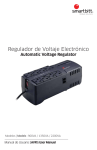
No Break, Regulador de Voltaje
y Supresor de picos
Uninterruptible Power Supply
Modelos | Models : 500VA / 750VA / 1200VA
Manual de Usuario | UPS’s User Manual
Indice | Index.
ESPAÑOL
02
03
04
05
06
08
09
11
12
Aviso Importante De Seguridad
13
14
15
16
17
19
20
22
23
Important Safe Notice
¿que Hay En La Caja?
Introducción
Conoce Tu No Break
Instalación Y Operación
Alarmas Audibles
Solución De Problemas Comunes
Especificaciones Técnicas
Tabla De Consumos
ENGLISH
¿what’s In The Box?
Introduction
Knowing Your UPS
Installation And Operation
Audible Alarms
Troubleshooting
Technical Specifications
Consumption Table
01 / ES
Aviso Importante de Seguridad.
Manual de Usuario UPS.
Lea atentamente la siguiente información.
Para evitar el riesgo de un incendio o electrocución, instale el No Break (UPS) en una área con temperatura y humedad controladas, libre de contaminantes conductores o combustibles
Para reducir el riesgo de sobrecalentamiento del No Break (UPS), no cubra sus ranuras de ventilación,
evite exponerlo a la luz directa de sol o instalarlo cerca de algún dispositivo que emitan calor como
calefactores o calderas.
No conecte dispositivos que hagan uso de un motor de corriente alterna, como taladros, sierras eléctricas, hornos de microondas, aspiradoras, refrigeradores, equipos médicos, equipos de auxilio vital o
equipos industriales.
No lo conecte a una barra de contactos o a un regulador de voltaje.
No encienda el No Break (UPS) teniendo el cable de alimentación conectado a sus propios receptáculos.
No coloque bebidas o recipientes que contengan líquidos que puedan filtrarse dentro del equipo.
En caso de emergencia, presione el botón de encendido asegurándose que el equipo se apague y
después desconecte el cable de alimentación de la toma de corriente.
Desenchufe el No Break (UPS) antes de limpiarlo; no utilice detergente líquido ni pulverizado.
No intente reemplazar las baterías.
Solo personal calificado puede reemplazar las baterías en caso de que estas lo requieran. Debe
realizarse con precaución. Debe utilizarse el mismo número y tipo de baterías. El personal no autorizado y no capacitado para realizar el cambio de baterías debe abstenerse a realizar el reemplazo.
Las baterías no deben exponerse al fuego al momento de desecharse, podrían explotar.
El electrolito contenido dentro de las baterías es peligroso para la piel y los ojos, en caso de entrar en
contacto con el electrolito, enjuagar abundantemente con agua y debe consultar a un médico
posteriormente.
02 / ES
PRECAUCIÓN
PELIGRO DE ELECTROCUCIÓN DURANTE
EL REEMPLAZO DE LAS BATERÍAS.
En caso de que su equipo requiera reemplazo de baterías, por favor acuda a cualquier centro de
servicio autorizado donde se le asesorará con respecto al tema.
Este producto cumple actualmente con las reglamentaciones ambientales y de seguridad de la UE.
Si requiere mayor información acerca de este tema no dude en comunicarse con nosotros, un experto
le brindará la atención necesaria.
¿QUE HAY EN LA CAJA?
El contenido de la caja debe incluir los siguientes elementos:
No Break
(UPS)
Manual de
Usuario
y Póliza de
garantía
Cable USB
para monitoreo*
Software para
UPS*
*Cable USB de comunicación y Software de monitoreo incluido solamente en modelos USB
03 / ES
Introducción.
Manual de Usuario UPS.
Gracias por haber adquirido Productos Smartbitt.
Su No Break o UPS (por sus siglas en inglés) es un sistema de alimentación ininterrumpida de
tecnología interactiva. Un equipo diseñado para proteger su equipo de computo y electrónica, que son
sensibles de toda forma de interferencia de alimentación, incluyendo las fallas de alimentación totales.
Están equipados con diversas funciones que permiten que todos los aparatos conectados funcionen
durante más tiempo.
Tres equipos en uno.
Fuente de poder
Eliminador de
Regulador
Ininterrumpible
Picos de Voltaje
Electrónico
Le brinda un tiempo de
respaldo para guardar la
información o apagar sus
equipos electrónicos de
una manera correcta.
Suprime y regula los picos
de voltaje así como el ruido
eléctrico, que es el causante
de interferencias y el mal
funcionamiento.
Su tecnología interactiva
regula los incrementos y
decrementos de voltaje en
su No Break, dando voltaje
óptimo a sus equipos.
Nota importante.
Antes de la instalación, inspeccione por favor la unidad. Asegúrese de que ningún elemento
contenido en el empaque se encuentre dañado. En caso que se encuentre dañado diríjase al
punto de venta donde lo adquirió con el encargado responsable.
04 / ES
Conoce tu No Break
Manual de Usuario UPS.
2
SBNB500
3
1- Switch de Encendido y Apagado
2- LED’s indicadores de Estado
3- Breaker Electrónico
4- Cable de Alimentación
5- Cuatro Contactos
4
5
3
2
SBNB750
4
1- Switch de Encendido y Apagado
2- LED’s indicadores de Estado
3- Protección telefónica
4- Cable de Alimentación
5- Breaker Electrónico
6- Seis Contactos
5
6
3
2
4
6
5
7
SBNB1200
1- Switch de Encendido y Apagado
2- LED’s indicadores de Estado
3- Conexión USB para monitoreo
4- Cable de alimentación
5- Breaker Electrónico
6- Protección telefónica
7- Ocho contactos
05 / ES
Instalación y Operación.
Manual de Usuario UPS.
Condiciones de instalación y
almacenaje.
20 CM
Instale el UPS en un área protegida, libre de polvo excesivo y que
posea una adecuada circulación de aire. Para evitar interferencia,
aleje el No Break por lo menos 20 cm de otras unidades. No
ponga en funcionamiento el No Break cuando la temperatura
exceda 40°C o la humedad relativa en el ambiente supere el 90%.
Conexión a la toma de corriente (CA)
y carga de la batería.
Enchufe el cable de alimentación del No Break a la toma de
corriente (AC) de la pared. Para obtener el mejor rendimiento de
batería, le sugerimos cargar la batería durante 8 horas como
mínimo antes de utilizarla por primera vez, posteriormente la
unidad cargará su batería de manera automática mientras se
encuentre conectado a la red eléctrica.
Encendido y apagado del equipo
Mantenga presionado el interruptor de encendido durante 3
segundos para encender o apagar el equipo.
Conexión de sus aparatos al UPS
Enchufe sus aparatos electrónicos a los receptáculos de salida
que se encuentran en el panel trasero del No Break (UPS). Al
momento de encender el No Break (UPS) los dispositivos conectados a él estarán protegidos.
NO CONECTE UN MULTICONTACTOS AL NO BREAK.
06 / ES
Conexión del módem ó teléfono
para protección de sobretensiones*
IN
OUT
Conecte el cable de la línea telefónica a la entrada “IN” en el
panel trasero de su No Break (UPS). Conecte desde la salida
“OUT” el modem o teléfono por medio de otro cable de línea
telefónica.
*APLICA SOLO MODELOS CON PUERTO RJ11.
Conexión del cable de Comunicación
(Puerto USB)
Esta función le permite por medio del software incluido apagar,
reiniciar y controlar el estatus de su No Break (UPS). Conecte el
cable USB al puerto de comunicación de su PC (Puerto USB).
*APLICA SOLO MODELOS CON PUERTO RJ11.
Impresoras
Láser
Lavadoras
Taladros
eléctricos
Sierras
eléctricas
Refrigeradores
Nota importante.
Nunca conecte una impresora láser a su No Break (UPS) ya que la corriente de
entrada generada por el motor de este tipo de dispositivos puede dañarlo.
07 / ES
Alarmas Audibles de su No Break
Manual de Usuario UPS.
ALARMAS AUDIBLES QUE LE AYUDARÁN
A IDENTIFICAR PROBLEMAS COMUNES.
El No Break cuenta con una alarma audible que le indica cuando el equipo se encuentra en algún
estado fuera del normal, como serían los siguientes:
ALARMA
SIGNIFICADO
Un tono cada
10 segundos
Falla de la corriente eléctrica.
El equipo (UPS) entra en modo de respaldo de energía.
Un tono cada
2 segundos
Falla en la batería.
La batería del equipo ha fallado.
Un tono cada
segundo
Carga baja de la batería.
el equipo se apagará en cuestión de segundos o un par
de minutos al agotarse la batería.
Un tono cada
0.5 segundos
El No Break está sobrecargado.
tiene conectados aparatos eléctricos que consumen
más energía que la que puede administrar.
Un tono
contínuo
Otras fallas.
El equipo ha detectado alguna u otras fallas.
08 / ES
Solución a Problemas Comunes.
Manual de Usuario UPS.
PROBLEMA
CAUSA
PROBABLE
POSIBLE
SOLUCIÓN
No encienden
los indicadores
LED
Batería Baja
Cargue el equipo por lo menos
8 horas sin aparatos conectados
La alarma suena
continuamente
cuando está
conectado
Falla de la batería
Remplazar la batería, contacte a
un centro de servicio
El No Break no está
encendido
Presione el botón de encendido
asegúrese de que el equipo está
conectado correctamente a la
toma de corriente
Un tono cada 10
segundos, sin falla
de la corriente eléctrica
Asegúrese de que el equipo está
correctamente conectado a la
toma de corriente.
Un tono cada segundo
carga baja de batería
Cargue el equipo durante por lo
menos 8 horas sin aparatos
conectados, de haber realizado
esto y continuar el problema,
contacte al centro de servicio
para diagnóstico y reemplazo de
baterías
Un tono cada 0.5
segundos, equipo
sobrecargado
Tiene aparatos eléctricos
conectados al equipo que
consumen más energía que la
que el equipo puede administrar,
desconecte aparatos y asegúrese
que los aparatos conectados no
superan el consumo máximo del
equipo
Un tono cada 2
segundos, batería del
equipo falló
Contacte al centro de servicio
para su diagnóstico y probable
reemplazo
Un tono continuo
u otras fallas
Contacte al centro de servicio
09 / ES
PROBLEMA
CAUSA
PROBABLE
POSIBLE
SOLUCIÓN
Cuando la energía
falla, el tiempo de
respaldo es muy
corto
El equipo está
sobrecargado
Desconecte algunos aparatos y
verifique que los aparatos
conectados no consuman más de
lo que soporta el equipo
El voltaje de la batería
es demasiado bajo
Cargue el equipo durante por lo
menos 8 horas sin aparatos
conectados
La vida de la batería
se agotó
Remplazar la batería.
Contacte al centro de servicio
El cable de
alimentación está
roto o mal conectado
Asegúrese de que el cable de
alimentación del equipo está
conectado correctamente a la
toma de corriente
La corriente es
normal pero el
equipo funciona
en el modo de
batería
10 / ES
Especificaciones Técnicas.
Manual de Usuario UPS.
MODELO
SBNB500
Capacidad
500VA / 250W
Alimentación de Entrada
120 Vca +/- 10%
Frecuencia
60
Rango regulado
+/- 10%
Tiempo de transferencia
2-6 ms
Forma de onda
Onda senoidal simulada
Protección
Corto circuito y sobrecarga
Tipo de batería
Sellada, libre de mantenimiento
Recuperación a 90% de capacidad: 4-6 horas
Tiempo de carga
Humedad
1200VA / 600W
81 - 145 Vca
Rango de voltaje de Salida
Dimensiones (mm)
750VA / 375W
SBNB1200
120 Vca
Rango de voltaje de Entrada
Peso (Kg)
SBNB750
4.8
4.8
287 x 100 x 142
287 x 100 x 142
8.0
350 x 146 x 160
0-90 % Humedad Relativa a 0-40° C (sin condensación)
Operación silenciosa
Menos de 40 dB
Contactos
4 Contactos
6 Contactos
8 Contactos
Tiempo de respaldo
25 Minutos*
35 Minutos*
55 Minutos*
* El tiempo de respaldo puede variar dependiendo la carga conectada al No Break (UPS)
11 / ES
Tabla de Consumos Aproximados.
Manual de Usuario UPS.
Cargador teléfono móvil
Promedio
5W
Amplificador multicanal
Promedio
120W
Minicomponente de Audio
Promedio
60W
Escaner
Promedio
150W
Impresora
Inyeccion de Tinta
27W
PC (monitor)
CRT promedio 17 Pulgadas
70W
PC (monitor)
LCD,19 pulgadas
100W
PC (monitor)
LCD,21 pulgadas
120W
PC Netbook
10.1 pulgadas
40W
PC Lap Top
15 pulgadas
65W
PC sobremesa (CPU)
Promedio
170W
PC torre
Promedio
220W
PC iMac (CPU)
Apple
365W
Radio
Promedio
15W
Radio
Promedio, antigua
40W
Reloj digital/despertador
Promedio
5W
Reproductor DVD
Promedio
35W
Reproductor VHS
Promedio
100W
Blu-Ray
Promedio
60W
Switch/HUB
De 8 puertos
8W
Teléfono inalámbrico (base)
Promedio
25W
TV
CRT Color, 21”, promedio
200W
TV
DLP, 50-56 pulgadas
206W
TV
LED, 32 pulgadas
60W
TV
LED, 40 pulgadas
100W
TV
LED, 55 pulgadas
190W
TV
LED, 60 pulgadas
230W
TV
LED, 80 pulgadas
280W
TV
LCD, 19 pulgadas
35W
TV
LCD, 21 pulgadas
115W
TV
LCD, 32 pulgadas
156W
TV
LCD, 34 pulgadas
200W
TV
LCD 37 pulgadas
236W
TV
LCD, 42 pulgadas
322W
TV
LCD, 50 pulgadas
464W
TV
Plasma, 42 pulgadas
474W
TV
Plasma, 50-56 pulgadas
18W
TV
Nintendo Wii
34W
Consola de Juegos
Nintendo Wii U
23W
Consola de Juegos
Playstation
30W
Consola de Juegos
PS2
194W
Consola de Juegos
PS3
137W
Consola de Juegos
PS4
70W
Consola de Juegos
Xbox
185W
Consola de Juegos
Xbox 360
112W
Consola de Juegos
Xbox ONE
15W
Consola de Juegos
Promedio
12W
El cálculo puede variar conforme a la marca y el modelo del aparato electrónico.
12 / ES
Important Safe Notice.
User Manual’s UPS.
Read all the safety instructions carefully to correctly
and safely use and operate Smartbitt UPS
To avoid electric shock hazard or fire risk, place your UPS in an area where temperature and humidity
doesn’t exceed the operative parameters of your UPS, and make sure the environment is free of
conductive or combustible contaminants.
To reduce overheating risk of your UPS, do not cover the ventilation slots, avoid continuous exposure
to direct sunlight and don’t place it near appliances that produce heat like heaters or boilers.
Do not connect devices or appliances functioning with alternating current motors, like drills, chainsaws,
microwaves, vacuum cleaners, refrigerators, neither medical, vital support or industrial equipment.
Do not connect your UPS to a surge protector, power strip or AVR.
Do not power on your UPS with its power cord connected to its own power outlets.
Do not expose to liquids which may leak inside the device.
In case of emergency, press the power button making sure that the UPS shuts down, then disconnect
its power cord from the AC outlet.
Disconnect the UPS before cleaning it, do not use liquid detergent or scouring powder.
Do not try to replace batteries, please contact Smartbitt Technical Support to get information about
batteries replacement. Only qualified personal should replace batteries in case it is required.
Replacement must be done with caution. The same kind and capacity of batteries shall be used.
Non authorized personal should abstain from making the replacement.
Batteries must not be exposed to fire and have to be disposed of properly. Mistreat of the batteries can
cause them to explode.
The materials contained inside the batteries is dangerous for eyes and skin, in case of contact with these
material, rinse thoroughly and consult your doctor immediately.
13 / EN
CAUTION
ELECTRIC SHOCK HAZARD DURING BATTERIES
REPLACEMENT
In case of requiring battery replacement, please contact our Technical Support where you will be
advised on the issue. This product meets with the actual European Union environmental and security
regulations.
If you need any further information about this or any other issue, do not hesitate to contact us, an
expert will provide the necessary care.
¿WHAT’S IN THE BOX?
The box should include the following elements:
No Break
(UPS)
User’s Manual
and Warranty Card
USB Interface
Cable*
Monitoring
Software in CD*
*USB cable and monitoring software CD only included in devices with USB capabilities.
14 / EN
Introduction.
User Manual’s UPS.
Thanks for purchase Smartbitt Products.
Your UPS is an uninterruptible power supply system with interactive technology. It is a device designed
to protect your electronic devices and appliances which are sensitive to different power faults and
interferences, including total power fail. This device is equipped with various technologies capable of
making your electric devices to work properly for extra time
Three devices in one.
Uninterruptibler
Surge
Automatic Voltage
Power Supply
Protection
Regulator
It gives you time to finish
working and save your
information in case of total
power failure, also this way
you will always shut down
your devices properly
Suppresses and regulates
voltage spikes and electric
noise which causes interference and malfunctioning.
Its interactive technology
regulates
the
voltage
variations, giving an optimal
power output to your
devices.
Important Note.
Before installation, inspect the unit. Make sure that none of the elements in the box is damaged.
In case you find any damaged part, please contact your vendor.
15 / EN
Knowing your UPS
User Manual’s UPS.
2
SBNB500
3
1- Switch On / Off Button
2- LED’s Status indicator
3- Electronic Breaker
4- Power Cord
5- Four Outlets (With Backup)
4
5
3
2
SBNB750
4
1- Switch On / Off Button
2- LED’s Status Indicator
3- Phone Line Protector
4- Power Cord
5- Electronic Breaker
6- Six Outlets (With Backup)
5
6
3
2
4
6
5
7
SBNB1200
1- Switch On / Off Button
2- LED’s Status Indicator
3- USB Port for Monitoring Software
4- Power Cord
5- Electronic Breaker
6- Phone Line Protector
7- Eight Outlets (With Backup)
16 / EN
Installation and Operation.
User Manual’s UPS.
Installation and Storage
Conditions.
20 CM
Place your UPS in a protected area, free from excesive dust and
adequate ventilation. To avoid any interference, do not place
your UPS less than 20 cms away from other devices.
Do not power on your UPS where temperature exceeds 40°C
degrees or relative humidity is above 90%.
Connection to power outlet and first
battery charge.
Connect the plug of your UPS to the power outlet. To get the best
performance of the battery, we suggest to charge it for 8 hours
before its first use, afterwards, the UPS will charge its battery
automatically while it’s connected to the electrical network.
Power on/off of the UPS
Hold the power button for 3 seconds for either power on or shut
down your UPS.
Connection of your devices
to the UPS
Connect your devices to the power outlets on the rear panel of
your UPS. After this, when you power on your UPS your devices
will be protected.
DO NOT CONNECT A POWER STRIP, SURGE PROTECTOR OR AVR
TO THE UPS OUTLETS.
17 / EN
Connection of the telephone line
protector.
IN
OUT
Connect the telephone line to one of the connectors in the rear
panel of your UPS. Connect a telephone cable to the remaining
connector available and to the device you are willing to protect.
*THIS DOES NOT APPLY FOR MODELS WITHOUT TELEPHONE
LINE PROTECTION
Connection of the USB interface
cable.
This function allows you to control and monitor your UPS
through the included software. Connect the USB cable to the USB
port of your computer.
*APPLIES ONLY WITH USB COMPATIBLE MODELS
Láser
Printers
Washing
Machine
Taladros
eléctricos
Sierras
eléctricas
Refrigeradores
IMPORTANT.
Never connect a laser printer to your UPS, input current generated from this kind of
devices could damage your UPS. Do not connect either appliances with alternating
current motors such as drills, chainsaws, etc…
18 / EN
Audibles Alarms.
User Manual’s UPS.
AUDIBLE ALAMARS TO HELP YOU
TO IDENTIFY COMMON UPS PROBLEMS.
The UPS features an audible alarm which indicates when it is in a different status than normal, description of the audible alarms is as follows:
ALARM
MEANING
A tone every
10 Seconds
Main power outage.
UPS is now on backup battery mode.
A tone every
2 Seconds
Battery Fault.
The battery of the UPS have failed.
A tone every
Second
Low Battery.
The UPS will shut down shortly when it runs out of battery.
A tone every
0.5 Seconds
UPS Overload.
The connected devices load exceeds UPS capacity.
A continous
tone
Other Failures.
The UPS has detected one or several different faults.
19 / EN
Troubleshooting.
User Manual’s UPS.
PROBLEM
POSSIBLE CAUSE
ACTION
LED status indicators
not turning on
Low Battery
Charge the UPS for at least 8 hours
without any connected devices.
Alarm continuously
active
Battery Failure
Replace battery, please
contact Technical Support.
UPS not turned on
Press power on button, make
sure that the UPS is correctly
A tone every 10 seconds.
Power outage
If there’s not a power outage, make sure
the UPS is correctly connected to the
power source.
A tone every second.
Low Battery
Charge the UPS for at least 8 hours
without any connected devices.
If after this, the problem continues,
contact Technical Support for battery
diagnosis and replacement.
A tone every 0.5 seconds.
Overload
Disconnect devices from your UPS until
the total load of connected devices is
below the UPS maximum capacity.
Make sure your devices not exceed
the maximum capacity.
A tone every 2 seconds.
Battery fail.
Contact Technical support for diagnose
and possible battery replacement.
A continuous tone.
Unknown failure
Contact Technical Support
20 / EN
PROBLEM
POSSIBLE CAUSE
ACTION
During power
outage, battery lasts
too little.
UPS Overload
Disconnect some devices and verify
the connected devices load do
not exceed the UPS capacity.
Battery voltage is
too low
Charge the UPS for 8 hours
without any devices connected.
Battery life is depleted
Replace battery.
Contact Technical Support.
Power cord is not
correctly connected
or it’s broken.
Make sure the power cord is correctly
connected to the power source,
if this is not the problem,
contact Technical Support.
UPS functioning in
backup mode
without a power
outage
21 / EN
Technical Specifications.
User Manual’s UPS.
MODEL
SBNB500
SBNB750
Capacity
500VA / 250W
Voltage Input
750VA / 375W
SBNB1200
1200VA / 600W
120 Vca
Input Voltage Range
81 - 145 Vca
Output Voltage Range
120 Vca +/- 10%
Frecuency
60
Range
+/- 10%
Transfer Time
2-6 ms
Waveform Type
Stepped approximation to a sinewave
Protection
Shortcircuit and Overload
Battery Type
Maintenance-free sealed lead-acid battery
Recuperation at 90% of capacity: 4-6 hours
Charging Time
Weight (Kg)
Dimensions (mm)
Operating Environment
4.8
4.8
287 x 100 x 142
287 x 100 x 142
8.0
350 x 146 x 160
0-90 % Relative Humidity to 0-40° C (non condensed)
Audible Noise
Less 40 dB
Oulets
4 Oulets
Backup Time
25 Minutes*
6 Outlets
35 Minutes*
8 Outlets
55 Minutes*
* The backup time may vary depending on the load connected to UPS.
22 / EN
Consumption Table.
User Manual’s UPS.
Phone Mobil Charger
average consumption
5W
Multichannel Amplificator
average consumption
120W
Audio Minicomponent
average consumption
60W
Scanner
average consumption
150W
Printer
Inkjet Printers
27W
PC (monitor)
CRT promedio 17 inches
70W
PC (monitor)
LCD, 19 inches
100W
PC (monitor)
LCD, 21 inches
120W
PC Netbook
10.1 inches
40W
PC LapTop
15 inches
65W
PC Desktop (CPU)
average consumption
170W
PC Tower
average consumption
220W
PC iMac (CPU)
Apple
365W
Radio
average consumption
15W
Radio
average consumption Old models
40W
Digital Clock
average consumption
5W
DVD Player
average consumption
35W
VHS Player
average consumption
100W
Blu-Ray
average consumption
60W
Switch/HUB
8 Ports
8W
Inalambric Phone (Dock)
average consumption
25W
TV
CRT Color, 21”, average consumption
200W
TV
DLP, 50-56 inches
206W
TV
LED, 32 inches
60W
TV
LED, 40 inches
100W
TV
LED, 55 inches
190W
TV
LED, 60 inches
230W
TV
LED, 80 inches
280W
TV
LCD, 19 inches
35W
TV
LCD, 21 inches
115W
TV
LCD, 32 inches
156W
TV
LCD, 34 inches
200W
TV
LCD 37 inches
236W
TV
LCD, 42 inches
322W
TV
LCD, 50 inches
464W
TV
Plasma, 42 inches
474W
TV
Plasma, 50-56 inches
18W
TV
Nintendo Wii
34W
Video game Console
Nintendo Wii U
23W
Video game Console
Playstation
30W
Video game Console
PS2
194W
Video game Console
PS3
137W
Video game Console
PS4
70W
Video game Console
Xbox
185W
Video game Console
Xbox 360
112W
Video game Console
Xbox ONE
15W
Video game Console
average consumption
12W
The calculation may vary according to the make and model of the electronic device.
23 / EN
SBNB500
SBNB750
SBNB1200
Escanea el código QR y descarga la ficha técnica
Scan QR code to download datasheet product