1
M
MONSCA7
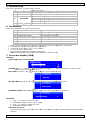
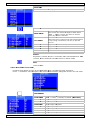
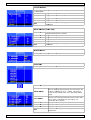
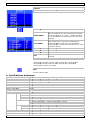
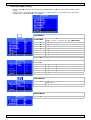
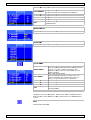
COLOUR ADJUST
A
ature of the LCD monitor for the CIE
E coordinate
Set the collour tempera
9300°K, 65
500°K or US
SER MODE
6500
Adjus
st the colourr temperaturre
RED
Adjus
st the value of RED in us
ser mode.
GREEN
Adjus
st the value of GREEN in
n user mode..
BLUE
Adjus
st the value of BLUE in u
user mode.
EXIT
Press
s MENU butto
on to return to the main
n menu
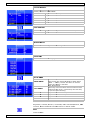
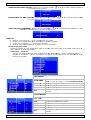
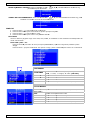
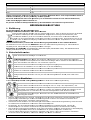
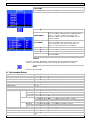
SCAN SET
TTING
OVERSCAN
EXIT
Adjus
st scan mode
e(Over scan or Under sc
can)
Press
s MENU butto
on to return to the main
n menu
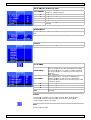
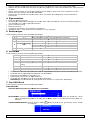
INFORMA
ATION
A timing information
Press MENU button to get the VGA
LANGUAG
GE
Select the desired OSD
D language
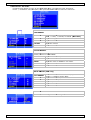
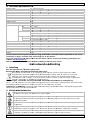
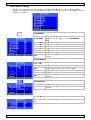
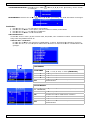
SETUP ME
ENU
OFF:
O
No func
ction
ON:
O
Screen will
w reduce b
backlight to 80% within
(5Min.
(
~ 10M
Min). Screen
n will return to normal
when
w
any bu
utton is touched.
OFF:
O
No Function
ON:
O
Every one hour therre will one sc
can line from
m
bottom
b
to to
op ( Every 3 second up one
o
scan line
e)
to
t prevent panel sticking
g.
ODE
GREEN MO
AUTO SHI
IFT
OSD H. PO
OSITION Adjust
A
the OSD
O
horizonttal position value
v
OSD V. PO
OSITION
Adjust
A
the OSD
O
vertical position valu
ue
OSD TIME
EOUT
Adjust
A
the OSD
O
show tim
me
EXIT
Press
P
MENU button to re
eturn to the main menu
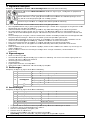
RECALL
Brightness, Contrast, Volume,
V
Vivid Mode, OSD Horizontall/Vertical, OS
SD
G
Mode and
a
Auto Sh
hift return to default valu
ues.
Timeout, Green
EXIT
Close the OSD
O
04.10.2011
7
©Velleman
n nv