1
Connecting the Units
<ENGLISH>
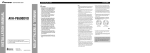
When connecting with a back-up camera
When connecting with a multi-channel processor
When using this product with a back-up camera, automatic switching to video from a backup camera when the gear shift is moved to REVERSE (R) position is possible.
Hide-away unit
AV-BUS input (Blue)
IP-BUS input (Blue)
40 cm
Blue
Hide-away unit
15 cm
Blue
IP-BUS cable (supplied with
multi-channel processor)
We recommend that you use
a camera which outputs
mirror reversed images.
Black
To audio outputs
External video
component
(sold separately)
23 cm
Subwoofer output
or non fading output
(SUBWOOFER OUTPUT or
NON-FADING OUTPUT)
Back up camera
To video output
Extension lead (supplied)
To video output
RCA cables
(sold separately)
Display with
RCA input jacks
To video input
Fuse resistor
Optical cable (supplied with
multi-channel processor)
Blue
Fig. 6
• It is necessary to set to AV INPUT in SET UP when connecting the external video component.
Multi-channel processor
(DEQ-P7050)
(sold separately)
When using a display connected to rear video output
This product’s rear video output is for connection of a display to enable passengers in the
rear seats to watch the DVD or Video CD.
Connection method
1. Clamp the lead.
To audio inputs
RCA cable (supplied with
multi-channel processor)
8m
Violet/white
Of the two lead wires connected to the back
lamp, connect the one in which the voltage
changes when the gear shift is in the REVERSE
(R) position. This connection enables the unit to
sense whether the car is moving forwards or
backwards.
RCA cables
(sold separately)
This product
RCA cable
(sold separately)
10 cm
When connecting the external video component and the display
Black
2. Clamp firmly with
needle-nosed
pliers.
IP-BUS cable
Blue
Black
IP-BUS cable (supplied
with TV tuner)
Note:
• It is necessary to set to B-CAMERA in SETUP when
connecting the back-up camera.
AV-BUS cable (supplied
with TV tuner)
Fig. 4
Blue
WARNING:
Multi-CD player
(sold separately)
• NEVER install the display in a location that enables the Driver to watch the DVD or Video CD while
Driving.
• NEVER connect rear audio output (REAR MONITOR OUT) to sold separately power amp.
Hide-away TV tuner
(e.g. GEX-P6450TVP)
(sold separately)
Black
Fig. 5