1
How to Use
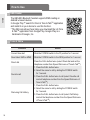
- To activate or deactivate the Vibrate function, slide the VOLUME switch to the + position
for 2 seconds. You will hear “Vibrate on” or “Vibrate off” when it is activated or deactivated.
- When the HBS-900 is set to vibrate off, the headset will not vibrate when
receiving an incoming call or when it is out of range.
- By powering the unit off and then powering the unit back on, the vibration
functionality will be activated.
ENG
Vibrate Control
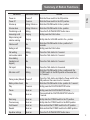
Audio Streaming
Play
- Briefly press the PLAY/PAUSE/STOP button.
Pause
- While playing music, briefly press the PLAY/PAUSE/STOP button.
Stop
- While playing music, press and hold the PLAY/PAUSE/STOP button for 1 second.
Next song
- Briefly slide the FF/REW switch to the FF position.
Previous song
- Briefly slide the FF/REW switch to the REW position.
Fast Forward
- Slide and hold the FF/REW switch to the FF position.
Rewind
- Slide and hold the FF/REW switch to the REW position.
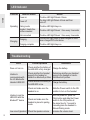
Equalizer
- While playing music, press the PLAY/PAUSE/STOP button twice to switch
between Bass Boost (default), Normal, and Treble Boost.
- The bass coming from the speakers can vary as a result of the size of the ear gel
that is being used.
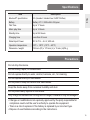
aptX®
- The HBS-900 features aptX® technology that ensures audio content transmitted
via Bluetooth is instant and crystal-clear.
- aptX® is automatically enabled as long as the source device supports it.
9