1
HOW TO USE
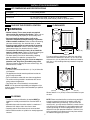
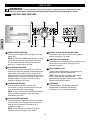
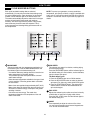
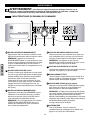
CYCLE OPTION BUTTONS
SPECIAL FUNCTIONS
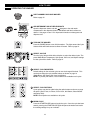
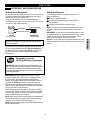
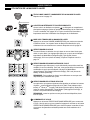
CONTROL LOCK
Your washing machine features several additional cycle
options to customize cycles to meet your individual needs.
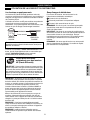
Use this option to disable the controls. The
washer can be locked during a cycle. This
feature allows you to prevent children from
changing cycles or operating the machine.
Once set, the CONTROL LOCK must be
turned OFF before the controls can be used. Once the
washer has shut off, the power button will allow the machine
to be turned ON, but the controls will still be locked. When
the controls are locked, “CL” will be displayed alternately
with the estimated time remaining.
Press and hold the CONTROL LOCK button for 5 seconds
to activate or deactivate the controls.
1 Turn ON the washer and turn the cycle selector knob to
select the desired cycle.
2 Use the cycle modifier buttons to adjust the settings for
that cycle.
3 Press the cycle option button(s) for the option(s) you
would like to add. The button will light when that option
is selected.
If the selected option is not allowed for the selected
cycle, the chime will sound twice to inform you that it is
not allowed.
4 Press the START/PAUSE button to start the cycle. The
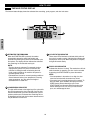
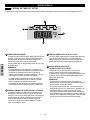
CLEAN WASHER
A buildup of detergent residue can occur in
the wash tub over time and can lead to a
mildewy or musty smell. The CLEAN
WASHER cycle is specially designed to
remove this buildup using bleach or other
cleaner designed specifically for cleaning front load
washers. The CLEAN WASHER cycle should be run once a
month, or more often under heavy use conditions or if odor
is present.
DELAY START
Once you have selected the cycle and other
settings, press this button to delay the start
of the wash cycle. Each press of the button
increases the delay time by one hour, for up
to 19 hours. Once the desired delay time is
set, press the START/PAUSE button to start the delay time.
1 Turn ON the washer and press the CLEAN WASHER
button. Selecting any other cycle after CLEAN WASHER
has been selected will cause the CLEAN WASHER
cycle to be cancelled.
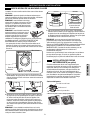
2 Fill the bleach dispenser to the MAX line with liquid
chlorine bleach*. Do not overfill the bleach dispenser.
Overfilling will cause the bleach to be dispensed
immediately.
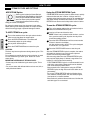
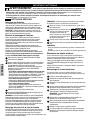
2 nd RINSE
This option will add an extra rinse to the
selected cycle. Use this option to help
ensure the removal of detergent or bleach
residue from fabrics.
3 Press the START/PAUSE to start the cycle.
4 After the cycle has ended, open the door and allow the
drum interior to dry completely.
NOTE: Do NOT use this cycle with clothes, and do NOT
add detergent or fabric softener.
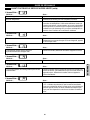
STAIN TREAT
Use this option for heavily soiled loads that
need improved stain treatment. When
STAIN TREAT is selected, the water
temperature for the selected cycle will begin
as warm water to help prevent the setting of
certain types of stains. Then as the cycle progresses, the
water will be heated to higher temperatures to help remove
stains that require treatment at higher temperatures. This
option is designed for optimum stain removal.
NOTE:
• If STAIN TREAT is selected with the SANITIZE cycle, the
cycle will begin with very hot water since that is default for
that cycle and cannot be changed.
* For powdered tub cleaners, add the cleaner to the main
wash compartment of the dispenser drawer. Place tablet
cleaners directly into the tub. Always follow the cleaner
manufacturers instructions and recommendations.
21
ENGLISH
washer will start automatically after a brief delay for
locking the door.
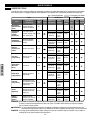
NOTE: To protect your garments, not every option is
available with every cycle. See the CYCLE GUIDE on page
14 for details.
NOTE: If the START/PAUSE button is not pressed within 4
minutes, the control will shut off and the settings will be lost.