1
3
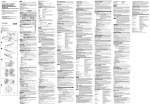
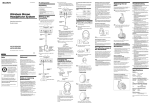
Close the battery compartment lid.
When the indicator is not lit
Check the connection to make sure that the
contact pins are properly fitted into the
contact holes on the headphones, or if the
headphones are rested on the transmitter
correctly.
To recharge the headphones’
battery after use
4
Connect the supplied AC power
adaptor to the transmitter.
Transmitter
To charge the battery, follow steps 4 and 5.
Since little electric current is used for
charging, there is no need to worry about
overcharging.
Charging and using hours
to an AC outlet
Approx. charging Approx. using
hours
hours*
to DC IN
9 V jack
5
AC power
adaptor
(supplied)
Rest the headphones on the transmitter
so that the contact pins fit into the
contact holes on the headphones. The
charging indicator lights.
1
1.5
24**
30
* at 1 kHz, 1 mW+1 mW output
** the hours required to fully charge an empty
battery
Using the headphones with a
commercially available R6 (size AA)
dry battery
Install the battery in the same manner as
described in steps 1 through 3 of “Charging
the headphones’ battery.”
When a R6 (size AA) dry battery is
installed, the battery charge function is not
activated.
Battery life*
Notes
•Use only the supplied rechargeable battery
NC-AA (HJ).
•You cannot recharge other R6 (size AA)
rechargeable battery (NC-AA etc.) with this
unit.
Battery
Approx. hours
Sony alkaline battery
LR 6 (SG)
100
Sony battery R6P (SR)
50
* at 1 kHz, 1 mW+1 mW output
(Continue to next page)
7