1
Preparation
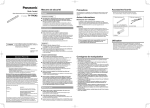
Inserting (Replacing) Batteries
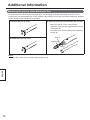
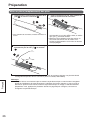
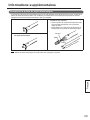
1. Unlock the battery cover (),
and open the cover ().
2. Insert (replace) the battery, and then reattach
the cover and lock it.
• When replacing the cover, follow the procedure in
reverse.
• Make sure to use a rechargeable AAA Ni-MH battery
or a AAA alkaline battery, and ensure that and face the correct directions.
• Dispose of expired batteries quickly, by covering
the terminals in tape and following the disposal
regulations in your country/area.
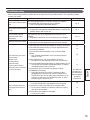
To remove the battery, pressing on the side,
hold the battery down towards the side ()
and take it out ().
English
• When replacing the rechargeable battery, replace it with a commercially available rechargeable AAA Ni-MH
battery. (For Canada, HHR-4MRA)
Note
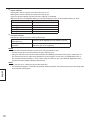
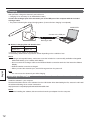
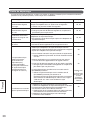
• If, after purchase, you insert the battery and turn on the electronic pen without registering it to the electronic
pen adapter, the function indicator blinks green and red alternately. After turning the power off, put the
electronic pen on charge or make other preparations. Then, follow the procedure shown on page 13 to set
up, connect or register the electronic pen.
11