1
INSTALLATION MANUAL
EN
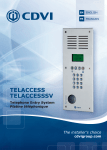
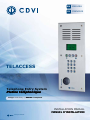
TELACCESS
Telephone Entry System
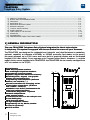
Call Report.
Automatic update of user information
with Mifare® badges.
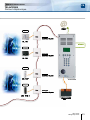
Up to 5 readers.
Consumption:
- TELACCESS = 350 mA,
- TELACCESSIP = 450 mA.
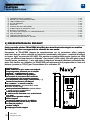
Dimensions (H x W x D): 388 x 160 x 54 MM.
Dimensions flush casing (H x W x D):
368 x 140 x 50 MM.
Dimensions Surface Housing (H x W x D):
396 x 167 x 81 mm.
Detects: Calls, Ring , occupied line
(transfert d’appels).
Tone mode system.
1 Analog Telephone line input (RTCP or PSTN).
Built-in Microphone Speaker.
Programmable communication duration.
Optional: Gold finish.
Input Voltage: 12 V DC.
WEEE & RoHS
CE
HIGH RESTAN
ISM
TO VANDAL
IP54
R&TTE
-10°C à +50°C
CE Certification
2] NOTES AND RECOMMENDATIONS
Recommendations
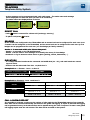
Battery
Recommended power supply
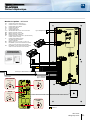
Recommended wiring
(EIA-485 standard)
It is strongly advised to use a seperate power supply
for the lock and for the readers. Do not forget to
install the varistor on the lock in parallel with the
power supply.
The power supplies suitable for the TELACCESS are
(visit www.cdvi.com): ARD12, BS60 or PSU12/1
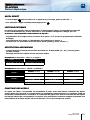
Programming
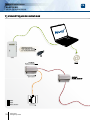
The TELACCESS can be programmed via a PC or
from the front panel. It recommended to program
the TELACCESS by one method
or the other,
but not both. This will avoid having two different
databases.
Recycle the batteries.
An inappropriate battery could damage the TELACCESS:
- CR2032 lithium battery
- Power 70 mA/h.
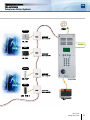
SYT1 shielded cable, 1 twisted pair. Please read the
article below: « A EIA-485 Bus network can connect
in parallel several devices which have a transmitter
and a receiver. The maximum length is 1220 meters
between the controller and the last reader.
If the distance exceeds 10 meters then it is necessary to connect the GND (0V) between each devices
(then the RS485 communication bus requires 3 core
cable, 2 plus the shield) to prevent, that the
voltage between the OV and the OV and the GND,
from damaging the devices.»
3] OPERATIONG CONDITIONS
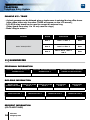
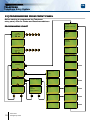
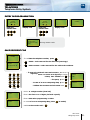
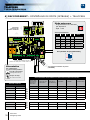
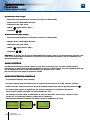
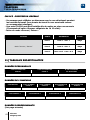
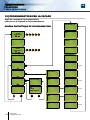
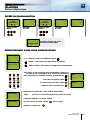
Programming is done via a PC or the front panel (not all functions are supported
by the front panel - See notes and recommendations):
-
Add a user,
Edit a user,
Delete a user,
Set a timed release output ,
- Modify user codes ,
- Modify master code ,
- Identify badge.
cdvi.com
cdvigroup.com
3