1
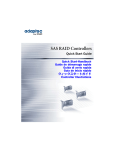
This Quick Start Guide describes how to install your Adaptec® RAID controller,
create a bootable RAID 1 or RAID 5 array, and then install your Microsoft®
Windows® Server 2012, Windows Server 2008, Windows 7, Windows 8, or Red
Hat® Enterprise Linux 6 operating system and controller driver on that array. For
other installation options, refer to the Adaptec RAID Controllers Installation and
User’s Guide. For controller illustrations, refer to the last section of this
document.
Note: For the latest information about the products described in this guide, visit
the Adaptec Web Site at www.adaptec.com. For a list of compatible controllers
and Solid State Drives for Adaptec maxCache™ and maxCache Plus™ caching
and tiering applications, visit www.adaptec.com/compatibility.
Kit Contents
✔ Adaptec RAID controller
Embedded in the controller’s BIOS are these utilities:
●
Logical Device Configuration: Used to create, configure
and manage arrays
●
Controller Settings: Used to modify your controller and disk drive
settings
●
Disk Utilities: Used to format and verify disk drives
✔ Cables (type and quantity vary, depending on controller; cables are included
only with Adaptec Kit product, not Adaptec Single product)
✔ Low-profile bracket (depending on the controller)
Drivers, Utility Software, and Documentation
The latest firmware, controller drivers, utility software, and documentation can
be downloaded from the Adaptec Web Site at start.adaptec.com.
Note: This Quick Start Guide provides instructions for downloading drivers and
utility software in Step 1, Download the Installation Packages on page 2.
Downloadable drivers, utility software, and documentation:
●
Drivers and firmware for the Adaptec RAID controller
●
Adaptec maxView Storage Manager™: Browser-based application that
you can use to create and manage arrays
1
English
Introduction




![取扱説明書 [PDF形式]](http://vs1.manualzilla.com/store/data/006684954_2-f65c1fcffa22f37500a22715953e81c1-150x150.png)