1
EN - ENGLISH
Monitoring System
E.
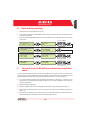
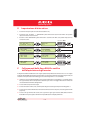
Date and time settings
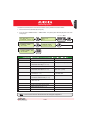
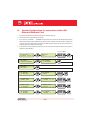
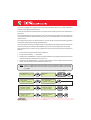
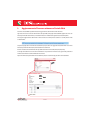
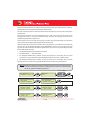
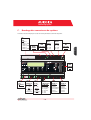
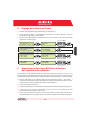
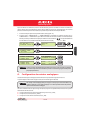
1. Enter the main menu as administrator (See par.'B').
2. Access the menu 'SETTINGS' > 'DATALOGGER' and then select the 'SET DATE' sub-menu. This enables to set the
correct date in the system.
3. Return to the menu 'DATALOGGER' and then select the 'SET TIME' sub-menu. This enables to set the correct time
in the system.
SET PIN TO 0010
F.
PVI-AEC-EVO ......
12.00.00 01/01/11
ENTER
menu pin
0***
>settings
change password
ENTER
>set date
set time
ENTER
>set date
01/01/11
>set time
network
ENTER
>set time
12.00.00
>datalogger
io settings
NEXT
DIGIT
ENTER
CHANGE VALUE
NEXT
FIELD
ENTER
CHANGE VALUE
NEXT
FIELD
ENTER
CHANGE VALUE
ENTER
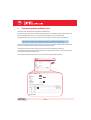
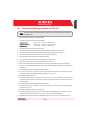
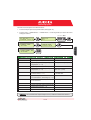
Connection of the RS485 line and inverter acquisition
check
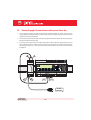
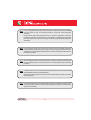
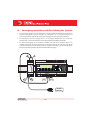
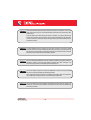
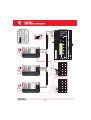
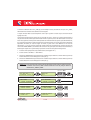
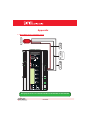
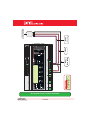
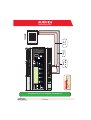
The connection of the RS485 line must be carried out respecting the pin-outs of the J15 and/or J17 connectors. It is
recommended to connect the RS485 line when all the equipment is switched off (both the monitoring system and
the inverters) and to start up the monitoring system first and then the inverters. It is recommended to:
l
Use a cable for RS485 applications with the following characteristics: 1 twisted pair + 1 conductor or two
twisted pairs, Screen and characteristic Impedance equal to 120Ω. For further information on the cable to be
used refer to Appendix 2.
l
Make sure the signals correspond.
l
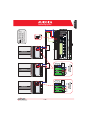
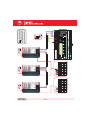
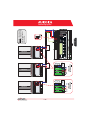
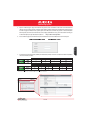
Make sure that all three lines (+T/R,-T/R and RTN) are connected according to the diagrams on pages 8 - 9.
l
Make sure that the communication line screen is grounded in one single point (according to the diagrams on
pages 8 - 9).
l
Make sure that each element in the chain (each inverter or each 55kW module) has a RS485 address that is
different from the others.This address can be set via the display of the inverter.
6 - EN