Download LCD PROJECTOR

Transcript
LCD PROJECTOR
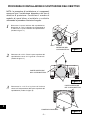
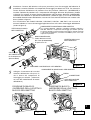
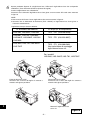
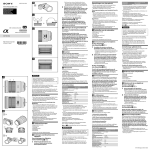
LENS REPLACEMENT AND INSTALLATION PROCEDURES
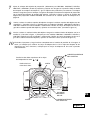
CAUTION
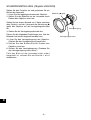
When installing or replacing the Projection Lens, refer to this manual. For
installation of the lens, use the parts designated in the manual. Do not use the
installation manual and Light-Block Sheets in the lens package.
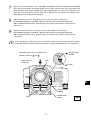
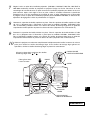
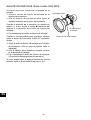
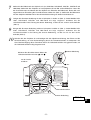
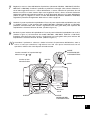
Check the following parts supplied to this projector.
●
LIGHT-BLOCK SHEETS 3 pcs.
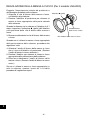
● LENS MOUNT PARTS 1 pc.
● LIGHT-BLOCK SHEET MOUNTING BASE 1 pc.
● LIGHT-BLOCK SHEET MOUNTING SCREWS 2 pcs.
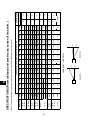
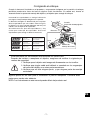
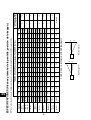
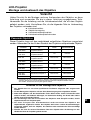
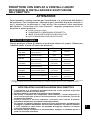
AVAILABLE LENS
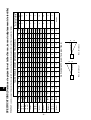
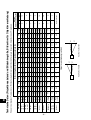
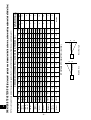
This projector applies the Projection Lenses listed below. Use the suitable lens for
where the projector is used.
Type
Zoom
Focus
Fixed Short Throw Lens
Fixed
Manual
Fixed Long Throw Lens
Fixed
Manual
Long Throw Zoom Lens
Motor Driven
Motor Driven
Short Throw Zoom Lens I
Motor Driven
Motor Driven
LNS-W03
Short Throw Zoom Lens II
Fixed
Manual
LNS-M01✳
LNS-M01Z
Semi-Long Throw
Zoom Lens
Motor Driven
Motor Driven
LNS-S01✳
Standard Zoom Lens I
Motor Driven
Motor Driven
LNS-S02✳
LNS-S02Z
Standard Zoom Lens II
Motor Driven
Motor Driven
LNS-S03
Standard Zoom Lens III
Motor Driven
Motor Driven
Model NO.
LNS-W01✳
LNS-W01Z
LNS-T01✳
LNS-T01Z
LNS-T02
LNS-W02✳
LNS-W02Z
✳ For installing those lenses, use the optional lens mount parts. For details of the optional lens
mount parts and installation, contact the sales dealer where you purchased the projector.
E
NOTES ON LENS INSTALLATION
●
●
●
●
●
●
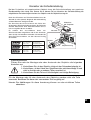
Lens installation and replacement should be made by the qualified service
personnel.
Be sure to install the lens following this procedure precisely.
Do not touch or remove any parts except the lens and related parts. It may
result in malfunctions, electrical shock, fire hazard or other accidents.
Before installing or replacing the lens, check that the Model No. of the
Projection Lens matches to the projector.
When moving or setting up the projector, be sure to replace the Lens Cover
to protect the surface. And be careful not to hold or subject the lens to
strong forces. It may damage the lens, cabinet, or mechanical parts.
For details of the lens and installation, contact the sales dealer where you
purchased the projector.
-1-