1
Main Mode
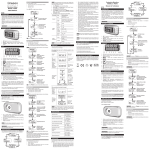
In the Main Mode, you can: View the time and current step count (default), distance walked.
To view distance walked: Press DISP: Distance travelled that day is shown in km.
Memory Mode
In the Memory Mode, you can view the records of your steps and distance for the past 15 days.
1. Press MEM to enter the Memory Mode.
2. Press DISP or MEM to select which day to view.
NOTE:
• When toggling between days, the record displayed will be of the same category
(-1 = yesterday, etc, etc).
• When viewing a day’s record, the pedometer will automatically toggle for 3 seconds between
step count and distance.
Remark: Toggle through all 15 day records to return to the Main Mode.
To reset records:
You cannot reset the records manually. The pedometer is designed to automatically reset the records.
When Memory is full ‘FULL’ will appear on display – connect 360PE to you PC via USB cable to
download the memory. NB: this will automatically clear the memory
Keylock
Press & hold “DISP” 2 sec to Activate/Deactivate Keylock. Once keylock is activated all keys will be
disabled, apart from “DISP” to Deactivate keylock.
Battery Replacement
The pedometer uses a CR2032 3V battery, which has already been
installed.
Indicates battery power is low.
To replace battery:
1. Slide open compartment lid.
2. Remove the old battery and insert the new one, matching the polarities.
3. Replace lid by sliding it back into place, it will click shut.
NOTE: When the battery compartment is opened or battery is replaced,
all data in the pedometer will be reset.
3
GB
This marking indicates that this product should not be disposed with other household wastes throughout the
EU. To prevent possible harm to the environment or human health from uncontrolled waste disposal, recycle it
responsibly to promote the sustainable reuse of material resources. To return your used device, please use the
return and collection systems or contact the retailer where the product was purchased. They can take this
product for environmental safe recycling. (WEEE explanation)