1
DVR SETTINGS
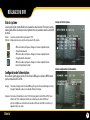
Search and Play
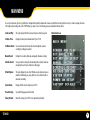
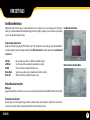
The Search and Play menu lets you view all of your previously recorded footage. Navigate this menu by
moving the joystick up and down to scroll through the dates that footage was recorded on. Once the date
has been selected, use the joystick left and right to toggle through the recorded files. The recorded files are
located towards the bottom of the screen, a white cursor will highlight your selection. Press the joystick
button to playback the desired footage.
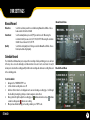
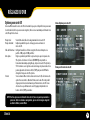
Search and Play Menu
Date:
Details the date in which the video files were recorded on
Files:
The number of files that were recorded that day
Page: Identifies the event type that triggered the recording. A icon indicates a
scheduled recording, a icon indicates motion recording and a icon indicates manual recording
Time:
Displays the start time of recorded video
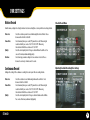
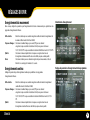
Set Date / Time
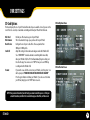
Set Date / Time Menu
Date Format:
Toggle the date to be displayed in either year/month/day, month/day/year or
day/month/year
Set Year:
Set the year of your covert DVR
Set Month:
Set the month of your ST300
Set Day: Set the day
Set Time:
Adjust the time
ST300-SD
10