1
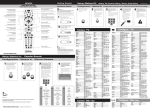
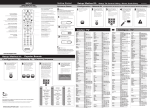
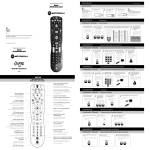
Setup Method C: Setup DVD and AUDIO using Direct Code Entry
Méthode de réglage C: Configurez le DVD et l’AUDIO en utilisant l’entrée de code directe
1
Press the mode key for the
device you wish to setup.
2
Appuyez sur la touche
pour l’appareil que vous
désirez configurer.
3
Press and hold SETUP
until the mode key blinks
twice.
Enter the 1st code for your
brand from the code list.
4
Press power key to test
with your equipment. If
the device turns off,
setup is complete.
Inscrivez le premier code
de votre marque à partir
de la liste de codes.
Appuyez et tenez la
touche de RÉGLAGE
(SETUP) jusqu’à ce que le
DEL clignote deux fois.
SETUP
2
3
4
5
6
7
8
9
Appuyez sur la touche
de mise en marche
pour tester votre
équipement. Si
l’appareil s’éteint, le
réglage est terminé.
Si l’appareil ne s’éteint
pas, veuillez répéter la
MÉTHODE DE RÉGLAGE
C en utilisant le code
suivant pour votre
marque.
Le DEL clignote, mais la télécommande ne contrôle pas mon équipement.
Appuyez sur la bonne touche et pointez la télécommande vers l’équipement que
vous désirez contrôler.
Problem:
Solution:
Tried all codes for my brand of device and none work.
Try CODE SEARCH (METHOD D) method or go to www.urcsupport.com for
model-based search.
Problème:
Solution:
J’ai essayé tous les codes pour ma marque, mais aucun ne fonctionne.
Essayez la RECHERCHE DE CODE (MÉTHODE D) ou visitez le www.urcsupport.com
pour une recherche par modèle.
Problem:
Solution:
I want to switch VOLUME LOCK from AUD to TV control.
Follow Setup Method E, but press the TV mode key instead of AUD mode key.
Problème:
Solution:
Je veux modifier le VÉROUILLAGE DE VOLUME du contrôle AUDIO au contrôle TV.
Suivez les étapes de réglage de la Méthode E, mais appuyez sur la touche TV au lieu
de sur la touche AUDIO.
CABLE
PAGE
DAY
CH
Let go of the OK/SELECT
key when your device
turns off.
Laissez aller la touche
OK/SÉLECTIONNER
(OK/SELECT) quand votre
appareil s’éteint.
SELECT
DVD
WATCH
IO
AUD
DAY
B
CABLE
GUID
E
UP
C
ET
TV
D
PAGE
SETTINGS
CABLE
T
VOL
MENU
SELEC
OK
INFO
ON ND
DEMA
S
DAY
LIST
EXIT
Tip/Conseil:
LIVE
FAV
9
wxyz
6
SWAP
mno
PIP
3
0
def
8
tuv
5
ON/OFF
jkl
2
LAST
abc
7
pqrs
4
ghi
CH
1
To find the exact code for your
device, use our CODE FINDER
feature at
WWW.URCSUPPORT.COM
Pour trouver le code exact pour
votre appareil, utilisez notre outil
de DÉCODAGE au
WWW.URCSUPPORT.COM
ADC
Aiwa
Alco
Altec Lansing
AMC
Amphion Media Works
AMW
Anam
Apex Digital
Apple
Arcam
Audiotronic
Audiovox
Bose
Boston Acoustics
Capetronic
Carver
Coby
Curtis
Daewoo
Denon
Dynex
Fisher
1
Appuyez et tenez la touche de
RÉGLAGE (SETUP) jusqu’à ce que le
DEL clignote deux fois.
Réglage des contrôles du volume
Press VOLUME + key.
Appuyez sur la touche de VOLUME en
même temps.
SETUP
3
VOL
Press the mode key that corresponds to the device
you use for volume controls.
Appuyez sur la touche qui correspond à l’appareil
que vous utilisez pour
contrôler le volume.
Tip/Conseil:
Volume functions default to control the TV.
Follow these steps if you wish to use and
audio device for volume control.
Les fonctions de volume servent à contrôler
le téléviseur par défaut. Suivez ces étapes si
vous désirez utiliser l’appareil audio et
contrôler le volume.
Setup Method F:
Méthode de réglage F:
1
Press and hold SETUP until the mode key blinks twice.
Appuyez et tenez la touche RÉGLAGE (SETUP) jusqu’à
ce que le DEL clignote deux fois.
2
Locking Input Switch To One Device
Verrouillez le commutateur d’entrée sur un appareil
Press the INPUT key.
Appuyez sur la touche ENTRÉE (INPUT).
SETUP
Setup Method G:
Méthode de réglage G:
1
Press and hold SETUP until
mode key blinks twice.
Appuyez et tenez la touche
de RÉGLAGE jusqu’à ce que
le DEL clignote deux fois.
SETUP
2
Press WATCH CABLE key.
Appuyez sur la touche
REGARDER CÂBLE
(WATCH CABLE).
WATCH CABLE
3
Press the mode key that corresponds with the device you use for changing
audio/video inputs.
Appuyez sur la touche qui correspond à l’appareil que vous utilisez pour
modifier l’entrée audio/vidéo.
Setting WATCH CABLE Activity Key
Réglage de la touche d’activité REGARDER CÂBLE (WATCH CABLE)
3
Press mode key for each
device you wish to turn
on when you are ready to
WATCH CABLE TV.
Appuyez sur la touche pour
chaque appareil que vous
désirez mettre en marche
quand vous êtes prêt à
REGARDER LA TÉLÉVISION
PAR CÂBLE (WATCH CABLE).
4
Audio code
Code Audio
DVD code
Code DVD
Press and hold SETUP
until mode key blinks
twice.
Appuyez et tenez la
touche de RÉGLAGE
jusqu’à ce que le DEL
clignote deux fois.
SETUP
0531
1405, 0189, 0121, 1388,1641
1390
2720
1077
1563
1563
1609
1257, 1430, 1774
1115
1189, 0189
1189
1390
1629, 1841, 1933
2162
0531
1189, 0189, 0121
1389, 2127
1389
1250
2134, 2857, 1360, 1142,
1460, 2247, 2279, 2516,
2820, 3001, 2502
2971
1801
Gateway
Harman/Kardon
Hitachi
iHome
Insignia
Integra
iSymphony
JBL
JVC
Kenwood
KLH
Koss
LG
Linn
Liquid Video
Magnavox
Marantz
McIntosh
Micromega
1517
3045, 0110, 0189, 1304,
1306, 2241, 2443
1273, 1801
2435
1030, 1077, 1751, 1893,
2126, 2169, 2175, 2472,
2929, 2966
1298, 1320, 1805
2258, 2442
0110, 1306, 2241
0531, 1374, 1495, 1871,
2040, 2161, 2239, 2331, 2969
1313, 1569
1390, 1428
1366, 1497
1293, 2197, 2284, 2676
0189
1497
1189, 1269, 0189, 0531,
1514, 1831
1892, 2138, 1189, 1269,
0189, 1289, 2114
1289
1189
Myryad
Nakamichi
NexxTech
Norcent
Nova
Onkyo
Optimus
Oritron
Panasonic
Philips
Pioneer
Polk Audio
Proscan
RCA
Rio
Samsung
Sansui
Sanyo
Sharp
1189
1313
1751
1389, 1751
1389
0842, 1298, 1320, 1531,
1805, 2451
0823, 1023, 0531
1366, 1497
1308, 1518, 1275, 1288,
1316, 1548, 1633, 1763,
1764, 2105, 2221, 2452, 2967
1189, 1269, 0189, 1266,
1831, 2311, 2459
0823, 1023, 0531, 1384,1935
0189, 1289, 2270
1254
0823, 1023, 1609, 1254,
0531, 1390, 1511, 2041,2611
1869
1295, 1304, 1500, 1868,2609
0189
1801
3097
Sherwood
Sherwood Newcastle
Sonic Blue
Sony
0240, 0043
0240
0522, 2083, 1972
1972
0042
0717
1521, 0067, 0043
0035, 0048
0240, 0000
0000
0741, 2572
0104, 0067
0717
0037
1972
0240
1107, 1461
1972
2331
0035
0503, 1769, 0627, 1627,
2147, 2215
0575, 2185
1062, 0162, 0037, 0048, 0104
0184
0490, 0503, 0703, 1579, 1641,
1762, 1062, 0035, 0162, 0614, 0616
0035, 0037, 0240, 0042
0042
0675, 0035
0503, 0539, 2056, 2084, 0646,
0675, 1158, 1340, 1354, 1506,
2434, 0739, 0035, 0081, 0618
1024
0037
0571, 0142, 0631, 1512, 1571,
2442, 2854, 0067
1020, 1061
0539, 0081
0278
0675, 1593
0672
0240
0522, 0060
1461
0039
0035, 0162
0000
0037
0037
0522, 0571, 1769, 0717, 0790,
0822, 2213, 0060, 0035, 0240, 0042
0035, 0037, 0048, 0047, 0000, 0104
2555
0614, 0616
1972
0869
0623
0039
0490, 0573, 0199, 0820, 1044,
1075, 1470, 2069, 2329, 2369,
2489, 2556, 0240, 0045
Sanky
Sansui
Sanyo
Sceptre
Schneider
Scott
Sears
Sensory Science
Sharp
Sherwood
Sherwood Newcastle
Shinsonic
Shogun
Signature
Sonic Blue
Sony
Stereophonics
Sunfire
Teac
Technics
Thorens
Toshiba
Venturer
Vizio
Wards
Yamada
Yamaha
Zenith
ZVOX
1077, 1517, 1905, 2169
2169
1869
1759, 1058, 1441, 1258,
1622, 1558, 1658, 1758,
1822, 1858, 2172, 2475,
2522, 2610
1023
1313
1390, 1528
1308, 1518, 1633
1189
1788
1390
1517, 2454, 2695
0189
0376
2592, 0176, 0376, 1176,
1276, 1331, 1375, 1376,
1476, 1815, 2061, 2455,
2467, 2471, 2608, 1797,
2021, 2458
1293, 2197
2332
Codes: DVD
Codes: DVD
Setting Volume Controls
2
Press and hold SETUP until the mode
key blinks twice.
Code TV
Codes: Audio
Codes: Audio
OK
Setup Method E:
Méthode de réglage E:
TV code
UP
D
LIVE
FAV
9
wxyz
6
SWAP
mno
4
Appuyez et tenez la
touche
OK/SÉLECTIONNER
(OK/SELECT).
SETUP
Problème:
Solution:
ET
TV
T
SETTINGS
MENU
SELEC
OK
LIST
PIP
3
0
def
8
tuv
5
ON/OFF
jkl
2
LAST
abc
7
pqrs
4
Press and hold down the
OK/SELECT key.
Appuyez sur la touche
pour l’appareil que vous
désirez configurer. La
touche reste allumée.
Mode key blinks, but remote does not control my equipment.
Press correct mode key and point remote at equipment you need
to control.
Write the working code here for future use
Écrivez le code qui fonctionne ici pour une
référence future.
T
ghi
Appuyez et tenez la touche
de RÉGLAGE (SETUP)
jusqu’à ce que le DEL
clignote deux fois.
3
Press the mode key for
the device you wish to
setup. The mode key
stays lit.
Problem:
Solution:
Tip/Conseil:
EXI
1
2
Le DEL ne clignote pas quand une touche est appuyée.
Remplacez les piles.
S
Code Search
Setup Method D:
Méthode de réglage D: Recherche de code
Press and hold SETUP until
the mode key blinks twice.
Problème:
Solution:
CABLE
C
INFO
ON ND
DEMA
VOL
0
B
DE
1
Mode key does not blink when a key is pressed.
Replace batteries.
WATCH
IO
AUD
DAY
GUI
MUG2025F-A
Problem:
Solution:
DVD
1
5
If device does not turn
off, then repeat SETUP
METHOD C using the
next code for your
brand.
TROUBLESHOOTING
RESOLUCIÓN DE PROBLEMAS
Tip/Conseil:
Pressing the WATCH CABLE key
turns your home theater equipment
ON or OFF and puts the remote
into CABLE mode.
Quand vous appuyez sur la touche
REGARDER CÂBLE (WATCH CABLE),
votre équipement de cinéma
maison se met en marche ou
s’éteint et remet la télécommande
en mode CÂBLE.
WWW.URCSUPPORT.COM
©Copyright Universal Electronics 2011
ABS
Accurian
Admiral
Adventura
Aiko
Aiwa
Akai
Alco
Alienware
Allegro
America Action
American High
Anthem
Apex Digital
Asha
Astar
Audio Authority
Audiovox
Beaumark
Bel Canto Design
Bell & Howell
Blaupunkt
Blue Parade
Broksonic
California Audio Labs
Calix
Cambridge Audio
Canon
Carver
CCE
Cinea
CineVision
Citizen
Coby
Craig
Crosley
Curtis Mathes
CyberHome
Cybernex
CyberPower
Daewoo
Dell
Denon
DirecTV
Disney
Durabrand
Dynatech
Dynex
Electrohome
Electrophonic
Emerex
Emerson
Enterprise
Fisher
Fuji
Funai
1972
0675, 0000
0048
0000
0278
0641, 0037, 0000
0695
0790
1972
0869, 0039
0278
0035
2820
0672, 0717, 0755, 0794,
0796, 0797, 1004, 1020,
1056, 1061, 1100
0240
1461
2555
0717, 0790, 0037, 0278
0240
1571
0104
0717
0571
0695, 0184
0490
0037
2808
0035
0081
0278
0831
0869
0695, 2116, 0037, 0278
1107, 2494
0831, 0037, 0047, 0240
0081, 0000
1087, 0060, 0035, 0162,
0240, 0278
0816, 1024, 1129
0240
1972
0869, 1172, 0045, 0278
1972
0490, 0634, 1634, 2258,
2748, 0042
0739
0675, 1270, 2318
0039
0000
2596
2116, 0037, 0043
0037
0032
0591, 0675, 2213, 0037,
0184, 0000, 0043, 0278, 1593
0591
0670, 0047, 0104
0035, 0033
0675, 0000, 1593
Garrard
Gateway
GE
0000
1077, 1158, 1972
0522, 0815, 0717, 0060,
0035, 0240
GFM
0675, 1593
Go Video
0744, 0741, 0783, 0869,
1044, 1075, 1158, 0240, 0614
GoldStar
0741, 0869, 0037
Gradiente
0000
Greenhill
0717
Grundig
0539
Harley Davidson
0000
Harman/Kardon
0582, 0702, 1229, 2927,
3228, 0081
Helios
2192
Hello Kitty
0831
Hewlett Packard
1972
HI-Q
0047
Hitachi
0573, 0664, 0000, 0042
Hiteker
0672
Howard Computers
1972
HP
1972
Hughes Network Systems 0042
Humax
1588, 0739
Hush
1972
iBUYPOWER
1972
iLo
1348
Initial
0717
Insignia
0675, 0741, 2095, 2428,2596
Instant Replay
0035
Integra
0571, 1769, 0627, 1634,2147
Irradio
0646
JBL
0702
JVC
0558, 0623, 0867, 1164,
1275, 1602, 2365, 2855,0067
Kawasaki
0790
KEC
0037, 0278
Kenwood
0490, 0534, 0067
KLH
0717, 0790, 1020
Kodak
0035, 0037
Lasonic
0798
LG
0591, 0741, 0869, 1602,2135
Linksys
1972
LiteOn
1158
Lloyd's
0000
Logitech
2639
LXI
0037
Magnavox
0503, 0539, 0646, 0675,
1354, 1506, 0035, 0039,
0081, 0000, 1593
Magnin
0240
Marantz
0539, 2414, 0035, 0081
Marta
0037
Matsushita
0035, 0162
McIntosh
1273
Media Center PC
1972
MEI
0035
Memorex
0695, 0831, 1270, 2213,
2331, 3153, 0035, 0162,
0037, 0048, 0039, 0047,
0240, 0000, 0104
MGA
MGN Technology
Microsoft
Mind
Minolta
Mintek
Mitsubishi
Motorola
MTC
Multitech
NAD
NEC
Nesa
Nikko
Niveus Media
Noblex
Norcent
Northgate
Olevia
Olympus
Onkyo
Oppo
Optimus
Orion
Panasonic
Penney
Pentax
Philco
Philips
PianoDisc
Pilot
Pioneer
Polaroid
Polk Audio
Portland
Presidian
Proceed
Profitronic
Proscan
Protron
Pulsar
Quasar
RadioShack
Radix
Randex
RCA
Realistic
RE-BL
ReplayTV
Ricavision
Rio
Rotel
Runco
Samsung
Stack 9
STS
Sylvania
Symphonic
Systemax
Tagar Systems
Tashiko
Teac
Technics
Teknika
Theta Digital
Thomas
TiVo
TMK
Toshiba
Totevision
Touch
Unitech
Urban Concepts
Vector
Venturer
Video Concepts
Videomagic
Videosonic
Viewsonic
Villain
Viore
Vizio
Voodoo
Wards
WB Electronics
Xbox
XR-1000
Yamaha
ZT Group
0048, 0039
0695, 0000, 0067
0670, 0695, 0047, 0240, 0104
0104
0646
0184, 0045, 0043
0035, 0037, 0047, 0000, 0042, 0104
1158
0630, 0675, 1256, 2250, 0048
1077
1077
0533
0240
0035
0869, 0614, 0616
1633, 0533, 0772, 1070, 1431,
1432, 1516, 0032, 0035, 0033,
0000, 0636, 1972
1972
0042
0675, 0035, 0081, 0000, 0043, 1593
0675, 0000, 1593
1972
1972
0037
0790, 0000
0490, 0703, 0035, 0162
0035, 0037, 0000
0571
0000
1503, 1512, 0739, 0618, 0636
0240
0503, 1769, 0695, 1154, 1503,
1510, 1588, 1608, 2006, 2277,
2705, 3157, 0045, 0043, 1972
0037, 0240
1972
0240
0503
0045
0790
0045
0037
0240
1972
0000
2553
1064, 2563
1972
0060, 0035, 0048, 0039, 0047,
0081, 0033, 0240, 0045, 0000, 0042
2555
0522, 2083
0035, 0000
0490, 0539, 0646, 0545, 0497,
0817, 1354, 2298, 0503, 0591,
0741, 0869, 0037, 0039, 0033, 0000
1972