1
DW936/384286-01
English
•
•
•
•
•
3/15/00
8:25 AM
Page 4
replaced immediately.
Do not operate charger if it has received a sharp blow, been dropped, or
otherwise damaged in any way; take it to an authorized service center.
Do not disassemble charger; take it to an authorized service center
when service or repair is required. Incorrect reassembly may result in a
risk of electric shock, electrocution or fire.
To reduce risk of electric shock, unplug charger from outlet before
attempting any cleaning. Removing the battery pack will not reduce this
risk.
NEVER attempt to connect 2 chargers together.
The charger is designed to operate on standard household electrical
power (120 Volts AC). Do not attempt to use it on any other voltage!
This does not apply to vehiculat charger.
continuously. The pack is fully charged and may be used at this time
or left in the charger.
4. If you select Tune-up™ and then change your mind, remove the
battery from the charger. After 5 seconds, insert the battery into the
charger. The normal charge cycle will commence.
Charging Procedure
1 HOUR CHARGERS
1. Plug the charger into an appropriate power outlet.
2. Insert the battery pack into the charger, as shown in FIG.1,
making sure the pack is fully seated in the charger. The red
(charging) light will blink continuously indicating that the charging
process has started.
3. The battery pack will be fully charged in about 1 hour. The
completion of charge will be indicated by the red light remaining
ON continuously. The pack is fully charged and may be used at
this time or left in the charger.
TROUBLE INDICATORS: These chargers are designed to detect
certain problems that can arise with battery packs which would be
indicated by the red light flashing at a fast rate (and continuous
beeping for 15 Minute Chargers). If this occurs, re-insert battery
pack. If problem persists, try a different battery pack to determine if
the charger is OK. If the new pack charges correctly, then the original
pack is defective and should be returned to a service center for
recycling. If the new battery pack elicits the same trouble indication
as the original, have charger tested at an authorized service center.
Chargers
Your battery can be charged in DEWALT 1 Hour Chargers, 15 Minute
Chargers or Vehicular 12 volt charger. Be sure to read all safety
instructions before using your charger.
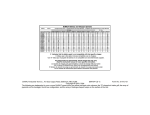
Consult chart on back cover for compatibility of chargers and battery
packs.
Using Tune-Up™ Mode
The Tune-up™ mode will equalize or balance the individual cells in
the battery pack at its peak capacity. This cycle takes up to 8 hours to
complete. Battery packs should be tuned up weekly or after 10 to 20
charge/discharge cycles or whenever the pack no longer delivers the
same amount of work.
1. To tune up your battery pack, place the battery in the charger as
usual. The red light will blink continuously indicating that the charge
cycle has started.
2. The Tune-up™ Button may be pressed at any time after the charge
has started. The red light will stop blinking momentarily, blink quickly
3 times, and then resume blinking continuously. The charger is
now giving your batteries a tune-up.
3. When the charge cycle has completed, the light will stay on
PROBLEM POWER LINE
If your charger has a Problem Power Line indicator: When the charger
‘is used with some portable power sources such as generators or
sources that convert DC to AC, the charger may temporarily suspend
operation, flashing the red light with two fast blinks followed by a
pause. This indicates the power source is out of limits.
HOT PACK DELAY
If your charger has a Hot Pack Delay feature: When the charger
4