1
Optelec
MultiView HD
3. Getting to Know Your MultiView HD
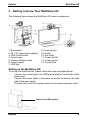
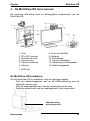
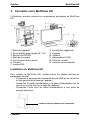
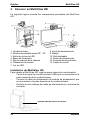
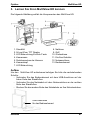
The following figure shows the MultiView HD’s main components.
1. Base stand
2. 22” / 24” wide screen display
3. LED On/Off button
4. Camera arm
5. Camera Rotation Axes
6. Camera head
7. LED light
8. Close-up lens
9. Handle
10. Arm Slide
11. Power On/Off
12. Power socket
13. Control Pad
Setting up the MultiView HD
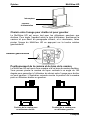
To set up the MultiView HD, please follow the steps described below:
−
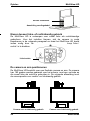
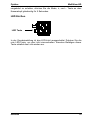
Connect the control pad in the USB port located on the left side of the
base stand.
−
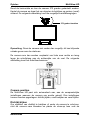
Connect the power cable in the power connector located on the right
side of the base stand.
−
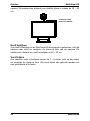
Plug the other end of the power cable into an electrical power outlet.
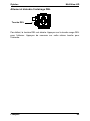
Control Pad USB Interface
English
9