1
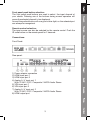
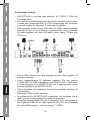
Front panel push button selection:
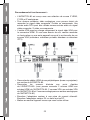
The front panel push buttons are used to select the input channel of
your choice. Pressing one of the buttons during normal operation will
cause the selected channel to be displayed.
Around the pushed button will now glow a blue light, so the selected port
can always be recognized.
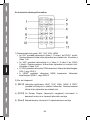
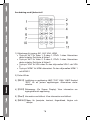
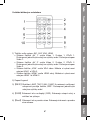
Remote control selection:
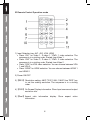
The input source can also be selected by the remote control. Push the
IR code button on the remote panel for 2 seconds.
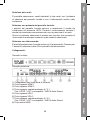
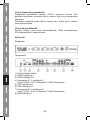
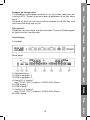
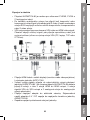
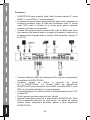
Connections:
Front Panel:
Rear panel:
1)
2)
3)
4)
5)
6)
7)
8)
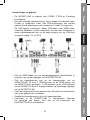
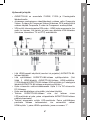
Power adapter connection
HDMI input port 1
HDMI input port 2
Analog A / V input port 1
With: S-VHS / YUV / Composite / 2xRCA Audio Stereo
VGA input port 1
VGA input port 2
Analog A / V input port 2
With: S-VHS / YUV / Composite / 2xRCA Audio Stereo
HDMI output port
3