1
English
When a receiving slot is full (based on the numbers listed above), remove the receiving slot
from the device, remove the coins in this receiving slot, and put the receiving slot back into
the device. (Note: You do not have to remove the other receiving slots from the device.) After
that, press the «START/STOP» button and the device continues counting. When the other
receiving slots are full, repeat these steps as necessary.
7.3 Batch Counting Mode With Summation
ATTENTION! The batch amount for each denomination of coins has to be set separately.
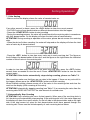
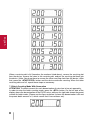
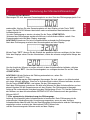
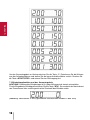
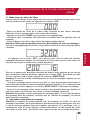
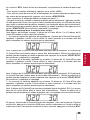
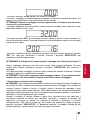
In order to enter the batch counting mode, press the «BTH» button. On the left side of the
display shows the denomination of the EURO coins, while on the right side shows the preset
number for batch mode. (Please see the figure as below. It shows the denomination is €2 and
the preset batch amount is 0, which means that it has not been set).
8