1
C60T266A4
12/1/06
16:51
Página 10
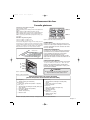
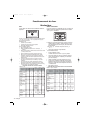
Operating the Oven
Setting the Oven
To Set the Cooking Mode:
Timed Cooking Modes
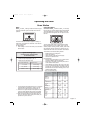
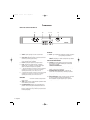
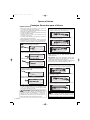
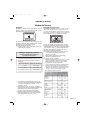
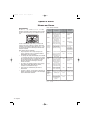
1. Turn mode knob to select cooking mode.
Use timed cook to turn the oven off automatically
after cooking. Delayed cook also turns the oven on
automatically.
2. Turn temperature knob to select temperature.
Select PRESET to use the default temperature.
Red preheat light, oven light and oven fan turn on
as oven preheats. When the preheat temperature
is reached, the red preheat light shuts off and the
oven beeps.
The clock is set to the correct time of day.
•
The timed mode turns off the oven at the end of
the cook time.
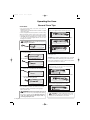
To Set the Timed Mode:
To Set the Timer:
1. Turn knobs to select the mode and temperature.
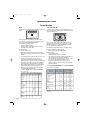
1. Press TIMER. TIMER
R appears in the display.
2. Press TIMER
R again. The hours flash.
ven
•
3. Press + or - to set hours.
4. Press TIMER. The minutes flash.
5. Press + or - to set minutes.
2. Press COOK TIME twice. The hours flash.
3. Press + or - to set number of hours.
Note: Time required for the oven to reach
temperature must be included in the set cooking
time.
6. Press TIMER.
4. Press COOK TIME again. Minutes flash.
Beeps sound when the time ends.
5. Press + or - to change the number of minutes.
6. Press COOK TIME to confirm cooking time.
TIP:
Hold the + or - key down
to change time by 10 minute
increments.
To Set the Cooking Mode using Fast
Preheat:
At the end of the programmed cooking time, the
oven will automatically turn off.
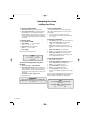
To Set the Delayed Mode:
1. Follow steps 1 through 6.
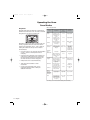
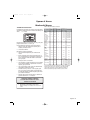
2. Press STOP TIME twice. DELAY
Y appears in the
display. STOP TIME and the hours flash.
3. Press + or - to change the hours.
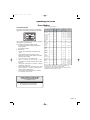
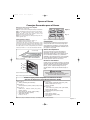
1. Turn mode knob to FAST PREHEAT.
4. Press STOP TIME again. Minutes flash.
2. Turn temperature knob to select temperature.
5. Press + or - to change the minutes.
Red preheat light, oven light and oven fan turn on
as oven preheats. When the preheat temperature
is reached, the red preheat light shuts off and the
oven beeps.
3. Turn knob to select cooking mode.
4. Place food in oven.
6. Press STOP TIME to confirm stop time.
The oven automatically calculates the time of day
to start.
At the end of the programmed cooking time, the oven
turns off. Display shows END and the oven beeps.
Reminder beeps sound and COOK TIME flashes.
REMINDER!
When using fast preheat, you must select the
cooking mode after preheat and before placing food
in the oven.
TIP:
Press COOK TIME to view timed mode
information.
Press STOP TIME to view delayed mode
information.
Press TIMER
R to view timer.
8 • English