1
liMited 90-daY warrantY
PlaYing online
In order to play Army of TWO: The 40th Day online, you must create a PlayStation®Network account by following
the on-screen instructions. If you already have a PlayStation®Network account, you are able to access online
features automatically.
PlaYing behind a firewall or router
this game uses the following network ports for playing online. If you are running a firewall, ensure it is set to
allow the game to communicate on these ports both inbound and outbound:
TCP Ports: 80, 443, 5223, 8080, 10000, 18141, 18146, 20000-23000
UDP Ports: 3478, 3479, 3659, 6000, 9570, 10000, 18141, 18146, 20000-23000
If you are having difficulty connecting to other players online and your Internet connection is behind a router
using NAt(Network Address translation), you may need to enable port forwarding on your router by forwarding
all data on UDP ports 3659, 6000 and 20000-23000 to the IP address of your PS3™ system. the game also
utilizes UPnP and enabling this on your router can alleviate some connection problems. Alternatively, you can
put your router into a DmZ — please consult your router help files for details on how to do this.
For more information on firewalls, port forwarding, and DmZs, please visit EA technical Support at:
http://support.ea.com.
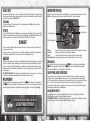
versus MultiPlaYer
Up to 10 players take aim to dominate for their team or their faction. Just remember: co-op is still the name of
game. Alone, you’ll be torn up. But with a buddy or five backing your play, you might stand a fighting chance.
Select a weapons kit to roll with at the top of each match. you can only switch kits in the Lobby or while waiting
to respawn, but you can always augment your load-out with guns acquired on the battlefield.
Partner Reload
If your ammo runs dry and you’re out of grenades, your buddy is your ammo cache. Just
make contact with his backpack and press the F button to re-up.
Revive Partner
Alone, you’re a sitting duck. together, you can revive or be revived if you or your partner
go down by heading over and pressing the F button.
PaY attention, soldier! Even in faction fights, everybody’s paired up. you’ll score bonus points for
personally taking down both halves of a partnership, rather than leaving one of them alive.
note: when creating a new EA Online Account within the game, you must use a valid password consisting of
5-16 characters.
Modes
Co-op Deathmatch
Control
Warzone
you and your partner work to take out opposing players and their partners. the team
with the most points wins.
two factions fight to take and hold control points. the more mercs that occupy a control
point, the faster it’s captured.
Capture, defend, or destroy a random objective — a rouge agent, VIPs, classified intel, a
designated target — and/or the teams in your way.
extraction
Four mercs. A thousand fanatics. One last ride out of town. work as a team to survive wave after wave of
hostiles, and punch through four progressively tougher maps to reach the extraction point alive.
8
electronic arts limited warranty
Electronic Arts warrants to the original purchaser of this product that the recording medium on which the software program(s) are recorded (the “Recording
Medium”) and the documentation that is included with this product (the “Manual”) are free from defects in materials and workmanship for a period of 90
days from the date of purchase. If the Recording medium or the manual is found to be defective within 90 days from the date of purchase, Electronic Arts
agrees to replace the Recording medium or manual free of charge upon receipt of the Recording medium or manual at its service center, postage paid,
with proof of purchase. this warranty is limited to the Recording medium containing the software program and the manual that were originally provided
by Electronic Arts. this warranty shall not be applicable and shall be void if, in the judgment of Electronic Arts, the defect has arisen through abuse,
mistreatment or neglect.
this limited warranty is in lieu of all other warranties, whether oral or written, express or implied, including any warranty of merchantability or fitness
for a particular purpose, and no other representation of any nature shall be binding on or obligate Electronic Arts. If any such warranties are incapable
of exclusion, then such warranties applicable to this product, including implied warranties of merchantability and fitness for a particular purpose, are
limited to the 90-day period described above. In no event will Electronic Arts be liable for any special, incidental, or consequential damages resulting from
possession, use or malfunction of this Electronic Arts product, including damage to property, and to the extent permitted by law, damages for personal injury,
even if Electronic Arts has been advised of the possibility of such damages. Some states do not allow limitation as to how long an implied warranty lasts
and/or exclusions or limitation of incidental or consequential damages so the above limitations and/or exclusion of liability may not apply to you. In such
jurisdictions, the Electronic Arts’ liability shall be limited to the fullest extent permitted by law. this warranty gives you specific rights. you may also have
other rights that vary from state to state.
returns within the 90-day warranty Period
Please return the product along with (1) a copy of the original sales receipt showing the date of purchase, (2) a brief description of the difficulty you are
experiencing, and (3) your name, address and phone number to the address below and Electronic Arts will mail a replacement Recording medium and/or
manual to you. If the product was damaged through misuse or accident, this 90-day warranty is rendered void and you will need to follow the instructions
for returns after the 90-day warranty period. we strongly recommend that you send your products using a traceable delivery method. Electronic Arts is not
responsible for products not in its possession.
ea warranty information
If the defect in the Recording medium or manual resulted from abuse, mistreatment or neglect, or if the Recording medium or manual is found to be
defective after 90 days from the date of purchase, choose one of the following options to receive our replacement instructions:
Online: http://warrantyinfo.ea.com
Automated Warranty Information: you can contact our automated phone system 24 hours a day for any and all warranty questions:
US 1 (650) 628-1001
ea warranty Mailing address
Electronic Arts Customer warranty
9001 N I-35 Suite 110
Austin, tX 78753
notice
Electronic Arts reserves the right to make improvements in the product described in this manual at anytime and without notice. this manual and the product
described in this manual are copyrighted. All rights reserved.
technical support contact info
E-mail and website: For instant access to all of our technical support knowledge, please visit http://techsupport.ea.com.
Telephone Support: technical Support is also available from 8am to 5pm PSt by calling us at (650) 628-1001. No hints or codes are available from
(650) 628-1001.
Mailing Address: Electronic Arts technical Support
9001 N I-35 Suite 110
Austin, tX 78753
© 2010 Electronic Arts Inc. EA, the EA logo and Army of twO are trademarks or registered trademarks of Electronic Arts Inc. in the U.S. and/or other
countries. All Rights Reserved. mPEG Layer-3 audio coding technology licensed from Fraunhofer IIS and thOmSON multimedia. All other trademarks are the
property of their respective owners.
Uses Bink Video technology. Copyright © 1997-2007 by RAD Game tools, Inc.
“PlayStation”, “DUALShOCK” and “SIXAXIS” are registered trademarks and “PS3” is a trademark of Sony Computer Entertainment Inc. the ESRB rating
icons are registered trademarks of the Entertainment Software Association.
9