1
OPERATION
GB
TCD 1062 FUNCTIONING
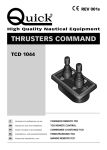
The user interface is composed of 1 enabling button, 1 joystick, 1 mushroom push-button switch, 2 enabling Leds, 2
direction Leds , 1 Led Power OFF and 1 Led Power ON.
MUSHROOM
LED POWER ON
LED POWER OFF
JOYSTICK
STERN LEFT DIRECTION LED
STERN RIGHT DIRECTION LED
ENABLING LED
ENABLING LED
ENABLING BUTTON
THRUSTER COMMAND
Enabling button
The button enables or disables the remote control.
Joystick
When the joystick is moved to the right, at the end of its stroke, the stern or the bow of the boat move to the right
depending on the thruster controlled.
When the joystick is moved to the left at the end of its stroke, the stern or the bow of the boat move to the left depending on the thruster controlled.
Enabling Leds
The enabling Leds indicate the enabled/disabled status of the thruster command.
Direction leds
The direction leds indicate the movement of the boat to the right or left.
The direction and enabling LEDs, moreover, are used to signal any error or problem which may occur.
MAIN SWITCH COMMAND
Mushroom push-button switch
When the mushroom push-button switch is pressed, it disables the controls on the line.
Led Power
They indicate the status of the line control.
Use the switch on the supply line to switch the TCD 1062 on and off.
Once the supply has been connected, the TCD 1062 will test the LEDs.
For the LED test, all the LEDs will come on simultaneously for 2 seconds.
If no errors or problems are detected, the TCD 1062 will then go to the disabled state (see TCD 1062 disablement).
WARNING: practice controlling the thrusters in open water, to avoid damaging the boat with accidentally wrong
manoeuvres.
TCD 1062 - REV001A
15