1
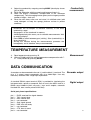
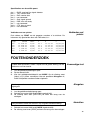
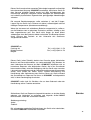
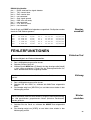
Interfacing with a printer:
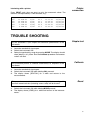
Press PRINT each time you want to print the measured values. The
columns are separated by a TAB character, e.g.:
Log#
001
002
003
004
005
VALUE
16.49E-03
15.05E-03
13.39E-03
1.92E-03
0.44E-03
UNIT
S/cm
S/cm
S/cm
S/cm^
S/cm^
C
23.7
23.7
23.8
23.8
23.9
H
13:19:57
13:20:57
13:21:57
13:22:57
13:23:57
Printer
connection
D
29/01/95
29/01/95
29/01/95
29/01/95
29/01/95
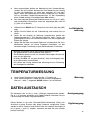
TROUBLE SHOOTING
Try this procedure if you suspect the electronic performance of the
instrument.
1.
2.
3.
Leave the conductivity input open.
Switch the instrument ON.
Select the conductivity range by pressing MODE. The display should
show [0.0µS] ± 0.1 µS/cm. Run the Calibrate procedure if erroneous
values are read.
This procedure permits to calibrate automatically all amplifiers of the
instrument.
1.
2.
3.
Calibrate
Leave the conductivity input open.
Switch the instrument ON while holding CAL pressed.
The display shows [SELFCAL] for a while and returns to the
measurements.
This procedure resets the instrument to the original factory settings. All
personal memorised data (including access code) will be erased!
1.
2.
Simple test
Reset
Switch the instrument ON while holding MODE pressed.
The display shows [rESEt] for a while and returns to the measurements.
5