1
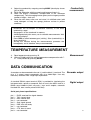
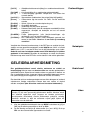
[Or. EC]
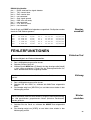
= Overrange Conductivity (e.g. short circuited electrode
cable).
[Or. OhM] = Overrange Resistivity (e.g. interrupted electrode cable).
[Or. °C]
= Overrange °C (measured degrees out of range).
[not.CAL] = Calibration procedure interrupted (the previous calibration
remains valid!).
[Err.cc]
= Cell constant not within 70...130% of the nominal value.
[Err.CAL] = Calibration error (check electrodes and standard solutions).
[Err.Stb] = Electrode not stable.
[Err.Prt] = Communication error with the attached printer.
[Err.bAt] = Battery charger defective (disconnect the AC-adapter
immediately from the mains, remove the batteries and have
your instrument serviced!.
[Err.MEM] = Fatal memory error (all factory settings are cleared. Have
your instrument serviced!).
[ILLEGAL] = An unauthorised person has failed to repair the unit.
Warranty is elapsed from now on!
Error codes
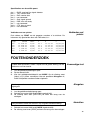
Remove the protective silicone stopper from the REF socket and connect
the jack of a suitable AC adapter (model A4070 for 230 V~ or model
A4071 for 115 V~) to the socket for recharging the NiCd batteries. Avoid
to use an AC adapter without NiCd batteries being inserted in the
instrument! For field work, remove the adapter and reinsert the protective
silicone stopper into the socket.
AC Adapter
CONDUCTIVITY MEASUREMENT
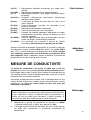
A conductivity cell is active and stable only after wetting! For this
purpose it must be immersed for at least one hour in distilled water.
Rinse the cell always after use and store it in distilled water (add some
detergent to keep the spongy platinum surface in perfect condition).
Maintenance
A polluted cell may be cleaned with a soft detergent or diluted nitric acid.
Greasy substances may be removed with acetone or alcohol (never do
this with plastic electrodes!).
The cell constant depends on the physical dimensions of the platinum
plates. They are coated with a spongy black platinum deposit. This
increases greatly the effective surface and reduces polarising effects.
Since the coating of platinum black is quite resistant to chemical action,
the cell constant remains fairly constant during the electrode life time.
1.
2.
3.
4.
Calibration
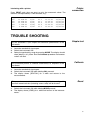
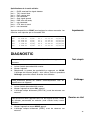
Select the conductivity range by pressing MODE (the display shows
[µS] or [MS]) and press CAL.
The display will show the cell constant (e.g. [cc=1.073]). Press CAL
to start the automatic determination procedure.
After rinsing the cell several times with the standard solution,
immerse it the standard solution. The solution temperature is not so
critical but it should lie between 0°C and 30°C. If the standard has a
different temperature press °C here (not necessary when using a
Pt1000). Press CAL to continue.
The display will show the computed cell constant e.g. [cc1=1.045]
and will calibrate automatically when readings are stable ([=] stops
blinking).
3