1
Display and controls
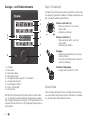
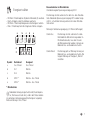
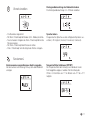
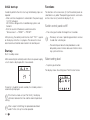
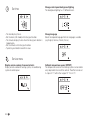
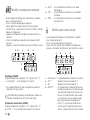
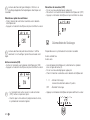
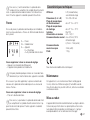
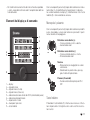
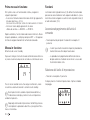
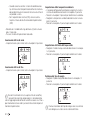
Rotary push button
Setpoints and parameters can be selected, modified and
saved by tapping on them using the rotary push button (8).
Selected menu items flash.
1
Rotate right (+)
–– Menu is run through from left to right.
–– Increase values.
2
3
6
7
-
+
5
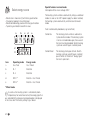
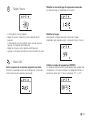
Touching
–– Accept (save) a selected value.
–– Select a menu item, switch to setting
level.
4
9
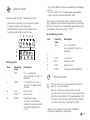
Rotate left (-)
–– Menu is run through from right to left.
–– Decrease values.
8
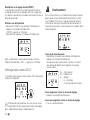
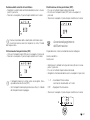
Press (3 seconds)
–– Main switch function ON/OFF
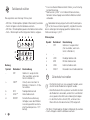
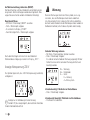
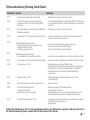
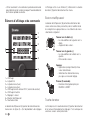
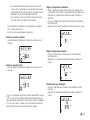
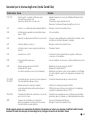
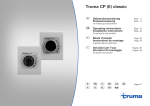
1 =Display
2 =Status bar
3 =Menu bar (upper)
4 =Menu bar (lower)
5 =230 V mains supply indicator (power)
6 =Time switch display
7 =Settings / Values
8 =Rotary push button
9 =Back button
3 sec
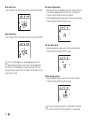
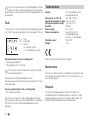
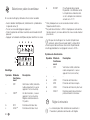
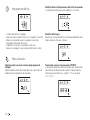
Back button
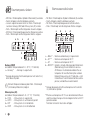
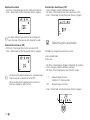
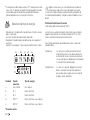
Pressing the Back button (9) returns you from a menu and
discards settings. This means that the previous values are
retained.
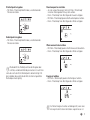
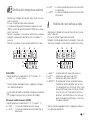
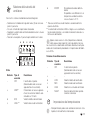
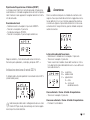
Menus can be selected in lines (3 + 4) using the rotary push
button (8) and settings made. The display takes place using a
screen (1) with an illuminated background. The Back button (9)
can be used to return from a menu.
21