1
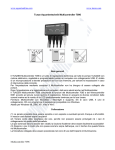
Wavecontroller
7092
Gebrauchsanleitung
Instructions for Use
Mode d’emploi
x7092.8888
02/2012
1
TUNZE® Aquarientechnik GmbH
Seeshaupter Straße 68
82377 Penzberg
Germany
Tel: +49 8856 2022
Fax: +49 8856 2021
www.tunze.com
Email: [email protected]
2
Seite
Inhalt
4-6
Allgemeines
8
Platzwahl / Befestigung
10-12
Kurzbeschreibung des Displays
Anschluss an Turbelle® Pumpe
14
/ Nano Wavebox / Wavebox
16
Jumper – Interne Umschaltmöglichkeit
18
Inbetriebnahme / Einstellungen:
18
„pulse power“ - Wellenschlagsimulation
„wavebox“ - Oszillationsströmung
20
mit Nano Wavebox / Wavebox
22
„auto adjust“ bei „wavebox“
„wavebox“ - Oszillationsströmung
22
nur mit Turbelle® Pumpen
24
„foodtimer“ - Futterpausenschaltung
26
„night mode“ - Nachtabsenkung
Zubehör: Y-Adapter 7092.34
/ Pumpenadapter 7094.40
28
/ Fotozelle 7094.050
30
Garantie
32
Entsorgung
Table of contents
Page
General aspects
5-7
Location / attachment
9
Short description of the display
11-13
Connection to Turbelle® pump
/ Nano Wavebox / Wavebox
15
Jumper – internal throw-over option
17
Initial operation / settings
19
„pulse power“ - wave simulation
19
„wavebox“ - oscillating current
using Nano Wavebox / Wavebox
21
„auto adjust“ for „wavebox“
23
„wavebox“ - oscillating current
using Turbelle® pumps only
23
„foodtimer“ - operating in feeding mode
25
„night mode“ - operation in night mode
27
Accessories: Branch adapter
7092.34 / pump adapter 7094.40 /
photo-electric cell 7094.050
29
Guarantee
31
Disposal
32
Sommaire
Généralités
Placement / Fixation
Description rapide des commandes
Raccordement aux pompes Turbelle®
/ Nano Wavebox / Wavebox
Jumper – Possibilités de commutation
Mise en service / Réglages :
„pulse power“ - Simulation de houle
„wavebox“ - Brassage oscillant
avec Nano Wavebox / Wavebox
„auto ajust“ avec Wavebox
„wavebox“ - Brassage oscillant
avec pompes Turbelle®
„foodtimer“ - Pause nourrissage
„night mode“ - Accalmie nocturne
Accessoires: Y-Adapter 7092.34
/ Pumpenadapter 7094.40 /
Cellule photo 7094.050
Garantie
Gestion des déchets
Page
5-7
9
11-13
15
17
19
19
21
23
23
25
27
29
31
32
3
Allgemeines
Der Wavecontroller 7092 mit Folientastatur ist
ein Steuergerät für alle Turbelle® Pumpen mit
elektronischem Motor und kann zwei Turbelle®
Pumpen synchron oder gegenseitig steuern:
Wellenschlagsimulation durch Einstellung der
beiden Pumpenleistungen max. und min. sowie der
Pulszeit.
Oszillationsströmung für den Betrieb direkt oder
gegenseitig von Nano Wavebox / Wavebox.
Oszillationsströmung mit Turbelle® Pumpe für den
Betrieb von Turbelle® stream Pumpen.
Automatische Suche der Resonanzfrequenz bei
Oszillationsströmung.
Rampenfunktion für ein sanftes Starten der Pumpen.
4
General aspects
Généralités
Wavecontroller 7092 fitted with a membrane key pad
is a control unit to be used on all Turbelle® pumps
with electronic motor, and can synchronously or
alternately control two Turbelle® pumps:
Wavecontroller 7092 à surface digitale est un
appareil de régulation pour toutes les pompes
Turbelle® à moteur électronique, il peut contrôler
deux pompes Turbelle® de manière synchrone ou
opposée :
Wave simulation by setting the two pump outputs to
maximum and minimum values as well as the pulse
time.
Oscillating flow for the direct or reciprocal operation
of Nano Wavebox / Wavebox.
Oscillating flow with Turbelle® pump for the
operation of Turbelle® stream pumps.
Automatic search of the resonance frequency in
case of oscillating flow.
Ramp function for a gentle start of the pumps.
Simulation de houle en ajustant les deux butées de
puissance max. et min. ainsi que la base de temps
de pulsation.
Brassage oscillant pour un fonctionnement direct ou
inverse de Nano Wavebox / Wavebox.
Brassage oscillant pour un fonctionnement sur
pompes Turbelle®.
Recherche automatique
brassage oscillant.
de
la
fréquence
du
Rampe de démarrage pour un fonctionnement plus
silencieux des pompes.
5
Foodtimer per Knopfdruck, nach acht bis zehn
Minuten erfolgt ein automatischer Neustart.
Wird die Fotozelle 7094.05 (nicht im Lieferumfang)
mit der Anschlussbuchse verbunden, aktiviert sich
die automatische Nachtabsenkung.
Mittels Pumpenadapter 7094.40 können auch
Tauchkreiselpumpen Turbelle® classic 2002 / 4002
mit den Wavecontroller 7092 gesteuert werden.
Dieses Gerät ist für Benutzer (einschl. Kinder)
mit eingeschränkten physischen, sensorischen
oder psychischen Fähigkeiten bzw. ohne jegliche
Erfahrung oder Vorwissen nur dann geeignet, wenn
eine angemessene Aufsicht oder ausführliche
Anleitung zur Benutzung des Gerätes durch eine
verantwortliche Person sichergestellt ist.
Achten Sie darauf, dass Kinder nicht mit dem Gerät
spielen.
6
Foodtimer at the touch of a button; after about eight
to ten minutes, a restart is carried out automatically.
If the Photo-Electric Cell 7094.05 (not included in the
scope of delivery) is attached to the connecting port,
the night-mode operation is activated automatically.
By means of the Pump Adapter 7094.40, Turbelle®
classic 2002 / 4002 submerged centrifugal pumps
can also be controlled by using Wavecontroller
7092.
Pause nourrissage par simple pression sur une
touche, le brassage redémarre automatiquement
après une durée de 8 à 10 minutes.
Le raccordement de la cellule photo 7094.05 (non
livrée) active la baisse nocturne automatique.
A l’aide de Pumpenadapter 7094.400, il est possible
de réguler le fonctionnement des Turbelle® classic
2002 et 4002 avec Wavecontroller 7092.
This unit is suitable for users (including children)
with limited physical, sensorial or mental abilities or
without any experience or previous knowledge only,
if a suitable supervision or detailed instructions on
the operation of the unit is assured by a responsible
person.
Les utilisateurs (enfants inclus) ayant des limitations
physiques, sensorielles, psychiques, ne bénéficiant
pas d’une expérience ou de connaissances
suffisantes ne peuvent utiliser cet appareil qu’avec
le concours d’une tierce personne responsable,
assurant la surveillance ou veillant à l’observation
du mode d’emploi.
Please make sure that children do not play with the
device.
Veuillez vous assurer que les enfants ne puissent
jouer avec cet appareil.
7
Platzwahl
(1) Geeignete Wand muss trocken und vor
Spritzwasser und Feuchtigkeit geschützt sein. Auf
keinem Fall über dem Aquarium befestigen!
Kabellänge
der
Geräte
beachten,
denn
Verbindungskabel oder Fotozelle können nicht
verlängert werden.
Kontrollleuchten sollten sichtbar sein und Foodtimer
leicht zugänglich !
(2) Kabelanschlüsse so verlegen, dass kein Wasser
entlang laufen und in den Wavecontroller gelangen
kann.
Angeschlossene Fotozelle (optional) im Lichtkegel
der Aquarienbeleuchtung platzieren.
Befestigung
Zur Befestigung des Gerätes sind die beiliegenden
selbstklebenden
Kunststoffhakenbänder
vorgesehen (3).
Untergrund muss fettfrei, sauber und glatt sein,
z.B. Kunststofffläche.
Bänder auf Gehäuse kleben, dazu Schutzfolie
abziehen und anpressen.
Danach die zweite Schutzfolie abziehen und
Gerät an gewünschter Stelle positionieren und
andrücken, dabei auf die Lage der Kabel achten.
8
Selecting the position
Placement
Attachment
Fixation
(1) The suitable wall has to be dry and protected
against splashing water and humidity. By no means
attach above the aquarium !
Observe the cable length of the units because
connecting cables or photo-electric cells may not
be extended.
The controller display should be visible, and the
foodtimer should be easily accessible !
(2) Install the controller in such a way that no
water can run down the cable and get into the
Wavecontroller.
Place any connected photo-electric cell (optional)
in the illuminated area of the aquarium lighting.
The Controller 5017 is to be attached with the selfadhesive plastic Velcro strip enclosed.
The surface has to be clean and smooth, such as
a plastic surface.
Stick the strips to the housing; for this purpose
remove the protective film and press down.
Subsequently remove the second protective film,
place the unit in the desired position and press
down, observing the position of the cable in the
process.
(1) L’emplacement prévu doit être sec et sans risques
d’éclaboussures. Jamais au-dessus de l’aquarium !
Veuillez considérer la longueur des câbles, les
câbles de raccordement ou la cellule photo ne
peuvent
être prolongés.
Les LEDs doivent être visibles, le Foodtimer doit
être accessible !
(2) Positionnez les câbles de telle manière à ce que
l’eau ne puisse en suivre le chemin et pénétrer dans
l’appareil !
Positionnez la cellule photo (optionnelle) dans le
cône de lumière du luminaire.
Pour assurer sa fixation, le Wavecontroller est fourni
de solides bandes Velcro auto-collantes.
La surface de collage doit être sèche et plane, une
surface en matière plastique par exemple.
Appliquez les deux bandes Velcro sur le boîtier de
l’appareil en décollant au préalable les protections.
Déposez les deux protections suivantes. Positionnez
l’appareil à l’endroit voulu en observant la longueur
du câble et pressez le tout sur la surface destinée à
la fixation. Par la suite, les bandes Velcro permettent
un décrochage et un accrochage facile.
9
Kurzbeschreibung des Displays
Die Ergonomie des Displays wurde speziell für
eine bequeme Bedienung des Wavecontrollers
konzipiert.
Feld „timer“ (1)
Die Zeitbasis und die Funktion des Wavecontrollers
wird hier durch die beide Tasten „-“ und „+“
eingestellt. Von 0,3 bis 2 Sekunden funktioniert der
Wavecontroller als Steuerung von Nano Wavebox
/ Wavebox für Oszillationsströmung. Bei einer
Einstellung über 2 Sek. bis 10 Sek. schaltet der
Wavecontroller automatisch in den „pulse power“
Modus (4) für die Steuerung von Turbelle® Pumpen
für Wellenschlagsimulation.
Feld „wavebox 0,3 – 2 sec“ (2)
Diese Funktion wurde speziell für den Einsatz von
Nano Wavebox / Wavebox und Oszillationsströmung
konzipiert, kann jedoch auch bei elektronisch
gesteuerten Turbelle® stream Pumpen eine
interessante Option darstellen. In diesem Feld wird
die automatische Suche der Wellenfrequenz mit
der Taste „auto ajust“ (3) aktiviert, dazu min. 2 Sek.
Taste drücken.
10
Short description of the display
Description rapide des commandes
The display has been ergonomically designed to
ensure easy set up of the Wavecontroller.
L’ergonomie de la surface d’utilisation a été
spécialement étudiée pour un usage confortable du
Wavecontroller.
“timer” field (1)
The time basis and the function of the Wavecontroller
are set by the two “-” and “+” buttons. From 0.3
to 2 seconds, the Wavecontroller operates as a
controller of Nano Wavebox / Wavebox for oscillating
currents. When set to more than 2 seconds and up
to 10 seconds, the Wavecontroller is switched to
“pulse power” mode (4) automatically for the control
of Turbelle® pumps used for wave simulation.
“wavebox 0.3 – 2 second” field (2)
This function has been designed specifically for
oscillating flow using Nano Wavebox / Wavebox,
but in case of the electronically controlled TUNZE®
stream pumps it may be an interesting option as
well. In this field, the automatic search of the wave
frequency is activated by the “auto adjust” button (3),
which has to be pressed for at least 2 seconds.
Champ « timer » (1)
La base de temps ainsi que la fonction du
Wavecontroller s’ajustent à l’aide des deux touches
« - » et « + ». Pour une base de temps de 0,3 à 2
secondes, Wavecontroller fonctionne en brassage
oscillant pour Nano Wavebox / Wavebox. Pour une
base de temps de plus de 2 secondes à 10 secondes,
Wavecontroller enclenche automatiquement la
fonction « pulse power » (4) pour un fonctionnement
pulsé des pompes Turbelle® en simulation de houle.
Champ « wavebox 0,3 – 2 sec » (2)
Cette fonction est conçue pour une utilisation de
Nano Wavebox / Wavebox mais permet aussi une
option de fonctionnement intéressante des pompes
Turbelle® stream. Dans ce champ, il est encore
possible d’activer la recherche automatique de
fréquence « auto ajust » (3). Pour cela, appuyer sur
la touche durant au moins deux secondes.
11
Kurzbeschreibung des Displays
Feld „pulse power 2 – 10 sec“ (4)
Die Leistung der angeschlossenen Pumpe variiert
in einem Pulstakt von 2 bis 10 Sekunden zwischen
den beiden Leistungsniveaus der Einstellknöpfe
(4a) und (4b).
„foodtimer“ (5)
Die Taste „foodtimer“ schaltet den Pumpenstopp
ein, d.h. die Fische können in Ruhe das Futter
aufnehmen. Nach Ablauf einer Pause von acht
bis zehn Minuten wird die Pumpe / Wavebox
automatisch wieder eingeschaltet.
12
Short description of the display
Description rapide des commandes
“pulse power 2 – 10 second” field (4)
Champ „pulse power 2 – 10 sec“ (4)
The output of the connected pump varies at a pulse
cycle of 2 to 10 seconds between the two output
levels of the adjustment buttons (4a) and (4b).
La puissance des pompes raccordées varie entre
2 et 10 secondes dans la fourchette établie par les
niveaux de sorties (4a) et (4b).
„foodtimer“ (5)
« foodtimer » (5)
The “foodtimer” button shuts down the pump,
which means that the fish can take in the food in
calm conditions. After a break period of eight to
ten minutes has expired, the pump / Wavebox is
switched on again automatically.
La touche « foodtimer » enclenche un arrêt des
pompes, les poissons peuvent se nourrir en toute
tranquillité. Après écoulement d’un temps de 8 –
10 minutes, les pompes / Wavebox redémarrent
automatiquement.
13
Anschluss an Turbelle® Pumpe
/ Nano Wavebox / Wavebox
Der Wavecontroller 7092 ist für den Betrieb mit
Turbelle® Treiber 7240.26, 7240.27 (1) oder
Turbelle® Pumpen mit elektronischem Motor und
Nano Wavebox / Wavebox (2) konzipiert. Ältere
Treiber z.B. 0240.24 oder 7240.25 dürfen nicht
angeschlossen werden.
Anschluss: Vor jedem An- bzw. Abstecken der
Verbindungskabel zur Pumpe immer erst das
Netzteil der Turbelle® aus der Netzsteckdose ziehen
und spannungsfrei schalten. Der Wavecontroller
7092 enthält zwei 5-poligen Verbindungskabeln für
einen Anschluss an den Treiber 7240.26 / 7240.27
oder an Turbelle® Pumpe und wird so mit Strom
versorgt.
Der
Wavecontroller
7092
besitzt
zwei
Kabelausgänge „Master“ (3) und „Slave“ (4),
damit kann er eine oder zwei Turbelle® Pumpen /
Waveboxen steuern. Die dritte Möglichkeit besteht
aus einer Kombination mit Multicontroller 7095
/ 7096 für Ebbe und Flut Simulation mit weiteren
Turbelle® Strömungspumpen.
14
Connection to Turbelle® pump
/ Nano Wavebox / Wavebox
Raccordement aux pompes Turbelle®
/ Nano Wavebox / Wavebox
Wavecontroller 7092 has been designed for
operation with Turbelle® Drivers 7240.26 /
7240.27 (1) or Turbelle® pumps with electronic
motor and Nano Wavebox / Wavebox (2). Older
drivers, such as 240.24 or 7240.25, must not be
connected.
Wavecontroller 7092 est conçu pour une utilisation
avec les Drivers 7240.26 / 7240.27 (1) ou pompes
Turbelle® à moteur électronique et Nano Wavebox
/ Wavebox (2). Les Drivers plus anciens par ex.
240.24 ou 7240.25 ne doivent plus être utilisés.
Connections: Always disconnect the power supply
unit of the Turbelle® from the socket or de-energise
the system before dis/connecting the connecting
cables to the pump. Wavecontroller 7092 contains
two 5-pole connecting cables for connection to
Driver 7240.26 / 7240.27 or to Turbelle® pump with
electronic motor, thus being supplied with power.
Raccordements : avant tout branchement /
débranchement d’un câble de liaison avec une
pompe, débranchez aupréalable l’alimentation
secteur afin d’assurer une commutation sans
charge. Wavecontroller 7092 comporte deux câbles
de liaison 5 broches pour un raccordement sur
Driver 7240.26 / 7240.27 ou pompes Turbelle®, il
est ainsi alimenté en courant.
Wavecontroller 7092 has a “Master” (3) and a
“Slave” (4) cable outlet, thus it can control one or
two Turbelle® pumps / Waveboxes. The third option
consists of a combination with Multicontroller 7095 /
7096 for low and high tide simulation with additional
Turbelle® circulation pumps.
Wavecontroller 7092 comporte deux câbles
« Master » (3) et « Slave » (4) pouvant commander
une ou deux pompes Turbelle® / Wavebox. La
troisième possibilité est une combinaison avec
Multicontroller 7095 / 7096 pour un flux de marées
et d’autres pompes de brassage Turbelle®.
15
Jumper – Interne Umschaltmöglichkeit
Jumper
16
Einstellen der Funktionen im Wavecontroller 7092:
Netzstecker ziehen!
Deckel entnehmen, dazu Drehknopf „pulse power“
mit einem flachen Schraubenzieher abziehen und
beide Schrauben auf der Gehäuserückseite lösen.
Achtung, Leuchtdioden (LED) und Kabel nicht
beschädigen!
Jumper (roter Stift) auf Platine verstellen:
„Synchron“ (1) = Werkseinstellung: die beiden
Ausgänge „Master“ (4) und „Slave“ (5) steuern zwei
Turbelle® Pumpen / Waveboxen gleichzeitig an. Im
Aquarium liegen die beiden Turbelle® Pumpen /
Waveboxen nebeneinander.
„Inverse“ (2) = die beiden Ausgänge „Master“ (4)
und „Slave“ (5) steuern zwei Turbelle® Pumpen
/ Waveboxen wechselseitig an. Im Aquarium
sind die zwei Turbelle® Pumpen / Waveboxen
gegenüberliegend.
„Extern“ (3) = die Turbelle® Pumpe / Wavebox wird
mit einem Strömungskit und Multicontroller (Ebbe
und Flut) betrieben. Das Kabel „Master“ (4) wird an
der Turbelle® Pumpe / Wavebox angeschlossen
und das Kabel „Slave“ (5) an einem Ausgang des
Multicontrollers.
Jumper – internal settings option
Jumper – Possibilités de commutation
Adjustment of the function in Wavecontroller 7092:
Disconnect the controller from all connected pumps
and accessories!
Remove the cover. For this purpose remove
the “pulse power” turning knob by using a flat
screwdriver. Then undo the two screws on the rear
side of the housing. Caution ! Do not damage the
light-emitting diodes (LEDs) or the cables in the
process !
Adjust jumper (red pin) on the PCB:
“Synchronous” (1) = works setting: The “Master” (4)
and “Slave” (5) outputs drive two Turbelle® pumps /
Waveboxes at the same time. In the aquarium, both
Turbelle® pumps / Waveboxes are located next to
each other.
“Inverse” (2) = The “Master” (4) and “Slave” (5)
outputs drive two Turbelle® pumps / Waveboxes
alternately. In the aquarium, both Turbelle® pumps
/ Waveboxes are located opposite each other.
“External” (3) = The Turbelle® pump / Wavebox
is operated with a flow kit and Multicontroller (low
and high tide). The “Master” cable (4) is connected
up to the Turbelle® pump / Wavebox, whereas
the “Slave” cable (5) is linked to the output of the
Multicontroller.
Modification des fonctions Wavecontroller 7092 :
Retirez la prise d’alimentation !
Déposez le couvercle du boîtier. Pour cela, détachez
le bouton « pulse power » à l’aide d’un tournevis plat
et dévissez les vis à l’arrière de l’appareil. Veillez à
ne pas endommager les LEDs ainsi que les câbles!
Déplacez le jumper (rouge) sur la platine.
„Synchron“ (1) = réglage d’usine : les deux sorties
« Master » et « Slave » commandent deux pompes
Turbelle® / Wavebox simultanément, ce qui signifie
que 2 ou plus de pompes Turbelle® / Wavebox sont
placées côte à côte dans l’aquarium.
„Inverse“ (2) = les deux sorties « Master » et
« Slave » commandent deux pompes Turbelle® /
Wavebox de manière opposée, ce qui signifie que
2 pompes Turbelle® / Wavebox sont positionnées à
l’opposé dans les coins de l’aquarium.
„Extern“ (3) = pompes Turbelle® / Wavebox sont
utilisées avec un Kit de brassage et Multicontroller
(simulation de marées). Le câble « Master » (4)
se raccorde au Driver de la pompe Turbelle® /
Wavebox et le câble « Slave » (5) sur l’une des
sorties du Multicontroller.
17
Inbetriebnahme / Einstellungen:
Vor erster Inbetriebnahme, bitte auf guten Sitz der
Turbelle® Pumpe / Nano Wavebox / Wavebox im
Aquarium achten!
Turbelle® Pumpe / Nano Wavebox / Wavebox
im Aquarium so positionieren, dass keine
Wasserschäden bei zu starker Strömung entstehen
können!
„pulse power“ - Wellenschlagsimulation
18
Durch den Pulsbetrieb werden biologisch wirksame
Strömungsimpulse (= Wellenschlag) erzeugt, es
entsteht eine Wellenschlagsimulation. Je größer die
Differenz zwischen den eingestellten Leistungen der
Pumpen ist, umso größer ist der Wellencharakter
der Strömung.
Im Feld „timer“ (1), Taste „+“ drücken bis zur
Aktivierung der Funktion „pulse power 2 – 10 sec“ (4).
Beide Pumpenleistungen (4a) und (4b) von 30 bis
100% einstellen.
Pulsfrequenz „timer“ (1) von 2 bis 8 Sekunden
einstellen.
Es können bis zu zwei Turbelle® Pumpen direkt
angeschlossen werden. Mit einem Y-Adapter
7092.34 ist eine Erweiterung bis zu vier Pumpen
möglich.
Initial operation / settings
Mise en service / Réglages :
Prior to the initial operation, please ensure a good
attachment of the Turbelle® pump / Nano Wavebox
in the aquarium !
Place the Turbelle® pump / Nano Wavebox /
Wavebox in the aquarium in such a way that no
water damage can occur in case of strong currents !
Avant une première mise en service, veuillez
vérifier la bonne fixation des pompes de brassage
et Wavebox dans l’aquarium !
Positionnez les pompes Turbelle® / Nano Wavebox
/ Wavebox de telle manière à ce que les réglages
du Multicontroller ne puissent pas conduire à un
dégât d’eau par brassage trop violent !
„pulse power“ - wave simulation
The pulse operation produces biologically active
current pulses (=waves); thus simulating the wash
of waves. The larger the difference between the set
performances of the pumps, the larger the wave
characteristic of the current.
Press the “+” button on “timer” field (1) until the
“pulse power 2 – 10 s” function (4) is activated.
Set both pump outputs (4a) and (4b) from 30 to 100
percent.
Set the “time” pulse frequency (1) from 2 to 8
seconds.
Up to two Turbelle® pumps can be connected
directly. By using a Branch Adapter 7092.34, an
extension to a maximum of four pumps is possible.
„pulse power“ - Wellenschlagsimulation
La simulation de houle ou brassage pulsé
engendre des impulsions d’une grande efficacité
sur le plan biologique. La puissance de cette houle
est proportionnelle à l’amplitude des réglages de
puissance mini et maxi des pompes.
Dans le champ « timer » (1), appuyez sur la touche
« + » jusqu’à l’activation de la fonction « pulse
power 2 – 10 sec » (4).
Réglez les puissances (4a) et (4b) de 30 à 100%.
Réglez le temps de pulsation « timer » (1) de 2 à 8
secondes.
Il est possible de raccorder directement jusqu’à
deux pompes Turbelle®. Avec Y-Adapter 7092.34,
une extension à quatre pompes est possible.
19
„wavebox“ - Oszillationsströmung
mit Nano Wavebox / Wavebox
Die Wavebox Funktion ist besonders für den Betrieb
von TUNZE® Nano Wavebox / Wavebox konzipiert,
kann jedoch auch bei elektronisch gesteuerten
Turbelle® stream Pumpen eine interessante Option
darstellen. Um eine maximale Wellenbewegung zu
erzeugen, muss die Frequenz der Nano Wavebox /
Wavebox auf die Resonanzfrequenz des Aquariums
eingestellt werden.
Im Feld „timer“ (1), Taste „-“ drücken bis zur
Aktivierung der Funktion „wavebox 0,3 – 2 sec“ (2).
Resonanzfrequenz vom minimalen zum maximalen
Wert mit Tasten „-“ und „+“ im Feld „timer“ (1)
einstellen. Nur mit sehr kleinen Schritten arbeiten
und warten bis sich das Wellenbild nicht mehr
verändert. Sobald die Resonanzfrequenz erreicht
wird, ist die Wasserbewegung zu sehen.
Hinweis: Bei gewissen Becken könnte das Wasser
über das Aquarium steigen. Das Wasserniveau lässt
sich mit der Stellschraube am Pumpenanschluss
genau anpassen. Verwenden Sie dafür nicht die
Frequenzeinstellung des Wavecontrollers, diese
soll unverändert bleiben!
20
„wavebox“ - oscillating current
using Nano Wavebox / Wavebox
„wavebox“ - Brassage oscillant
avec Nano Wavebox / Wavebox
The Wavebox function has been designed
specifically for the use of TUNZE® Nano Wavebox /
Wavebox, but in case of the electronically controlled
TUNZE® stream pumps it may be an interesting
option as well. In order to produce maximum wave
movement, the frequency of the Nano Wavebox /
Wavebox has to be set to the resonance frequency
of the aquarium.
La fonction Wavecontroller est spécialement
conçue pour une utilisation de TUNZE® Nano
Wavebox / Wavebox, elle représente aussi une
option intéressante pour les pompes électroniques
Turbelle® stream. Afin de développer une houle
maximale, la fréquence de résonance de Nano
Wavebox / Wavebox doit être parfaitement ajustée
à l’aquarium.
Press the “-” button on “timer” field (1) until the
“wavebox 0.3 – 2 s” function (2) is activated.
Dans le champ « timer » (1), appuyez sur la touche
« - » jusqu’à l’activation de la fonction « wavebox
0,3 – 2 sec » (2).
Use the “-” and “+” buttons in the “timer” field (1)
to adjust the resonance frequency from minimum to
maximum value. Adjust in very small steps only and
wait until the wave pattern no longer changes. As
soon as the resonance frequency is achieved, the
water movement can be seen.
Note: The water may pass over the aquarium in
certain tanks. In this case use the adjusting screw
on the pump connection to set the wave height
precisely. Do not use the frequency adjustment of
the Wavecontroller for this purpose as this shall
remain unchanged !
Dans le champ « timer » (1), ajustez la fréquence
de résonance du minimum vers le maximum par
les touches « - » et « + ». Procédez uniquement
par petites étapes et attendez la stabilisation de la
hauteur d’oscillation. L’oscillation est visible dès que
la fréquence de résonance est atteinte.
Remarque : dans certains aquariums, le mouvement
de l’eau pourrait dépasser le bord supérieur. Pour
cela, la hauteur de houle se règle très précisément
par le potentiomètre du boîtier de raccordement.
Ne déréglez pas le réglage de la fréquence du
Wavecontroller, celle-ci doit rester inchangée !
21
„auto adjust“ bei „wavebox“
Ein Druck von 2 Sek. auf „auto ajust“ (3) ermöglicht
eine automatische und bequeme Suche der
optimalen Resonanzfrequenz für die Nano
Wavebox / Wavebox im Becken. Das Pulsen startet
dann mit 0,30 Sek. und steigt alle 3 Sekunden im
Interval von 0,01 Sekunde bis auf den höchsten
Wert von 2,00 Sekunden. Während dieser Zeit
sollte das Aquarium gut beobachtet werden.
Sobald die Resonanzfrequenz erreicht wird, ist
eine Wasserbewegung zu sehen. Die Funktion
„auto adjust“ kann dann durch einen kurzen Klick
auf Taste (3) angehalten werden. Die Frequenz ist
zusätzlich manuell im Feld „timer“ (1), Taste „-“ oder
„+“ fein einstellbar.
„wavebox“ - Oszillationsströmung
nur mit Turbelle® Pumpen
Die Wavebox Funktion kann auch für Turbelle®
stream, ohne Wavebox, verwendet werden. Wir
empfehlen jedoch immer mind. zwei Turbelle®
stream gegenseitig zu platzieren. Einstellung:
siehe „wavebox“ - Oszillationsströmung mit Nano
Wavebox / Wavebox.
22
„auto adjust“ for „wavebox“
„auto ajust“ avec Wavebox
A depression of two seconds of the “auto adjust”
button (3) permits an automatic and easy search
for the perfect resonance frequency of the Nano
Wavebox / Wavebox in the tank. The pulse then
starts with 0.3 seconds and rises every three
seconds at an interval of 0.01 second up to the
highest value of 2.0 seconds. During this period of
time the aquarium should be watched closely. As
soon as the resonance frequency is found, a wave
movement can be seen. The “auto adjust” function
can be interrupted by a short click of the button (3).
In addition, the frequency can be manually set in
the “timer” field (1) using the “-” or “+” buttons.
Une simple pression durant 2 secondes sur la
touche « auto ajust » (3) permet le démarrage
de la recherche automatique de fréquence de
résonance. Les impulsions de marche de Nano
Wavebox / Wavebox débutent par 0,30 seconde
et s’incrémentent toutes les 3 secondes de 0,01
seconde pour finir à 2 secondes. Durant ce
déroulement, il est nécessaire de bien observer
la surface de l’aquarium. Lorsque la fréquence de
résonance est atteinte, la houle devient importante,
la fonction « auto ajust » doit alors être stoppée
par un clic rapide sur (3). La valeur de la fréquence
s’affine manuellement dans le champ « timer » (1),
touches « - » ou « + ».
„wavebox“ - oscillating current
using Turbelle® pumps only
The Wavebox function can also be used for
Turbelle® stream pumps without Wavebox.
However, we recommend placing at least two
Turbelle® stream pumps opposite each other.
Adjustment: cf. chapter titled „wavebox“ - oscillation
current using Nano Wavebox / Wavebox.
„wavebox“ - Brassage oscillant
avec pompes Turbelle®
La fonction Wavecontroller s’applique aussi aux
pompes Turbelle® stream sans Wavebox. Nous
conseillons l’utilisation d’au moins deux pompes
Turbelle® stream placées face à face en opposition.
Réglages : voir « wavebox » - Brassage oscillant
avec Nano Wavebox / Wavebox.
23
„foodtimer“ - Futterpausenschaltung
Ein Druck auf die Taste „foodtimer“ (5) am
Wavecontroller 7092 schaltet die angeschlossenen
Pumpen aus, die Fische können in Ruhe das
Futter aufnehmen. Nach Ablauf einer Pause von
acht bis zehn Minuten wird die Turbelle® Pumpe
/ Nano Wavebox / Wavebox automatisch wieder
eingeschaltet. Damit wird sichergestellt, dass nach
dem Füttern die angeschlossene Pumpe wieder in
Betrieb ist, der „foodtimer“ vermeidet bis zu 40%
Futtereintrag in die Filteranlage.
Mit einem weiteren Druck auf die Taste
„foodtimer“ (5), während sie bereits aktiviert ist, wird
die Futterpausenschaltung wieder annulliert!
Bei Aktivierung der Futterpause erlöschen die
gelben LED‘s bei den Pumpenleistungen (4a) und
(4b), sie leuchten dann automatisch wieder nach
dem Anlaufen der Pumpe.
24
„foodtimer“ - operating in feeding mode
„foodtimer“ - Pause nourrissage
Pressing on the „foodtimer“ button (5) on
Wavecontroller 7092 will switch off the pumps
connected to enable the fish to consume the
food in calm waters. After a break period of eight
to ten minutes has expired, the Turbelle® pump /
Nano Wavebox / Wavebox is switched on again
automatically. Thus, it is ensured that the pumps
connected are operational again after feeding. The
“foodtimer” prevents as much as forty percent of the
food from entering the filtration units.
Une simple pression sur la touche « foodtimer » (5)
du Wavecontroller 7092 permet un arrêt des pompes
durant le nourrissage, les animaux peuvent se
nourrir en toute tranquillité. Après écoulement
du temps de pause, les pompes Turbelle® Nano
Wavebox / Wavebox redémarrent automatiquement.
Cette fonction évite l’oubli d’une remise en service
des pompes et réduit jusqu’à 40% la surcharge
organique de la filtration par une aspiration de
nourritures.
Press on the “foodtimer” (5) button again when it
is already active in order to cancel the foodtimer
function again!
Une pression supplémentaire sur la touche
„foodtimer » (5) si elle est déjà actionnée annule la
pause nourrissage!
When the feeding break is activated, the yellow
LEDs for the pump outputs (4a) and (4b) go off,
and will light up again automatically after the pumps
have started operating again.
Lors de l’activation de la pause nourrissage, les
LEDs jaunes correspondant aux puissances (4a)
et (4b) s’éteignent, elles fonctionnent à nouveau à
l’écoulement du temps de pause.
25
„night mode“ - Nachtabsenkung
Durch Einstecken der Fotozelle (6) 7094.05
(optional) in die Buchse des Wavecontrollers (7) und
Einsetzen im Strahlungsbereich der Aquarienleuchte
wird beim Ausschalten des Lichtes ebenfalls die
angeschlossene Turbelle® Pumpe / Nano Wavebox
/ Wavebox in ihrem Pulsbetrieb unterbrochen.
Bei „wavebox“ – Oszillationsströmung (2), läuft der
gewählte Pulsbetrieb wieder, wenn sich am Morgen
das Licht einschaltet.
Bei „pulse power“ – Wellenschlagsimulation (4) läuft
die Pumpe mit der Leistung (4a) weiter. Morgens,
nachdem sich das Licht wieder einschaltet hat,
beginnt der gewählte Pulsbetrieb der Pumpen
wieder zu laufen.
Fotozelle probeweise in den Strahlungsbereich der
Aquarienleuchte halten bis die Turbelle® Pumpe /
Nano Wavebox / Wavebox mit dem Pulsen beginnt.
Bei HQI-Strahlern einen Mindestabstand von
30 cm einhalten, da sonst Licht und Hitzeschäden
unvermeidlich sind!
Fotozelle an erprobter Stelle am Aquarium dauerhaft
befestigen.
26
„night mode“ - operation in night mode
„night mode“ - Accalmie nocturne
By inserting the Photo-Electric Cell 7094.05 (6)
(optional) into the socket of the Wavecontroller (7)
and by positioning it in the illuminated area of the
aquarium lamp, the connected Turbelle® pump /
Nano Wavebox / Wavebox are interrupted in their
pulse operation, when the light is switched off.
Using “wavebox” – oscillating current (2), the
selected pulse operation starts operating again
when the light is switched on again in the morning.
In case of “pulse power” – wave simulation (4), the
pump continues to operate with output (4a). In the
morning, when the light is switched on again, the
selected pulse operation of the pumps will start
again.
Lorsque la cellule photo (6) 7094.050 (optionnelle)
est raccordée à la prise du Wavecontroller (7), les
pompes Turbelle® / Nano Wavebox / Wavebox
suspendent leurs pulsations à l’arrêt de l’éclairage.
For test purposes hold the photo-electric cell in
the illuminated area of the aquarium lamp until the
Turbelle® pump / Nano Wavebox / Wavebox starts
the pulse operation. Keep a minimum distance
of 30 cm (11.8 in.) in case of metal halide lamps
as otherwise damage caused by light and heat is
unavoidable !
Permanently attach the photo-electric cell to the
tested position above the aquarium.
En mode „wavebox“ - Brassage oscillant (2), les
pulsations reprennent à la remise en service de
l’éclairage.
En mode „pulse power“ - Simulation de houle (4), la
pompe fonctionne au niveau de réglage (4a). A la
remise en service de l’éclairage, le brassage pulsé
reprend.
Pour son réglage, amenez la cellule photo dans
le cône de lumière jusqu’à ce que la pompe
Turbelle® / Nano Wavebox / Wavebox démarre
ses pulsations. Pour éviter les dommages dus à
la chaleur, conservez une distance minimale de
30 cm entre la cellule photo et les luminaires HQI
! Après un bref essai, fixez la cellule photo à son
emplacement définitif.
27
Zubehör:
Y-Adapter 7092.34 (1)
Der Y-Adapter erweitert einen Pumpenausgang
des Wavecontrollers 7092 auf zwei Ausgänge.
Damit lassen sich zwei Turbelle® Pumpen / Nano
Wavebox / Wavebox an einer Buchse anschließen
und parallel steuern. An einem Wavecontroller
7092 mit einem Y-Adapter 7092.34 sind daher
bis zu vier Turbelle® Pumpen / Nano Wavebox /
Wavebox anschließbar.
Pumpenadapter 7094.40 (2)
Der Pumpenadapter 7094.40 wirkt wie ein
Pumpentreiber für Turbelle® classic 2002 und 4002
mit Asynchronmotor (3). Ein Pumpenadapter ist
maximal bis zu 300W belastbar! Mit handelsüblichen
Verteilern können an einem Pumpenadapter bis zu
4 Turbelle® classic angeschlossen werden. Bei
Betrieb mit Pumpen anderer Hersteller ist eine
Gewährleistung ausgeschlossen.
Fotozelle 7094.050 (4)
Ermöglicht die Nachtabsenkung mit Wavecontroller
7092.
28
Accessories:
Accessoires:
Branch Adapter 7092.34 (1)
Y-Adapter 7092.34 (1)
Pump Adapter 7094.40 (2)
Pumpenadapter 7094.40 (2)
The branch adapter extends a pump output of
Wavecontroller 7092 to two additional outputs.
Thus, two Turbelle® pumps / Nano Wavebox /
Wavebox can be connected to one socket and can
be operated in parallel. One Wavecontroller 7092
with a Branch Adapter 7092.34 can thus operate
up to four Turbelle® pumps / Nano Wavebox /
Wavebox.
Pump Adapter 7094.40 acts like a pump driver
for Turbelle® classic 2002 and 4002 with
asynchronous motor (3). A pump adapter can be
operated at a maximum load of up to 300 W ! Using
commercially available multi outlet strips up to four
Turbelle® classic can be connected to a pump
adapter. The guarantee shall cease if other models
or manufacturers pumps are connected.
Photo-Electric Cell 7094.050 (4)
Permits operation in night mode with Wavecontroller
7092.
Y-Adapter permet d’étendre une sortie de pompe
du Wavecontroller 7092 à deux sorties de pompes.
Ainsi, il est possible de raccorder deux pompes
Turbelle® / Nano Wavebox / Wavebox sur une
seule sortie, elles fonctionneront en parallèle. Avec
un Y-Adapter 7092.34 et Wavecontroller 7092, il
est possible de raccorder jusqu’à quatre pompes
Turbelle® / Nano Wavebox / Wavebox.
Pumpenadapter 7094.400 agit exactement comme
un Driver de pompe mais rapporté aux modèles
de Turbelle® classic 2002 et 4002 (3). Un seul
Pumpenadapter supporte une charge maximale
de 300W ! A l’aide d’une prise multiple usuelle, il
est donc possible de raccorder jusqu’à 4 pompes
Turbelle® classic sur un seul Pumpenadapter. Le
fonctionnement de pompes provenant d’un autre
fabricant n’est pas garanti.
Cellule photo 7094.050 (4)
Permet une baisse nocturne avec Wavecontroller
7092.
29
Garantie
TUNZE® Aquarientechnik GmbH
Seeshaupter Straße 68
82377 Penzberg
Germany
Tel: +49 8856 2022
Fax: +49 8856 2021
www.tunze.com
Email: [email protected]
30
Für das von TUNZE hergestellte Gerät wird für einen
Zeitraum von vierundzwanzig (24) Monaten ab
dem Kaufdatum eine begrenzte Garantie gewährt,
die sich auf Material- und Fabrikationsmängel
erstreckt. Im Rahmen der entsprechenden Gesetze
beschränken sich Ihre Rechtsmittel bei Verletzung
der Gewährleistungspflicht auf die Rückgabe des
von TUNZE hergestellten Gerätes zur Reparatur
oder zum Ersatz, was im Ermessen des Herstellers
liegt. Im Rahmen der entsprechenden Gesetze
sind dies die einzigen Rechtsmittel. Folgeschäden
und sonstige Schäden sind ausdrücklich davon
ausgeschlossen. Defekte Geräte müssen in
der Originalverpackung zusammen mit dem
Kassenzettel in einer freigemachten Sendung an
den Händler oder den Hersteller gesandt werden.
Unfreie Sendungen werden vom Hersteller nicht
angenommen.
Garantieausschluss besteht auch für Schäden durch
unsachgemäße Behandlung (z.B.Wasserschäden),
technische Änderungen durch den Käufer, oder
durch Anschluss an nicht empfohlene Geräte.
Technische Änderungen, insbesondere die der
Sicherheit und dem technischen Fortschritt dienen,
behält sich der Hersteller vor.
Guarantee
The unit manufactured by TUNZE Aquarientechnik
GmbH carries a limited guarantee for a period of
twenty-four (24) months after the date of purchase
covering all defects in material and workmanship.
Within the framework of the corresponding
laws, your remedies in case of a violation of the
guarantee obligation shall be limited to returning
the unit manufactured by TUNZE Aquarientechnik
GmbH for repair or replacement at the discretion
of the manufacturer. Within the framework of the
corresponding laws, the said shall be the only
remedies. Consequential damage and/or other
damage shall be excluded therefrom explicitly.
Defect units shall have to be shipped to the dealer or
the manufacturer in the original packaging together
with the sales slip in a pre-paid consignment.
Unpaid consignments will not be accepted by the
manufacturer.
Exclusion from guarantee shall exist also in case
of damage caused by inexpert handling (such as
water damage), technical modification carried out
by the buyer or by connection to devices which
have not been recommended.
Subject to technical modifications, especially those
which further safety and technical progress.
Garantie
Cet appareil manufacturé par TUNZE® bénéficie
d’une garantie limitée à une durée légale de vingt
quatre mois (24) à partir de la date d’achat et
concernant les vices de fabrication et de matériaux.
Dans le cadre des lois correspondantes, les voies
de recours lors d’un dommage se limitent au retour
de l’appareil produit par TUNZE® à son service
réparation ou au remplacement de l’appareil ce qui
reste de l’appréciation du fabriquant. Dans le cadre
des lois correspondantes, il s’agit de l’unique voie
de recours. D’autres dommages et dégâts en sont
catégoriquement exclus. Les appareils défectueux
doivent être expédiés dans leur emballage d’origine,
accompagnés du bordereau de caisse dans un
envoi affranchi à l’adresse du commerçant ou du
fabricant. Les envois non affranchis ne sont pas
acceptés par le fabricant.
L’exclusion de garantie concerne aussi les dégâts
par traitement incorrect (par exemple des dégâts
causés par l’eau), les modifications techniques
effectuées par l’acheteur ou le raccordement à des
appareillages non recommandés par le fabricant.
Le fabricant se réserve le droit d’effectuer des
modifications techniques, en particulier dans le
domaine de la sécurité et du progrès technique.
31
Entsorgung:
(nach RL2002/96/EG)
Die elektrischen Komponenten der Geräte dürfen
nicht dem normalen Hausmüll zugeführt werden,
sondern müssen fachgerecht entsorgt werden.
Wichtig für Deutschland: Gerät über Ihre kommunale
Entsorgungsstelle beseitigen.
Disposal
(In keeping with RL2002/96/EU)
The device may not be disposed of in normal
domestic waste; it has to be removed in an expert
manner.
Important for Europe: Devices can be disposed of
through your community’s disposal area.
Gestion des déchets
(directive RL2002/96/EG)
Cet appareil ne doit pas être jeté dans les
poubelles domestiques mais dans les conteneurs
spécialement prévus pour ce type de produits.
Important pour l’Europe : l’appareil doit être recyclé
par votre centre de recyclage communal.
32