1
Initial operation
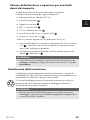
Inserting/removing the microSD card
CAUTION
► Do not install or remove the microSD card (not supplied) while the device is
switched on. This can cause loss of data on the microSD card.
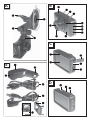
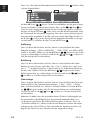
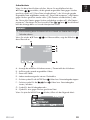
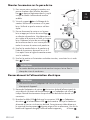
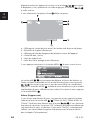
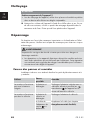
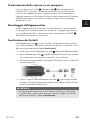
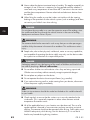
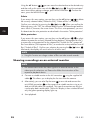
♦ Insert a microSD card into the microSD card slot
so that the golden
contacts are facing toward the display. Press the microSD card in until it
locks into place.
GB
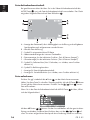
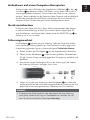
♦ To remove the microSD card, gently press the edge of the microSD card.
The microSD card is ejected slightly and can be removed from the device.
NOTE
► The camera does not have any internal memory. Therefore, recordings can
only be made with a memory card inserted.
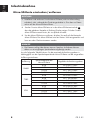
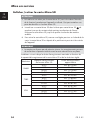
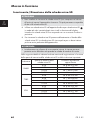
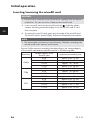
You can find the maximum recording time depending on the storage capacity
of the microSD card and the selected resolution in the following table.
Resolution
1080p
720p
VGA
86
Storage capacity of the
microSD card
4 GB
8 GB
16 GB
32 GB
4 GB
8 GB
16 GB
32 GB
4 GB
8 GB
16 GB
32 GB
Approximate recording time
approx. 0 hrs. 19 min.
approx. 0 hrs. 39 min.
approx. 1 hr. 18 min.
approx. 2 hrs. 08 min.
approx. 0 hrs. 29 min.
approx. 1 hr. 00 min.
approx. 1 hr. 58 min.
approx. 4 hrs. 01 min.
approx. 0 hrs. 47 min.
approx. 1 hr. 37 min.
approx. 3 hrs. 11 min.
approx. 6 hrs. 29 min.
CR 5 A1