1
Owner’s Manual
Viscount Chorale 8
6.1 REGULATING THE VOICE VOLUMES
The VOICES VOLUME function allows you to adjust the volume of each individual voice in a range
from -9 dB to +9 dB. Each modification is saved immediately and is audible in real time, making it easier
for the user to obtain the setting required. You must also remember that the voice volumes are saved by
the organ styles, so when a style change is made, apart from possible replacements of the stop voices, the
volumes will also be reconfigured to suit the selected style.
However, changes made to the volumes are not lost when different styles are recalled and they are retained
in the memory within the style.
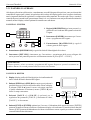
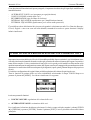
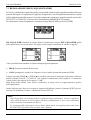
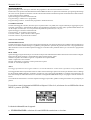
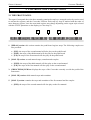
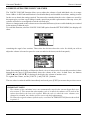
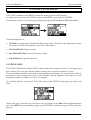
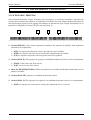
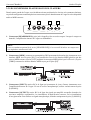
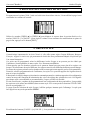
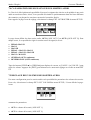
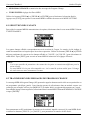
To recall this function, select the VOICES VOLUME option from the SETTING MENU; the display will
show:
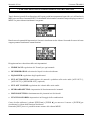
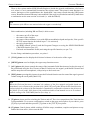
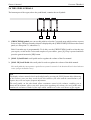
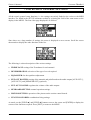
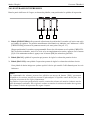
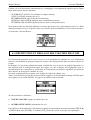
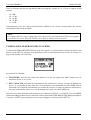
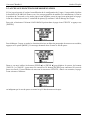
containing the organ’s four sections. Then select the division where the voice for which you wish to
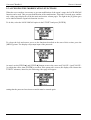
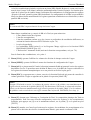
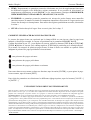
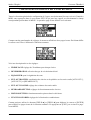
adjust the volume is located or press for some seconds its tab insert (on the front panel):
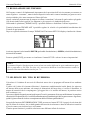
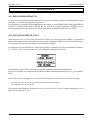
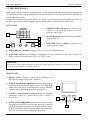
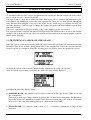
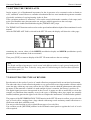
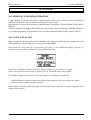
In the first example the display will show the first 4 voices of each section. In case this procedure is done
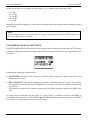
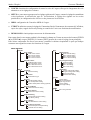
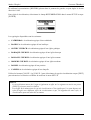
through the tab insert il will immediately show the volume of the voice. In both cases, use buttons
[FIELD S] and [FIELD T] for having on the display the volume of another voice.
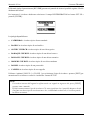
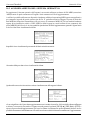
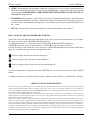
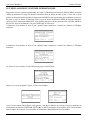
To regulate the volume, use the [VALUE +] and [VALUE -] buttons.
The new value is rendered audible immediately and saved; press [EXIT] to return to the previous screen.
IMPORTANT NOTES
- The volumes of the individual voices are automatically saved in the current Organ Style (see
also section 5). This means that when another style is recalled, the volumes will be reset to the
values described in the last style recalled. When the style in which the voice volumes were
changed is reloaded, the volumes will be reset to the latest adjustments.
- To restore the original volumes of all the styles, recall the FACTORY SETTING function described
in point 9.2.
56