1
Owner’s Manual
Viscount Chorale 8
PROGRAM CHANGE
This message is used to select the programs or sounds of the receiver instrument.
There is also a specific standard called General MIDI which describes which sound should be recalled for each Program
Change received. This association is usually described by means of a table included in the user manual of the instrument
which adopts the standard.
This message contains the following information:
Program Change: voice or program change;
Program Change Number: the number of the program or voice to be activated;
CONTROL CHANGE
These are control messages (often associated to trimmers or pedals) used to add expression to the performance, allowing you
to set (and control in real time if necessary) voice parameters such as volume (CC n.7) or the position of the swell pedals (CC
n.11), etc.
This message contains the following information:
Control Change: a controller has been adjusted
Controller Number: which controller has been adjusted
Controller Position: the position of the controller
SYSTEM MESSAGES
SYSTEM EXCLUSIVE
These messages can only be interpreted by an instrument made by the same producer as the transmitter device (in some cases
only by the same model). They mainly relate to the instrument’s sound generation and programming parameters. The Chorale
8 uses these messages to control all the internal parameters and for switching the voices on and off.
REAL TIME
These messages are used for the real-time control of specific modules or functions of a connected instrument. These messages
include the Start, Stop, Pause/Continue and Clock commands.
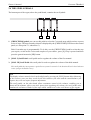
START: the sequencer has started to record or play back a MIDI sequence
STOP: the sequencer has been stopped
PAUSE / CONTINUE: the sequencer has been set in stop status
CLOCK: the sequencer speed
N.B.
The Chorale 8 does not transmit / receive the messages described above. They are described for your information only.
The Real Time messages also include the Active Sensing code, sent to keep the dialogue between two MIDI instruments alive.
When the receiver instrument does not receive any MIDI data or the Active Sensing code in a time interval of about 300
milliseconds, it considers the MIDI connection to have been deactivated, so it switches off any notes still active. Remember
that the transmission and reception of this message is optional, so not all instruments are equipped to handle it.
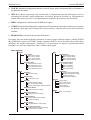
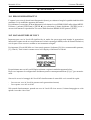
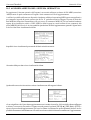
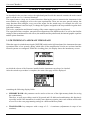
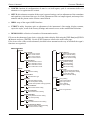
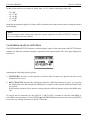
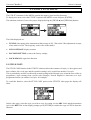
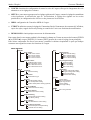
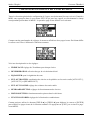
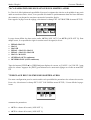
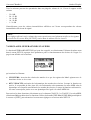
To access all the Chorale 8 MIDI settings, select the MIDI option in the MENU screen and press [ENTER].
The functions available are as follows:
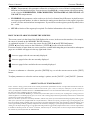
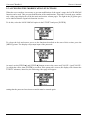
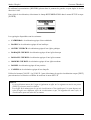
o TX/RX CHANNEL: MIDI transmission and reception channel selection.
o SEND PROG. CHANGE: Program Change message transmission.
67