1
Placement and Setup
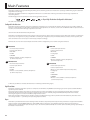
Included Items
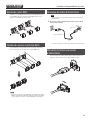
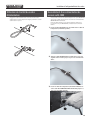
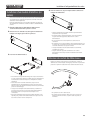
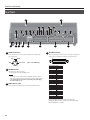
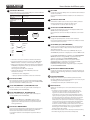
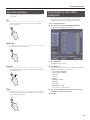
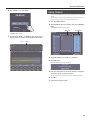
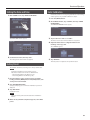
3. Close the ferrite core by pressing down until it snaps into
place with an audible click.
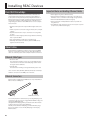
The items included with the M-5000 are as follows. Check to ensure
that all are present.
55 Power cord
* Be sure to use only the power cord included with the M-5000.
55 REAC connector covers (3)
55 Ferrite cores (6)
55 Quick Start (this document)
55 Cover
55 Dock cable
55 Tablet sheets (2)
If any included item is missing, contact the nearest Roland Service
Center.
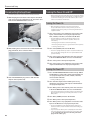
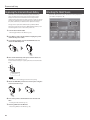
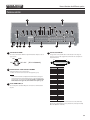
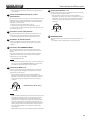
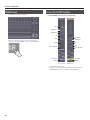
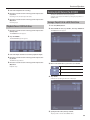
4. Connect the plug at the end where the ferrite core is
attached to the unit.
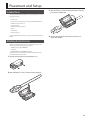
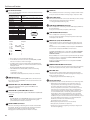
Attaching the Ferrite Cores
Before you use the M-5000, be sure to attach ferrite cores to any
cables connected to the following connectors.
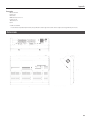
55 REAC ports (A, B, SPLIT/BACKUP)
55 LAN port
55 AES/EBU OUT 1/2, AES/EBU OUT 3/4 jacks
The ferrite cores are intended to counter electromagnetic noise.
Leave them attached at all times.
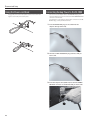
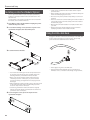
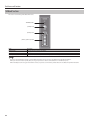
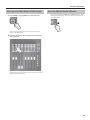
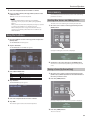
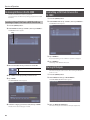
1. Spread open the tabs and open the ferrite core.
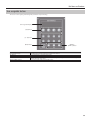
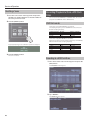
2. Attach the ferrite core at a location near the plug base.
15